Knowledge base
1000 FAQs, 500 tutorials and instructional videos. Here, there are only solutions!
Create an e-commerce store in Site Creator
This guide explains how to add and configure an online store moduleon your website created with Site Creator Infomaniak to start selling online and offer your products for sale.
Add the online store to Site Creator
Start by logging in to the Infomaniak Manager with your credentials (user account with the necessary permissions for the relevant product):
- Click here to access the hosting & website management interface (filtered to display only Site Creator).
- If nothing is displayed, you may not be in the Organization to which your website is linked (❓: help).
- Click on the name of the Site Creator in question:
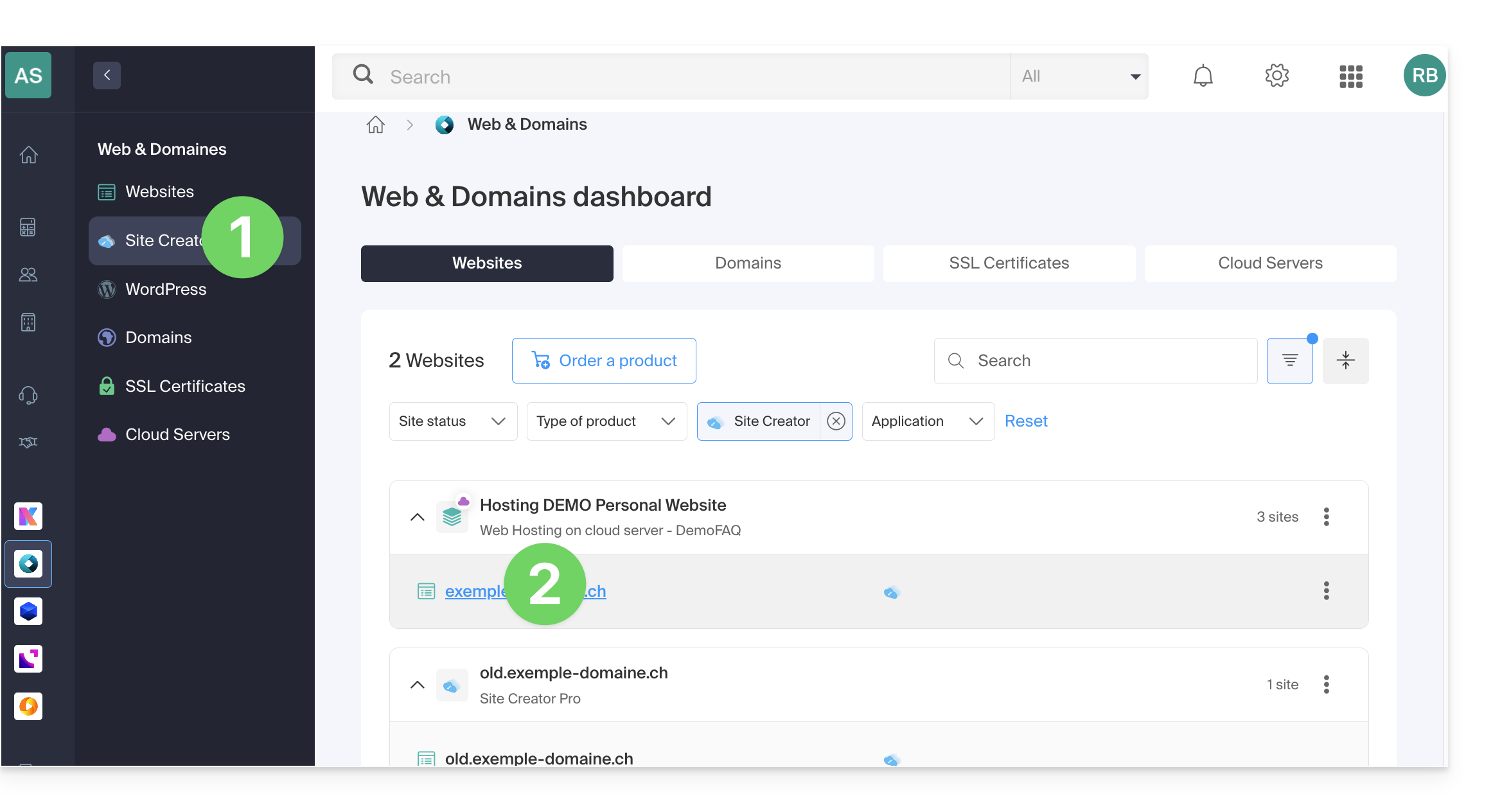
- Click on the button to edit your site:
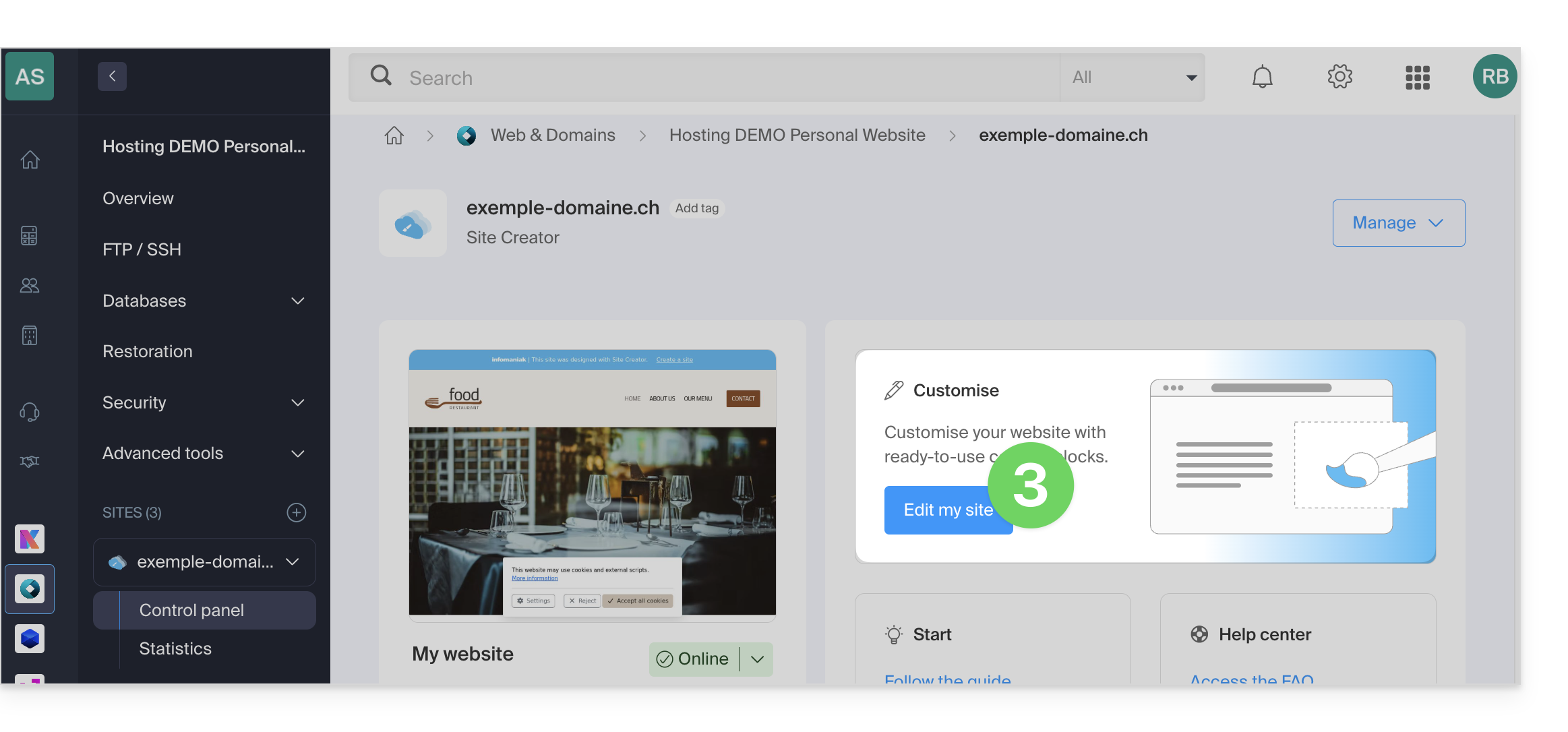
Dedicated themes
If you plan to create a website entirely dedicated to your products in the form of an online store, you can choose from the start to apply a theme from the E-Commerce category: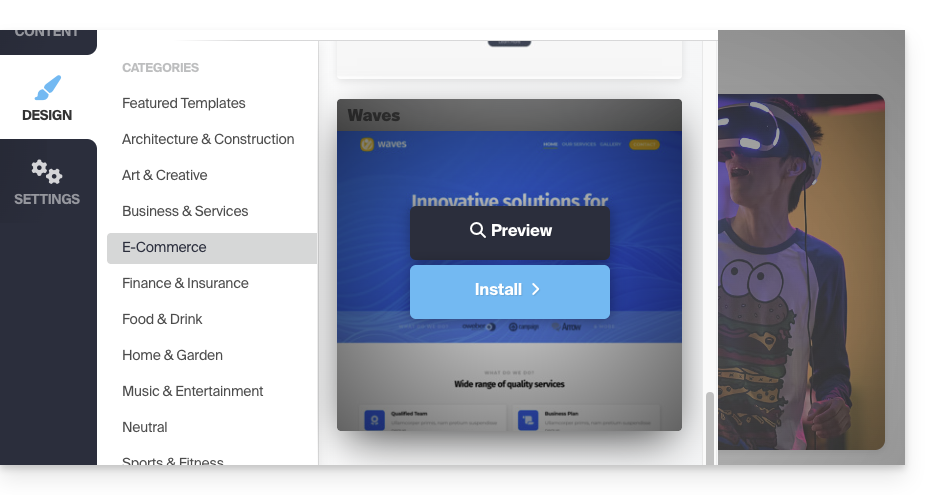
Shop module for Site Creator
If the Shop module is not yet integrated into your pages, simply add it to the location of your choice:
- Click on the Content button in the left sidebar.
- Click on Applications at the bottom of the list, then on Store:
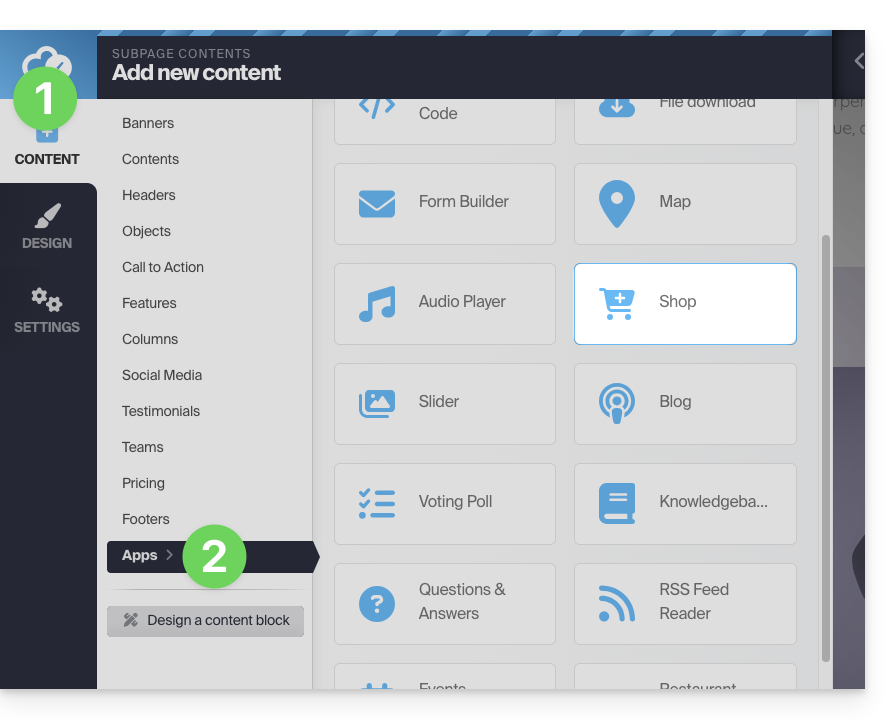
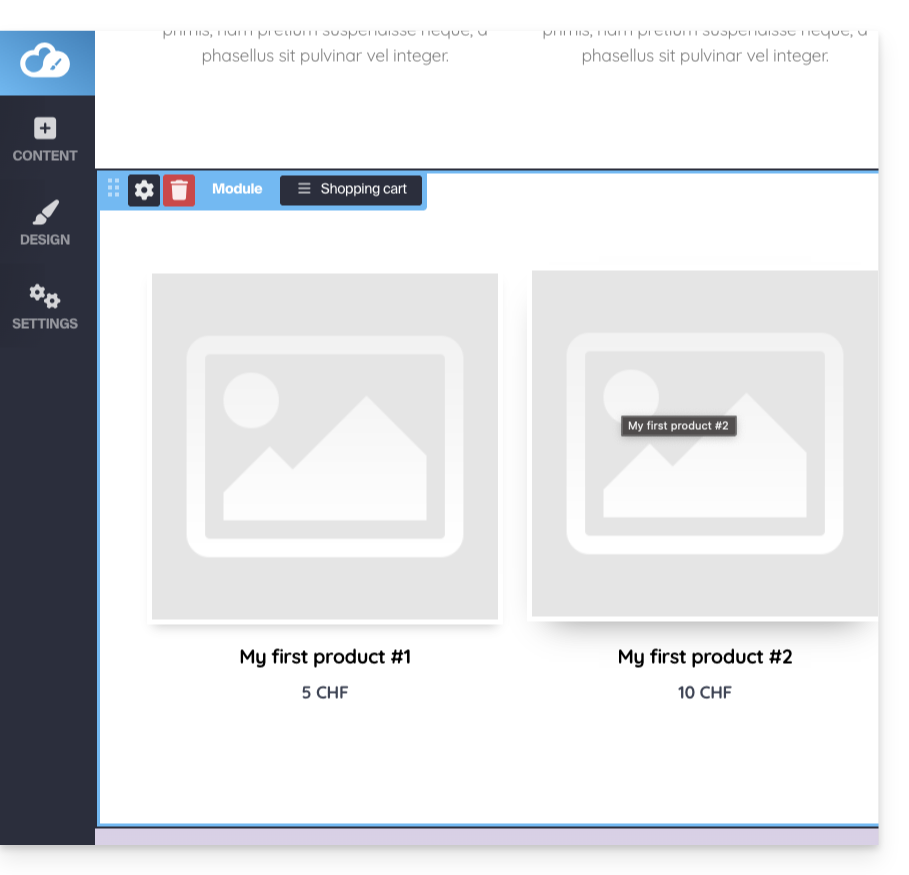
- The store and 3 example products are inserted:
Configure the store
Refer to this other guide about the different configuration options for the Site Creator store.
Link to this FAQ: https://faq.infomaniak.com/2450
Has this FAQ been helpful?