Knowledge base
1000 FAQs, 500 tutorials and instructional videos. Here, there are only solutions!
Configure eM Client with IMAP (email)
This guide explains how to connect the eM Client desktop app (desktop application on macOS / Windows) to an email address hosted by Infomaniak.
Add the email address to the application
Prerequisites
- Create the email address (❓: help my kSuite | Mail Service/kSuite).
- Create a device password (❓: help my kSuite | Mail/kSuite Service).
- Verify that the domain is configured correctly (❓: help).
To configure the email application:
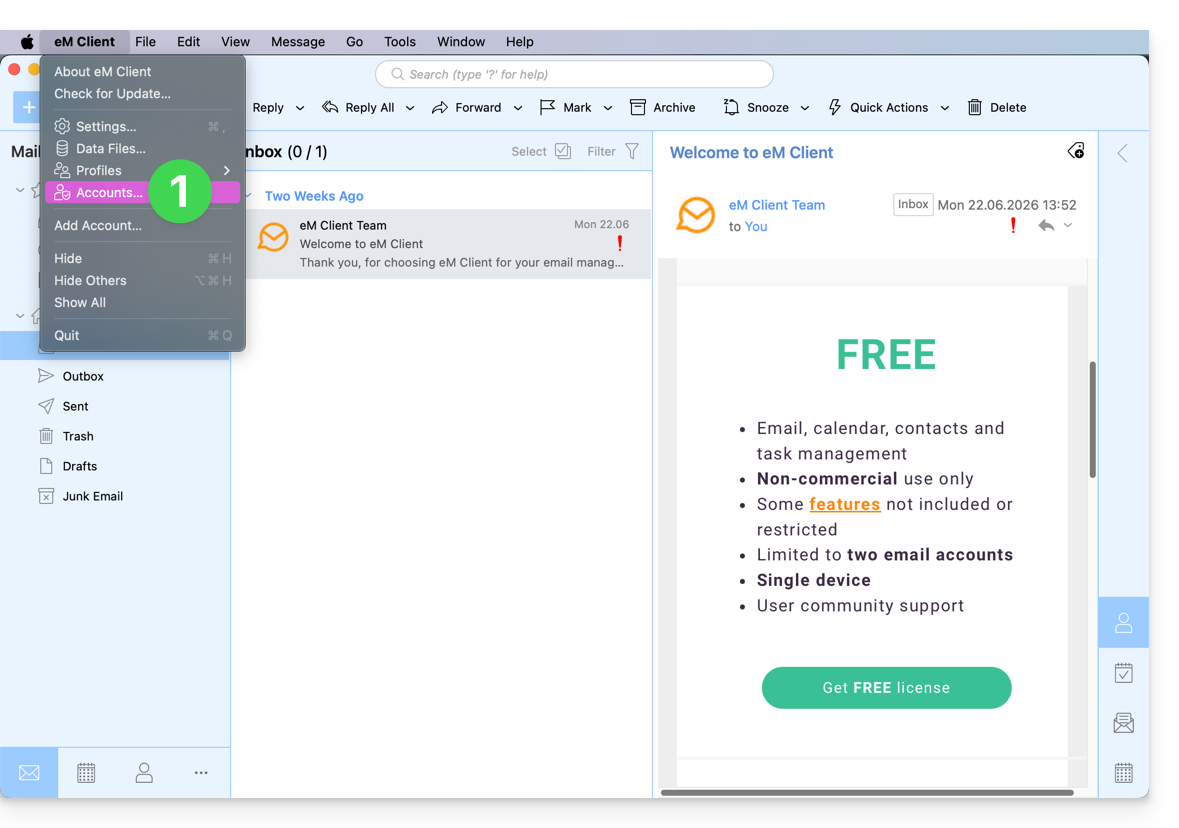
- Open the application and click on Accounts:
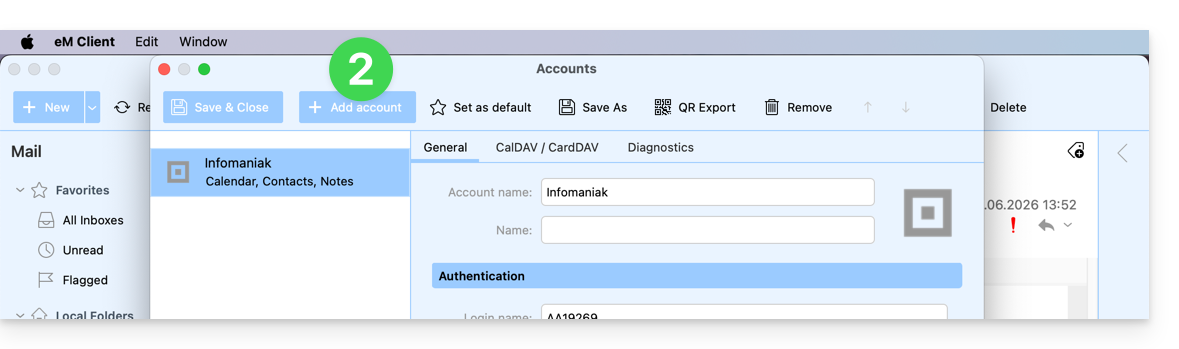
- Click on Add an account:
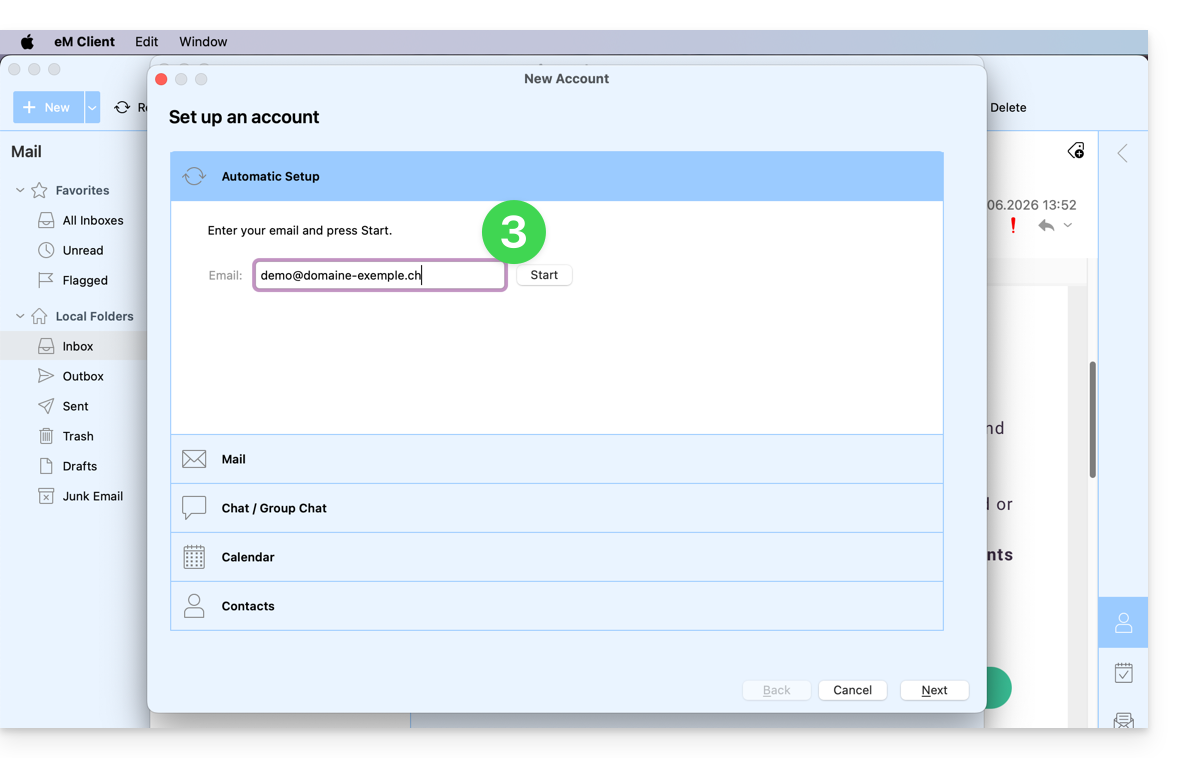
- Enter the email address to be linked, then click the Start button next to the field:
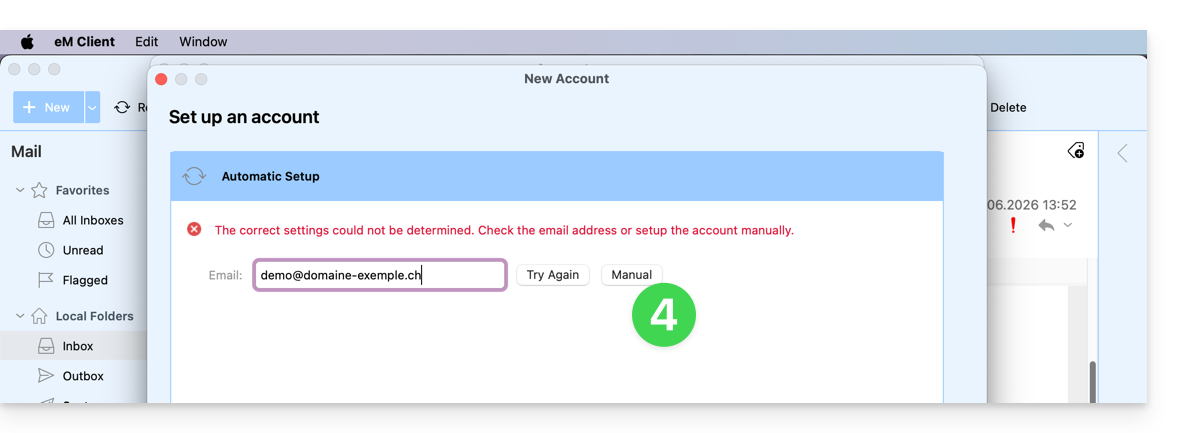
- Click the button to manually enter the settings:
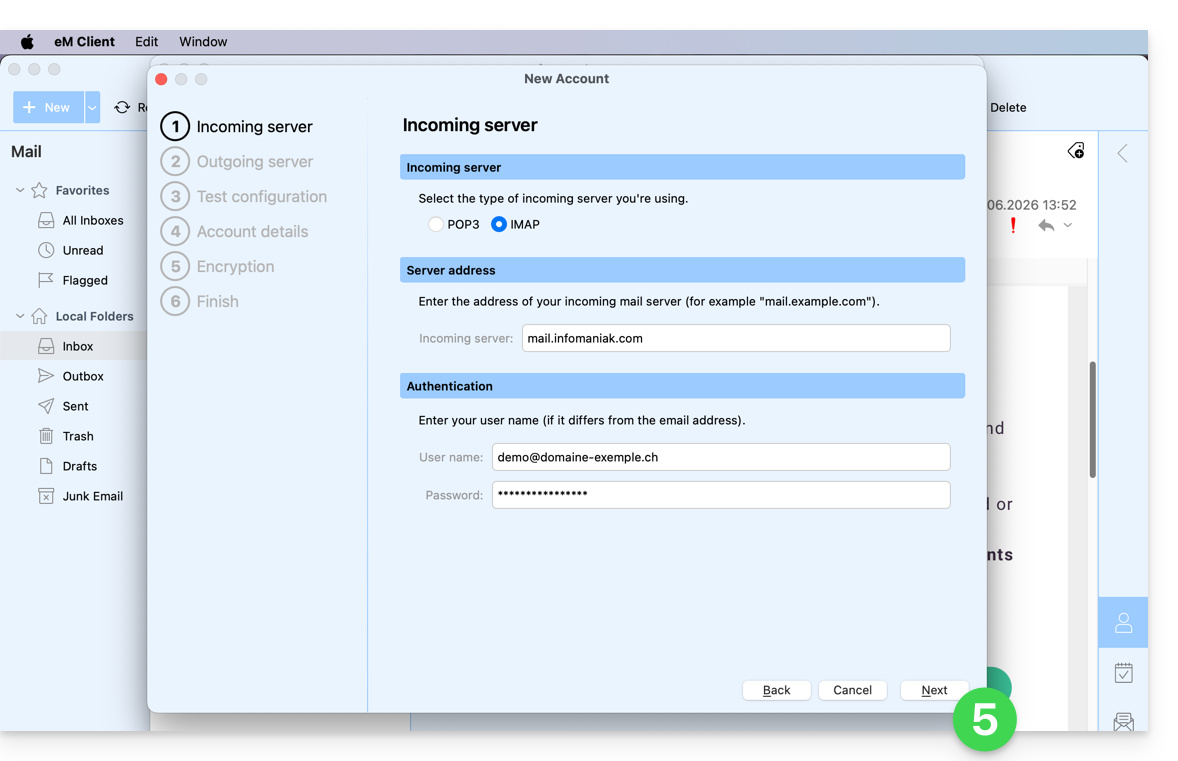
- Check the incoming server and complete any missing information (❓: help), then click Next:
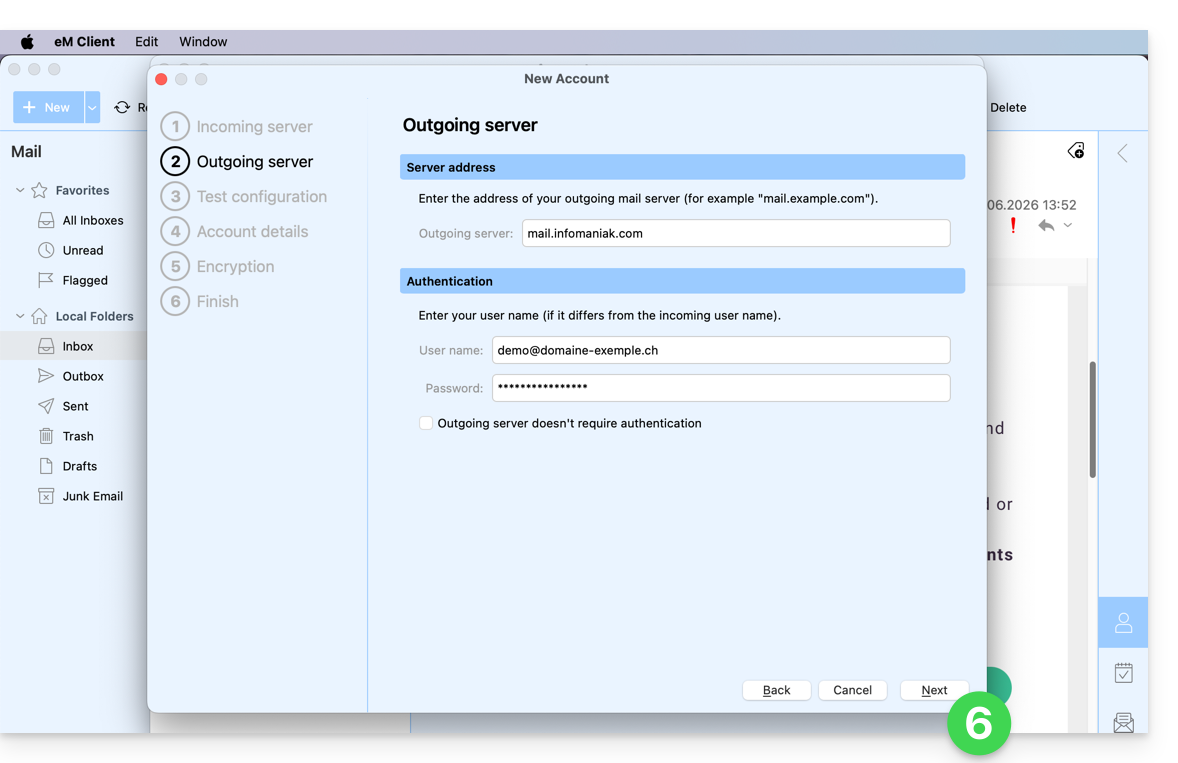
- Do the same for the outgoing server:
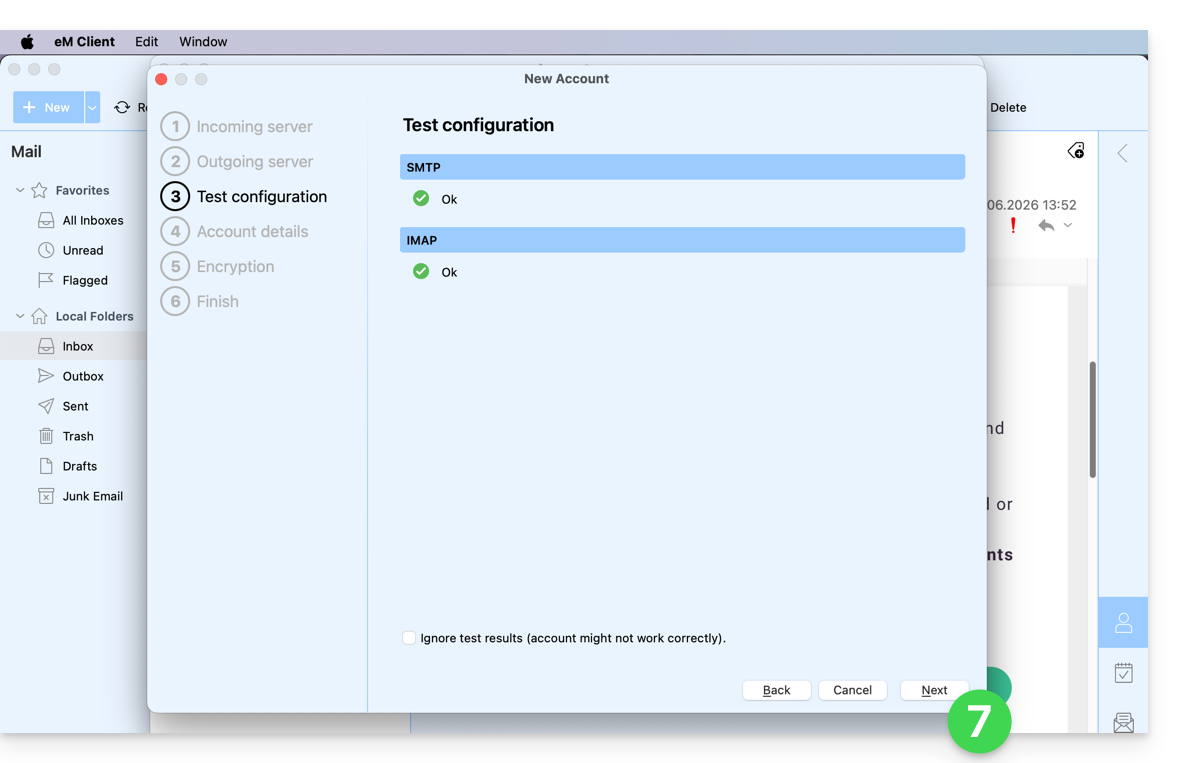
- Once the test indicators are green, click Next:
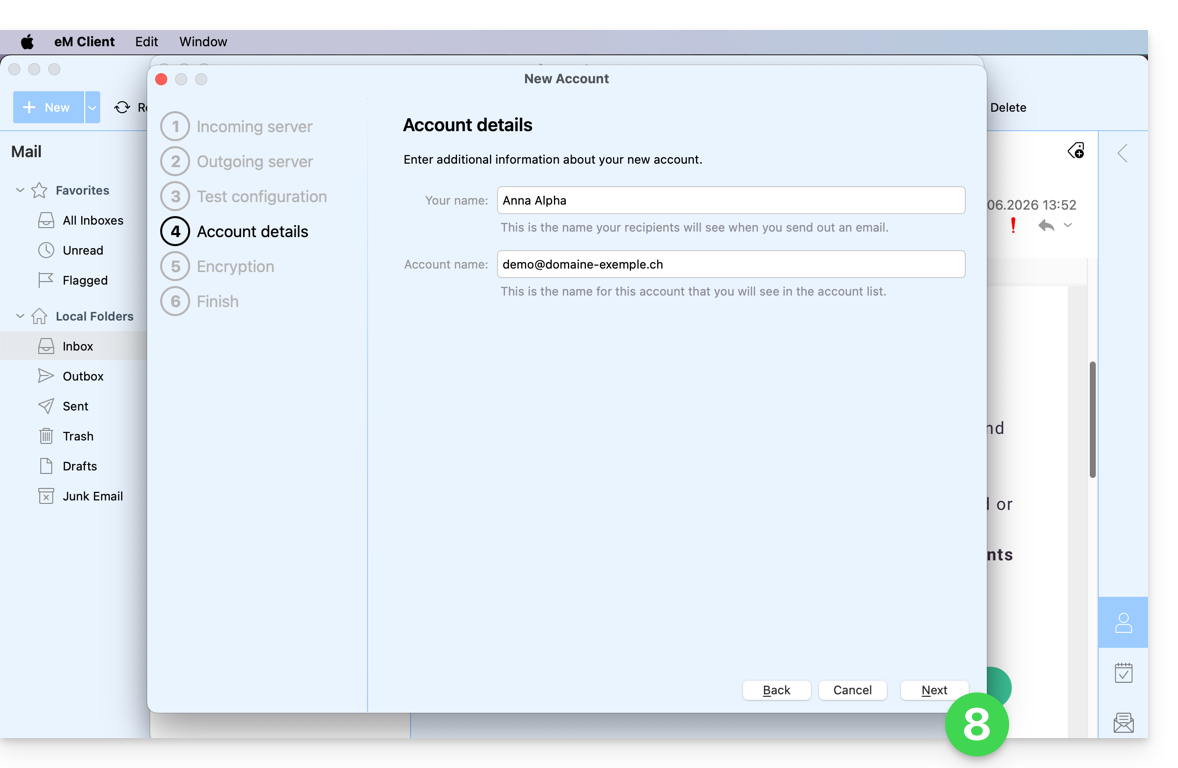
- Complete the missing information and then click Next:
- Skip this step without adding extra security:
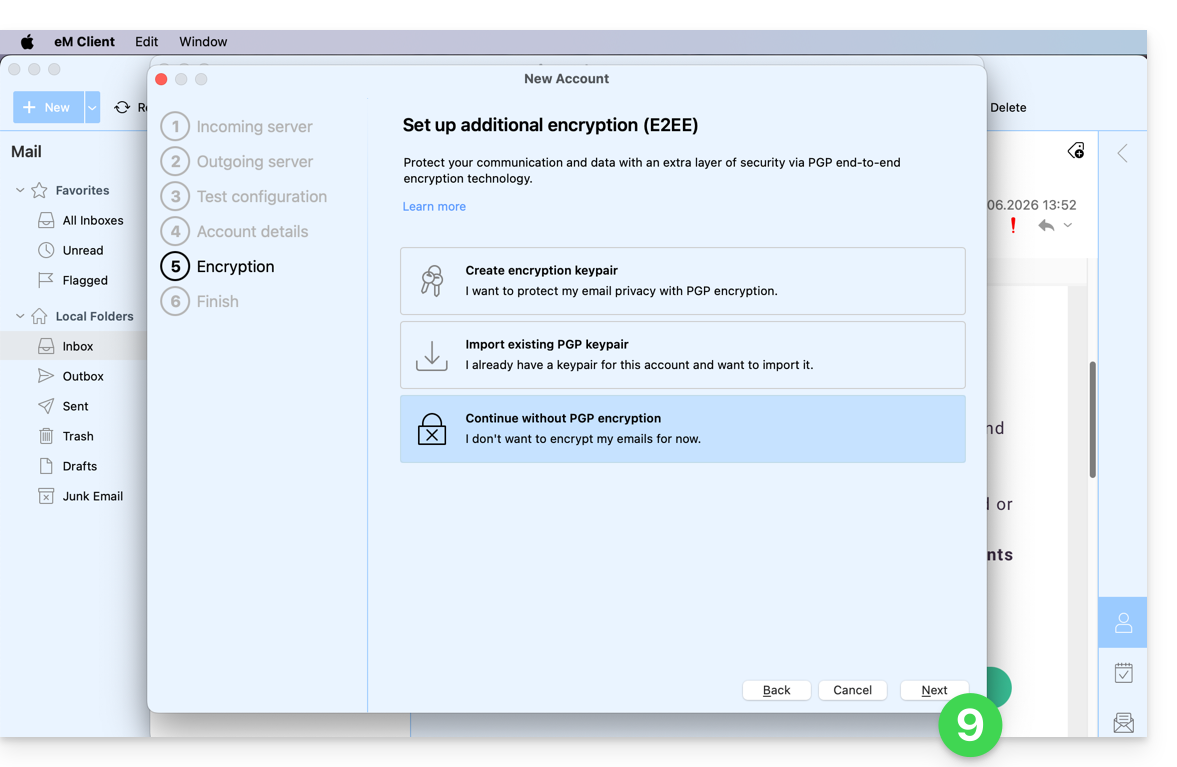
- Set your preferences and tap Finish:
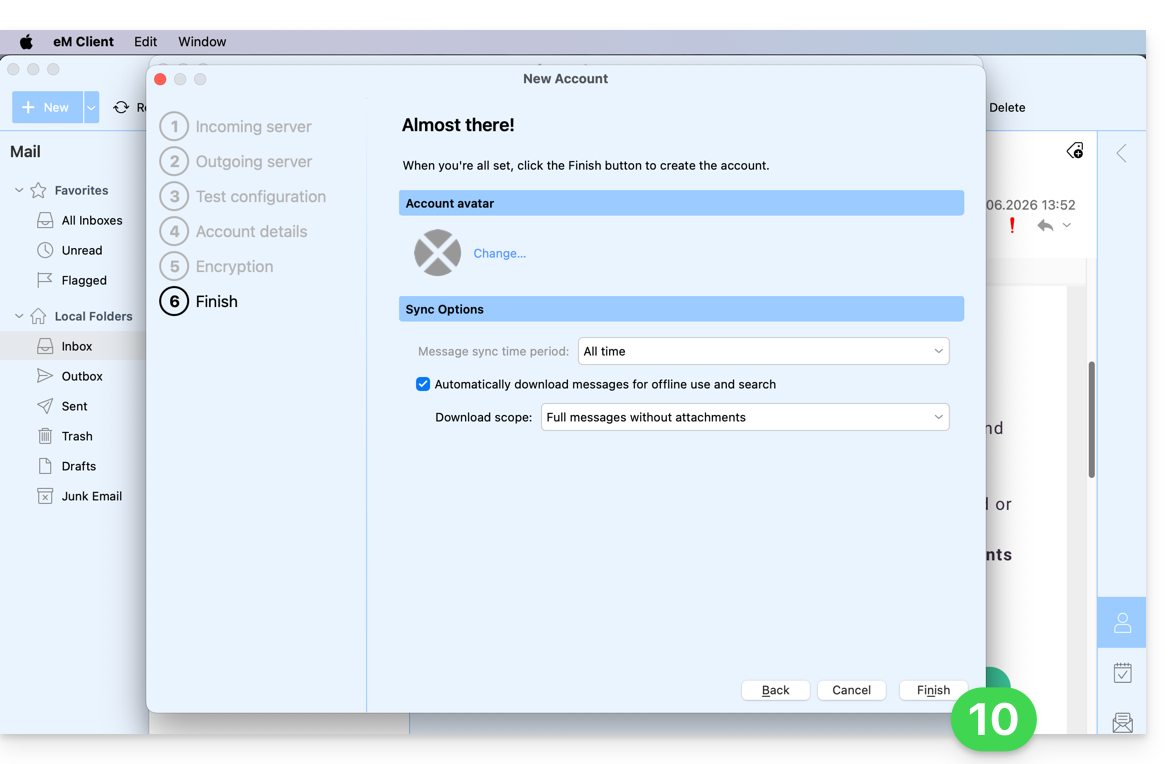
- Save the account addition:
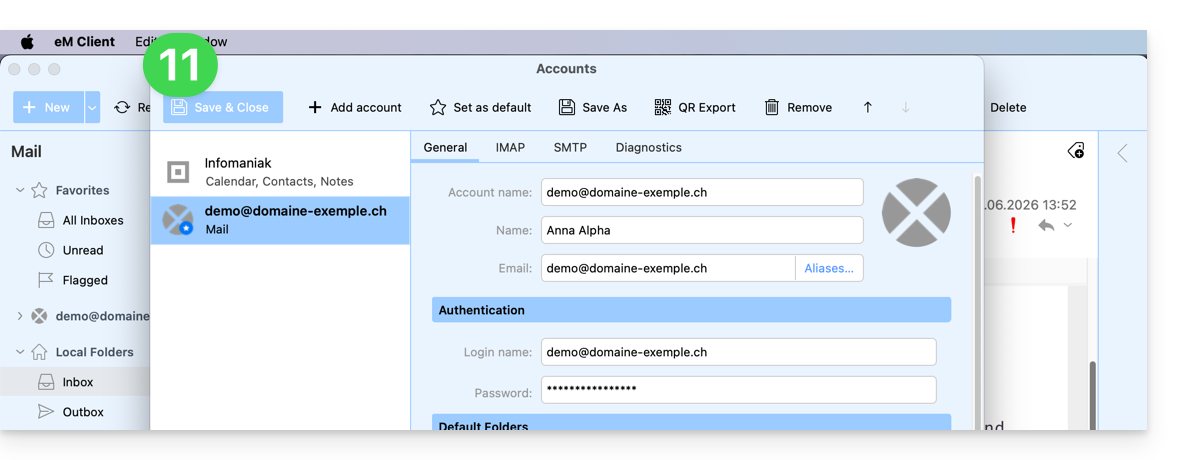
- Your email address is now configured in the application:
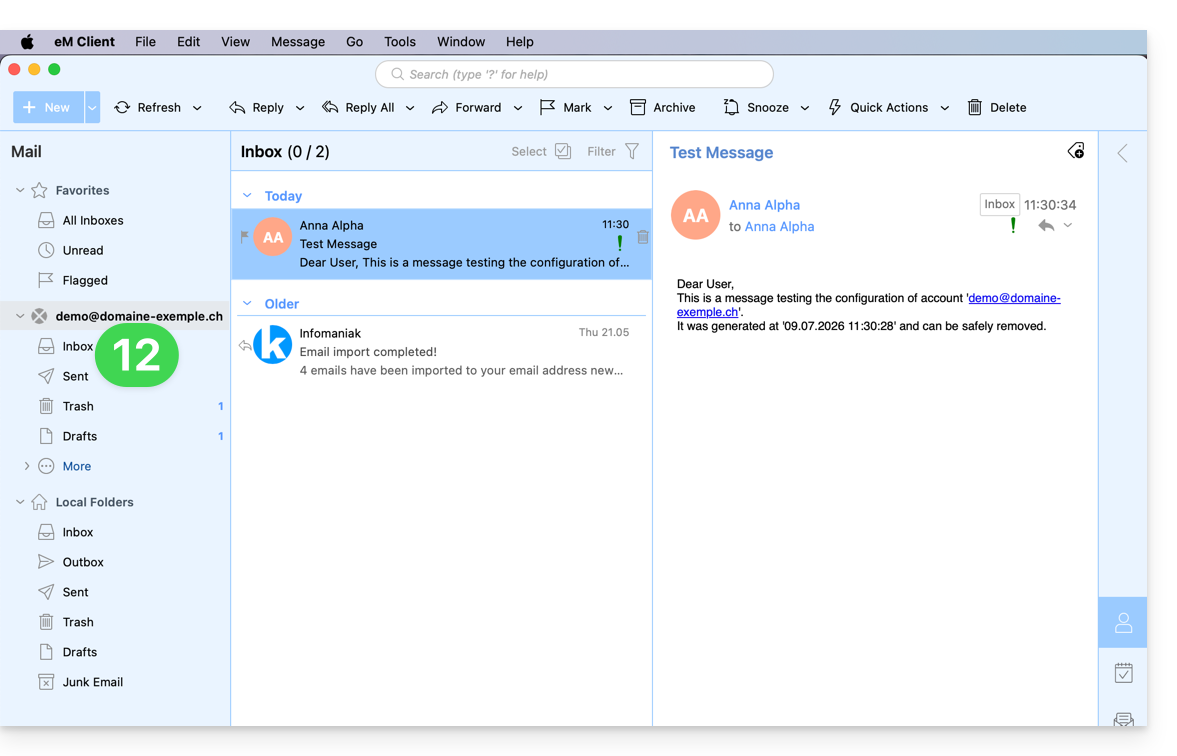
Recommended settings
- Incoming IMAP server =
mail.infomaniak.com - IMAP port =
993(with SSL) - Outgoing SMTP server =
mail.infomaniak.com - SMTP port & encryption protocol and command/method to activate this protocol:
587+ STARTTLS - Username = the complete email address (❓: help)
- Password = the password generated for the email address you want to access (❓: help my kSuite | Mail Service/kSuite).
- Mandatory authentication for sending emails:
- Enable this in the SMTP settings of your application.
- Check "use the same settings as the incoming server" or, depending on the software/email client, enter a username (i.e., the complete email address) and the generated password.
Refer to this other guide if you are looking for information about other compatible email ports and protocols (SSL / TLS, for example).
In case of a problem
Check that the Mail service is configured optimally (❓: help).
You do not need to contact Infomaniak Support if your email address works correctly outside the application. The most common error is using an incorrect password. Please refer to the solutions provided in this other guide regarding email in general.
Link to this FAQ: https://faq.infomaniak.com/2429
Has this FAQ been helpful?