Knowledge base
1000 FAQs, 500 tutorials and instructional videos. Here, there are only solutions!
Configure Microsoft 365 with IMAP (email)
Update 10/12/2026
This guide explains how to connect Microsoft 365 to an email address hosted by Infomaniak.
Introduction
- Infomaniak email addresses cannot be added directly to Outlook online from a browser using a personal Microsoft account
- Indeed, Microsoft no longer allows adding an external address via IMAP to
outlook.live.com. - Only the Microsoft mailbox linked to the connected account (address
@outlook.fr,@outlook.com,@hotmail, etc.) can be displayed there. - “Microsoft 365” is primarily a subscription; Microsoft has removed the function for connected accounts in Outlook.com, and the equivalent function in Outlook on the web has also been removed.
- Indeed, Microsoft no longer allows adding an external address via IMAP to
- To view an Infomaniak address with Outlook,you must therefore install the Outlook app or use other IMAP-compatible email software/client.
Get the Outlook 365 app
To do this:
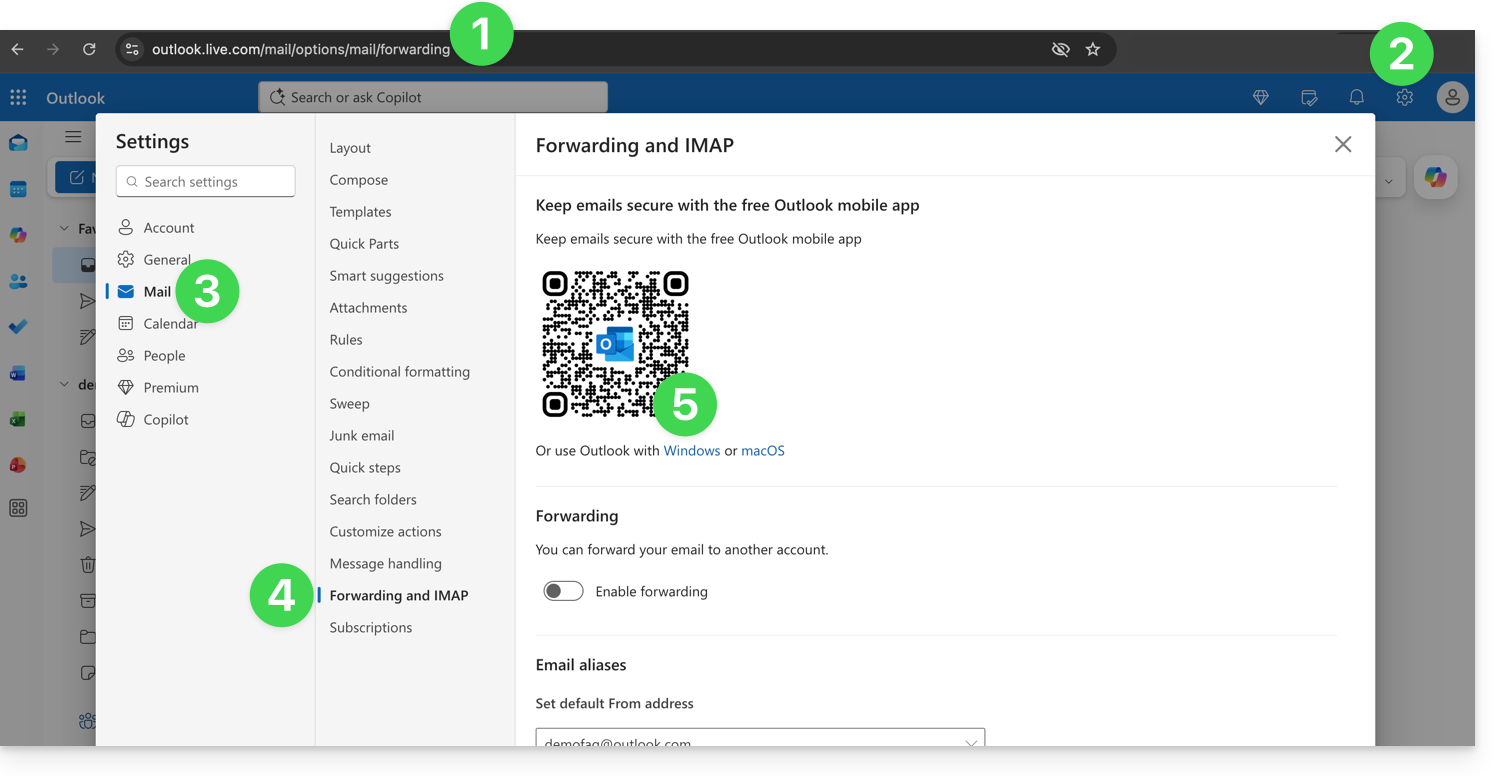
- Log in to https://outlook.live.com/mail/options/mail/forwarding with your personal Microsoft account.
- Click on Settings in the top right corner.
- Click on Mail in the left-hand menu.
- Click on Transfer and IMAP in the secondary menu.
- Download the Outlook application in the version corresponding to your device type:
Add the email address to the Outlook 365 app
On macOS, please refer to this other guide.
On Windows, this other guide and on mobile (iOS / Android), this other guide.
Link to this FAQ: https://faq.infomaniak.com/2428
Has this FAQ been helpful?