Knowledge base
1000 FAQs, 500 tutorials and instructional videos. Here, there are only solutions!
Configure Microsoft 365 with IMAP (email)
This guide explains how to connect Microsoft 365 to an email address hosted by Infomaniak.
Introduction
- Infomaniak email addresses cannot be added directly to Outlook online from a browser using a personal Microsoft account.
- Indeed, Microsoft no longer allows adding an external address via IMAP on
outlook.live.com. - Only the Microsoft mailbox linked to the connected account (address
@outlook.fr,@outlook.com,@hotmail…) can be displayed there. - “Microsoft 365” is primarily the subscription; Microsoft has removed the function for connected accounts in Outlook.com, and the equivalent function of Outlook on the web has also been removed.
- Indeed, Microsoft no longer allows adding an external address via IMAP on
- To view an Infomaniak address with Outlook, you must install the Outlook app or use a different software/IMAP-compatible email client.
Get the Outlook 365 app
To do this:
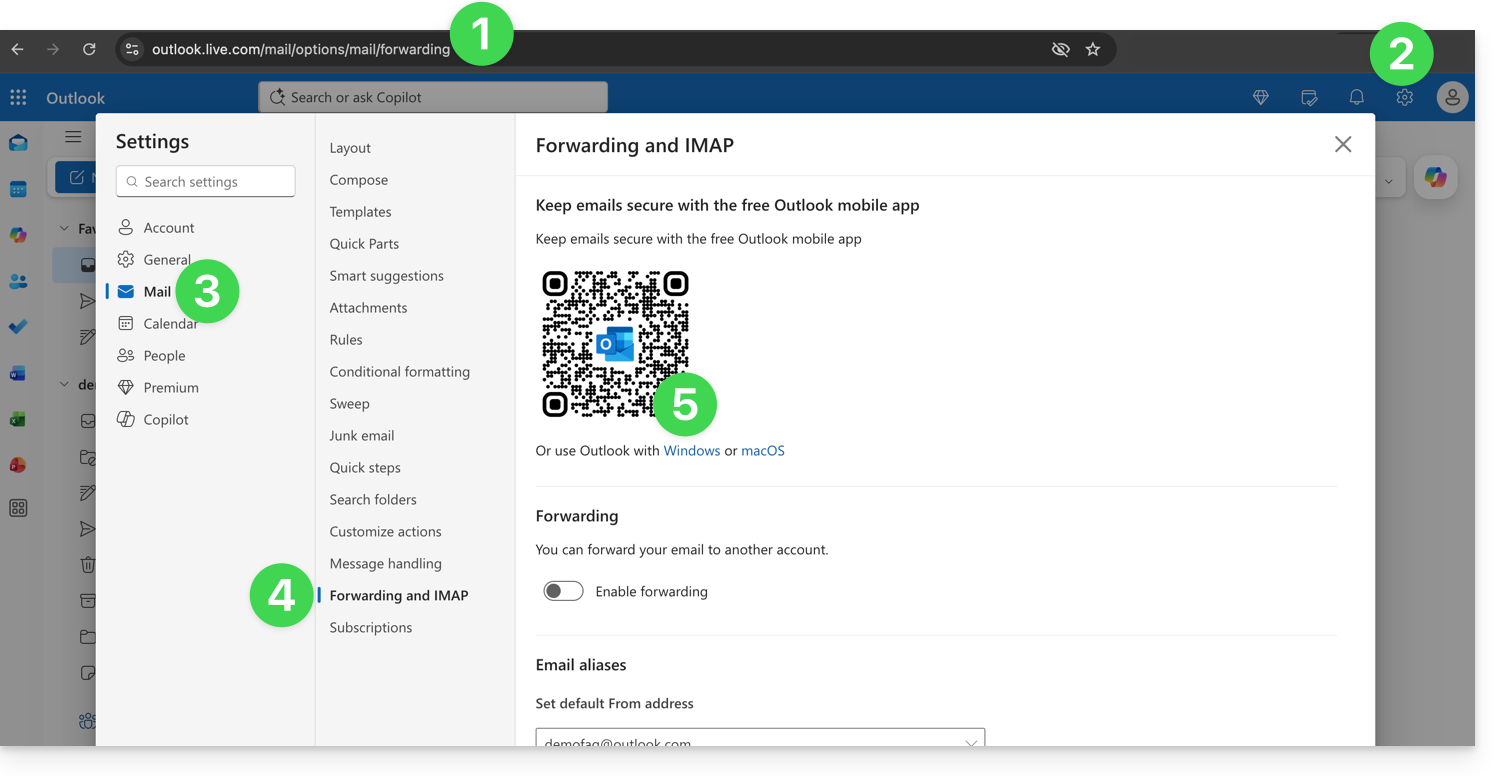
- Log in to https://outlook.live.com/mail/options/mail/forwarding with your personal Microsoft account.
- Click on the Settings icon in the upper right corner of the interface.
- Click on Mail in the left-hand menu.
- Click on Forwarding and IMAP in the secondary menu.
- Download the Outlook application in the version corresponding to your device type:
Add the email address to the Outlook 365 app
On macOS, please refer to this other guide.
On Windows, refer to this other guide, and on mobile (iOS / Android), refer to this other guide.
Link to this FAQ: https://faq.infomaniak.com/2428
Has this FAQ been helpful?