Knowledge base
1000 FAQs, 500 tutorials and instructional videos. Here, there are only solutions!
Schedule maintenance for your services
This guide explains how to customize the time slots during which Infomaniak can perform maintenance to improve your services (new features, bug fixes, etc.).
Introduction
- This feature is only available for:
- Cloud Servers
- Cloud VPS / VPS Lite
- Jelastic Cloud
- Unless otherwise specified, scheduled maintenance is generally performed by Infomaniak between 10 PM and 6 AM.
Modify the scheduled maintenance period
To do this:
- Click here to access the service for which you want to schedule maintenance in the Infomaniak Manager (need help?).
- Click directly on the name assigned to the product in question.
- Click on Scheduled Maintenance in the left-hand menu or on the central page, depending on the service in question (see Jelastic below):
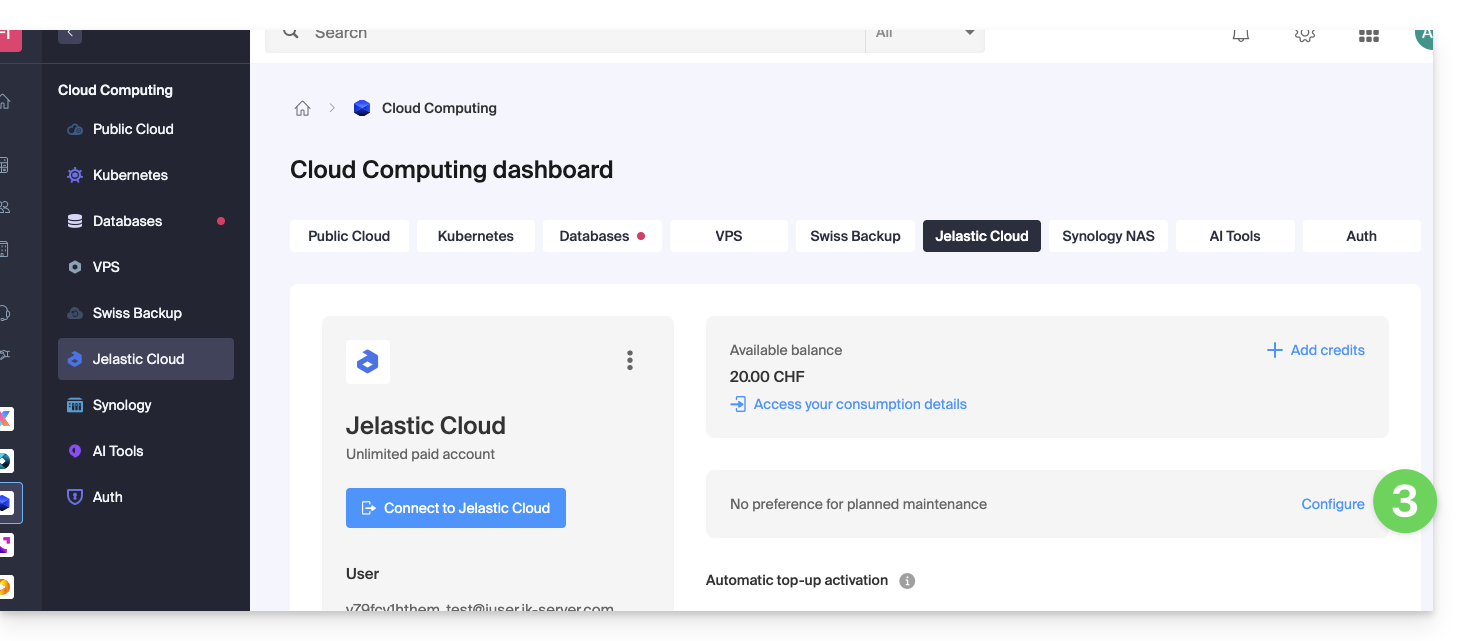
- The same applies to a VPS:
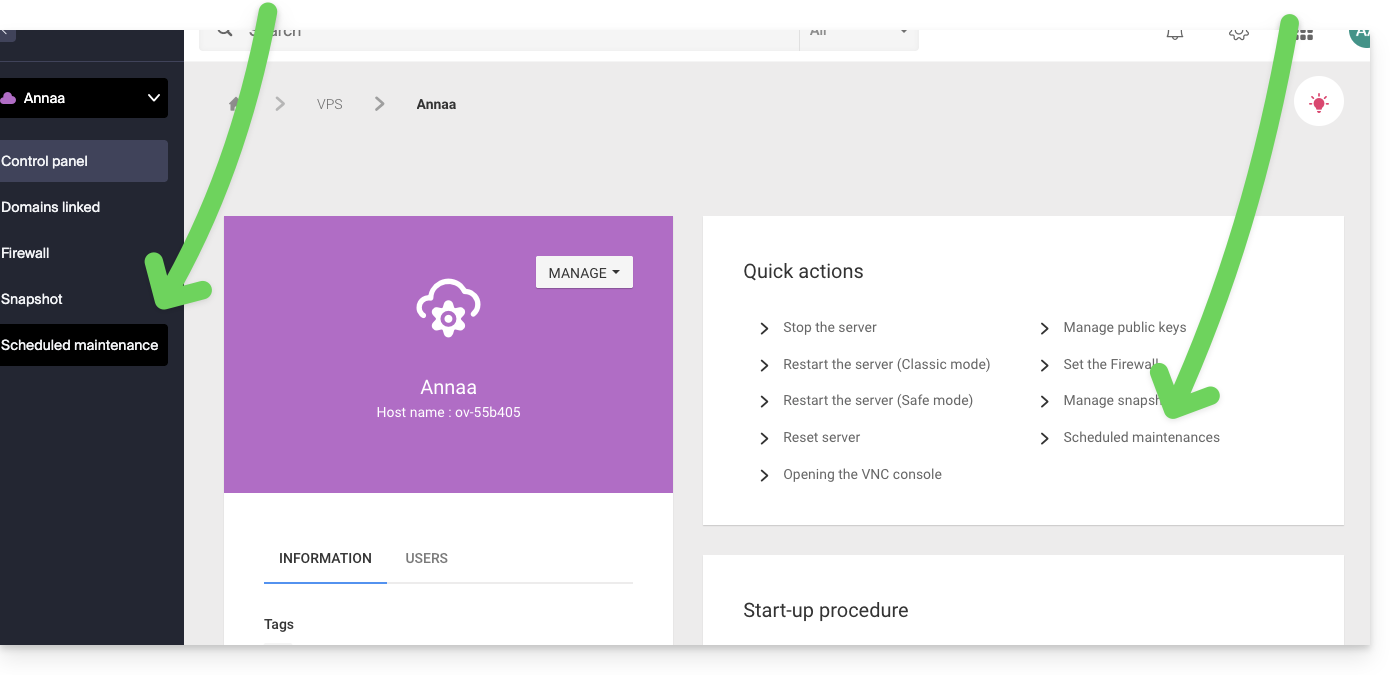
- The same applies to a VPS:
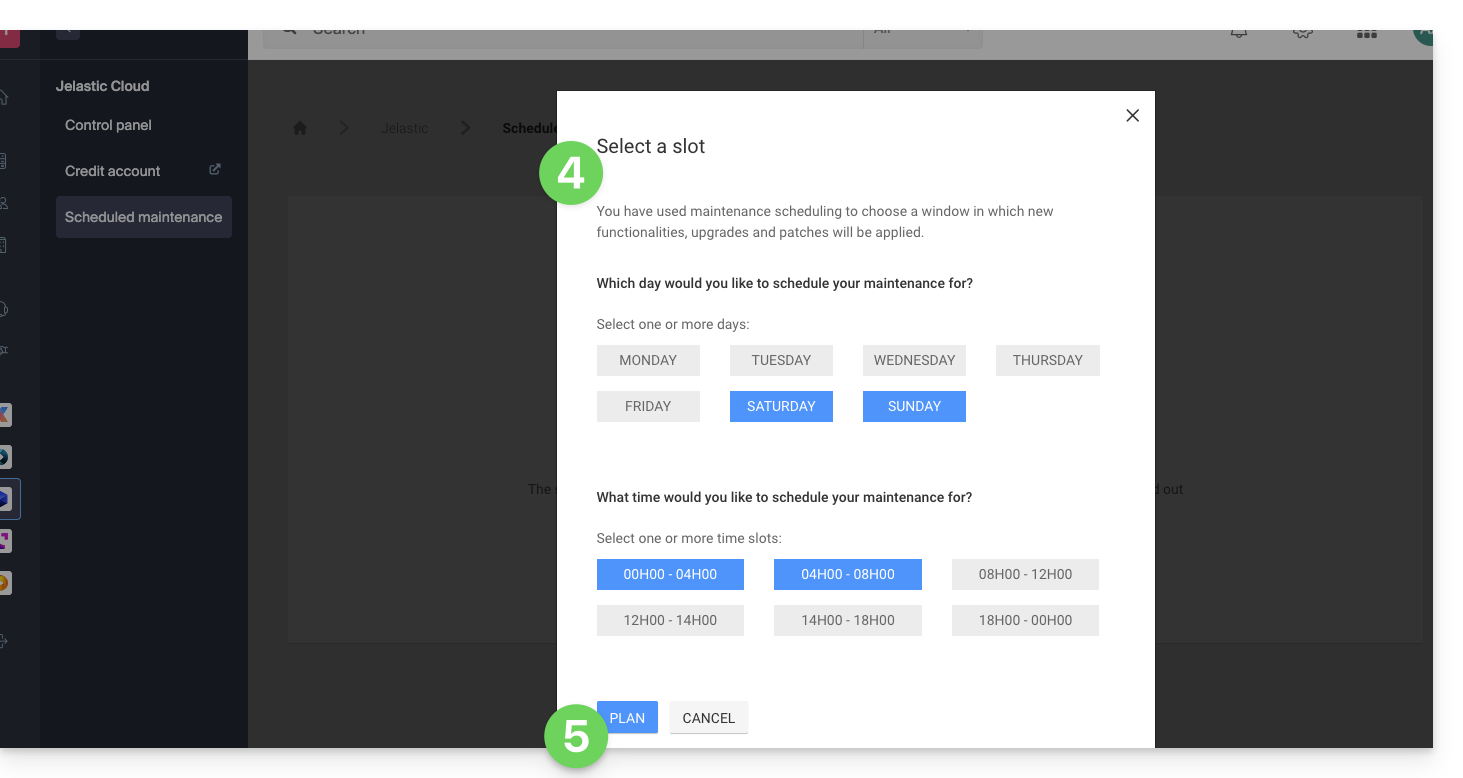
- Click on the buttons to define your preferred time slot, indicated in blue.
- Confirm by clicking the button at the bottom:
Link to this FAQ: https://faq.infomaniak.com/2424
Has this FAQ been helpful?