Knowledge base
1000 FAQs, 500 tutorials and instructional videos. Here, there are only solutions!
Schedule maintenance for your services
Update 09/01/2026
This guide explains how to customize the time slots during which Infomaniak can perform maintenance to improve your services (new features, bug fixes, etc.).
Introduction
- This feature is only available for:
- Cloud Servers
- Cloud VPS / VPS Lite
- Jelastic Cloud
- Unless otherwise specified, scheduled maintenance is generally performed by Infomaniak between 10 PM and 6 AM.
Modify the scheduled maintenance period
To do this:
- Click here to access the service for which you want to schedule maintenance in the Infomaniak Manager (need help?).
- Click directly on the name assigned to the product in question.
- Click on Scheduled Maintenance in the left-hand menu or on the central page, depending on the service in question (see Jelastic below):
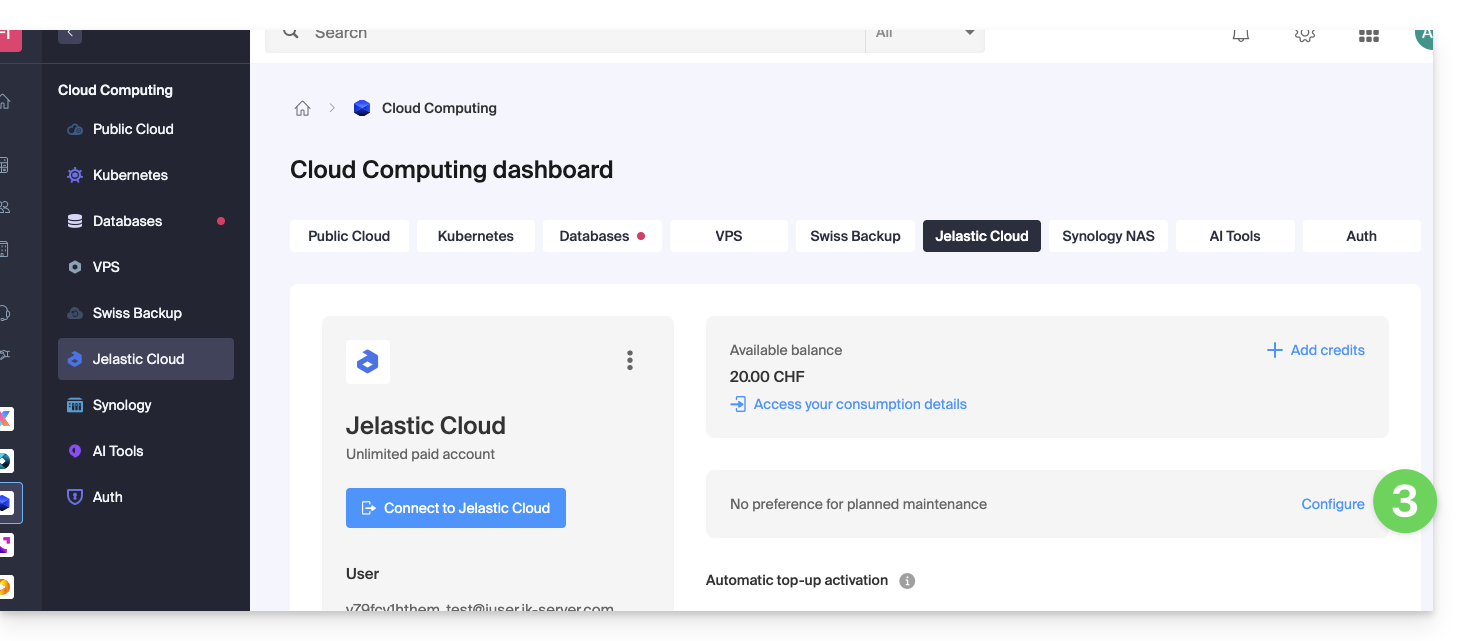
- The same applies to a VPS:
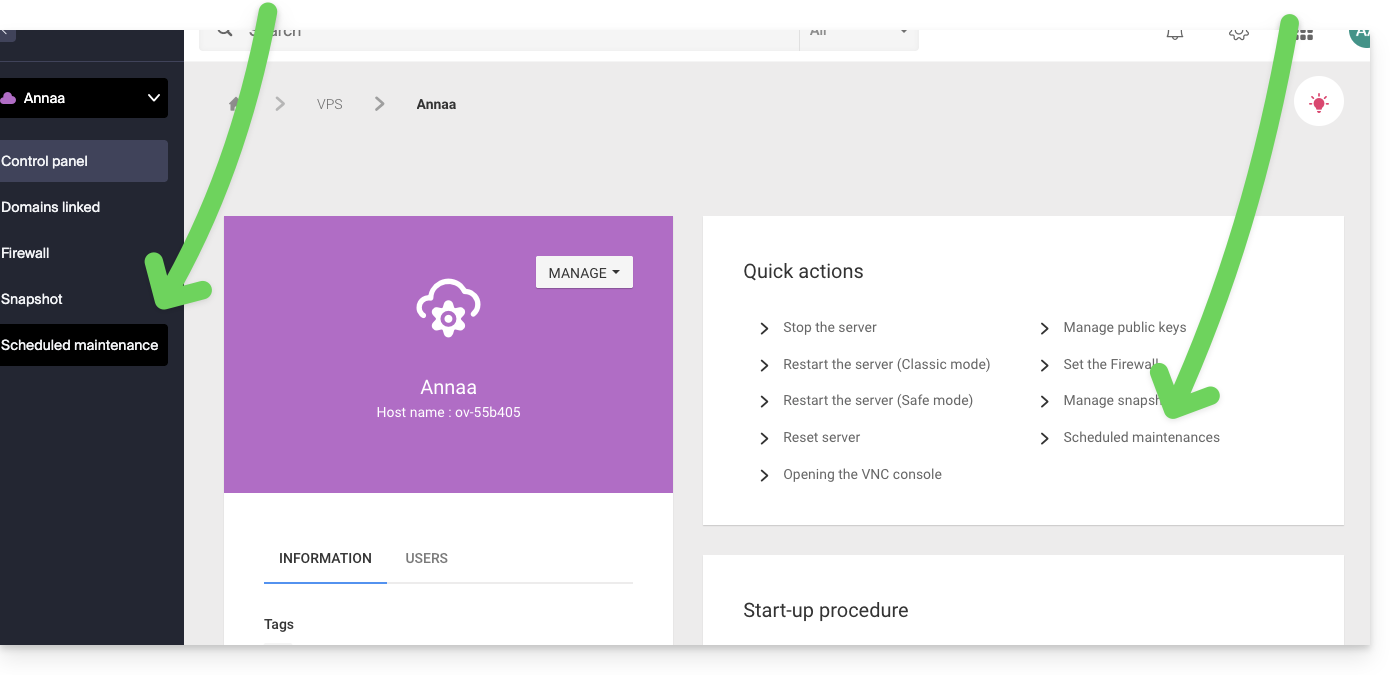
- The same applies to a VPS:
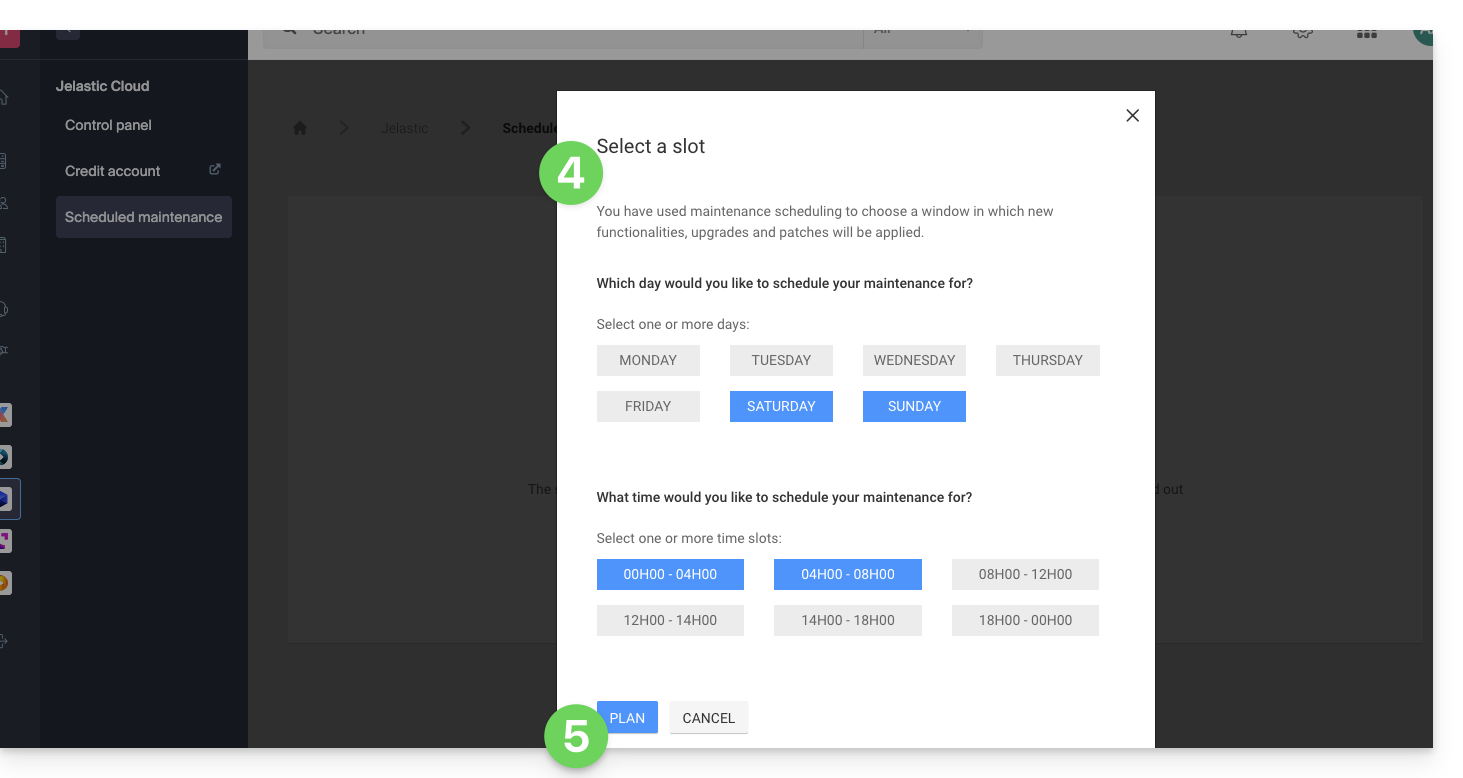
- Click on the buttons to define your preferred time slot, indicated in blue.
- Confirm by clicking the button at the bottom:
Link to this FAQ: https://faq.infomaniak.com/2424
Has this FAQ been helpful?