Knowledge base
1000 FAQs, 500 tutorials and instructional videos. Here, there are only solutions!
Integrate an Infomaniak ticketing system into Site Creator
Update 11/24/2026
This guide presents the module for Site Creator (all plans) that allows you to integrate an Infomaniak ticketing system.
Prerequisites
- Remove any previous integrations (made via custom HTML code) before using the Ticketing module described below.
- Make sure you have configured the appearance and the events displayed:
Integrate the Ticketing Module
Start by logging into the Infomaniak Manager with your credentials (user account with the necessary rights for the relevant product):
- Click here to access the hosting & site management section (filtered to display only Site Creator).
- If nothing is displayed, you may not be in the Organization to which your site is linked (❓: help).
- Click on the name of the Site Creator in question:
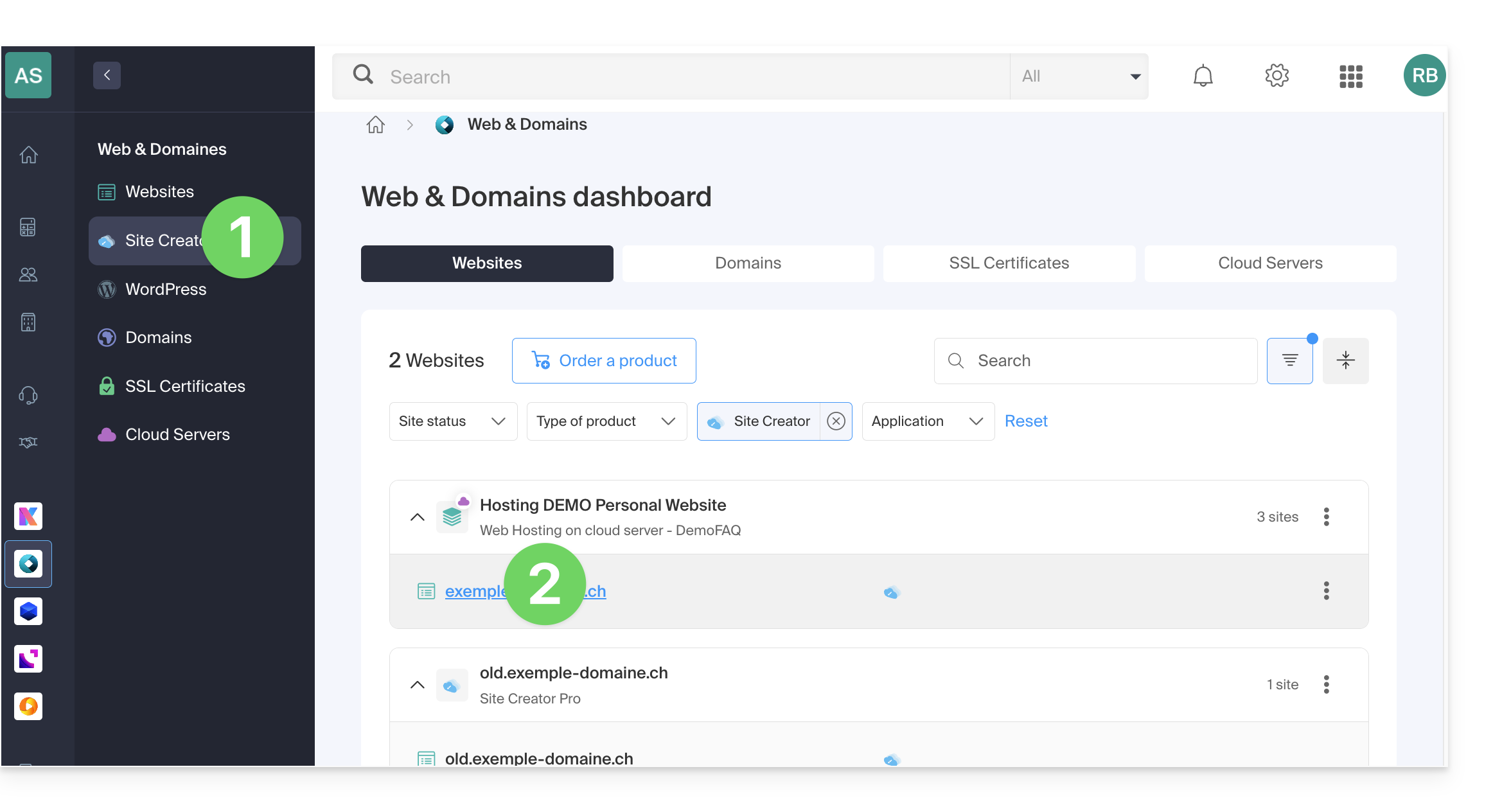
- Click the button to edit your website:
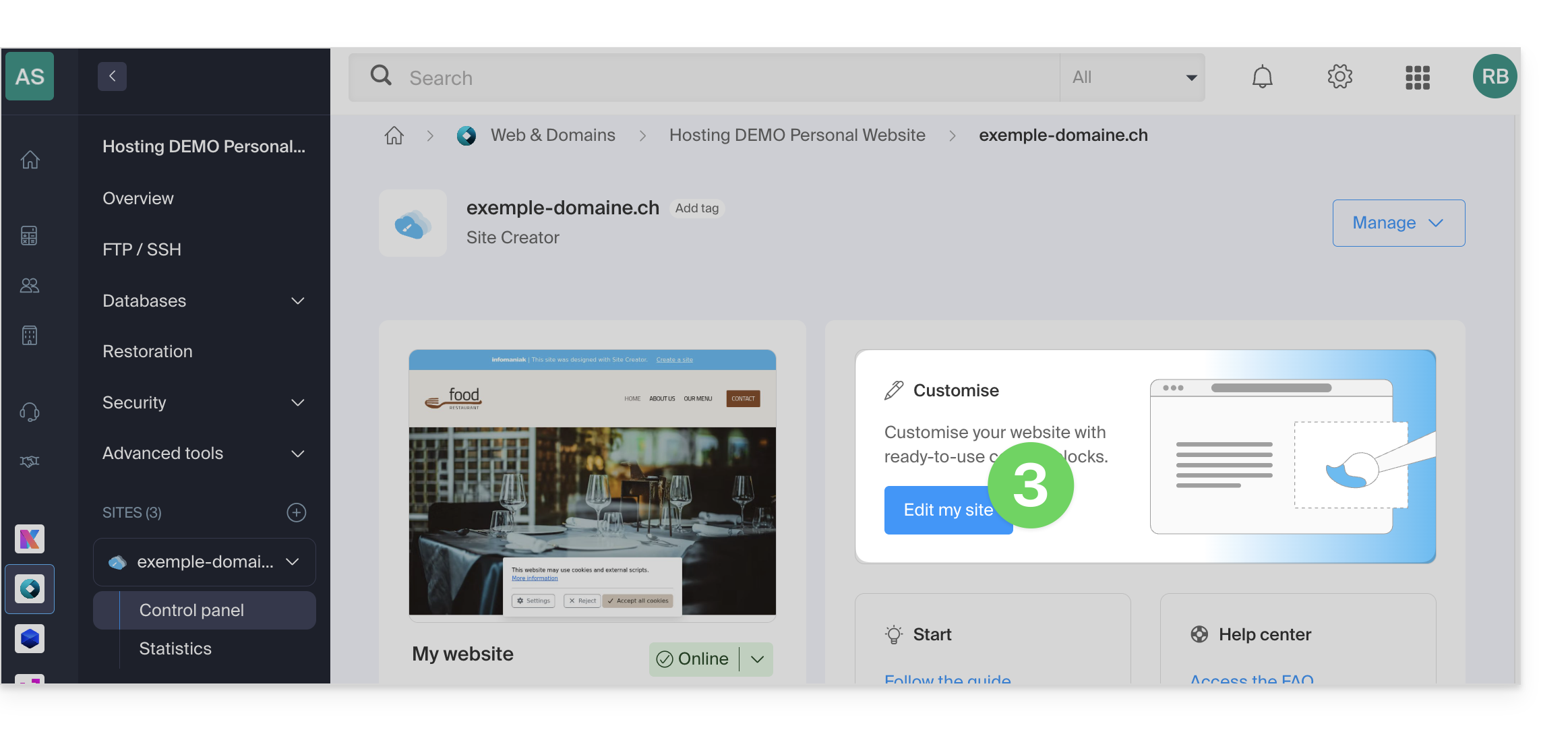
Once in Site Creator:
- Click on the Content menu in the left-hand sidebar.
- Click on Apps.
- Click on the ticketing module to display the list of your ticketing systems and their respective customized stores:
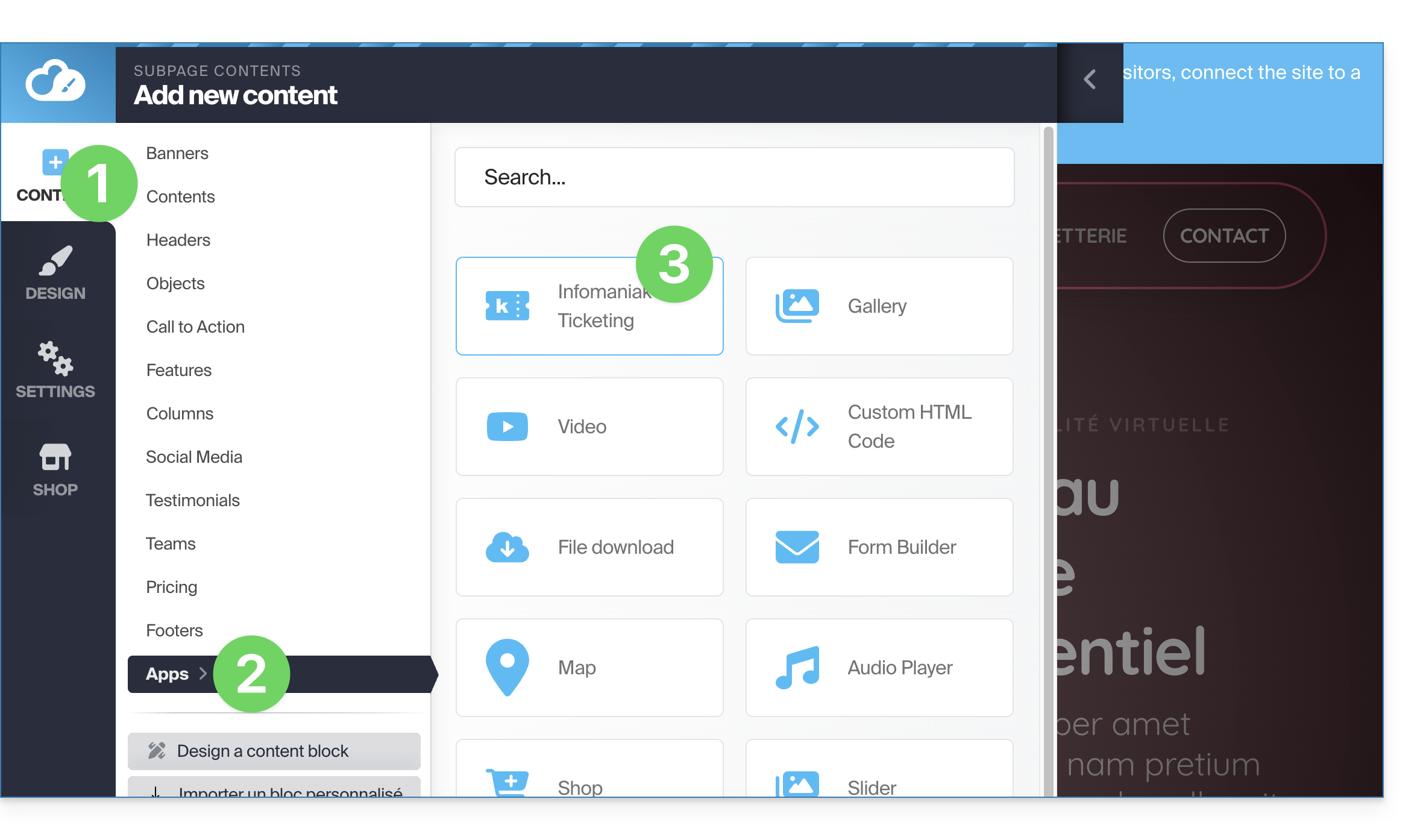
- Click on the name of your Customized Store to insert it into the page.
Link to this FAQ: https://faq.infomaniak.com/2417
Has this FAQ been helpful?