Knowledge base
1000 FAQs, 500 tutorials and instructional videos. Here, there are only solutions!
Troubleshooting connection issues with the Manager / Infomaniak Mail
This guide explains how to regain access to Infomaniak tools (manager.infomaniak.com and Mail / ksuite.infomaniak.com) if you have forgotten your password or your Infomaniak account login ID.
Introduction
- To log in to an Organization that manages one or more Infomaniak products, go to manager.infomaniak.com and enter the following information:
- A login email address (the identifier for your Infomaniak account).
- The password you chose when you registered.
- An additional code if 2FA (two-factor authentication) is enabled.
- If you can log in to the platform but are missing a password for one of your email addresses, please refer to this other guide.
- If the issue is more related to a problem with the login form display, especially on a mobile device, please refer to this other guide on the subject.
You have forgotten...
... the Infomaniak account password
If you forget this password, follow the reset procedure:
- Click here to reset your password.
- Enter the email address you use to log in to your Infomaniak account.
- Choose the desired recovery option or follow the identity verification procedure by clicking on “You have no available options”.
... the email address used to log in to your Infomaniak account
When you registered, you provided a phone number; you can use it to find the email address used to log in to your Infomaniak accountusing your phone number:
- Click here to recover your email address for logging into your Infomaniak account.
- Enter your mobile phone number.
- Enter (if necessary) your recovery email address.
Two scenarios are then possible:
- The system manages to identify your account: choose how you want to receive your Infomaniak account login credentials.
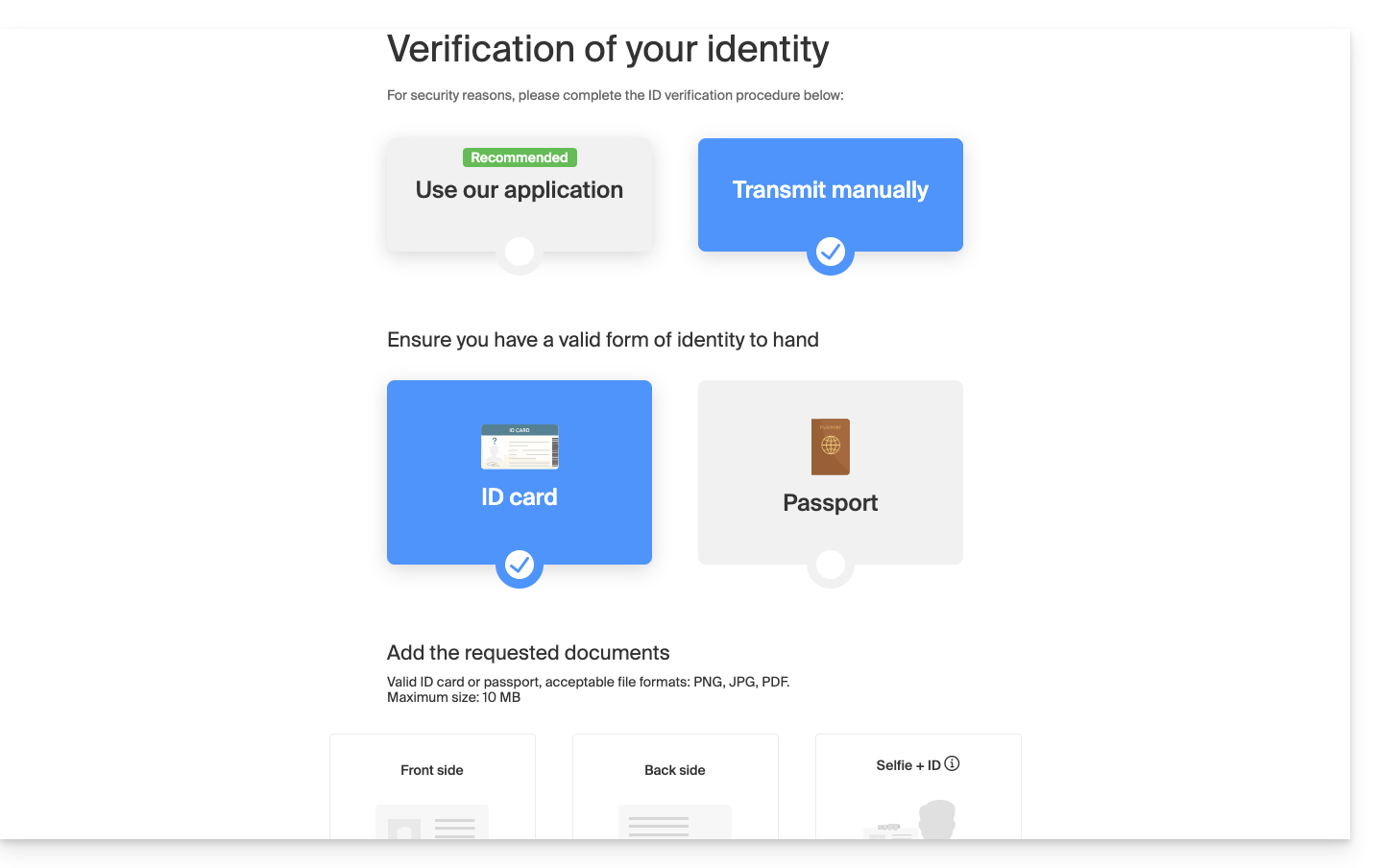
- If not, follow the on-screen wizard to manually verify your identity or via kCheck:
What if the email address no longer exists?
If you have an Infomaniak account where the login ID is in the format toto123@yahoo.com, there is no problem if the email address toto123@yahoo.com is deleted or is no longer valid. Simply log in one last time to the Infomaniak Manager with this ID toto123@yahoo.com and consult this other guide to change your email address for logging into your Infomaniak account.
However, if the email address used as the login ID is hosted by Infomaniak (for example, anna789@assoziation.ch) and an administrator deletes the email address in question or cancels the Mail Service “assoziation.ch”, the situation is different: you will automatically receive an email to the secondary address and an SMS to the mobile phone number specified in your Infomaniak account: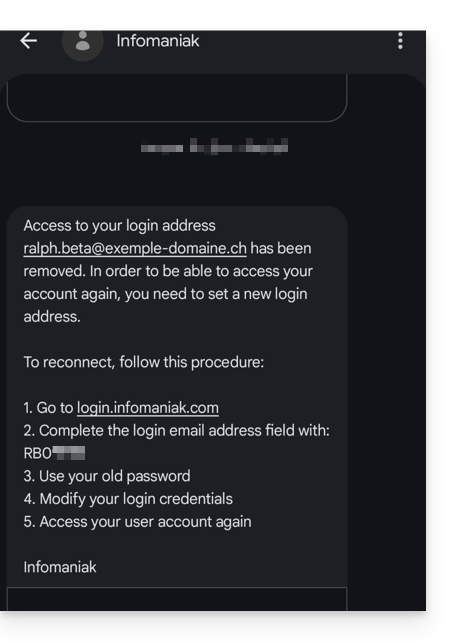
This situation can also occur in a specific email service management scenario.
To regain access to their Infomaniak account now that access is no longer possible with the old email address, the Infomaniak account user must go to the address mentioned in the SMS:
- Click here to access the login page.
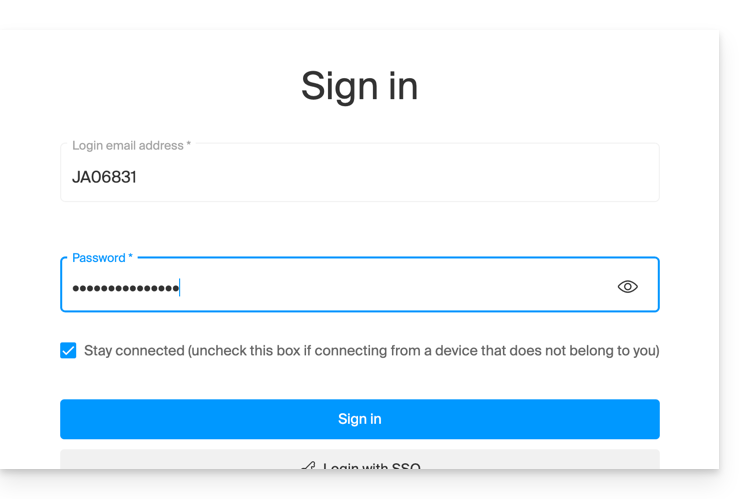
- Enter the username specified in the SMS (usually the initials of your account followed by a series of numbers).
- Enter your usual password (it has not changed):
- Enter the new information requested:
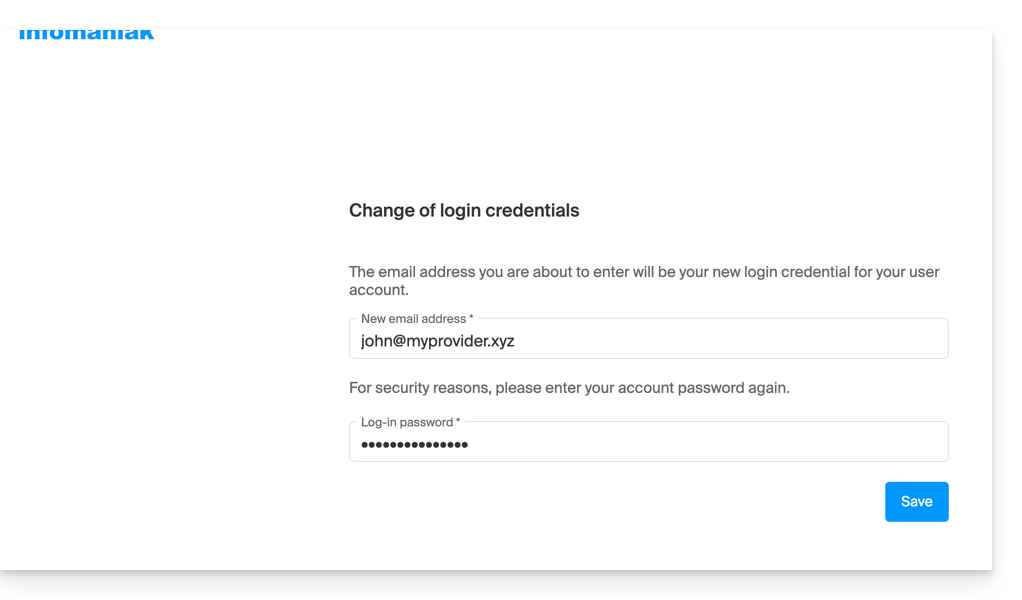
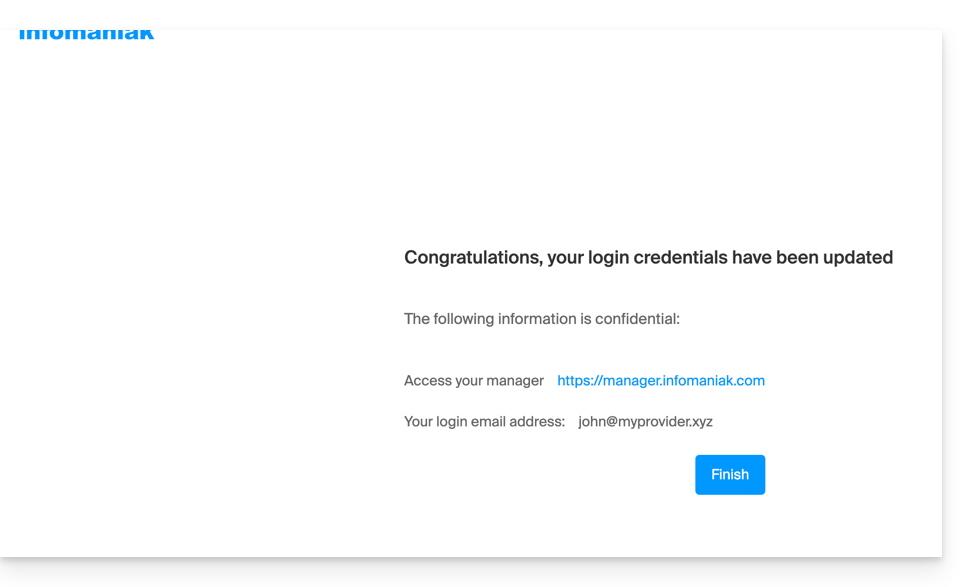
- You will be logged back into your account:
Link to this FAQ: https://faq.infomaniak.com/2415
Has this FAQ been helpful?