Knowledge base
1000 FAQs, 500 tutorials and instructional videos. Here, there are only solutions!
Manage kDrive data analysis
Update 10/13/2026
This guide explains why analyses are performed on your kDrive data when you grant this permission to Infomaniak, and how to revoke it.
Introduction
- Data analysis is used solely to improve AI features, including search.
- The confidentiality of data stored on kDrive is a priority for Infomaniak:
- The analysis is performed entirely in-house by Infomaniak, without any involvement from third parties.
- Human intervention is technically possible, but it is extremely rare and not practiced under normal circumstances.
- Read this other guide to learn more about the model used and the responsibilities of each party.
Manage the granted right
Prerequisites
- You must be at least an Administrator of the Organization (❓: help).
Next, you can check the status of your data analysis:
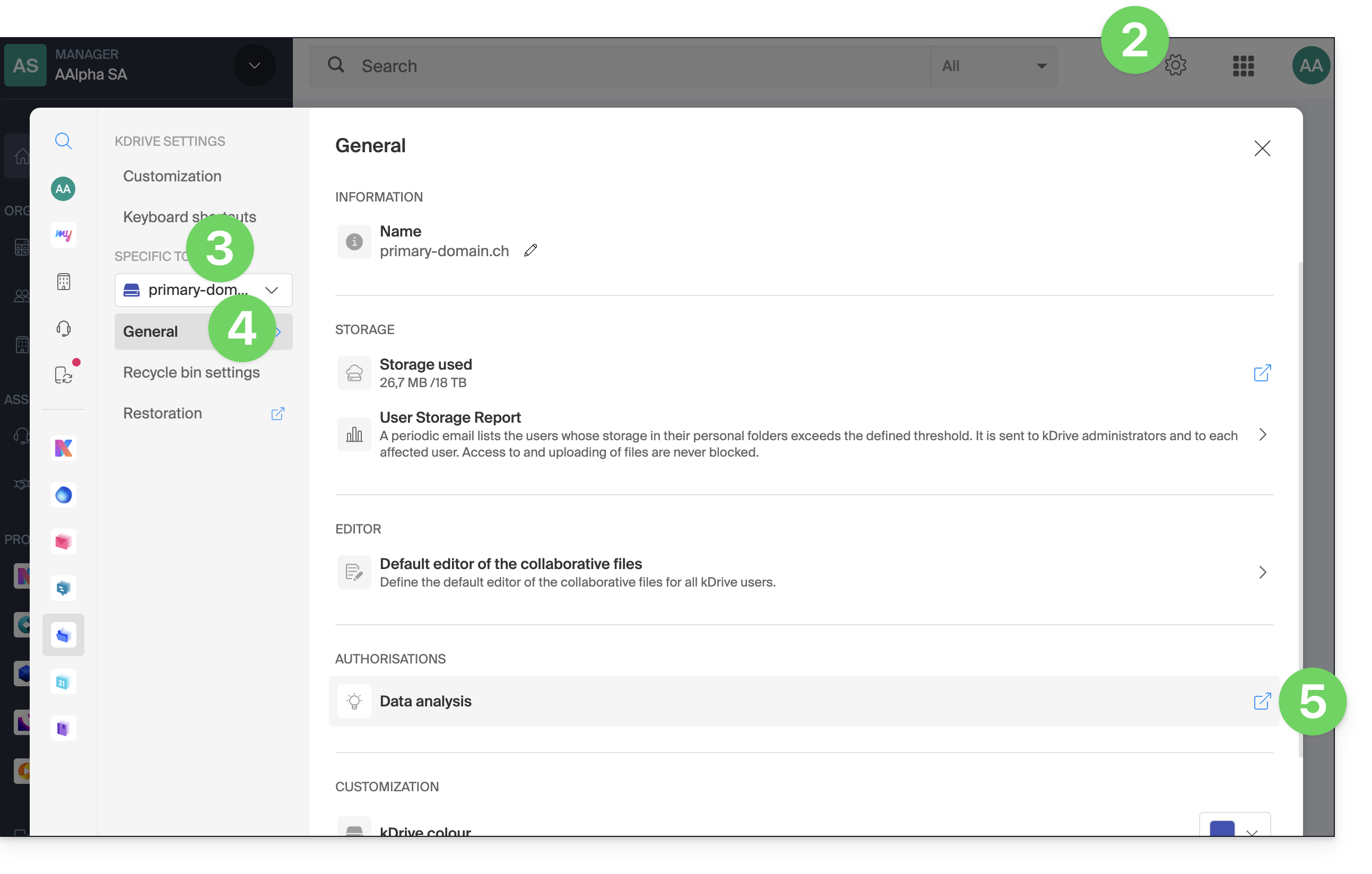
- Click here to access the Infomaniak kDrive web app (online service ksuite.infomaniak.com/kdrive).
- Click on Settings in the top right corner.
- Check or select the relevant kDrive from the drop-down menu in the left-hand menu.
- Click on General in the left-hand menu.
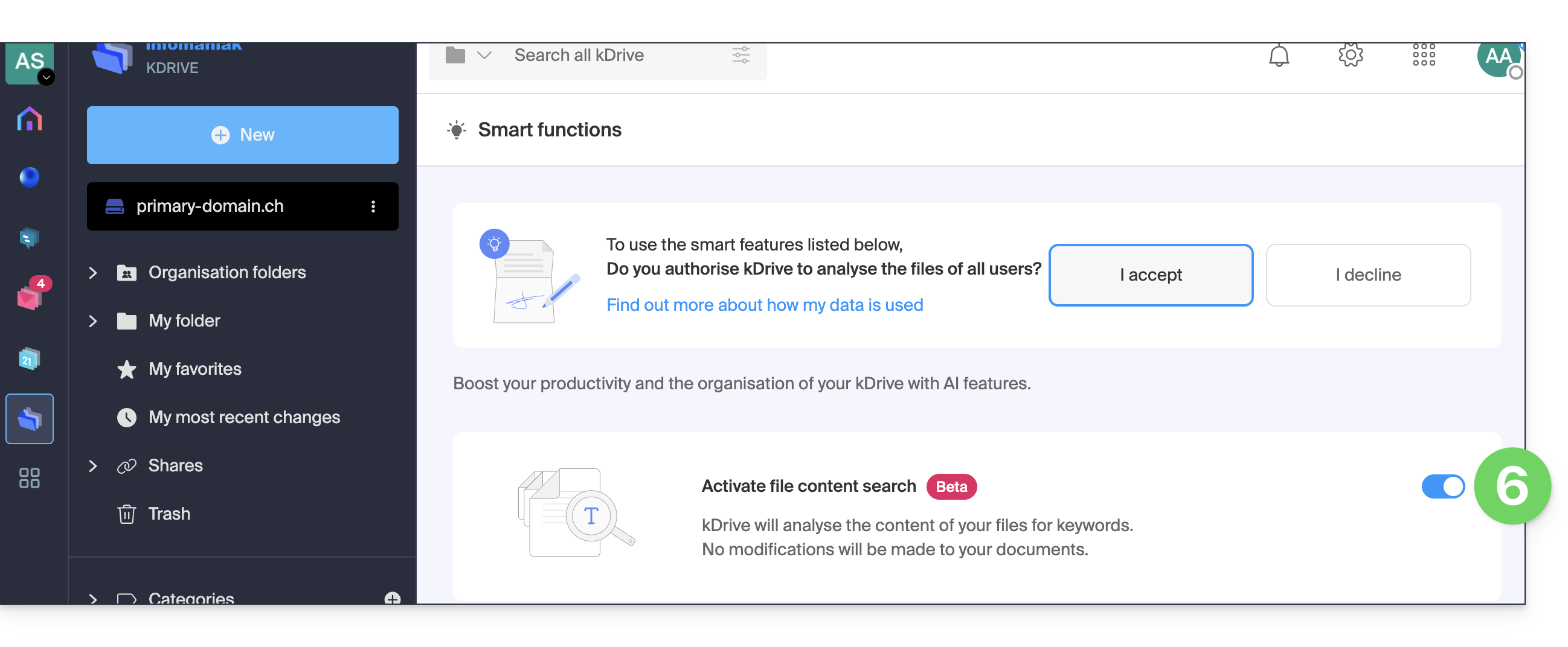
- Click under Permissions on Smart features (or Data analysis in my kSuite):
- Click the toggle switch to perform the desired action:
Link to this FAQ: https://faq.infomaniak.com/2412
Has this FAQ been helpful?