Knowledge base
1000 FAQs, 500 tutorials and instructional videos. Here, there are only solutions!
Manage kDrive storage
Update 10/22/2026
This guide explains how to view how the storage space of your kDrive is being used and how to increase its capacity if needed.
Introduction
- The maximum number of files per kDrive is not a fixed limit, but if this limit is exceeded, Infomaniak cannot guarantee the stability of the storage system and the kDrive application.
- Only the kDrive Terms and Conditions apply (❓: help).
- Other types of limits exist at the level of:
Storage and traffic limits
At most, and regardless of the kDrive / kSuite / my kSuite offer, etc.:
- 300,000 files per kDrive
- 1000 subfolders per kDrive
- 100,000 files per folder
- 1000 GB per file sent via the desktop app, the web app, and the API
Next:
- Bandwidth (in GB) allowed per day and per user (these limits, provided for informational and precautionary purposes, may apply if excessive use degrades the service, in order to guarantee its stability and availability for all users):
- kSuite Free = 200
- kSuite Standard = 1000
- kSuite Business = 1000
- kSuite Enterprise = 1000
- my kSuite = 200
- my kSuite+ = 200
- kDrive Solo = 1000
- kDrive Team = 1000
- kDrive Pro = 1000
- Maximum number of daily file downloads per user:
- kSuite Free = 50000
- kSuite Standard = 100000
- kSuite Business = 100000
- kSuite Enterprise = 100000
- my kSuite = 50000
- my kSuite+ = 50000
- kDrive Solo = 50000
- kDrive Team = 50000
- kDrive Pro = 50000
Check your kDrive storage space
To access kDrive:
- Click here to access kDrive on your Infomaniak kSuite (❓: help).
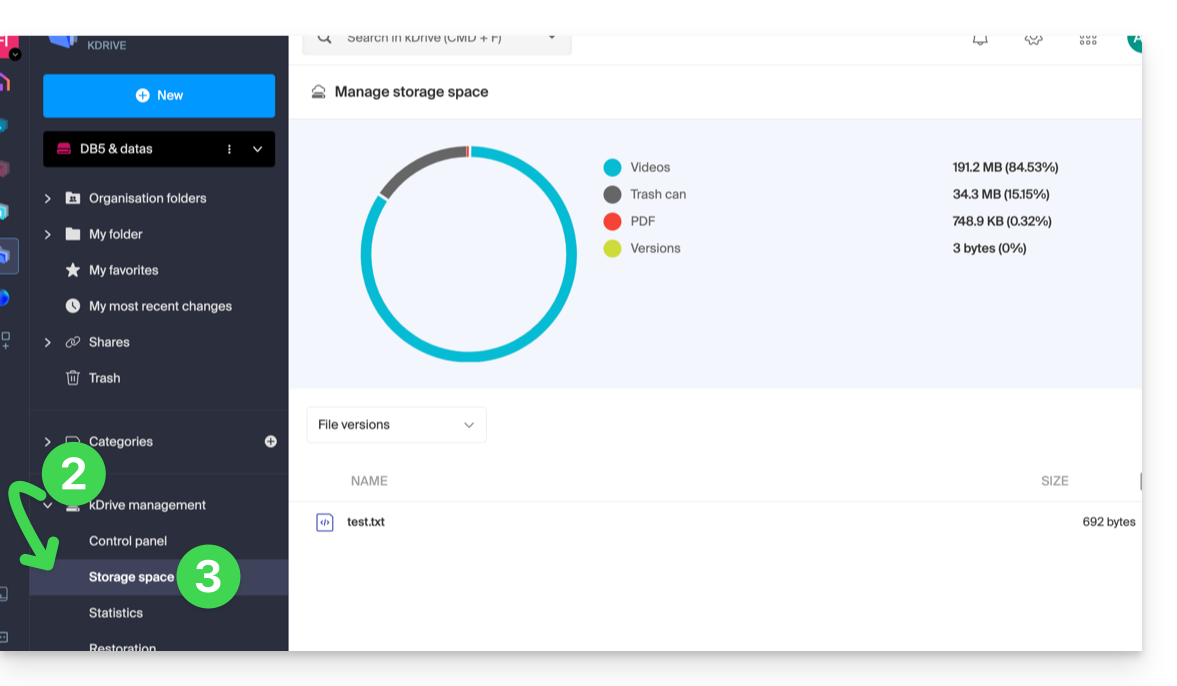
- Click on the chevron to expand the kDrive Management section in the left-hand menu.
- Click on Storage space in the left-hand menu:
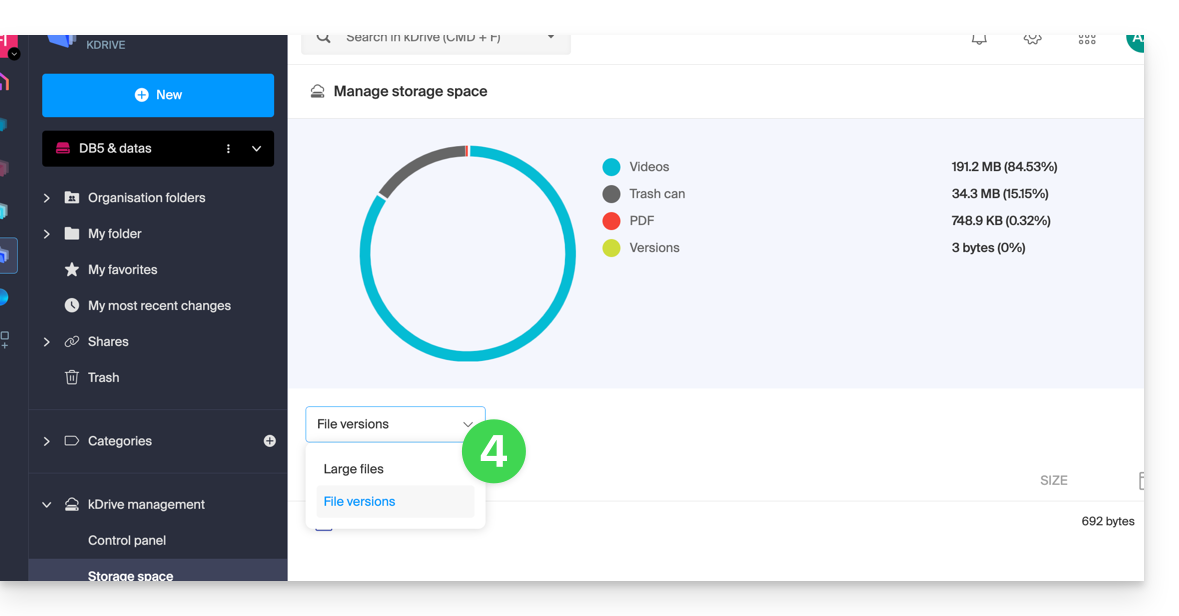
- Choose the large files (or the file versions which are also counted towards the storage space) using the drop-down menu:
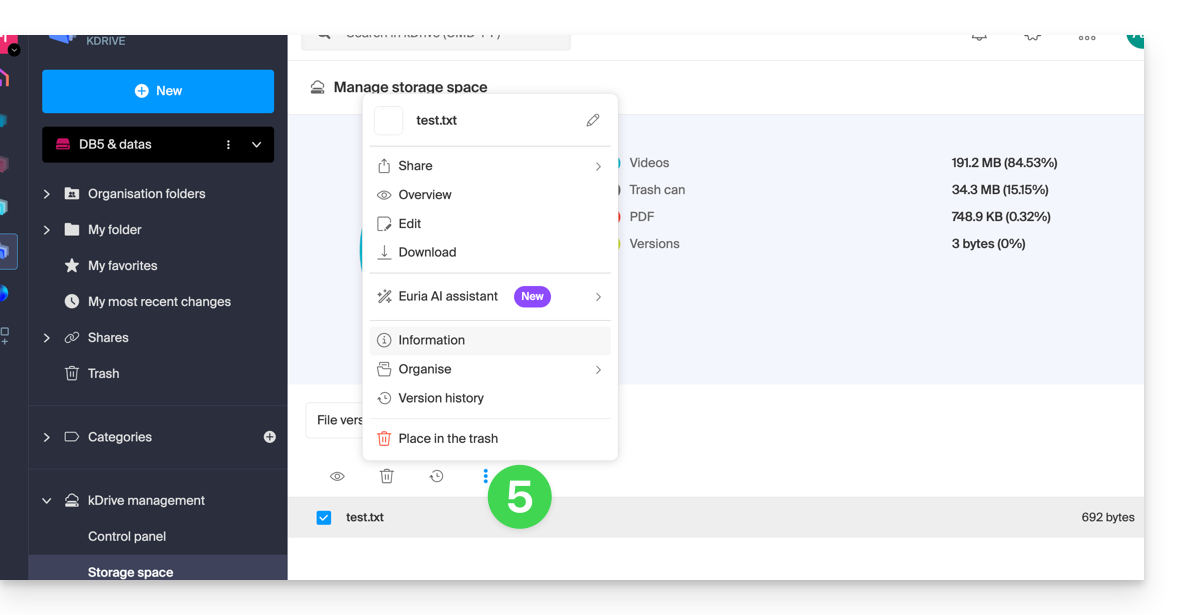
- Click on the action menu ⋮ located above your selection to perform an action (e.g., delete):
Increase kDrive storage space
Prerequisites
- You must have sufficient permissions within the Organization.
To modify the kDrive storage space:
- Click here to access kDrive in your Infomaniak kSuite (❓: help).
- Click on Dashboard in the left-hand menu under kDrive Management.
- Click on Manage.
- Click on Modify offer:
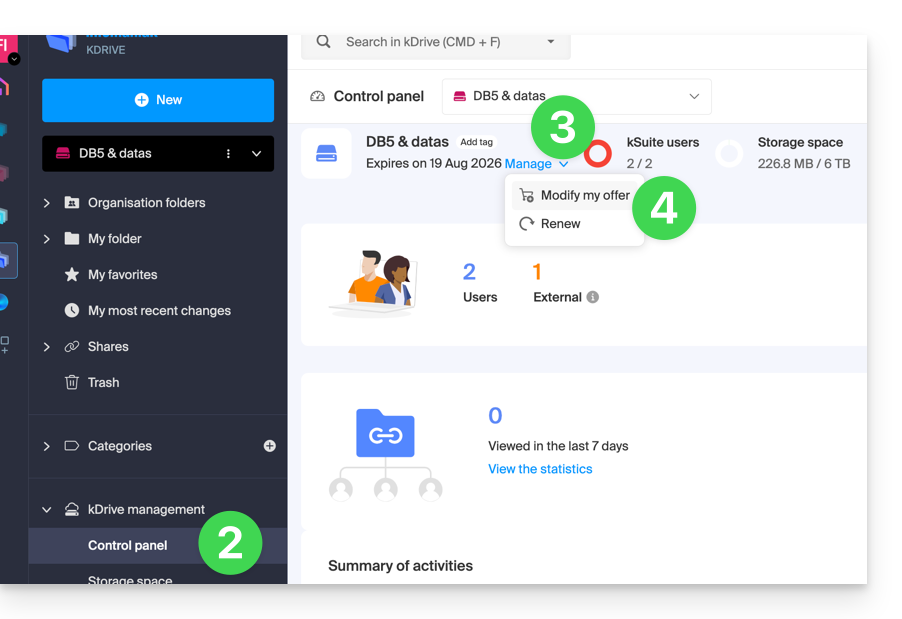
- You will then be given the option to modify the offer or change the maximum storage space for your kDrive.
- Once the offer has been modified, click on Next and proceed with the payment.
Get information about a folder and its contents
Simply right-click on any folder in the kDrive web app to view its size and contents:
Link to this FAQ: https://faq.infomaniak.com/2387
Has this FAQ been helpful?