Knowledge base
1000 FAQs, 500 tutorials and instructional videos. Here, there are only solutions!
Change the login password for the Manager / kSuite
This guide explains how to change the password for your Infomaniak account (= user account) in the Manager, the administration interface for your Infomaniak products.
Introduction
- This password also allows you to log in to kSuite and the various iOS/Android applications such as kDrive, Infomaniak Mail, etc. (learn more)but it is not the password for your email address!
- If you cannot log in, you will not be able to change your password; please refer to this other guide in that case.
Change your Infomaniak account password
To change the password for your Infomaniak account:
- Click here to access your settings management (Infomaniak Manager).
- Click on Edit from the Login settings box under Login password:
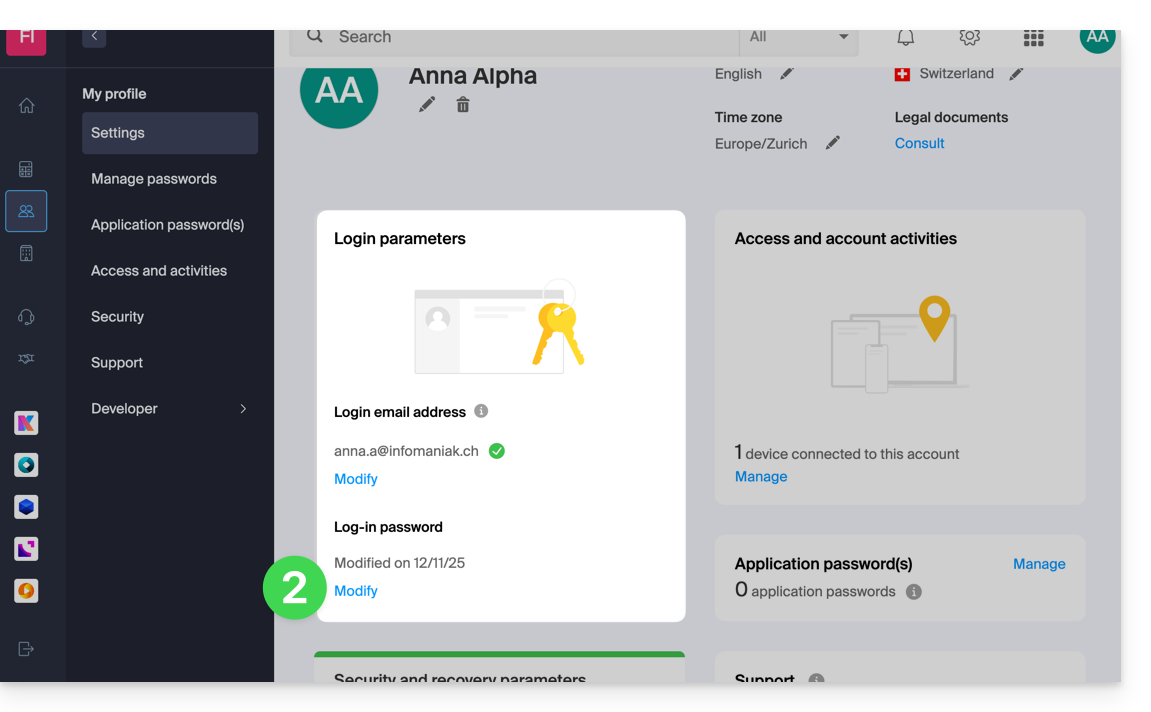
- Click on Edit:
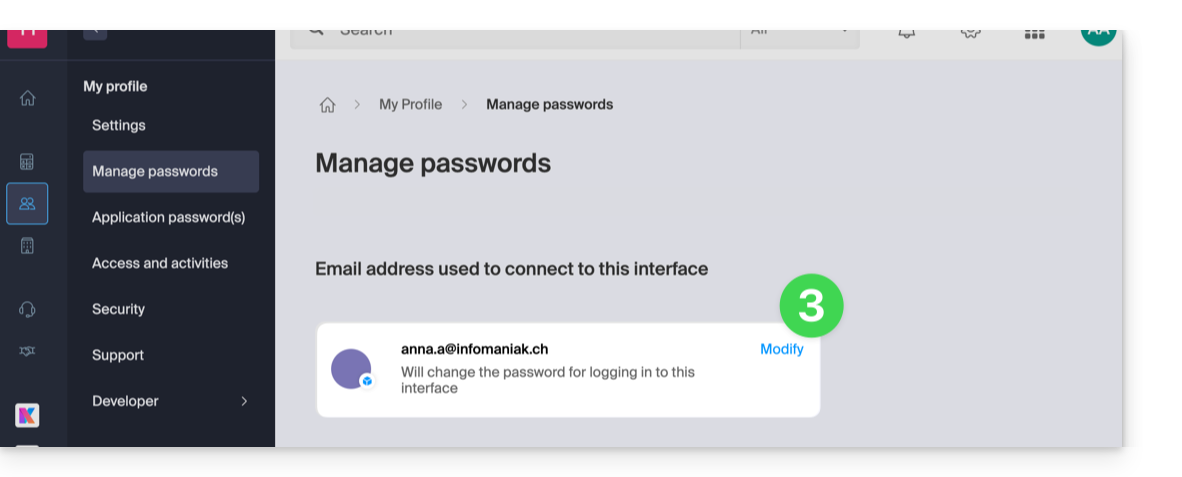
- Enter your current login password and the new password you want.
- Click Save.
Link to this FAQ: https://faq.infomaniak.com/2359
Has this FAQ been helpful?