Knowledge base
1000 FAQs, 500 tutorials and instructional videos. Here, there are only solutions!
Include a file globally using Auto Prepend File
This guide explains how to specify a file that will be loaded before the desired page or at the beginning of each PHP script executed on your server, included as if it had been called with the require() function, but more generally by using the auto_prepend_file directive of PHP.
Introduction
- For example, to declare the headers of a website, you can create a
headers.phpfile containing PHPheader()functions, and have it prepended to the beginning of each PHP file…- … via a
.user.inifile (specific to a folder), - … or via the site configuration in the Manager (global), as explained below.
- … via a
Include a file globally from the Manager
To access website management:
- Click here to access the hosting & website management section in your Infomaniak Manager (❓: help).
- Click on the name of the website in question.
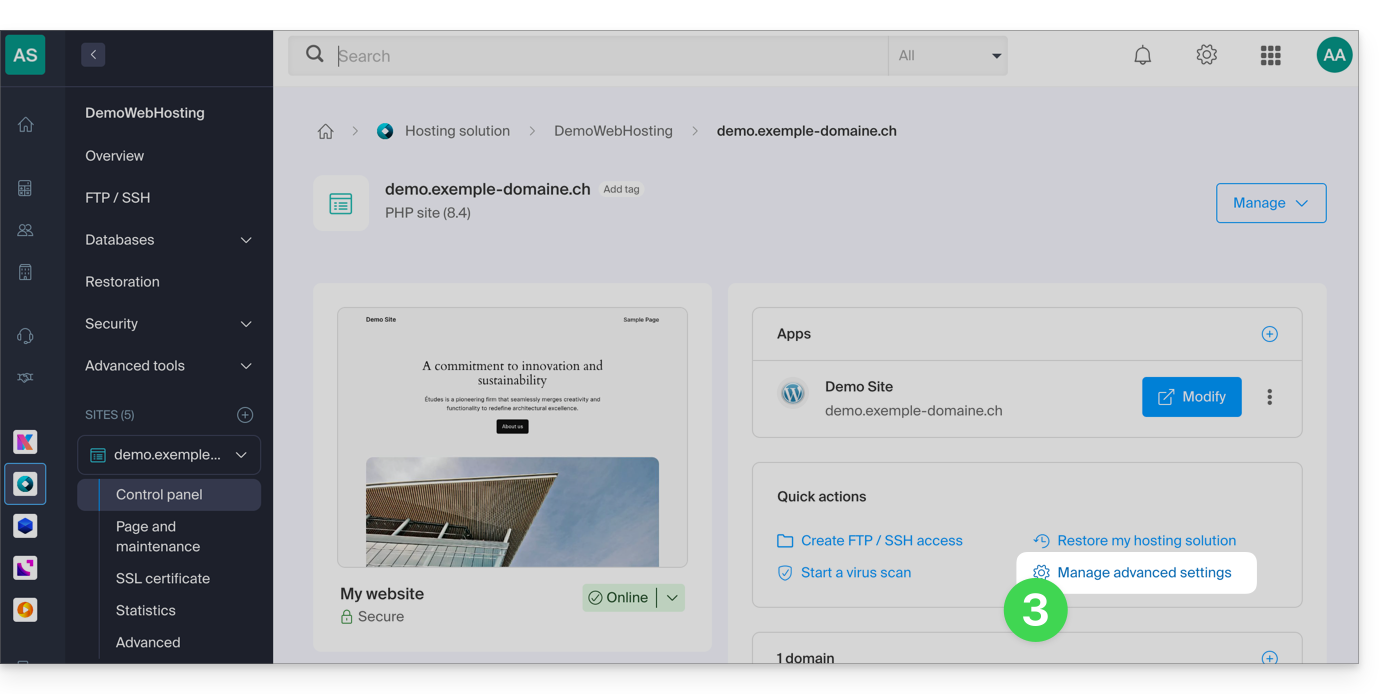
- Click on Manage advanced settings:
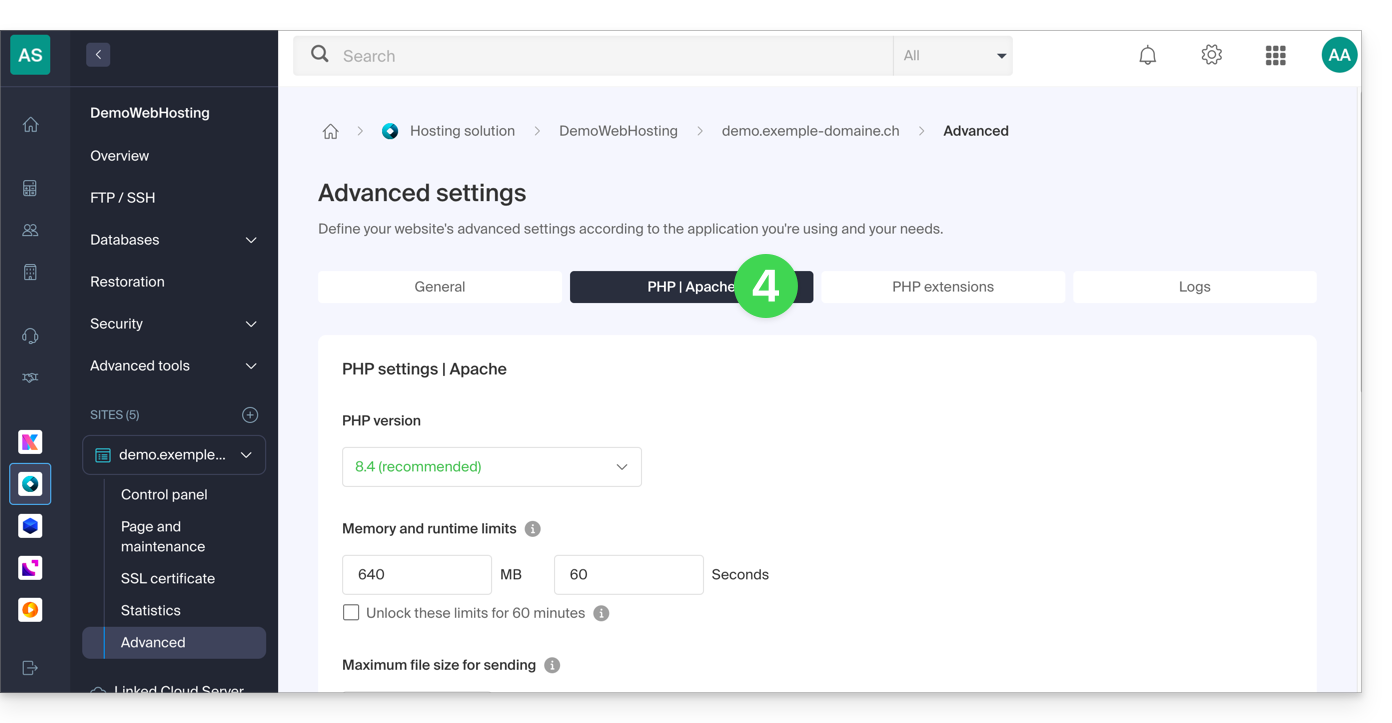
- Click on the PHP / Apache tab:
- Complete the relevant line by entering the path to the file to be included.
- Click on the Save button at the bottom of the page:
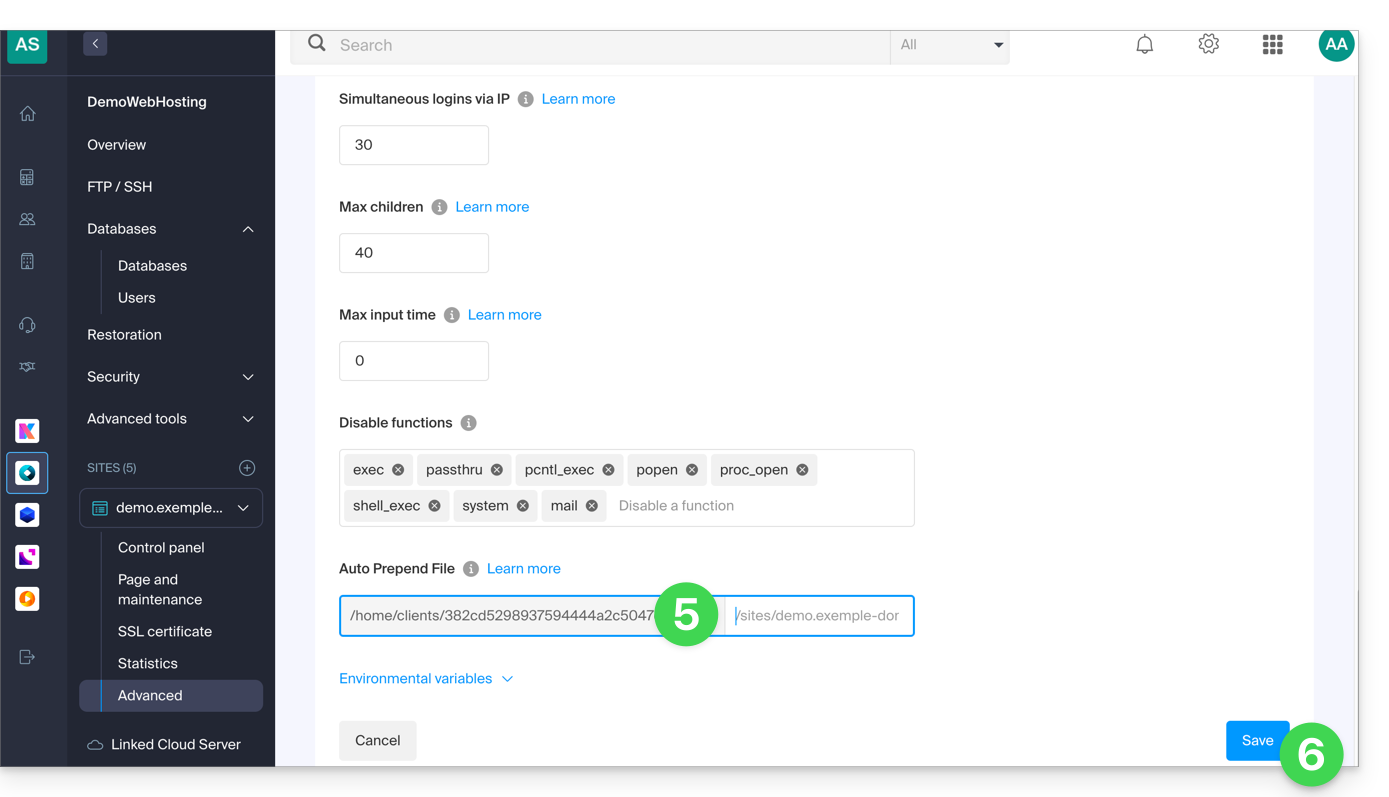
After defining this directive, all PHP pages on your server will automatically include the specified file before executing their own code.
The headers defined in a .htaccess file are only valid for non-PHP content (i.e., static content).
Infomaniak uses php-fpm, which receives the various headers via apache fast_cgi. In the RFC for cgi_www, the Strict-Transport-Security header is not part of the headers passed via CGI, and the Apache documentation confirms this. Please refer to this other RFC.
Link to this FAQ: https://faq.infomaniak.com/2352
Has this FAQ been helpful?