Knowledge base
1000 FAQs, 500 tutorials and instructional videos. Here, there are only solutions!
Upgrading an existing kDrive to a new kSuite
This guide helps you get started with kSuite by integrating an existing kDrive into your organization.
Introduction
- kDrive will be an integral part of the new kSuite.
- The minimum number of users in the chosen kSuite plan will be based on the number of users in the existing kDrive plan.
- kDrive users will become kSuite users.
- To help you identify the kSuite offer that best suits your needs, please refer to this other guide.
Upgrading my kDrive to kSuite
Prerequisites
- The organization must not already have kSuite.
- The organization must have a paid kDrive plan, and the trial period must have ended.
- Be the legal representative or administrator of the organization.
Create a new kSuite from your existing kDrive:
- Click here to access the Infomaniak kDrive web app (online service ksuite.infomaniak.com/kdrive).
- Click on Manage.
- Click on Upgrade your plan.
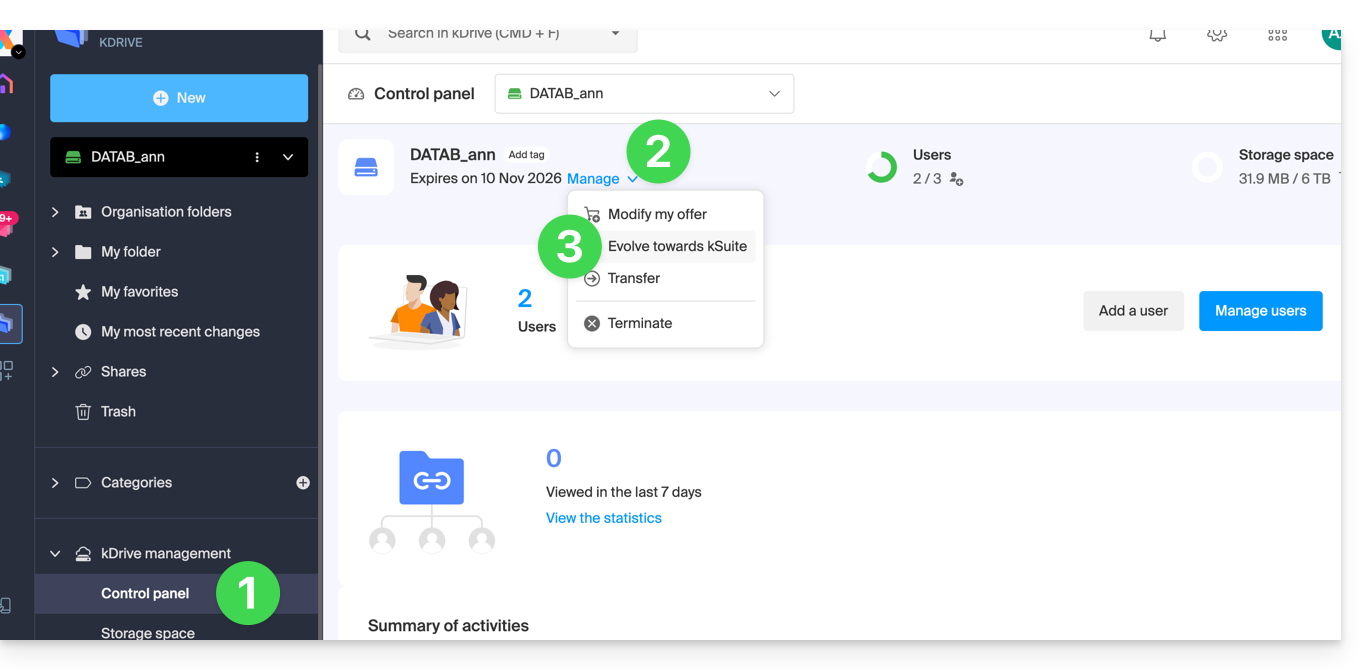
You can also do this from an information banner visible on the home page of your Manager interface: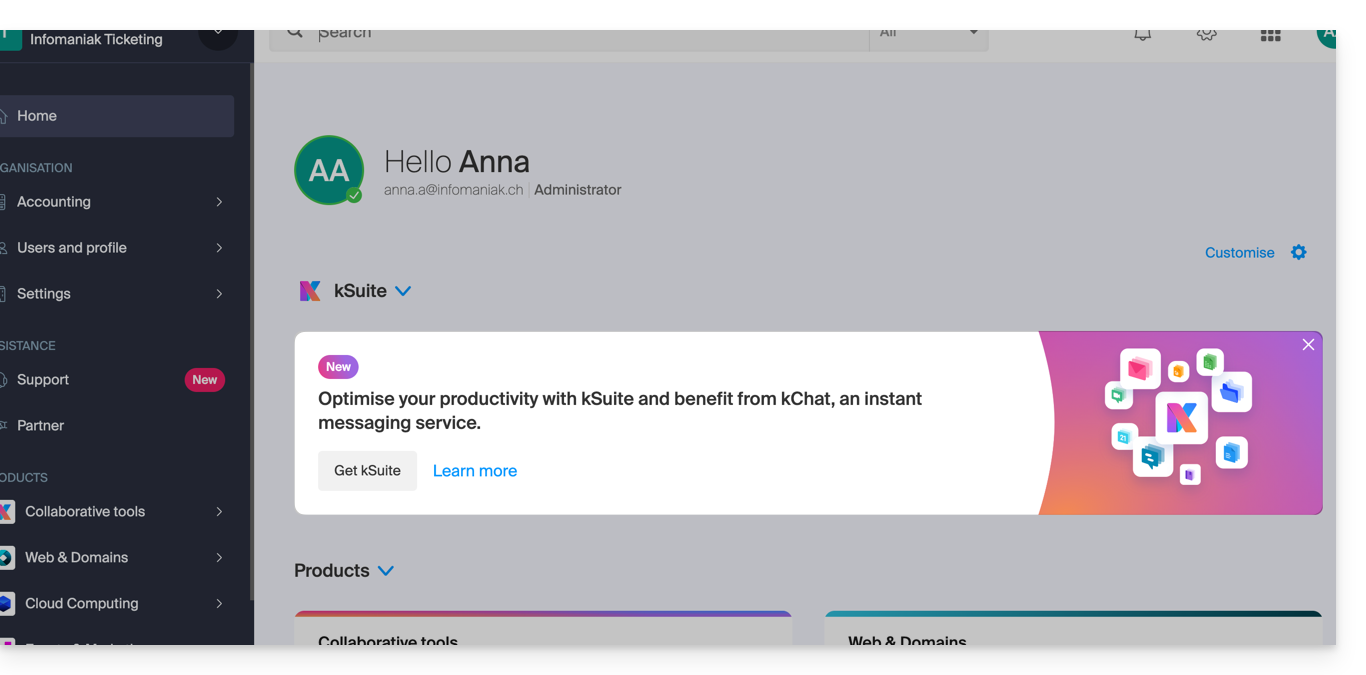
You can also integrate your Mail service if it is currently outside of kSuite.
Link to this FAQ: https://faq.infomaniak.com/2350
Has this FAQ been helpful?