Knowledge base
1000 FAQs, 500 tutorials and instructional videos. Here, there are only solutions!
Change Jelastic Cloud password
This guide explains how to change the password for your Jelastic Cloud console.
Change the password
To access the administration interface of your Jelastic Cloud server:
- Click here to access the management of your product on the Infomaniak Manager (need help?).
- Click on Edit under Jelastic Password:
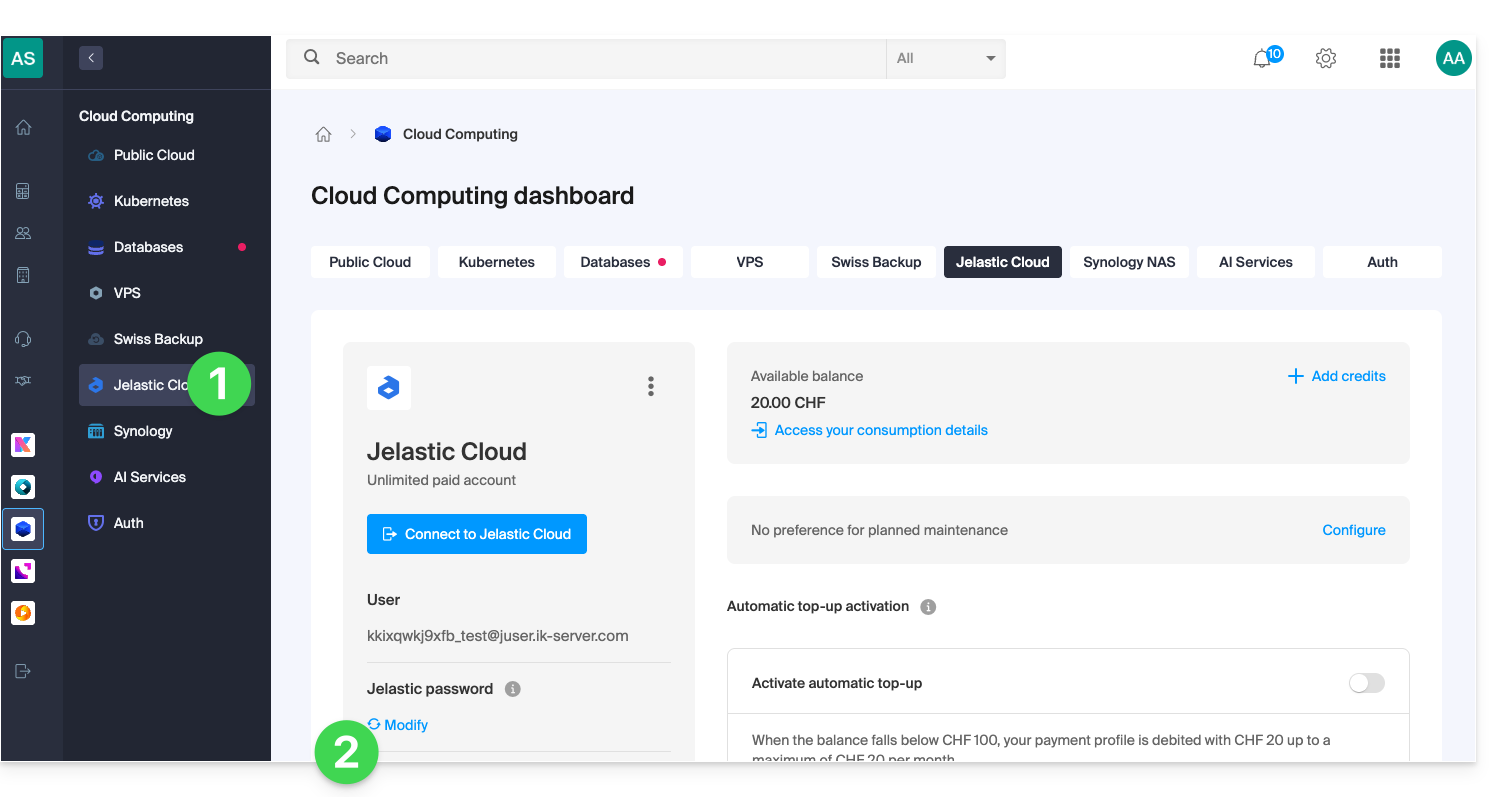
- Choose a new password.
- Confirm the change:
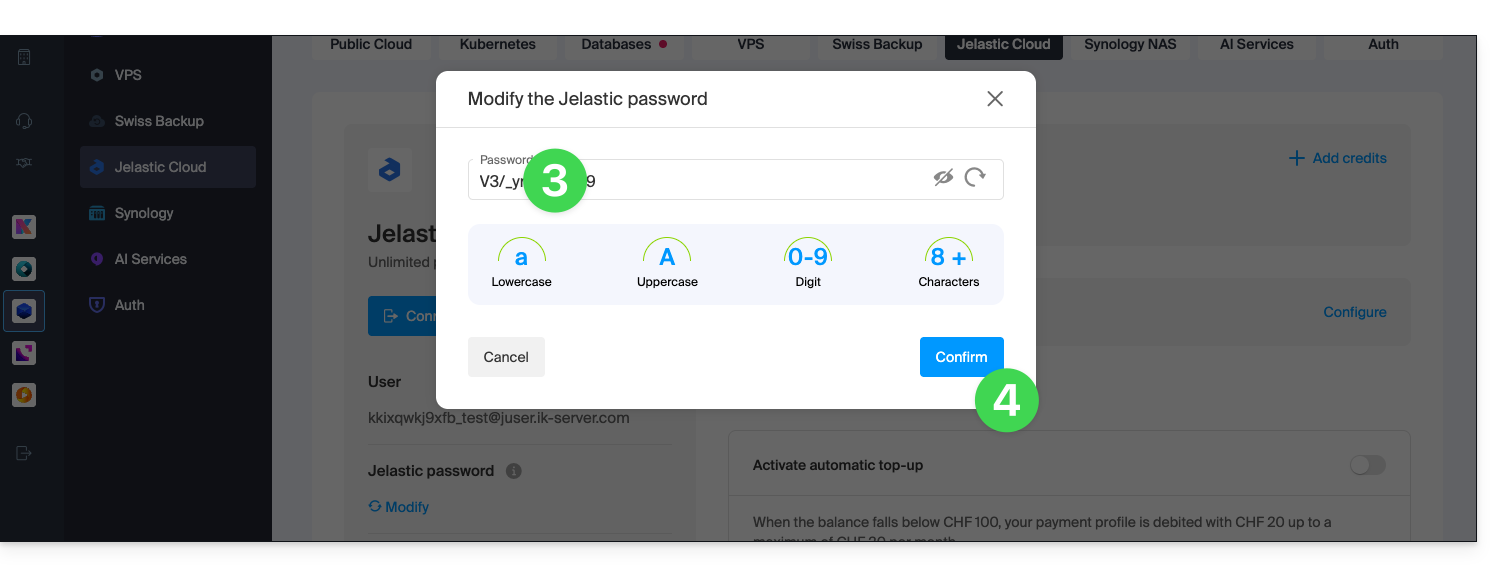
- You can now access the console with this new password and your username (e.g. XXXYYYZZZ@juser.ik-server.com).
Lost with your passwords?
Do not confuse the password for your Infomaniak account with the one you use to manage your Jelastic Cloud:
- Your Infomaniak account allows you to manage your Infomaniak products on manager.infomaniak.com.
- The Jelastic Cloud / Virtuozzo console allows you to administer your server, for example app.jpc.infomaniak.com.
Link to this FAQ: https://faq.infomaniak.com/2345
Has this FAQ been helpful?