Knowledge base
1000 FAQs, 500 tutorials and instructional videos. Here, there are only solutions!
Broadcast a 360° video stream live
This guide explains how to do a 360° live stream with Infomaniak's video streaming service.
Prerequisites
- Have a 360° camera compatible with one of the following formats:
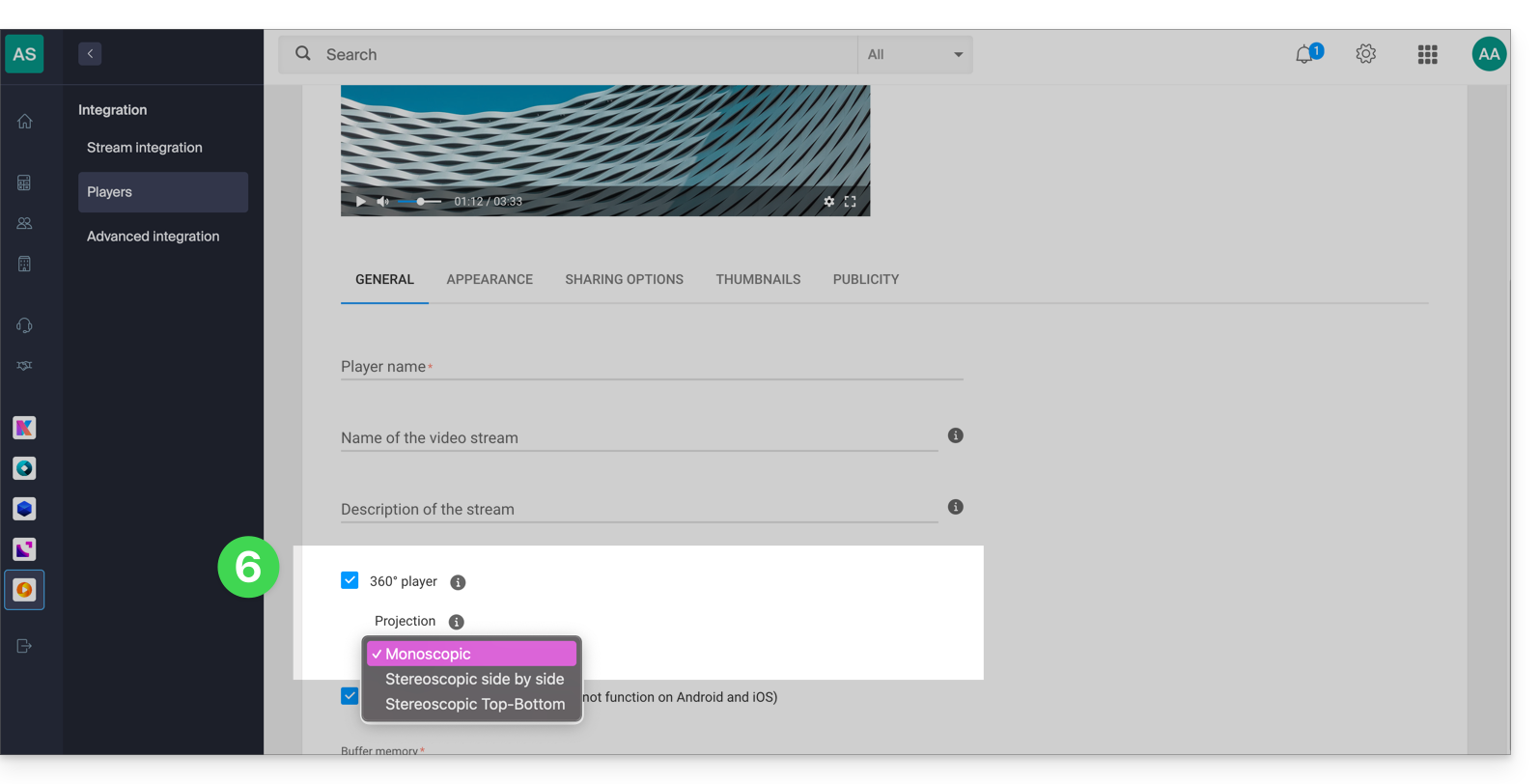
- 360 equirectangular monoscopic (2D)
- 360 equirectangular stereoscopic (3D) side by side (left/right separation)
- 360 equirectangular stereoscopic (3D) top/bottom (top/bottom separation)
- Your encoder or camera must also be able to send a stream via an RTMP connection (learn more).
- Finally, note that a 360° video stream requires a source with a high bitrate and a bitrate control set to CBR mode; the bitrate will depend on the type of content and data consumption, which will also be higher than with a standard stream.
Create a 360° player
Broadcasting a 360° live stream requires a 360° player. This option is free and activates quickly:
- Click here to access the management of your product on the Infomaniak Manager (need help?).
- Click directly on the name assigned to the product concerned:
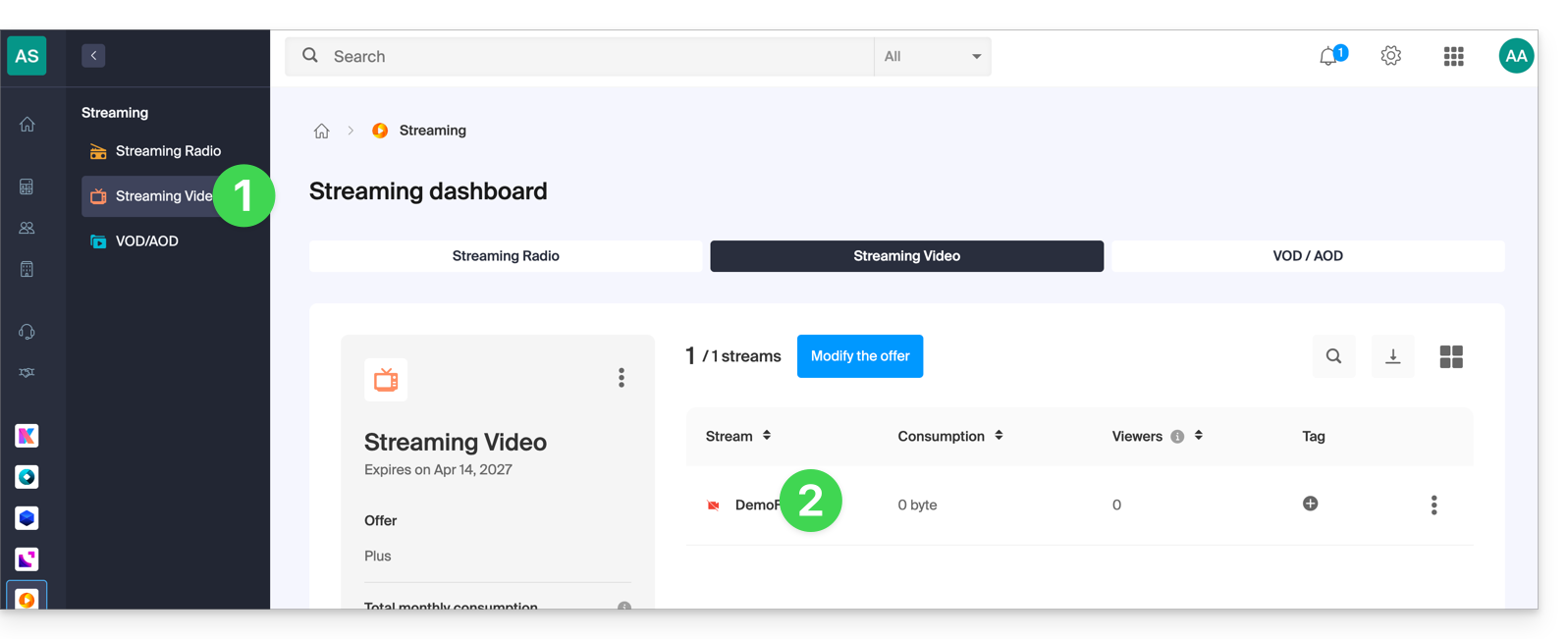
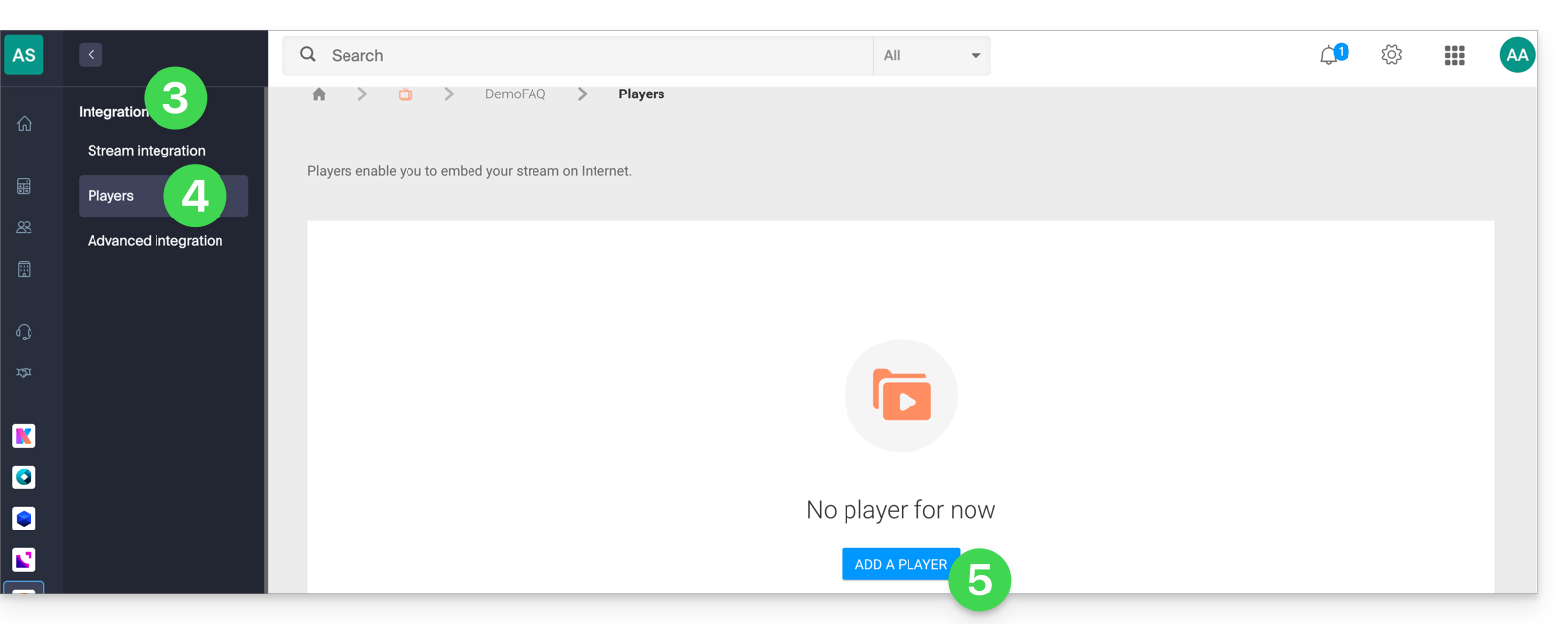
- Click on Integration in the left sidebar.
- Click on Players in the left sidebar.
- Click to create or edit an existing player:
- Check the 360° Player box and configure the projection (360 format):
- Click the Save button at the bottom of the page.
- All content broadcast by this player (whether it is in 360° format or not) will now be interpreted as 360°.
Link to this FAQ: https://faq.infomaniak.com/2340
Has this FAQ been helpful?