Knowledge base
1000 FAQs, 500 tutorials and instructional videos. Here, there are only solutions!
Cancel a Guest Manager
This guide explains how to completely disable the Infomaniak Guest Manager.
Introduction
- For most products, confirm the cancellation request by email; otherwise, no data will be deleted.
- Any charges incurred and exceeding the included allowance will still be due.
- A cancellation confirmation is sent to any other administrators of the Organization.
- The event and all its data will be deleted upon cancellation, making any restoration impossible.
Cancel the Guest Management offer
To cancel Guest Management, you must delete the events for which you used the manager:
- Click here to access your product management in the Infomaniak Manager (need help?).
- Click on the action menu ⋮ located to the right of the item in question.
- Choose Delete:
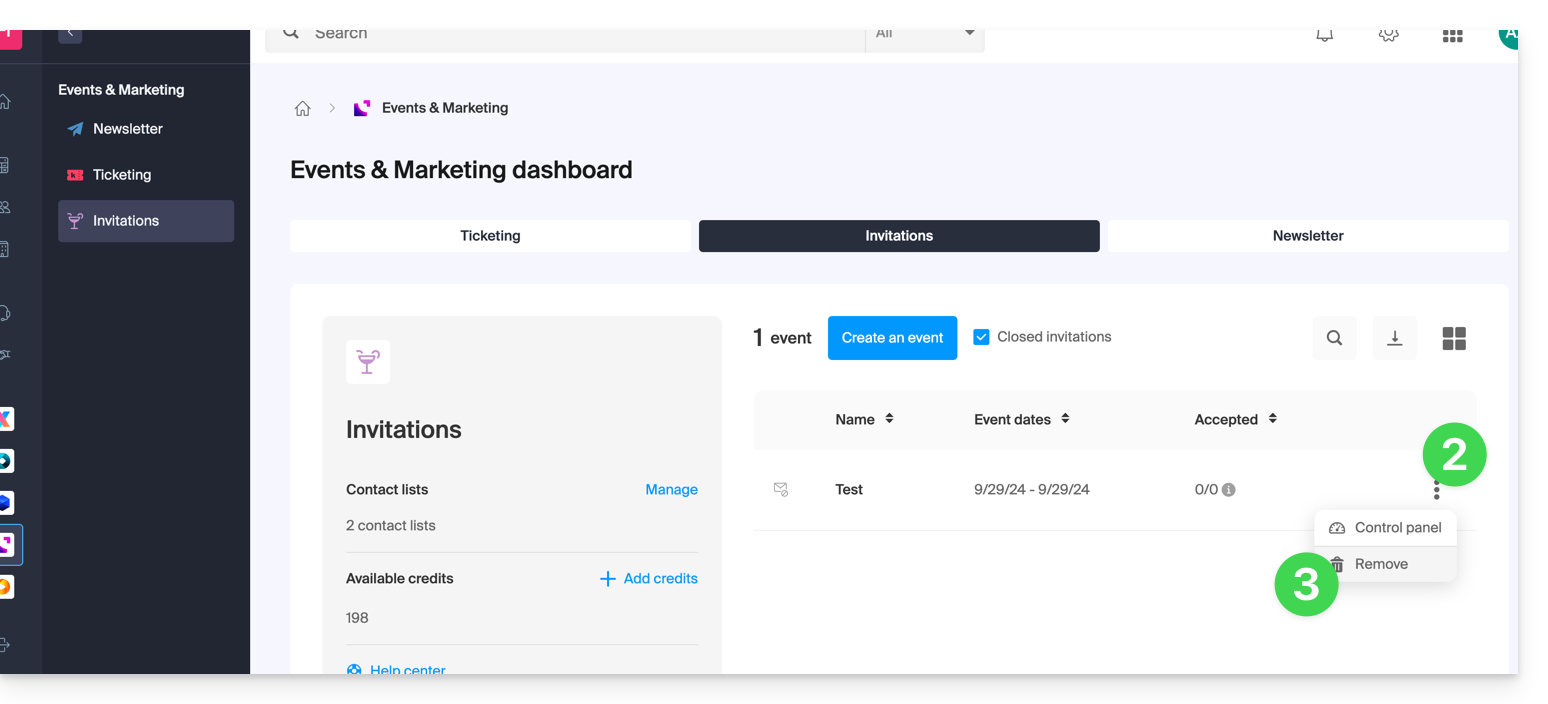
- Follow the procedure until the end.
Link to this FAQ: https://faq.infomaniak.com/2332
Has this FAQ been helpful?