Knowledge base
1000 FAQs, 500 tutorials and instructional videos. Here, there are only solutions!
Cancel Swiss Backup
This guide explains how to completely cancel a Swiss Backup backup space, the backup solution in an independent Swiss cloud.
Introduction
- For most products, confirm the cancellation request by email; otherwise, no data will be deleted.
- To delete only a single device and not the entire product, please refer to this other guide.
- Any outstanding or overage charges remain due.
- A cancellation confirmation is sent to any other administrators of the Organization.
- Backups will be permanently deleted upon cancellation, making any restoration impossible.
Cancel the Swiss Backup plan
To access the cancellation process:
- Click here to access the management interface for your product on the Infomaniak Manager (need help?).
- Click on the action menu ⋮ located to the right of the item in question.
- Choose Cancel:
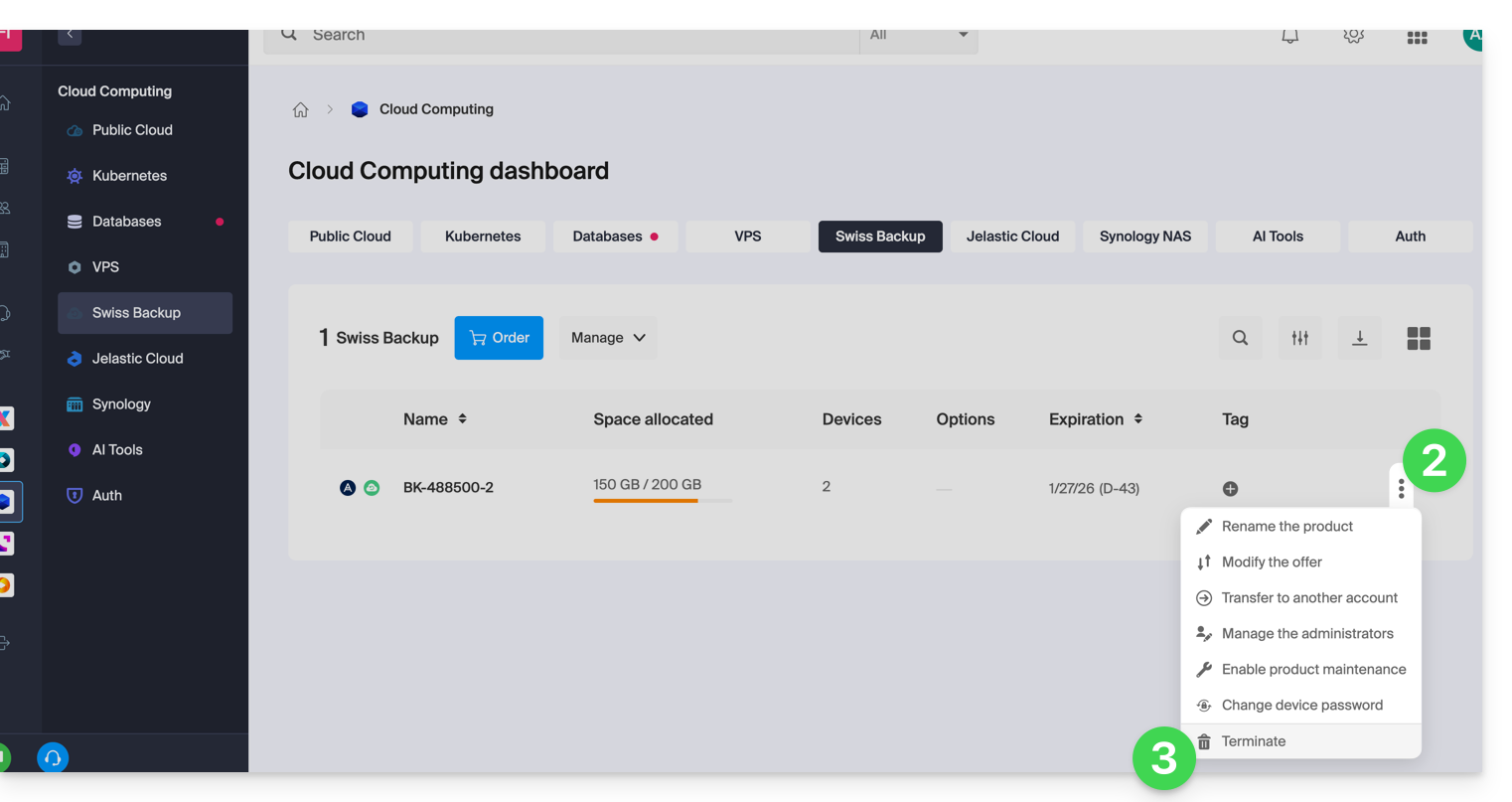
- Follow the procedure until the end.
Link to this FAQ: https://faq.infomaniak.com/2331
Has this FAQ been helpful?