Knowledge base
1000 FAQs, 500 tutorials and instructional videos. Here, there are only solutions!
Create a new Infomaniak Organization
This guide explains how to add a new Organization that you will access with your current Infomaniak account, and within which you can add and/or transfer products, link users, etc.
Introduction
- If you are a my kSuite user, please refer to this other guide.
Create a new Organization
You can add multiple Organizations (i.e., a space for managing your products) by accessing them with the same login ID and password, to separate your professional and personal activities, for example, or when managing multiple clients:
- Click here to access the management of your settings (Infomaniak Manager).
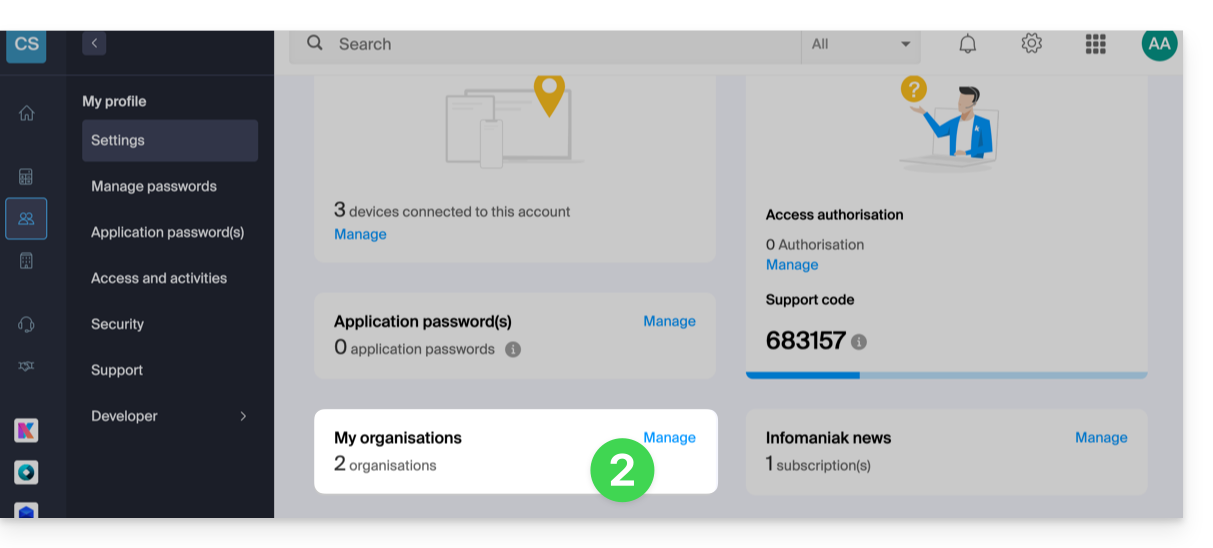
- Click on Manage from the My organizations box:
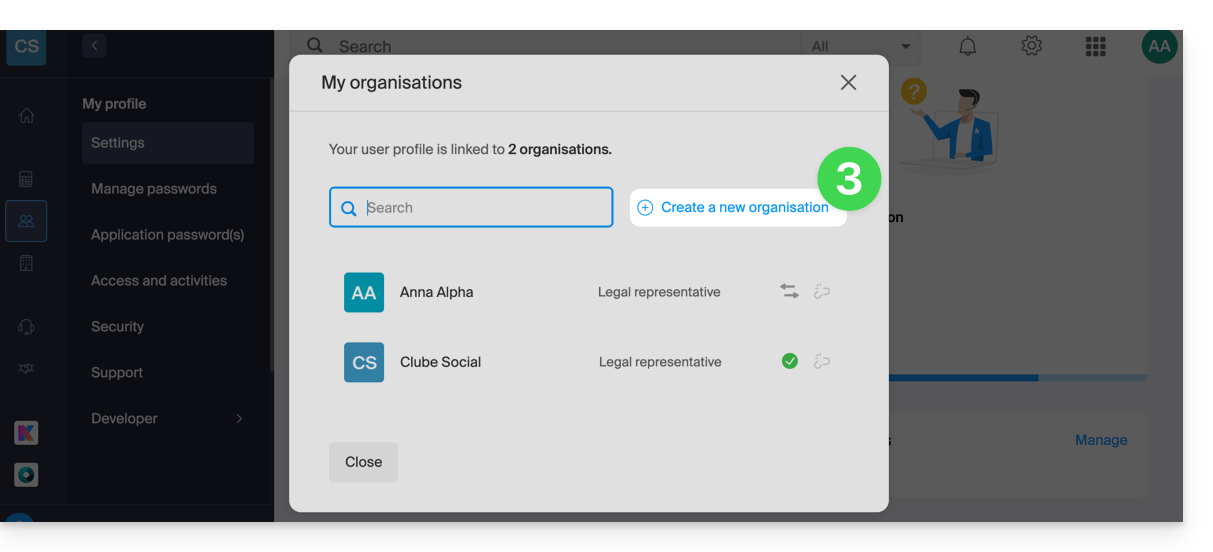
- Click on the Create a new organization button
- Follow the procedure for creating a new Organization.
This way, you can continue to use your usual login credentials while being able to switch between your different Organizations (at the top left of the Manager).
Link to this FAQ: https://faq.infomaniak.com/2330
Has this FAQ been helpful?