Knowledge base
1000 FAQs, 500 tutorials and instructional videos. Here, there are only solutions!
Manage the vulnerability detection tool
Update 10/05/2026
This guide explains how to disable (or re-enable) the vulnerability detection tool, a free protection feature that complements the antivirus and automatically protects your Web Hosting against malware and security vulnerabilities.
Disable or re-enable vulnerability detection
It is not recommended to disable this tool because you will no longer be notified by this free option when your site contains security vulnerabilities or malicious files (malware)!
To access the web hosting to disable (or re-enable) the service:
- Click here to access the hosting & website management section in your Infomaniak Manager (❓: help).
- Click on the name of the relevant hosting.
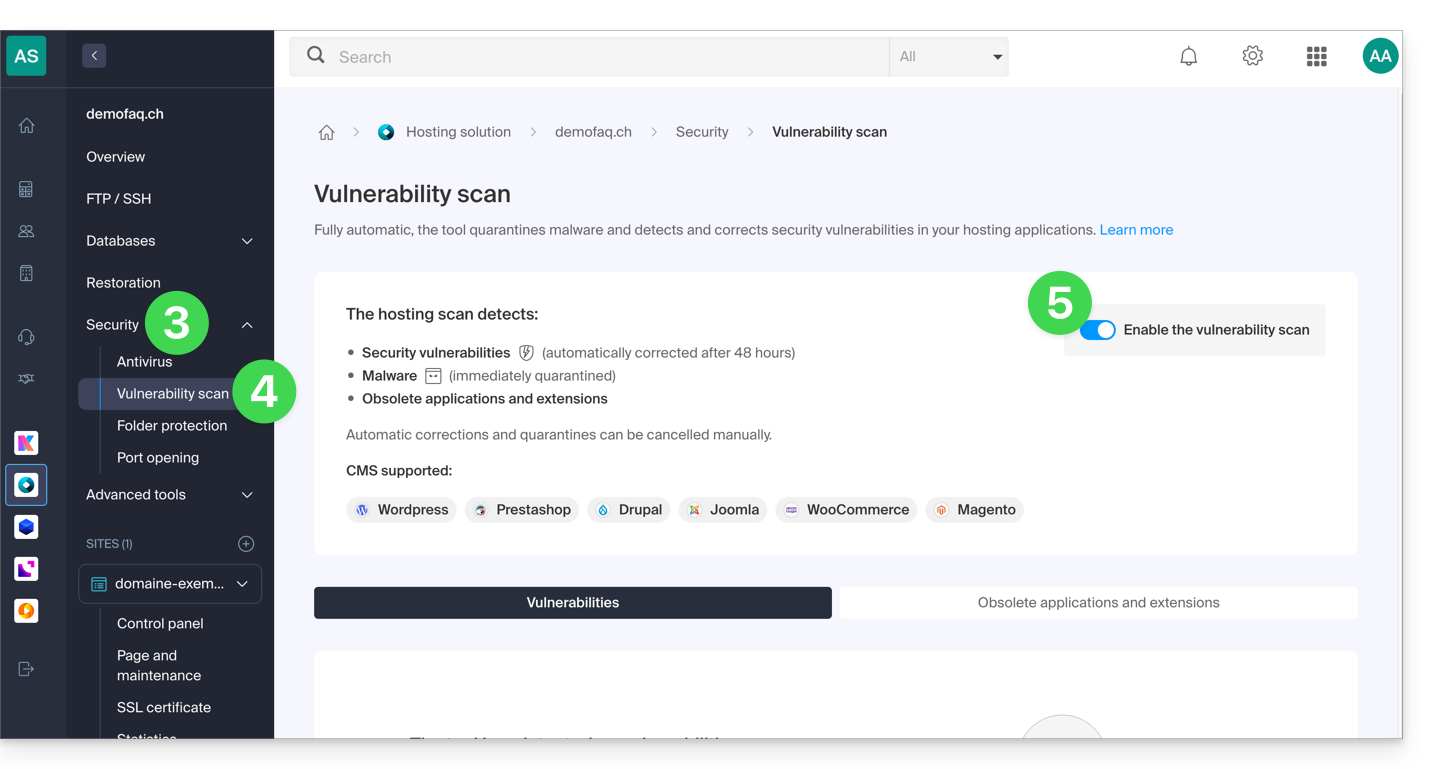
- Click on Security in the left-hand menu.
- Click on Vulnerability Scan in the left-hand menu.
- Click the toggle switch to disable or enable the scan:
Refer to this other guide if you need information on how to cancel a security fix.
Link to this FAQ: https://faq.infomaniak.com/2327
Has this FAQ been helpful?