Knowledge base
1000 FAQs, 500 tutorials and instructional videos. Here, there are only solutions!
Search for data on kDrive
This guide explains how to search for information within the data stored on Infomaniak's kDrive, among the files and folders accessible to the logged-in user.
✘ UNAVAILABLE with
kSuite Free / kSuite Standard
my kSuite / my kSuite+ (ik.me, etik.com, ikmail.com)
kDrive Solo / kDrive Team
Enable content search within hosted files
To enable this smart feature for searching content inside PDF files or spreadsheet/text documents:
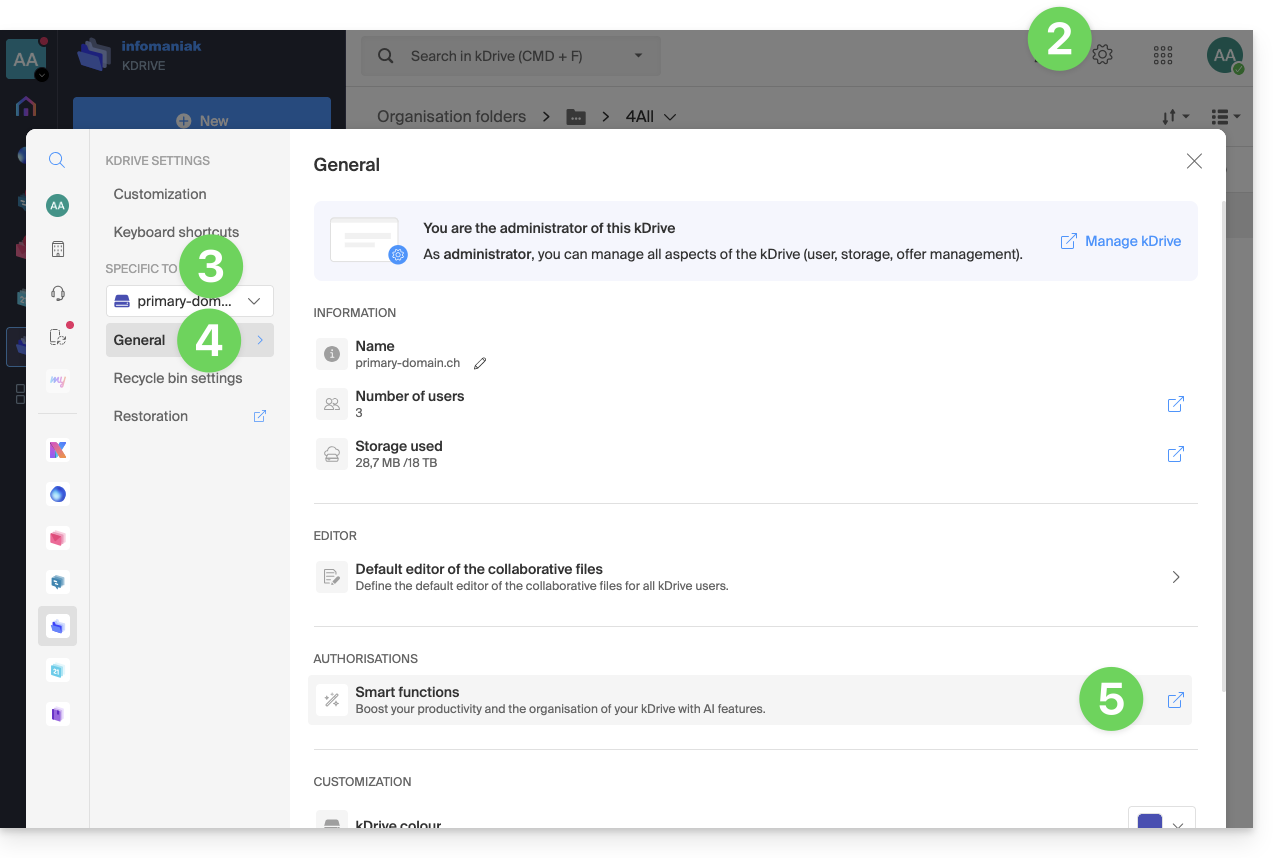
- Click here to access the Infomaniak kDrive web app (online service ksuite.infomaniak.com/kdrive).
- Click on the Settings icon in the top right corner.
- Check or select the relevant kDrive from the dropdown menu in the left-hand sidebar.
- Click on General in the left-hand sidebar.
- Click on Smart Features:
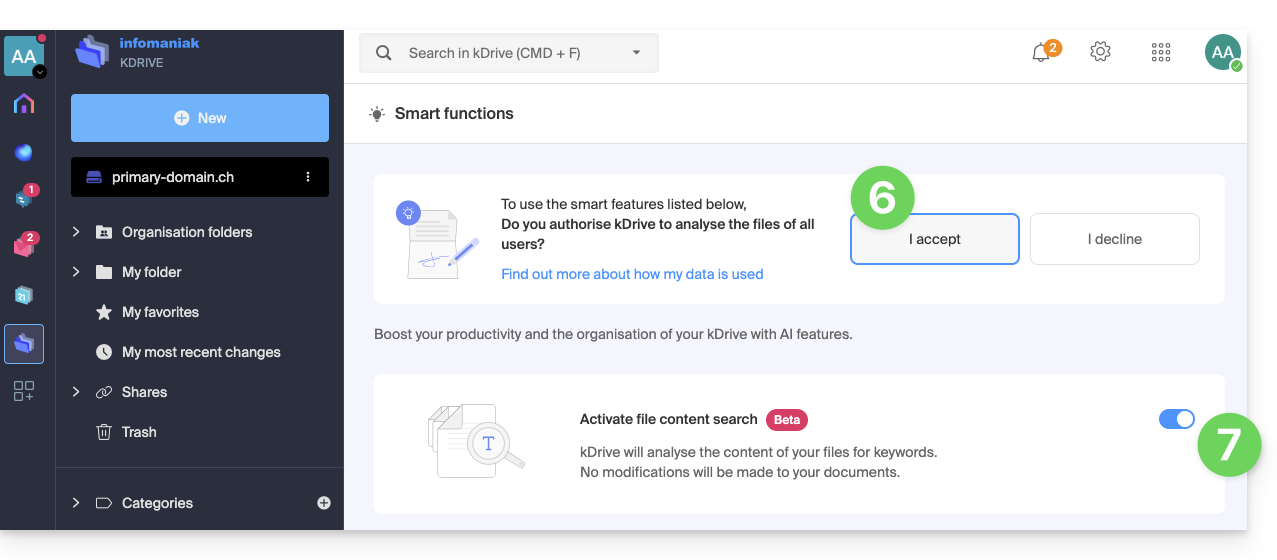
- Click the button to accept automatic file analysis.
- Click the toggle switch to enable content search:
Search for an item…
… in the kDrive web app (online service ksuite.infomaniak.com/kdrive)
The search bar is always located at the top of the screen. The keyboard shortcut CMD-F or CTRL-F allows you to place the focus in the field to enter the text to be found more quickly. The results are displayed as you search. Example of a simple search: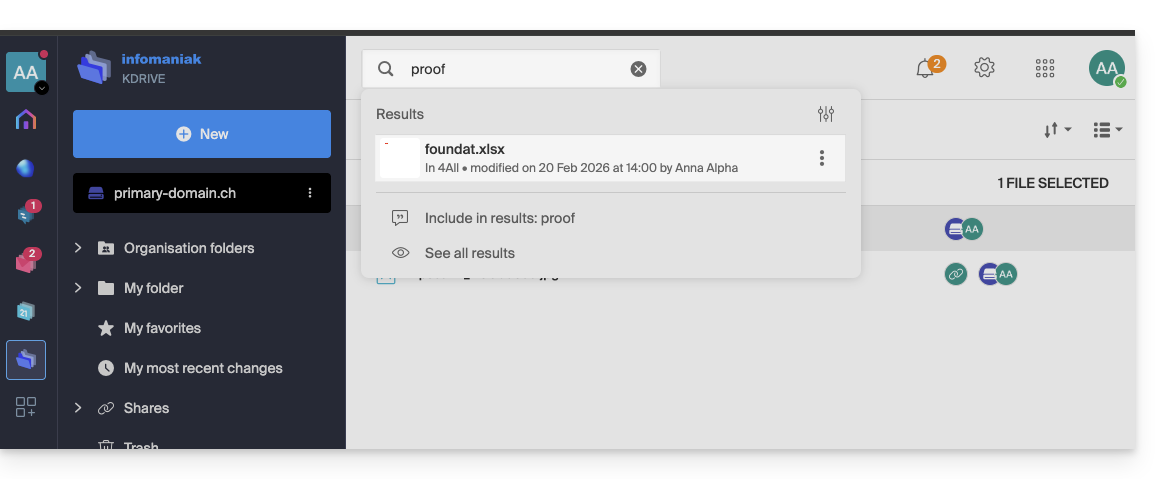
You can also search for files by their type: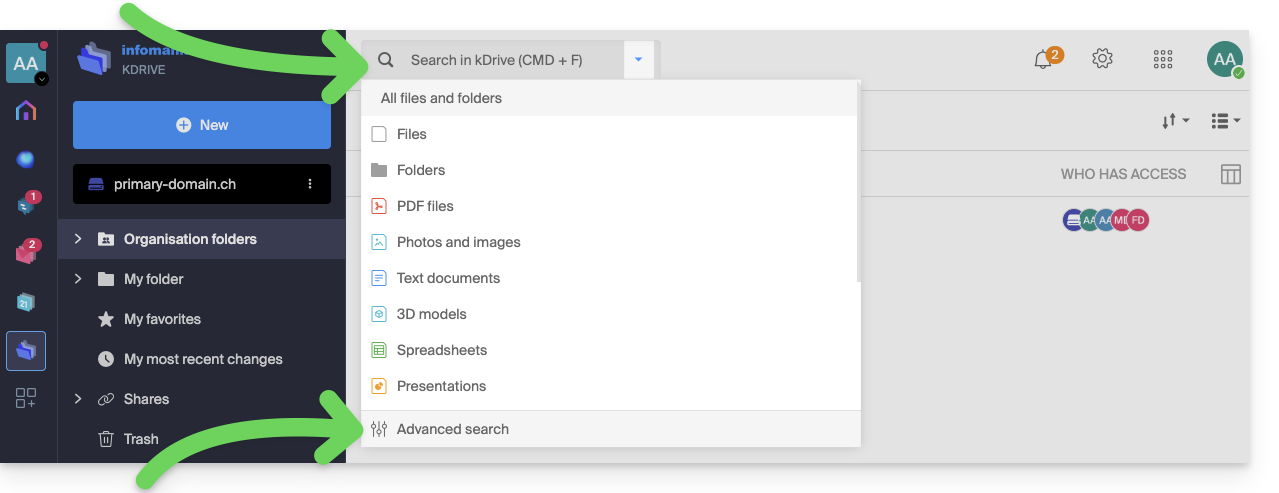
Click on the advanced search icon at the bottom of the search bar's drop-down menu to filter by the following criteria:
- location
- document type
- last modified date
- created by {kDrive user}
- text displayed in the file or folder name
- text within the file content itself
- category
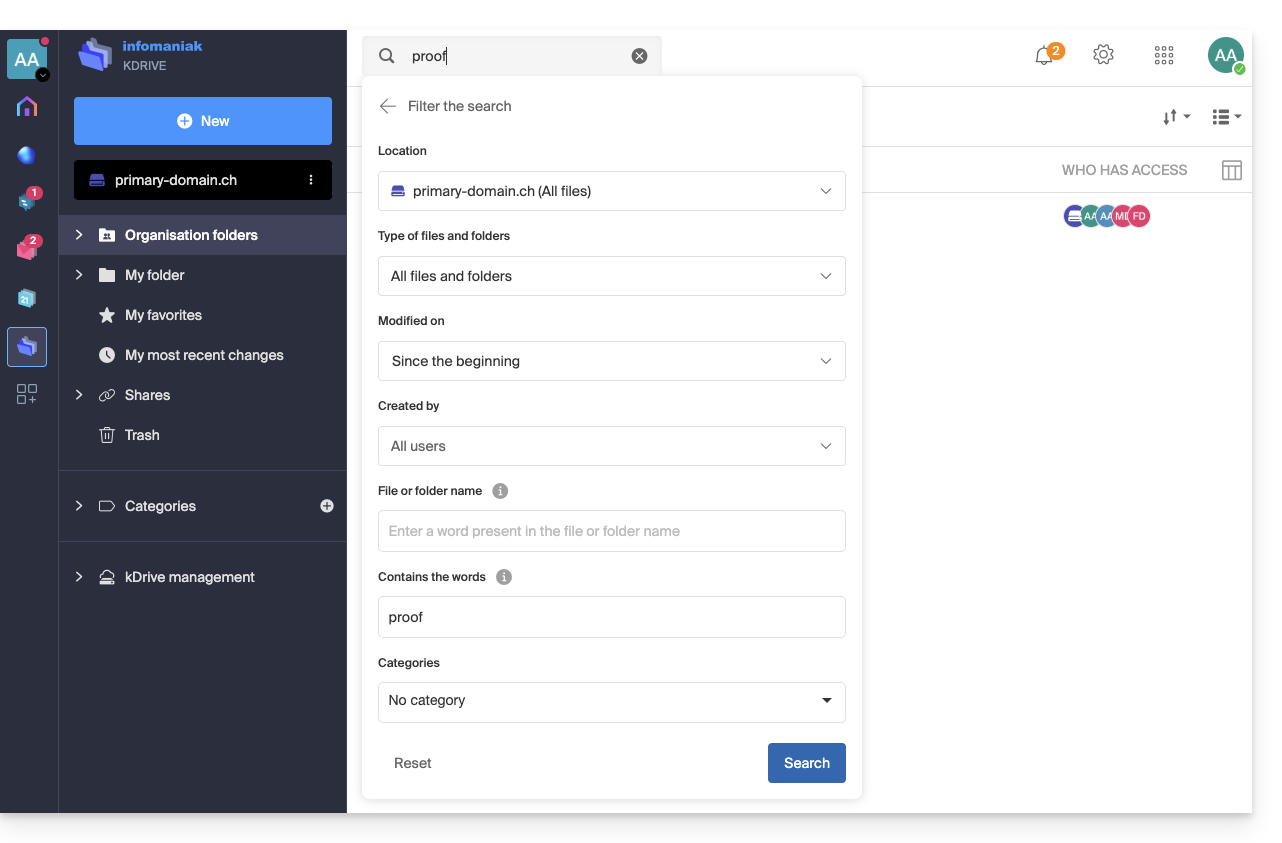
Once you have defined your search criteria for the keyword you are looking for, start the search using the Search button.
… on the kDrive mobile app (application for iOS / Android smartphones or tablets)
The search function is accessible via the magnifying glass visible in the top right corner of the screen: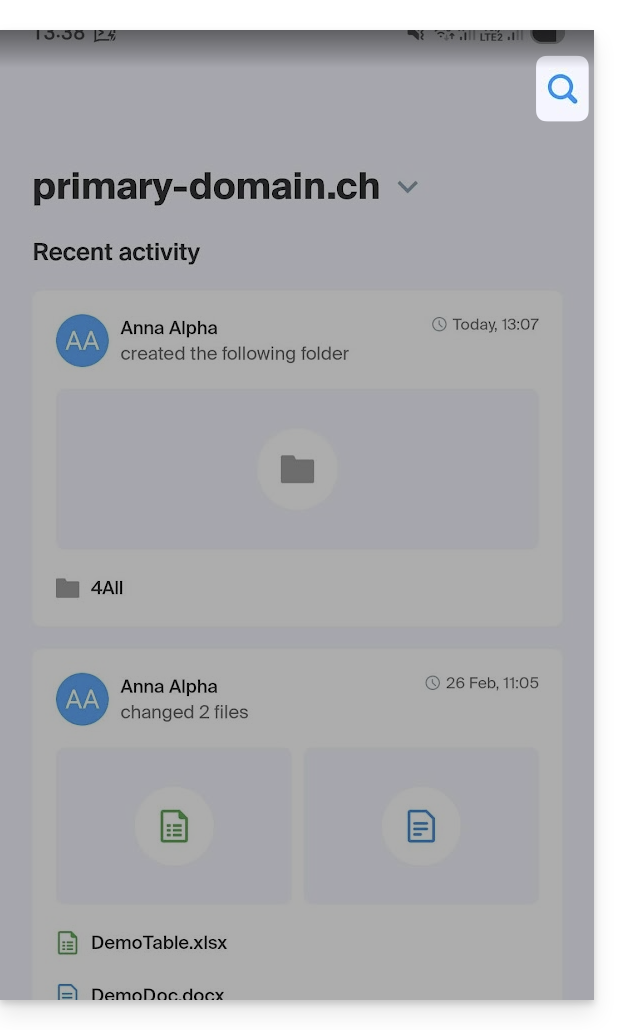
The search function works the same way as on the web app, and the results are displayed below: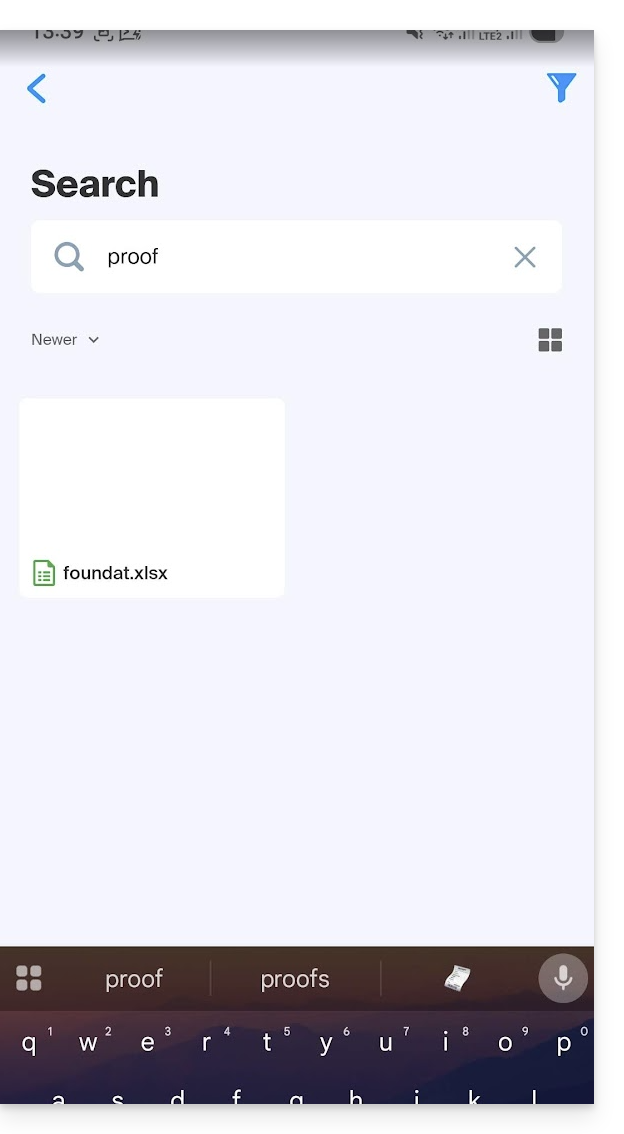
Link to this FAQ: https://faq.infomaniak.com/2320
Has this FAQ been helpful?