Knowledge base
1000 FAQs, 500 tutorials and instructional videos. Here, there are only solutions!
Add or modify a payment method
This guide explains how to update a payment profile in the Infomaniak Manager to facilitate your orders and service renewals.
Introduction
- Having a payment profile speeds up your payments.
- Payment data is saved securely.
- The funds available in the prepaid account can, for example, be used as the default payment profile, but other payment methods can be saved.
Add or modify a payment profile
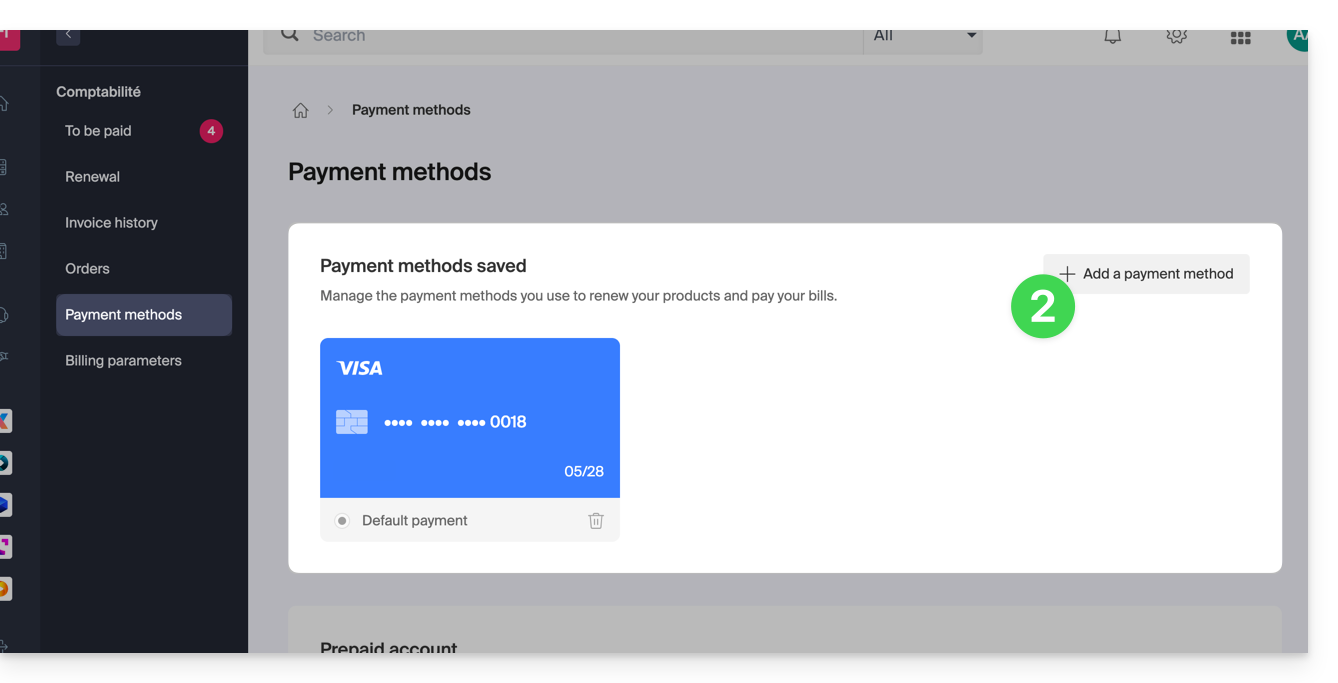
To access payment method management and set a default method:
- Click here to access payment profile management in the Infomaniak Manager (need help?).
- Access requires authentication with a user who has sufficient rights.
- Update or add the desired payment method:
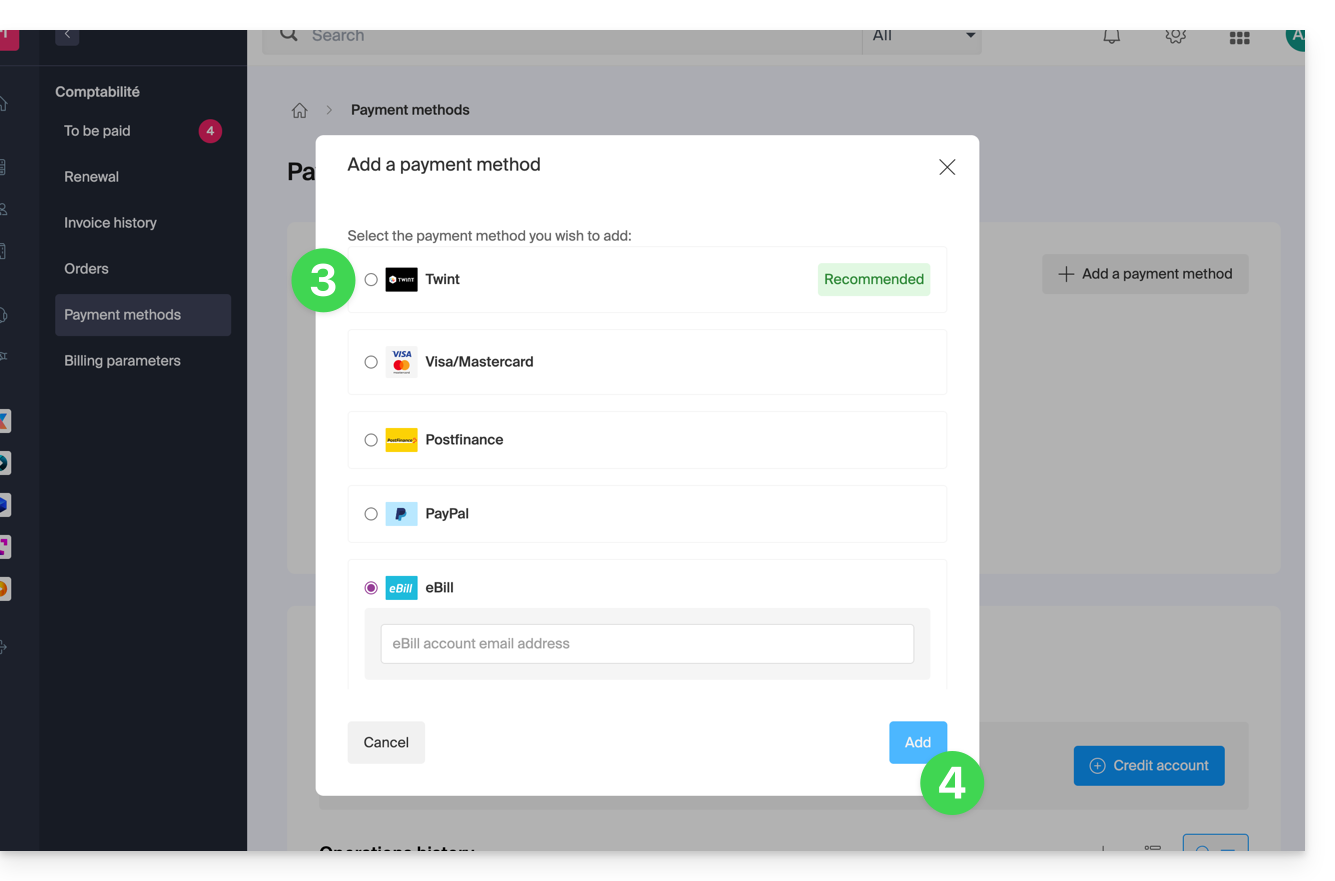
- Select the desired payment method from the following:
- Twint (Switzerland)
- Visa / Mastercard
- Postfinance (Switzerland)
- PayPal
- eBill (Switzerland)
- Click the button to save the addition:
Link to this FAQ: https://faq.infomaniak.com/2315
Has this FAQ been helpful?