Knowledge base
1000 FAQs, 500 tutorials and instructional videos. Here, there are only solutions!
Pay for / Automatically renew a product
This guide explains how to enable or disable automatic renewal for your products.
Introduction
- You can automate the renewal of your products that are nearing their expiration date via your preferred payment method.
- During new orders or when renewing a product, this feature is automatically enabled if you use a supported payment method (credit cards, Visa, and MasterCard).
- You can disable this feature at any time.
- Once automatic renewal is enabled, the first payment attempt will take place 14 days before the product's expiration date.
- It is not possible to enable automatic renewal if the product is less than 14 days from its expiration date.
- In this case, you must first renew the product before you can enable this feature.
- Please refer to this other guide if you are looking for information on what to do if you were unable to renew your products on time or if automatic renewal did not work, in order to avoid any service interruptions in the future.
Enable automatic renewal
One product at a time
To enable future automatic renewal for the product of your choice:
- Click here to access the payment management section in the Infomaniak Manager (need help?).
- Access requires authentication with a user who has sufficient rights.
- If necessary, click on the date filter (next 2 months) to Show All:
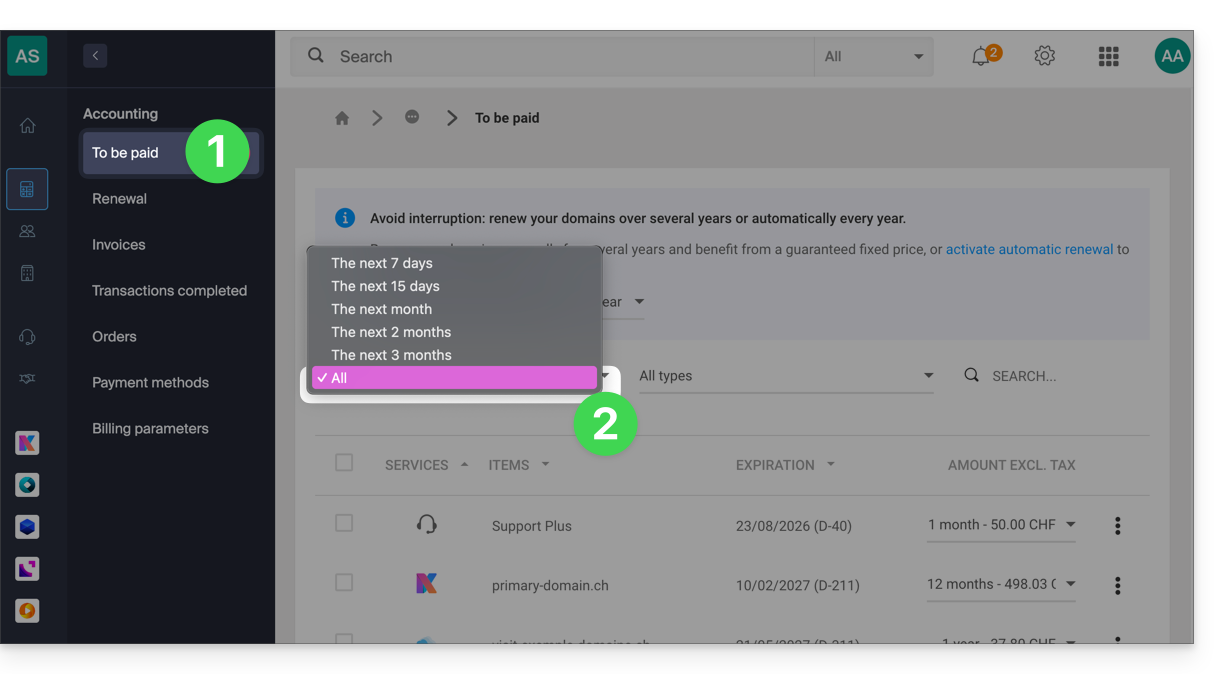
- Click on the action menu ⋮ located to the right of the item in question.
- Choose to enable the automatic renewal of the product:
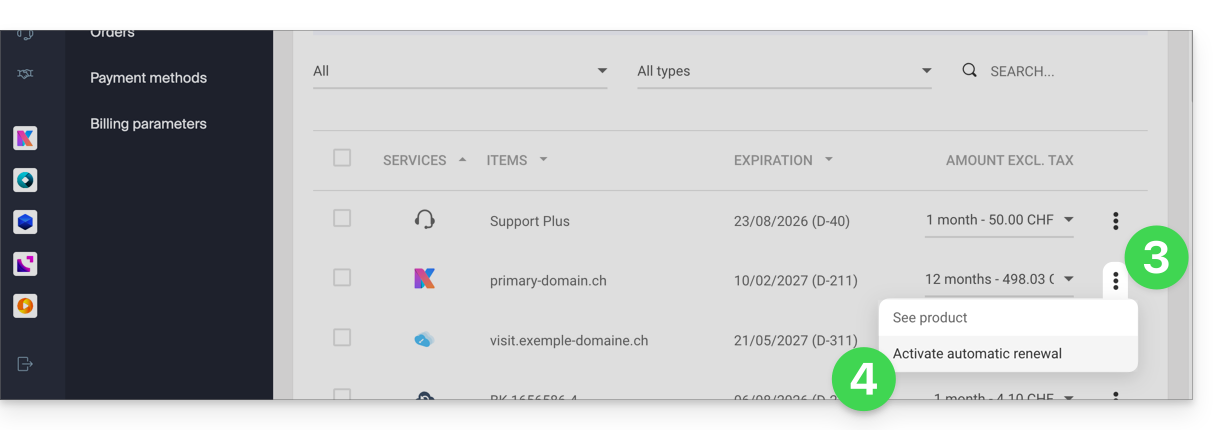
- A window may then open to choose the desired payment method.
All products at once
To enable the future automatic renewal of all your products:
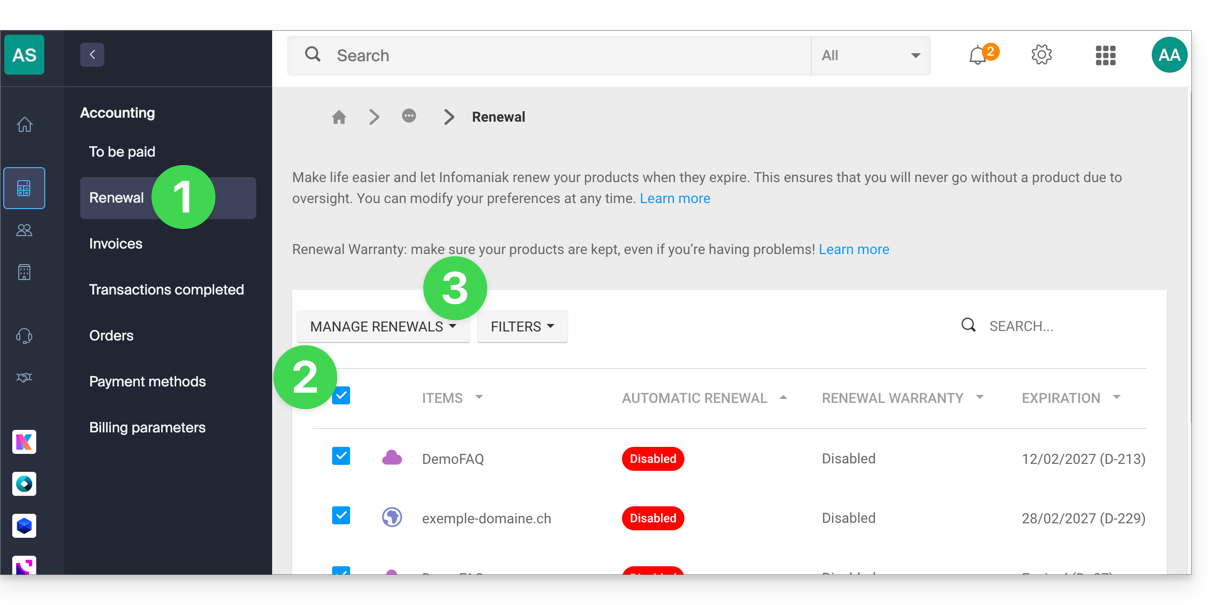
- Click here to access the renewal management section in the Infomaniak Manager (need help?).
- Click on the checkbox at the top of the column to select all your products with one click.
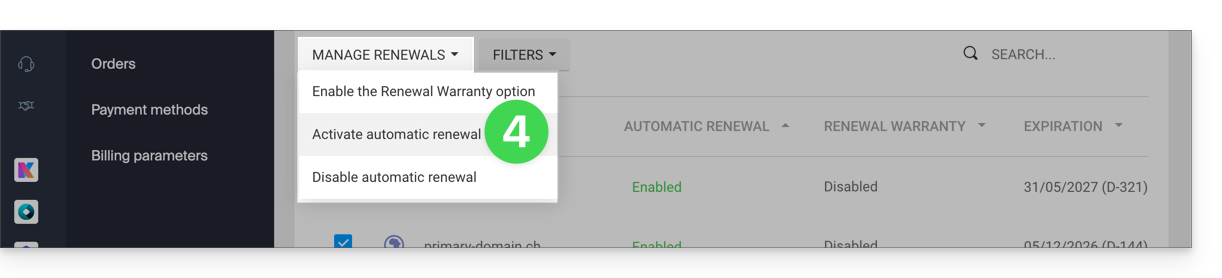
- Click on the Manage renewals button:
- Choose to enable the automatic renewal of products:
Disable automatic renewal
One product at a time
To disable the automatic renewal of the product of your choice:
- Click here to access the management of payments in the Infomaniak Manager (need help?).
- If necessary, click on the date filter (next 2 months) to Show All:
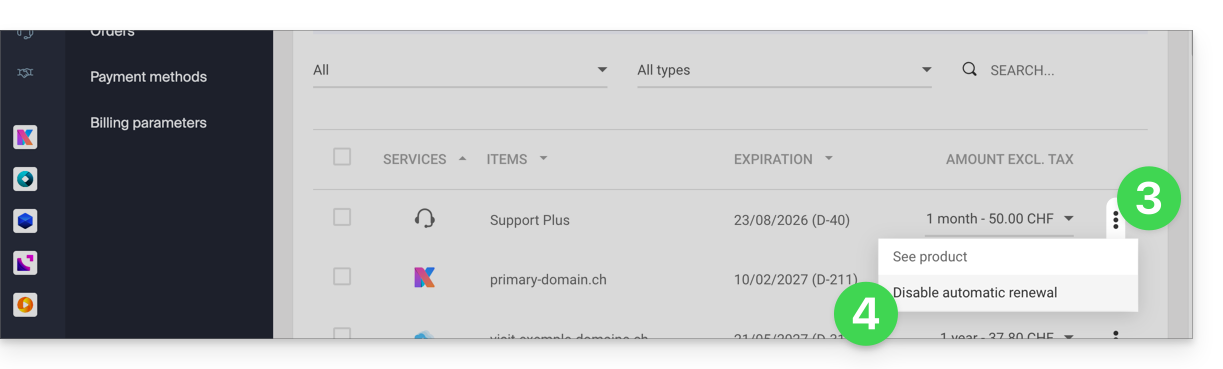
- Click on the action menu ⋮ located to the right of the item in question.
- Choose to disable the automatic renewal of the product:
- A window may then open to choose the desired payment method.
All products at once
To disable the automatic renewal of all your products:
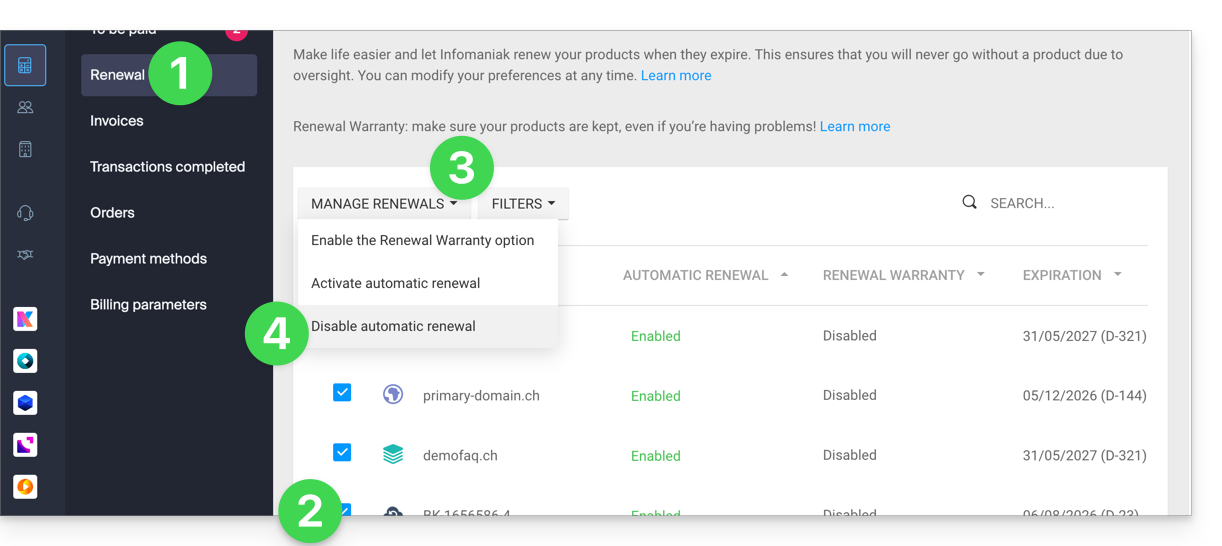
- Click here to access the management of renewals in the Infomaniak Manager (need help?).
- Click on the box at the top of the column to select all your products in one click.
- Click on the Manage renewals button.
- Choose to disable the automatic renewal of products:
Link to this FAQ: https://faq.infomaniak.com/2314
Has this FAQ been helpful?