Knowledge base
1000 FAQs, 500 tutorials and instructional videos. Here, there are only solutions!
Manage your Infomaniak service subscription
Update 11/26/2026
This guide explains how to enable or disable automatic renewal of your products by managing your Infomaniak service subscriptions.
Manage your active and inactive subscriptions
Prerequisites
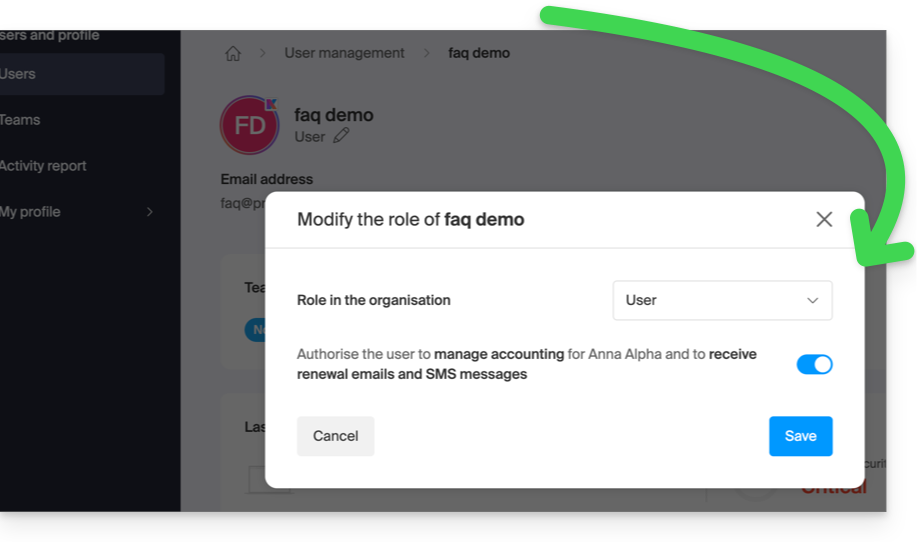
- You must have at least the right to manage accounting (❓: help):
- Save an active and valid payment method (❓: help).
To activate or deactivate a subscription to an Infomaniak service:
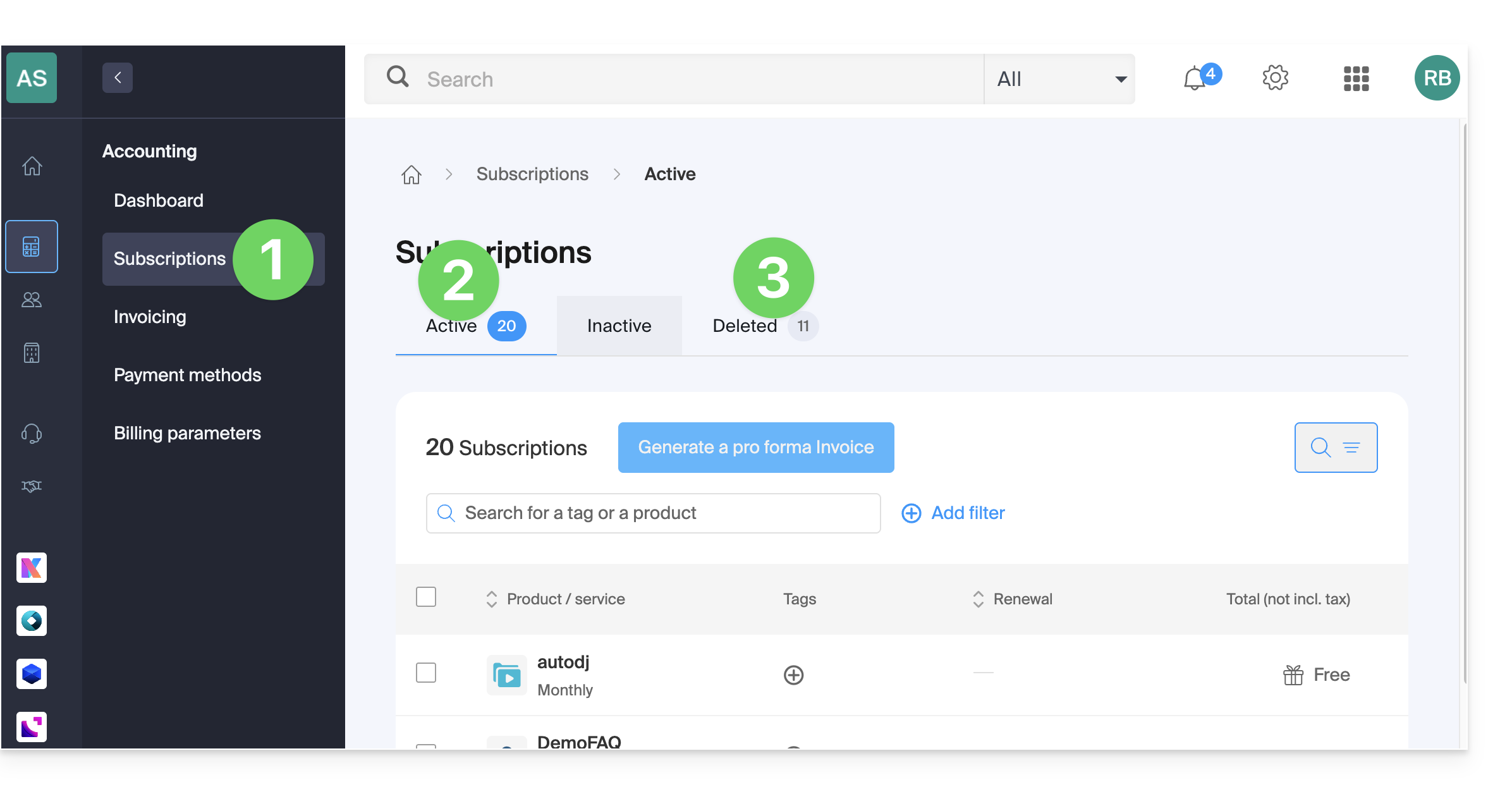
- Click here to access the subscription management section in your Infomaniak Manager.
- If nothing is displayed, you may not be in the Organization to which your service is linked (❓: help).
- The various services that will be renewed in your Organization are displayed in the active subscriptions tab.
- You can also view your previously active but deleted services:
You can also change the frequency of a subscription from the same location (❓: help).
Link to this FAQ: https://faq.infomaniak.com/2314
Has this FAQ been helpful?