Knowledge base
1000 FAQs, 500 tutorials and instructional videos. Here, there are only solutions!
Export email attachments from Mail Infomaniak
Update 10/12/2026
This guide explains how to save email attachments from the Infomaniak Mail web app (online service ksuite.infomaniak.com/mail).
Introduction
- You can save all the files attached to a message in a single click, in a
.ziparchive on your computer, or within your kDrive, etc. - Other guides detail how to:
Save the attachment from the Web Mail app
To export the attached files received by email:
- Click here to access your emails on your Infomaniak kSuite (❓: help).
- Open the message containing the attachments you want to save.
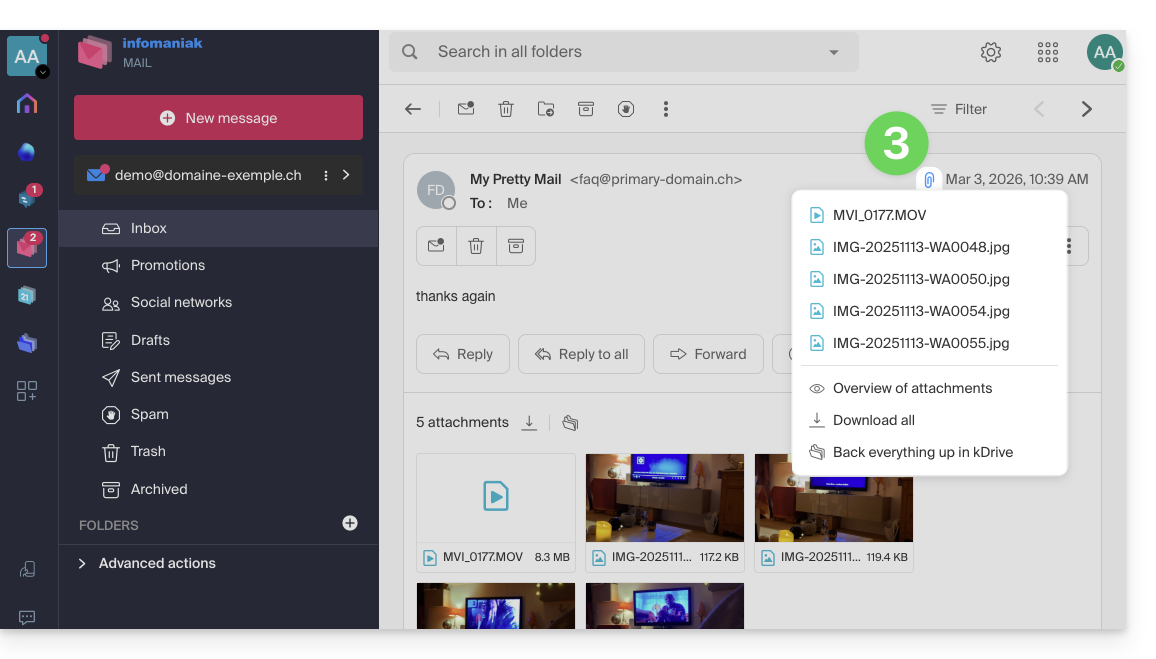
- Click on the paperclip icon to access the content backup and preview options:
- … or directly above the attached files to start the download or save to kDrive:
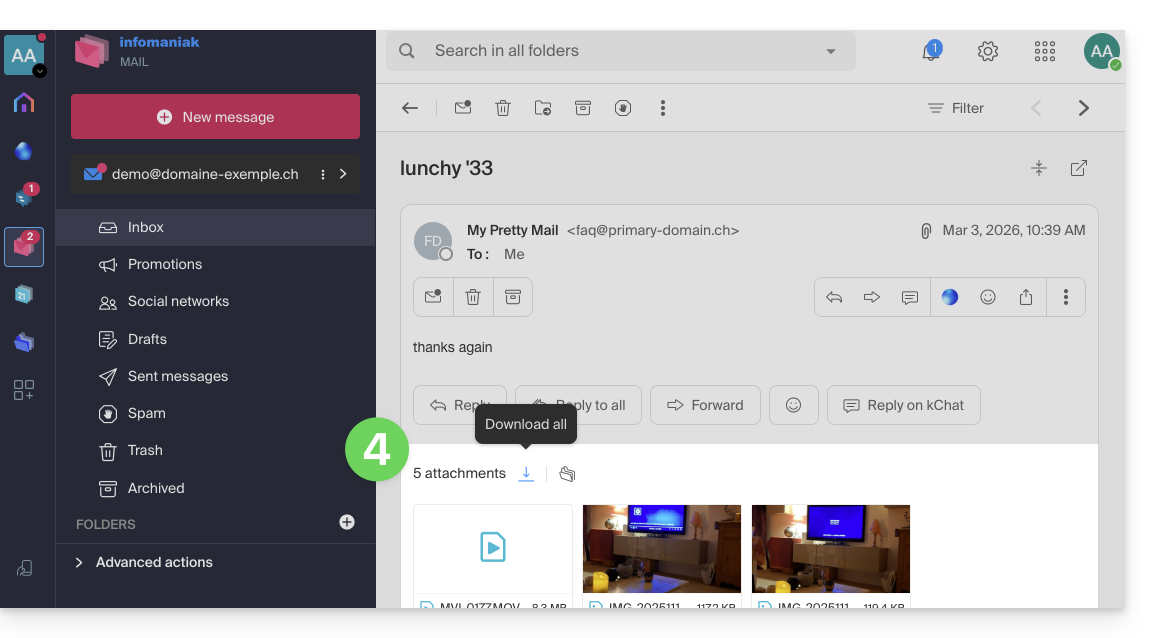
- Download all creates a
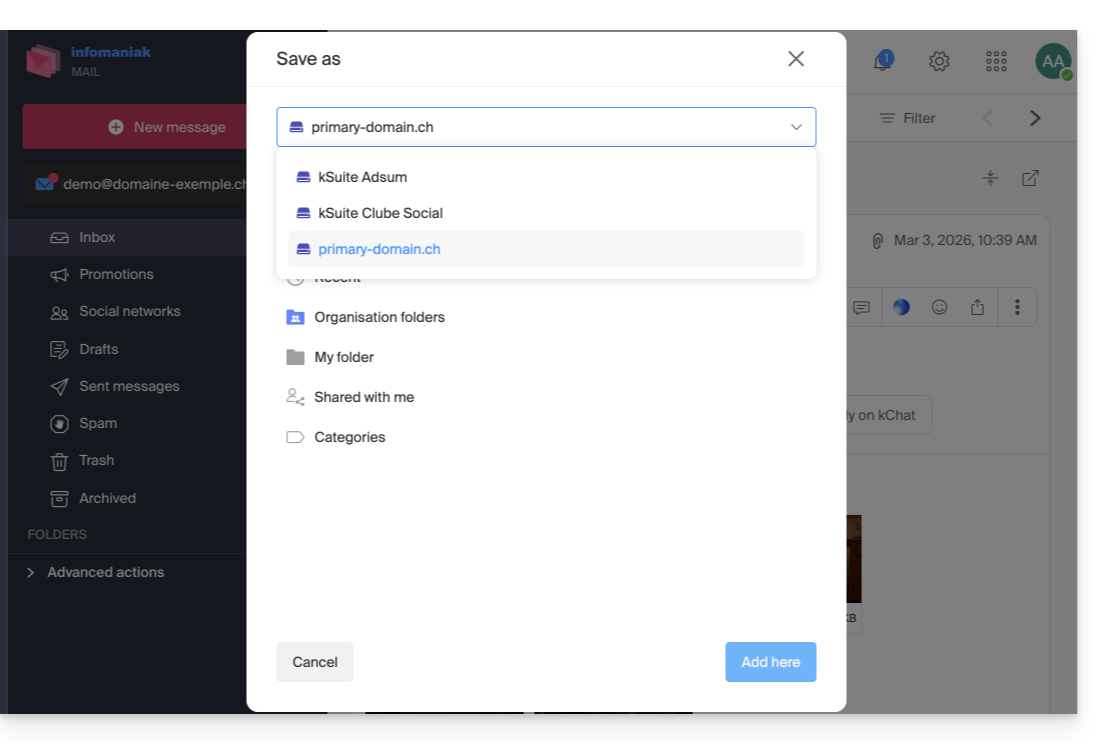
ziparchive to download to your device. - Save all to kDrive allows you to choose the kDrive (from those to which you are linked by your Organization) and the desired location on it to save the files:
- Download all creates a
Link to this FAQ: https://faq.infomaniak.com/2309
Has this FAQ been helpful?