Knowledge base
1000 FAQs, 500 tutorials and instructional videos. Here, there are only solutions!
Create a new address book or calendar from kSync
This guide concerns kSync which allows you to create a new calendar or a new address book directly from an Android device.
Create a calendar or address book from the app
To do this:
- Open the mobile app kSync on the Android device.
- Once logged in, click on the action menu ⋮ located at the top right.
- Press Create a new address book / Calendar:
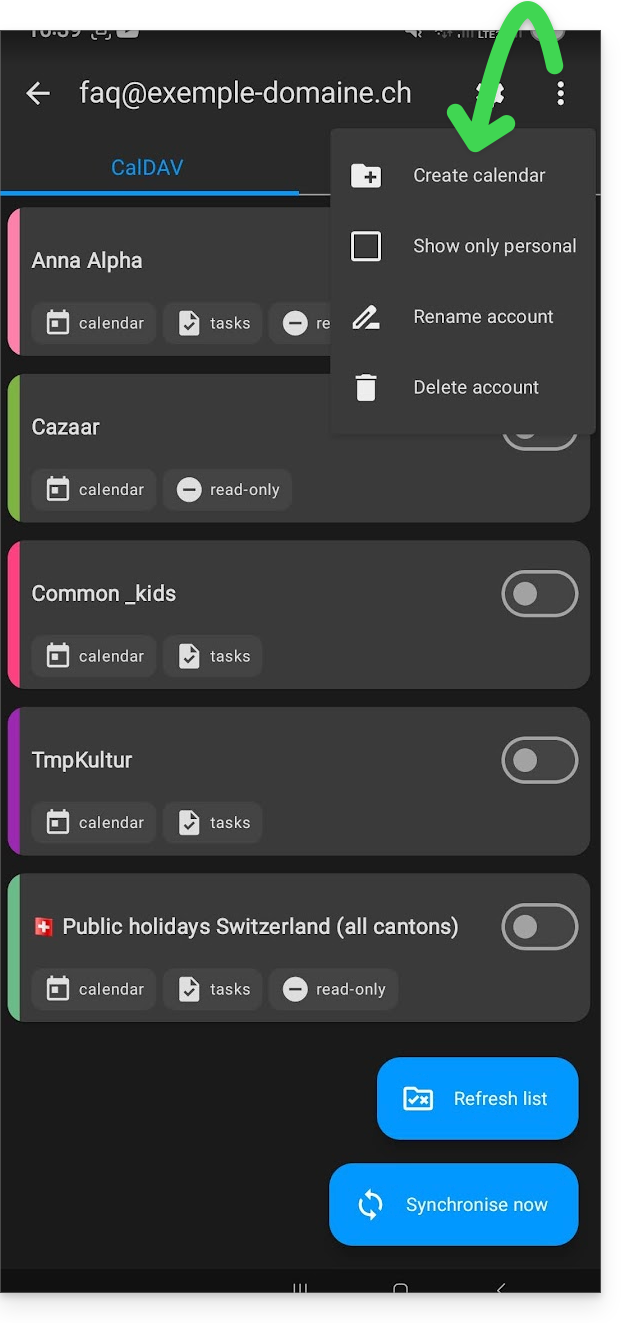
- Enter the name of the address book or calendar and a color.
- Click on Create:
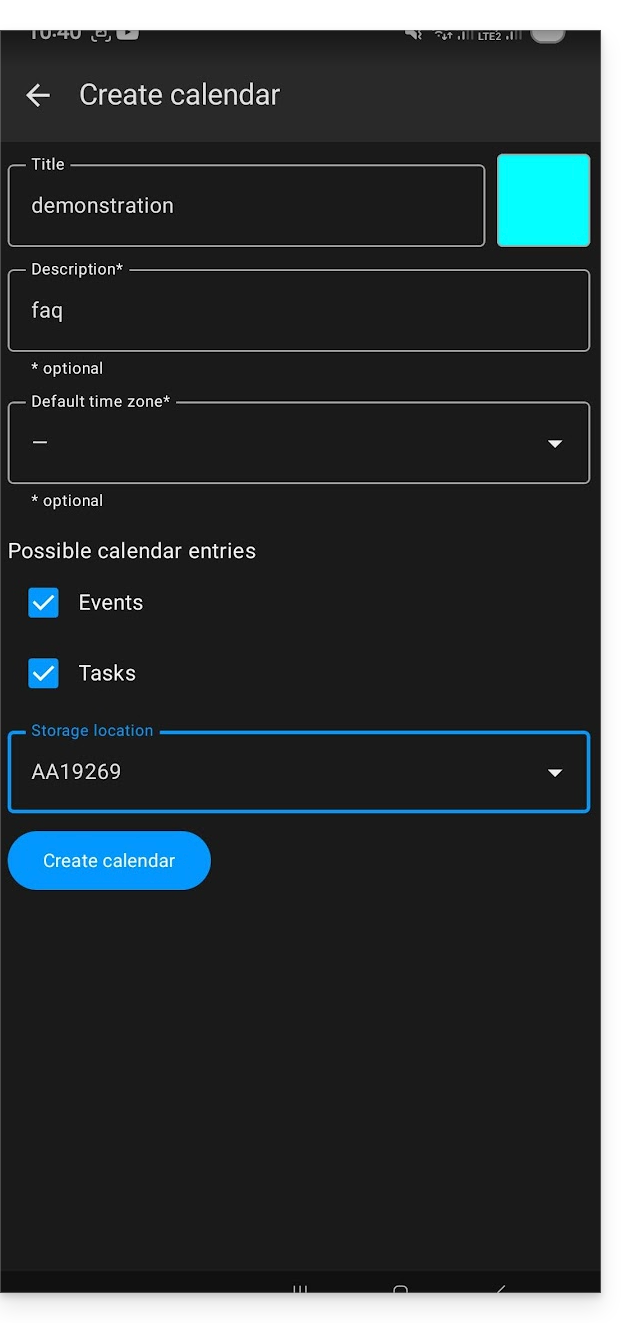
- If necessary, click on the icon to refresh the list, your new item appears in the list after a few seconds:
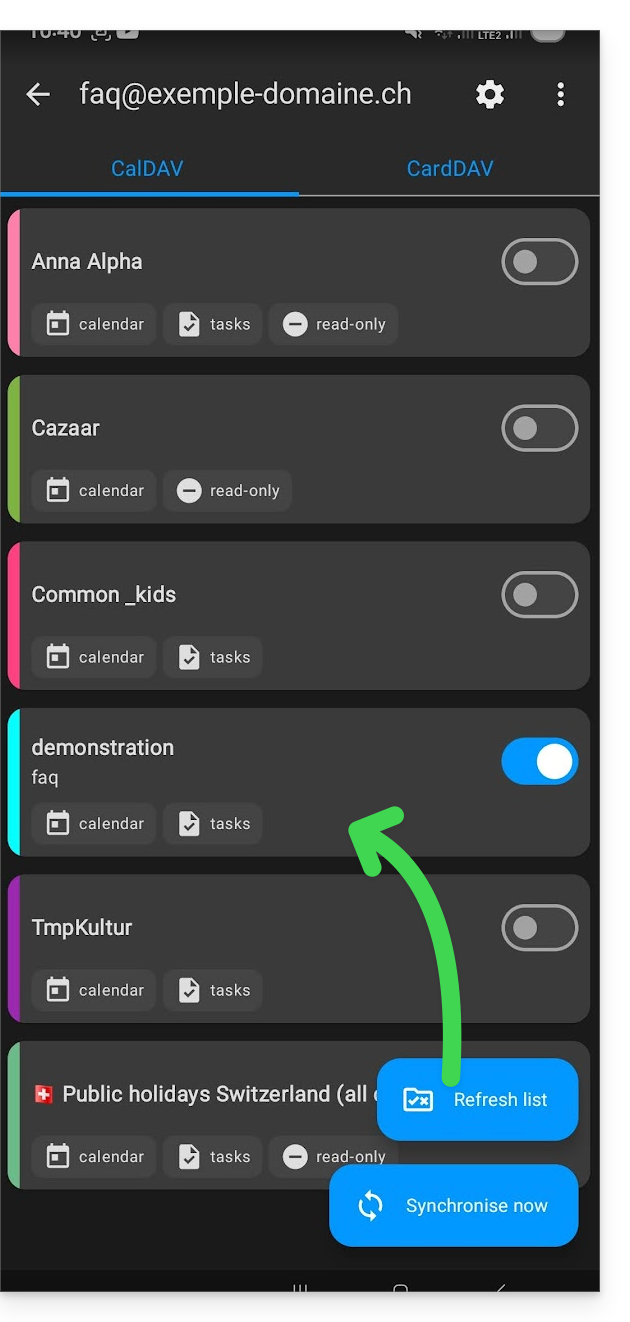
Your service will then be synchronized with the corresponding web app, here Calendar Infomaniak (online service ksuite.infomaniak.com/calendar):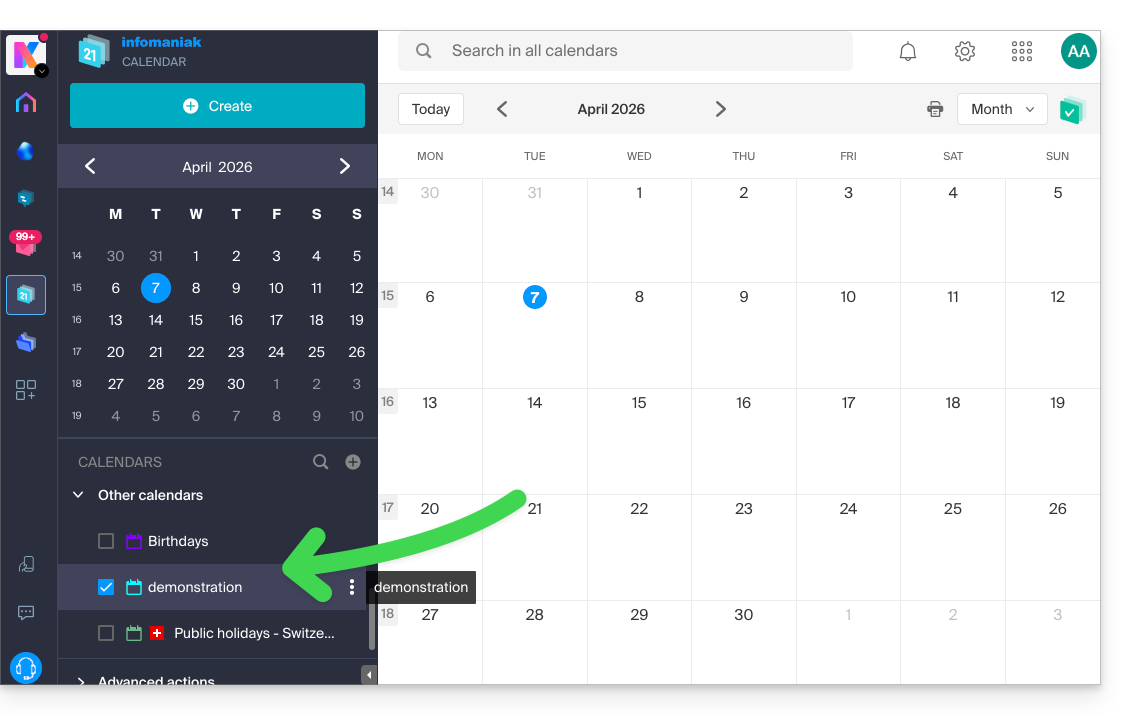
Link to this FAQ: https://faq.infomaniak.com/2299
Has this FAQ been helpful?