Knowledge base
1000 FAQs, 500 tutorials and instructional videos. Here, there are only solutions!
Create a new address book or calendar from kSync
This guide concerns kSync, which allows you to create a new calendar or a new address book directly from an Android device.
Create a calendar or address book from the app
To do this:
- Open the kSync mobile app on your Android device.
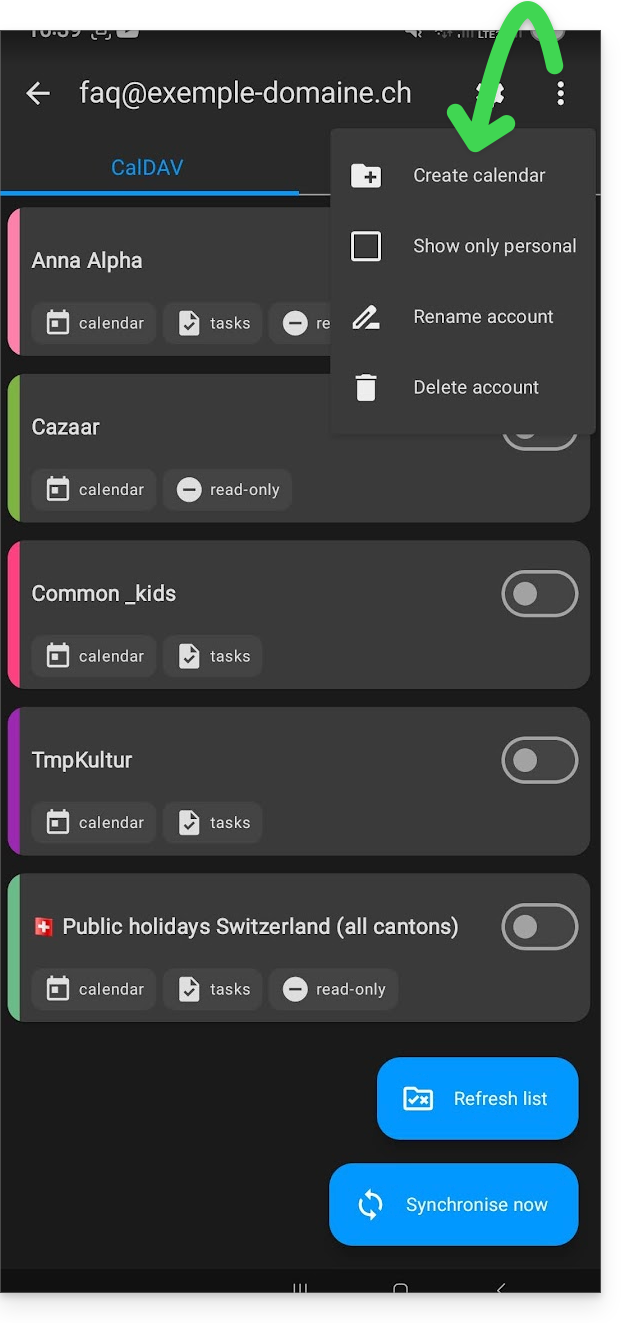
- Once logged in, click on the action menu ⋮ located in the top right corner.
- Tap on Create a new address book / Calendar:
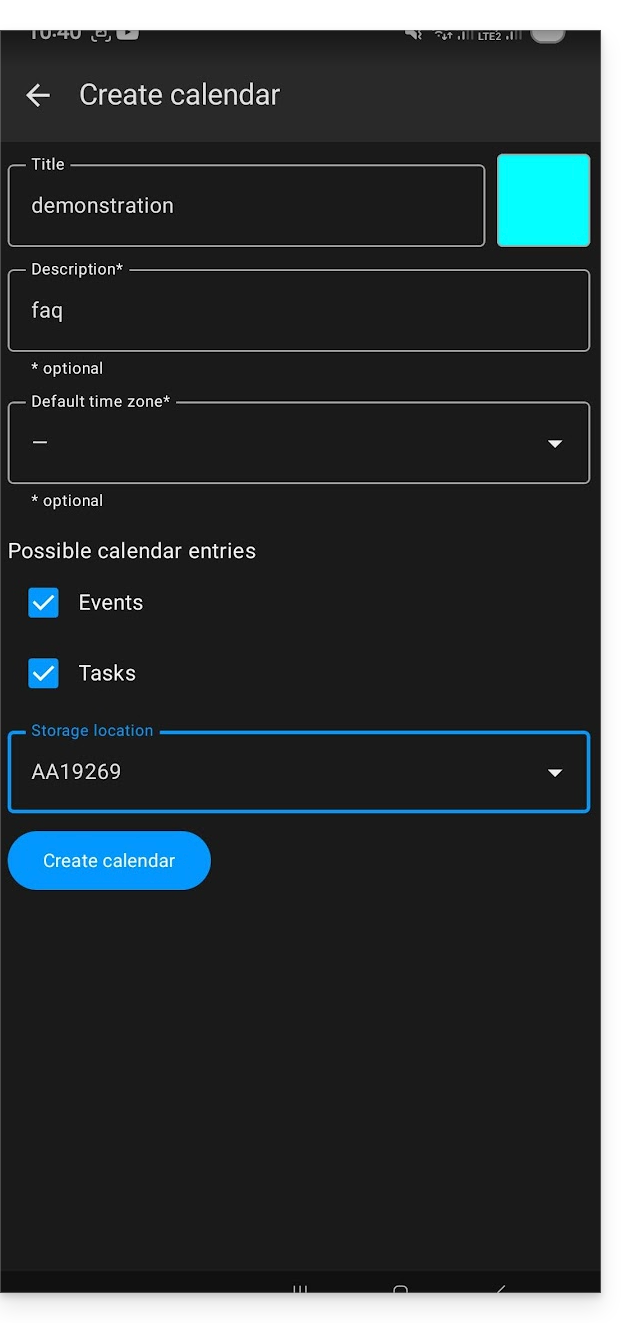
- Enter the name of the notebook or agenda and a color.
- Click on Create:
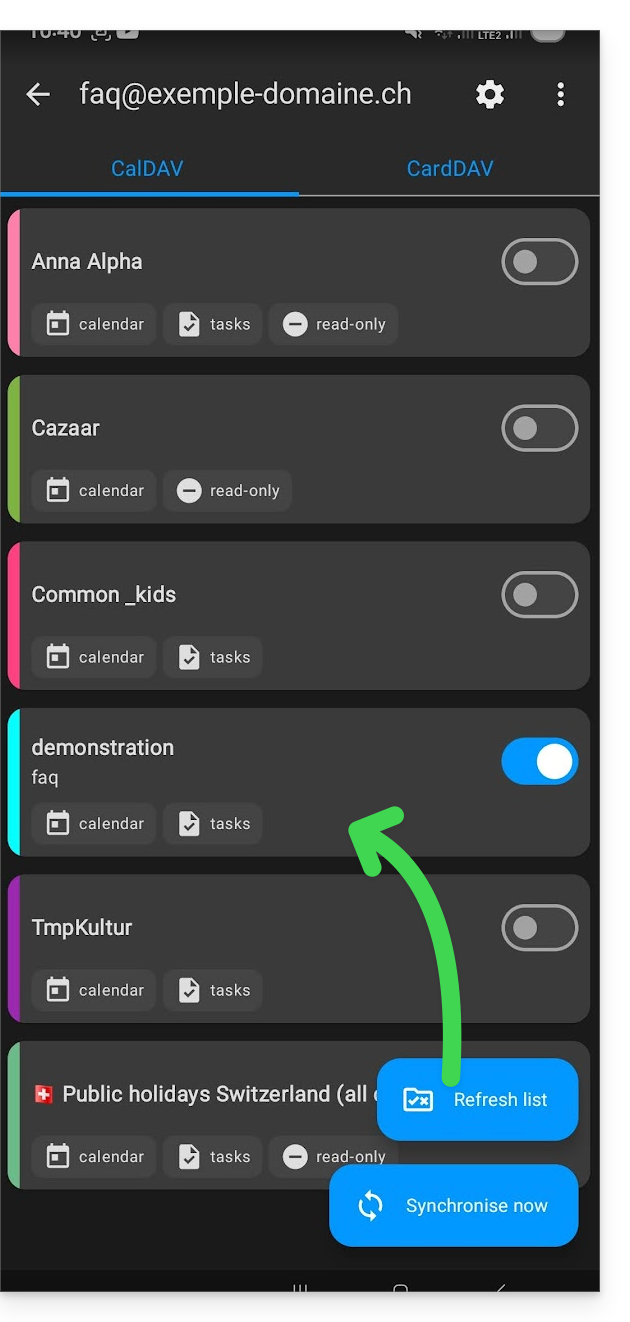
- If necessary, click the icon to refresh the list; your new item will appear in the list after a few seconds:
Your service will then be synchronized with the corresponding web app, here Calendar Infomaniak (online service ksuite.infomaniak.com/calendar):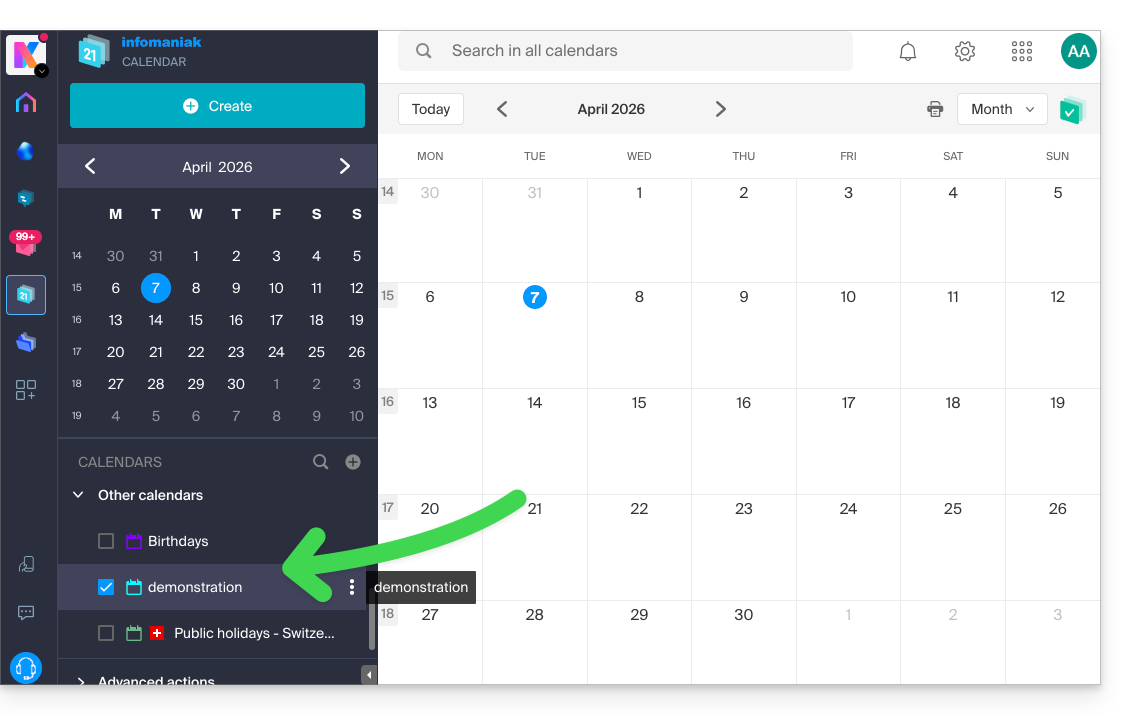
Link to this FAQ: https://faq.infomaniak.com/2299
Has this FAQ been helpful?