Knowledge base
1000 FAQs, 500 tutorials and instructional videos. Here, there are only solutions!
Back up your Android device with Acronis on Swiss Backup
This guide details how to back up an Android device (Samsung, Huawei, OnePlus, etc.) using Acronis on Swiss Backup Infomaniak, the backup solution in an independent Swiss cloud.
Introduction
- What you can back up:
- Contacts & Calendars
- Photos (the original size and format of your photos are preserved)
- Videos
- It is also possible to back up other types of data.
Configure Backup
Prerequisites
- Own an Infomaniak Swiss Backup space with an available device quota (minimum 1) for Mobile:
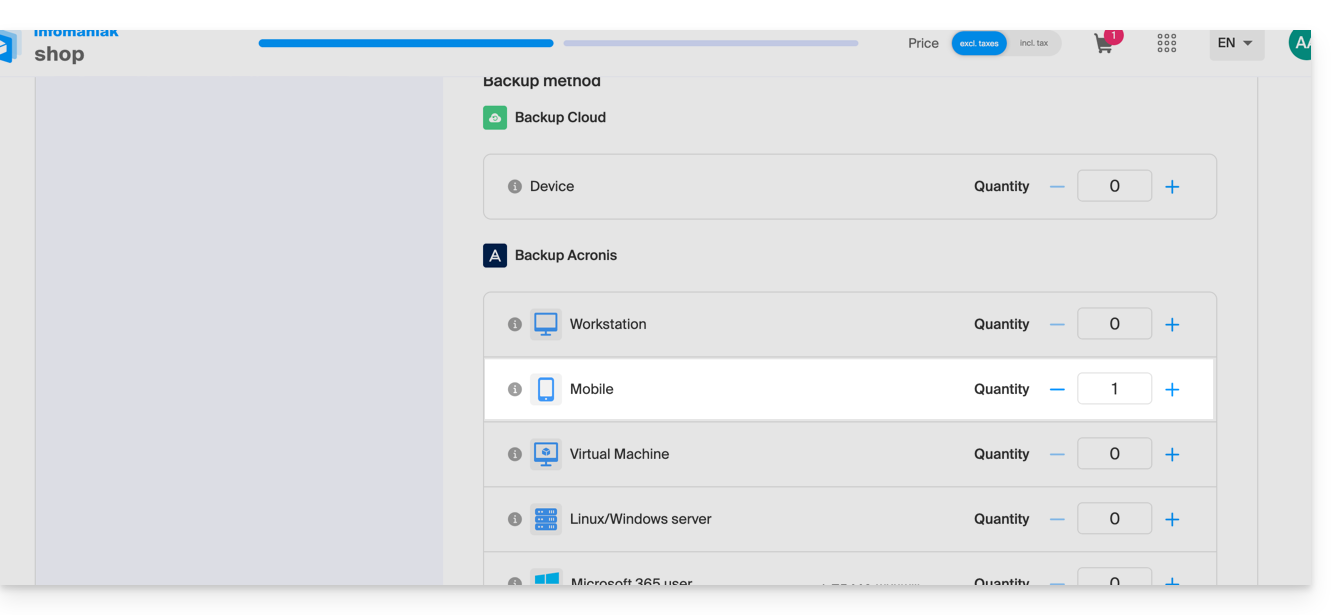
- If necessary, increase the device quota according to your needs.
- Add the device to the Infomaniak Manager to receive the login credentials.
- Consult the Acronis documentation on this topic.
To configure mobile backup on Android with Acronis:
- Download and install the Acronis Cyber Protect application from the Google Play Store.
- Open the Cyber Protect mobile app by logging in to the Acronis Agent with the credentials obtained after adding the device (need help?).
- Click on Back up and choose the data to back up.
- Click Validate to start the data backup.
Link to this FAQ: https://faq.infomaniak.com/2294
Has this FAQ been helpful?