Knowledge base
1000 FAQs, 500 tutorials and instructional videos. Here, there are only solutions!
Manage the language of the Acronis Agent
This guide explains how to change the language of the Acronis dashboard and the language of the email notifications from the Acronis Agent used to back up your devices with Swiss Backup.
Manage Acronis language settings
To change the language displayed by Acronis:
- Click here to access the Acronis Console using the credentials obtained after adding the device (need help?).
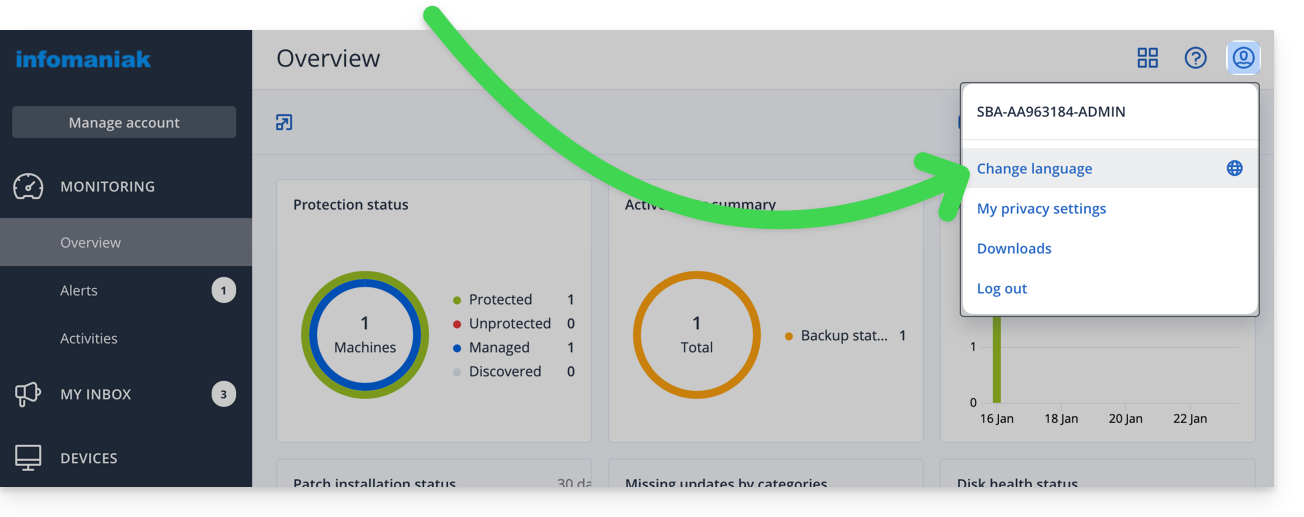
- Click on the user icon at the top right.
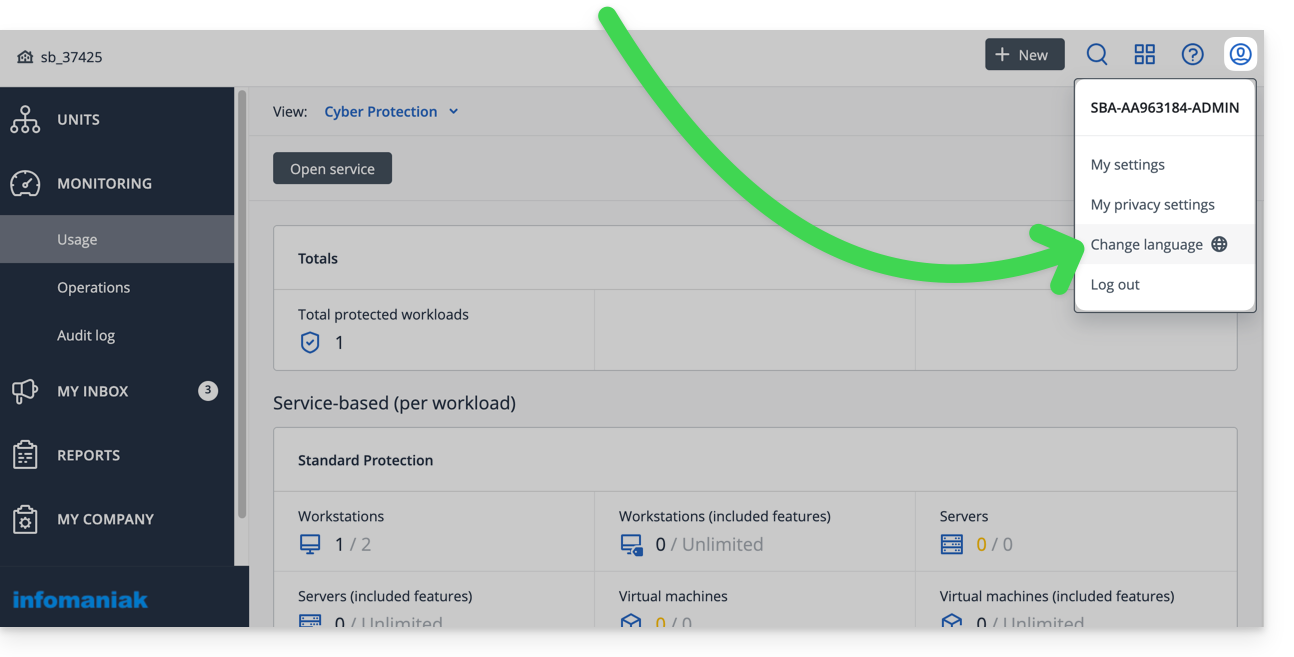
- Click on Change language:
- You can also access this menu from the Acronis account management section:
- Click on the desired language.
Manage settings per user
You can change the language of emails/alerts/ notifications for your different clients/users (e.g., one speaks English and the other speaks French) - this does not change the language of the interface itself - by going to the Acronis account management section and then following the order A, B, C…: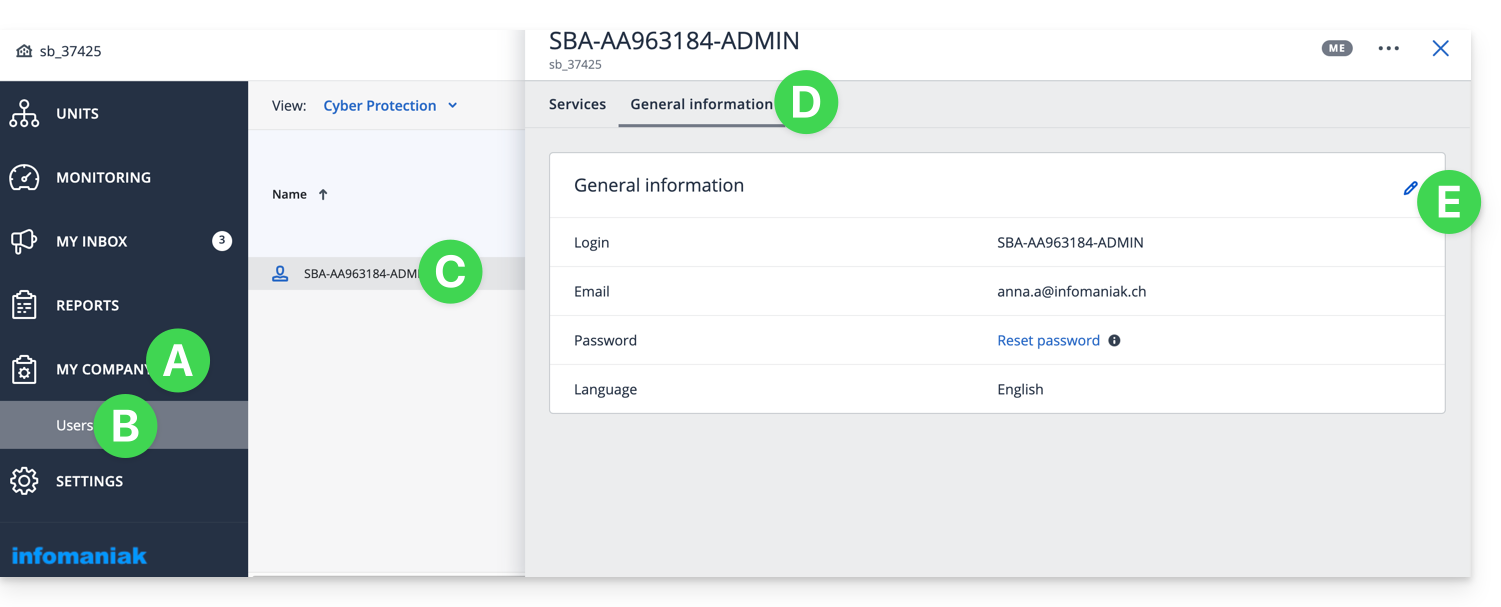
Link to this FAQ: https://faq.infomaniak.com/2293
Has this FAQ been helpful?