Knowledge base
1000 FAQs, 500 tutorials and instructional videos. Here, there are only solutions!
Manage Acronis Agent notifications
This guide explains how to edit the email notifications and alerts for the Acronis Agent used to back up your devices with Swiss Backup.
Enable/disable alerts and notifications
To access the management interface:
- Click here to access the Acronis Console using the credentials obtained after adding the device (need help?).
- Click on Account Management in the left-hand menu:
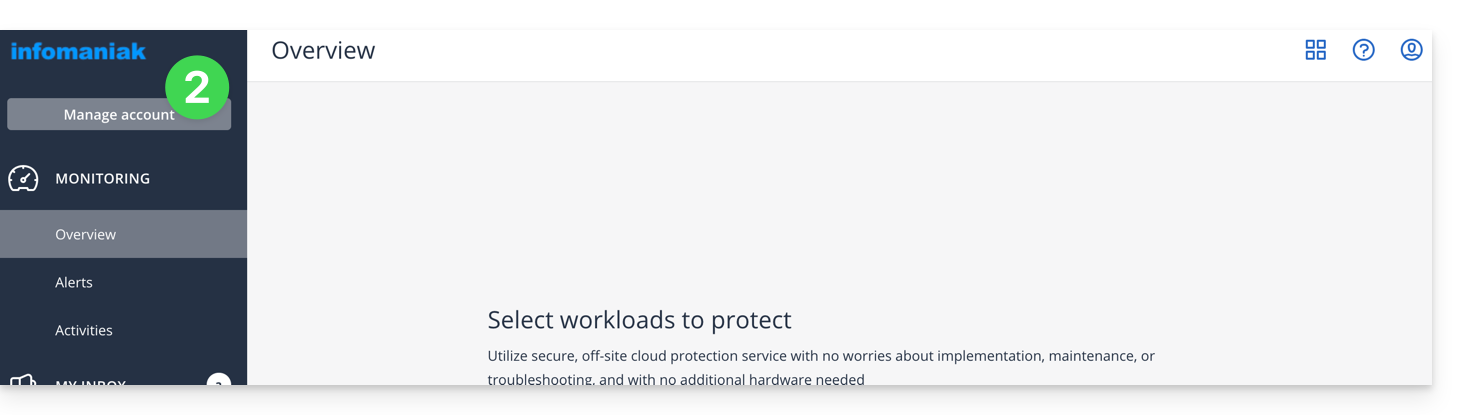
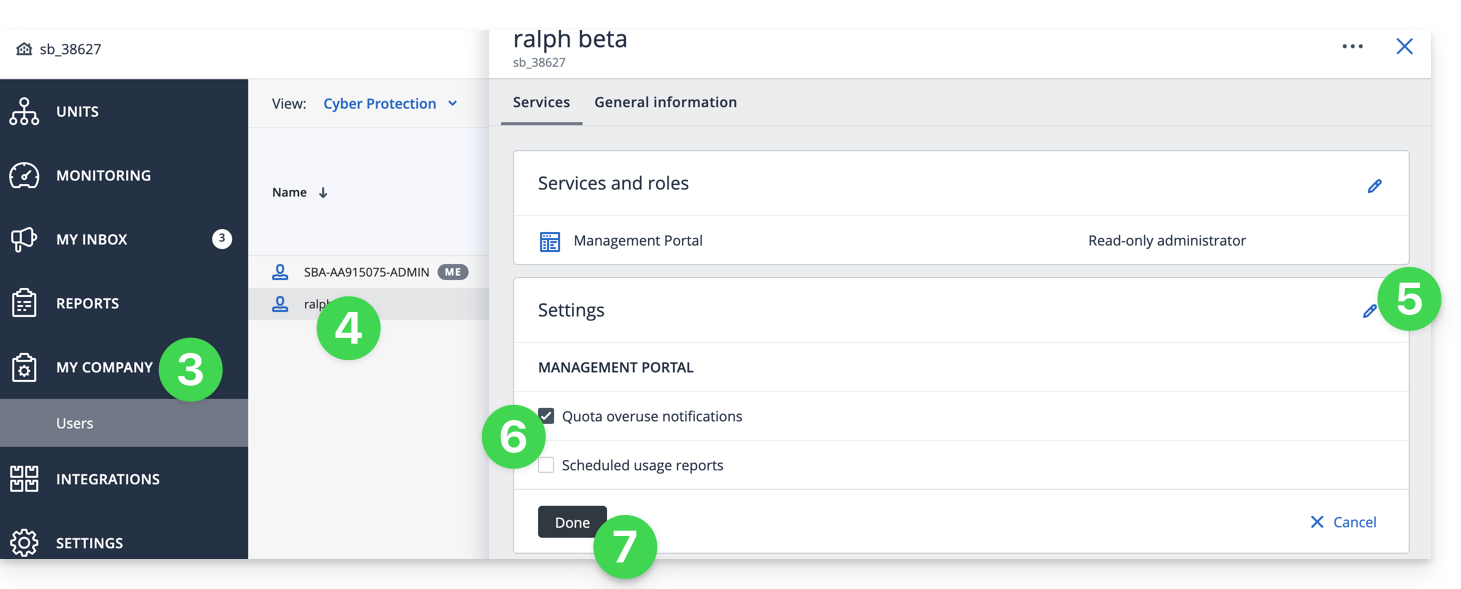
- Click on My Company.
- Click on the relevant user in the table that appears.
- Click on the pencil ✎ icon in the settings block.
- Enable or disable the desired notifications.
- Click Save to save the changes:
Change the notification email address
To change the email address that receives notifications:
- Click here to access the Acronis Console using the credentials obtained after adding the device (need help?).
- Click on Account Management in the left-hand menu:
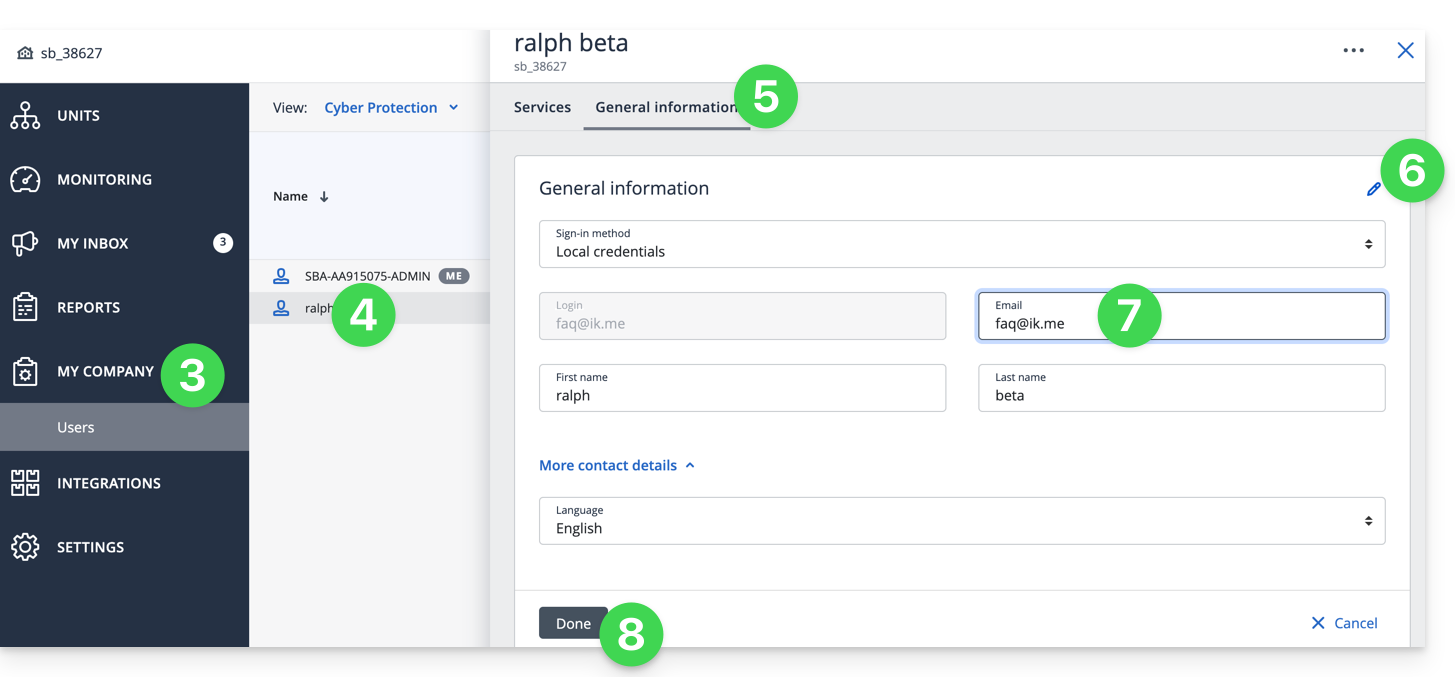
- Click on My company.
- Click on the relevant user in the table that appears.
- Click on the General Information tab in the top right corner.
- Click on the pencil ✎ icon.
- Edit the email address.
- Click Save to save the changes:
Generate ad hoc reports
Refer to this other guide if you are looking for information on managing ad hoc reports (customizing them, or allowing multiple people to receive them).
Link to this FAQ: https://faq.infomaniak.com/2292
Has this FAQ been helpful?