Knowledge base
1000 FAQs, 500 tutorials and instructional videos. Here, there are only solutions!
Manage Acronis backup quotas
This guide explains how to increase or decrease the space allocated to a device backed up with Swiss Backup, which is particularly useful when you receive an email informing you that you no longer have enough free space to perform your backups.
Modify quotas for user devices
To do this:
- Click here to access the Acronis Console using the credentials obtained after adding the device (need help?).
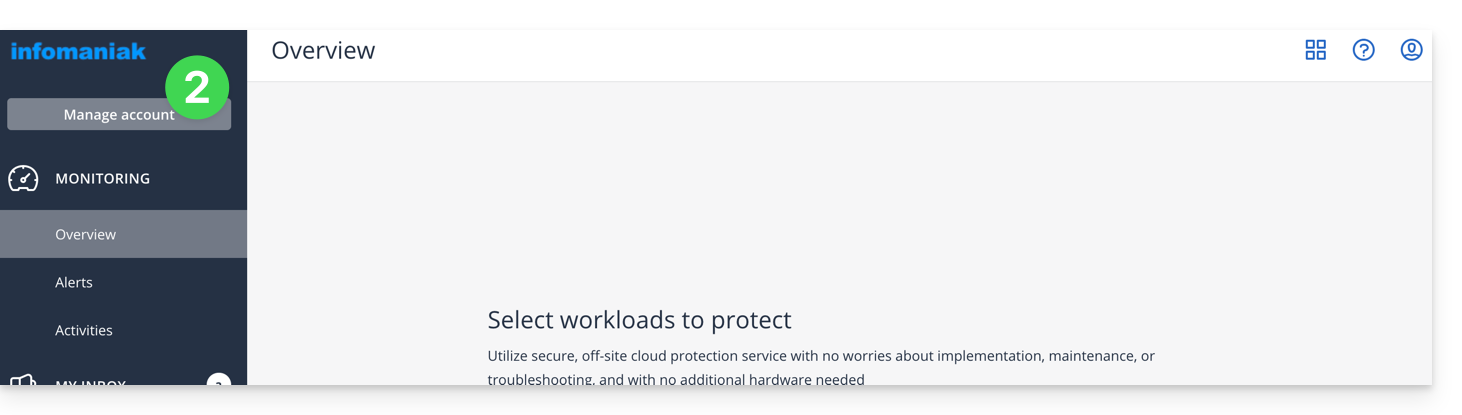
- Click on Manage account in the left sidebar:
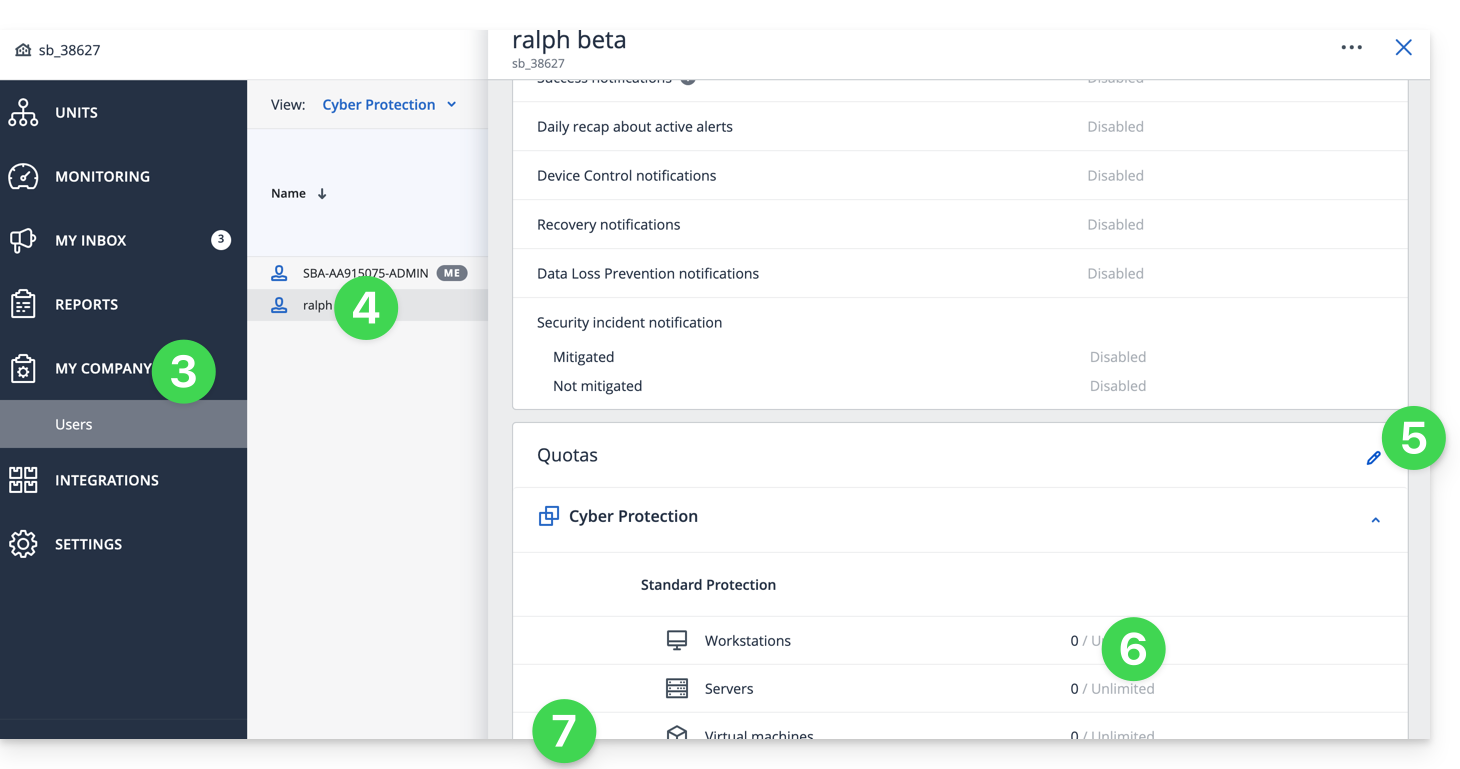
- Click on My company.
- Click on the relevant user under Users.
- Click on the pencil in the QUOTAS rectangle on the right.
- Click directly on the disk space to edit the desired values.
- Confirm by clicking the button at the bottom of the section:
Link to this FAQ: https://faq.infomaniak.com/2290
Has this FAQ been helpful?