Knowledge base
1000 FAQs, 500 tutorials and instructional videos. Here, there are only solutions!
Back up Linux with rClone on Swiss Backup (Swift)
This guide details how to back up a server running the Linux distribution of your choice on Swiss Backup, the backup solution in a Swiss independent cloud.
Configure rClone for Swiss Backup
Prerequisites
- Have an Infomaniak Swiss Backup space with an available device quota (minimum 1) for a Cloud backup.
- Install the rClone application using your Linux distribution's package manager.
- Add a device, but select the Server type to obtain the rClone settings.
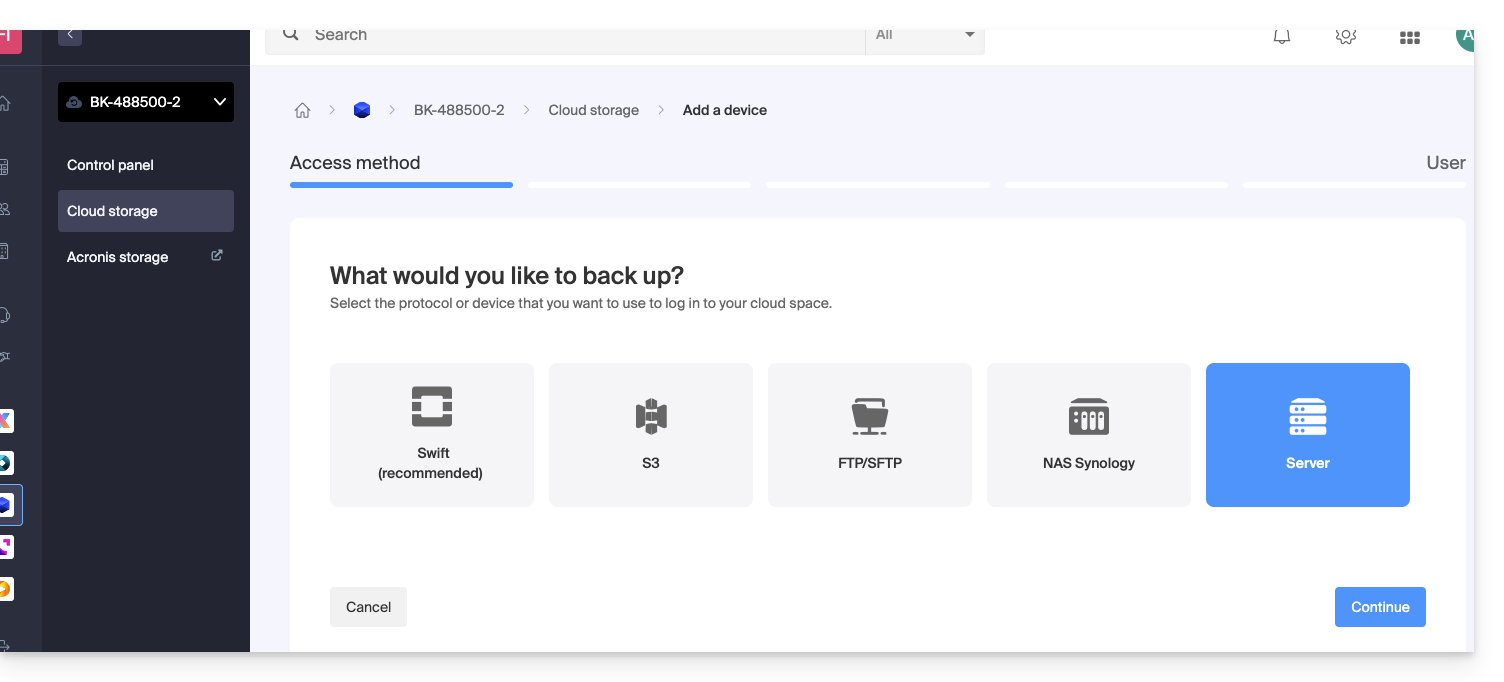
To configure a new backup:
- Download the rclone file you received by email after adding the device:
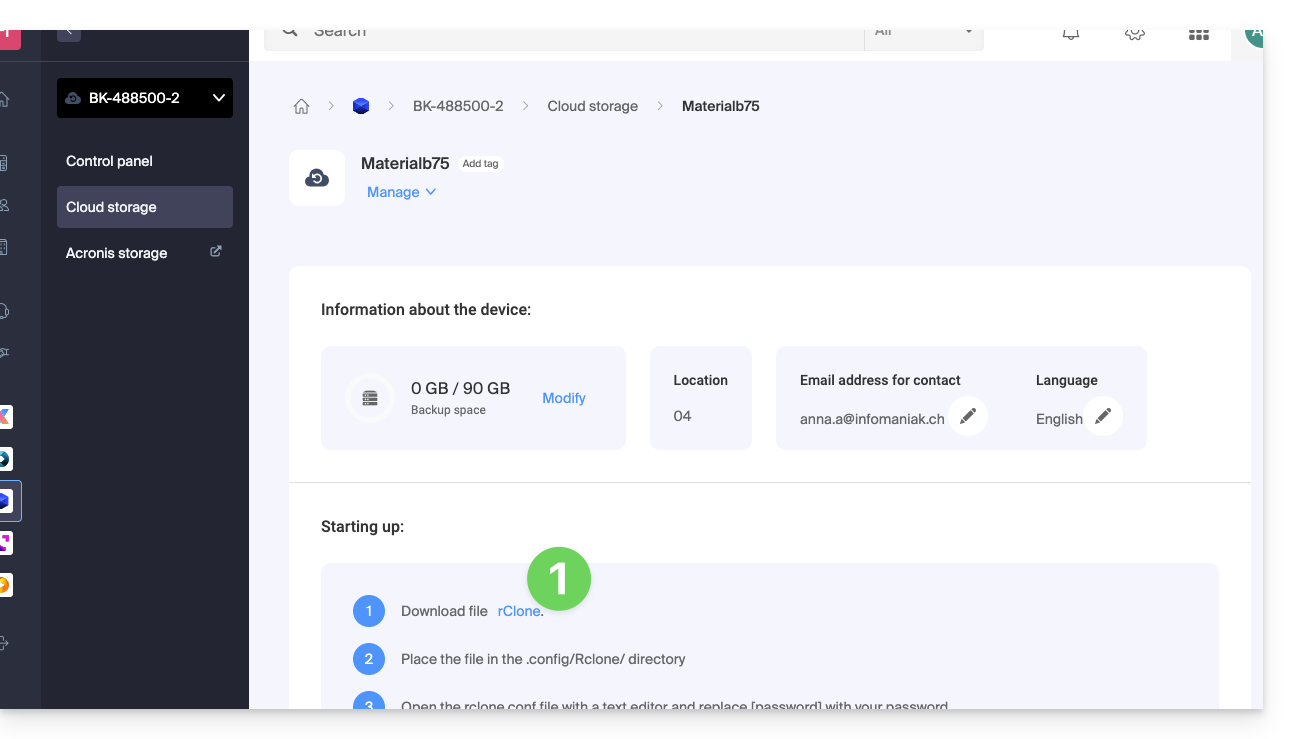
- Place the file in the
~/.rclone.conf.config/rclone/directory, or add the file's content to the end of the existing~/.rclone.conf.config/rclone/rclone.conffile (on Debian Stretch, this file is located at:~/.rclone.conf) — also refer to the rClone documentation. - Open the
rclone.conffile with a text editor and replace[password]with the generated password: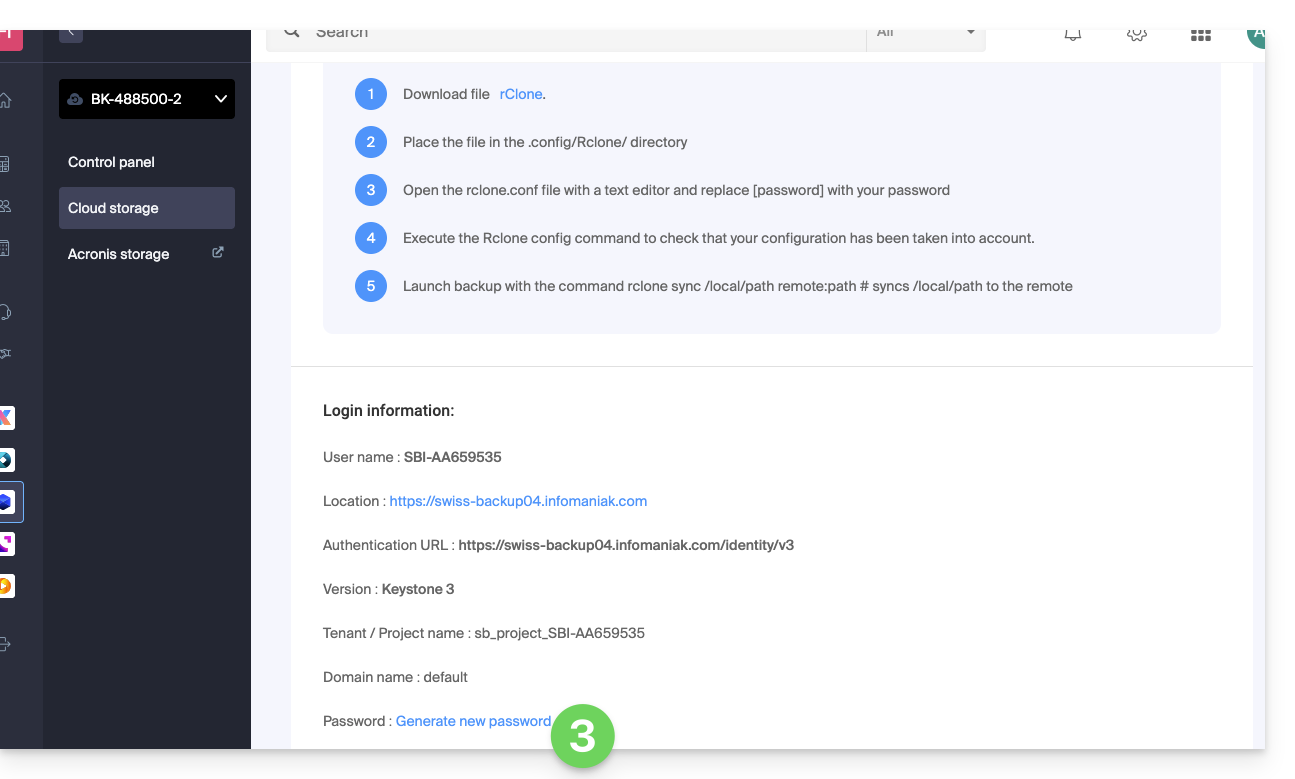
- Run the
rclone configcommand to verify that the configuration has been applied correctly. - Start the backup using the
rclone sync /local/path project_name:defaultcommand.
If needed, you can find your login details in the Manager.
Example rClone configuration
[sb_project_SBI-AB123456]
type = swift
user = SBI-AB123456
key = [password]
auth (1) = {{URL_8}}
domain = default
tenant = sb_project_SBI-AB123456
tenant_domain = default
region = RegionOne
storage_url =
auth_version =
(1) The indication "//swiss-backup02", "//swiss-backup03" etc. changes depending on the cluster number indicated in the Manager under Cloud storage information in the "Location" section; and if your Swiss Backup device was created before October 2020, you will need to use https://swiss-backup.infomaniak.com/identity/v3.
You can modify [sb_project_SBI-AB123456] with the indication of your choice for easier identification.
For example, the indication [swissbackup] will produce:
rclone sync /local/folder swissbackup:remote/folderinstead of:
rclone sync /local/folder sb_project_SBI-AB123456:remote/folder
Start a backup or restore
Start a backup using the following command:
rclone sync /local/folder sb_project_SBI-AB123456:remote/folderStart a restore using the following command:
rclone sync sb_project_SBI-AB123456:remote/folder /local/folderLink to this FAQ: https://faq.infomaniak.com/2285
Has this FAQ been helpful?