Knowledge base
1000 FAQs, 500 tutorials and instructional videos. Here, there are only solutions!
Back up data with Cyberduck on Swiss Backup (Swift)
This guide details how to manually back up data using the Cyberduck application (macOS / Windows) via the OpenStack Swift protocol on Swiss Backup, the backup solution in a Swiss independent cloud.
Introduction
Configuring Cyberduck
Prerequisites
- Have an Swiss Backup Infomaniak account with an available device quota (minimum 1) for a Cloud backup.
- Add 1 device of type Cloud to obtain the OpenStack Swift parameters.
- Download and install Cyberduck (macOS / Windows).
- Familiarize yourself with the official documentation https://docs.cyberduck.io/protocols/openstack/infomaniak/.
To configure a new backup:
- Open the Cyberduck application.
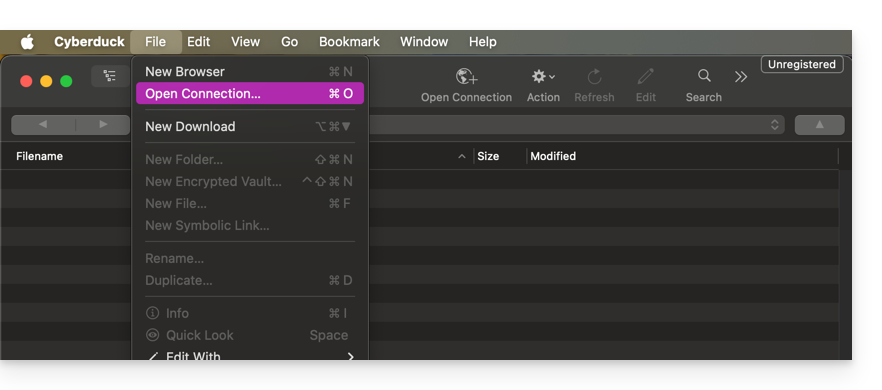
- Click on Open Connection:
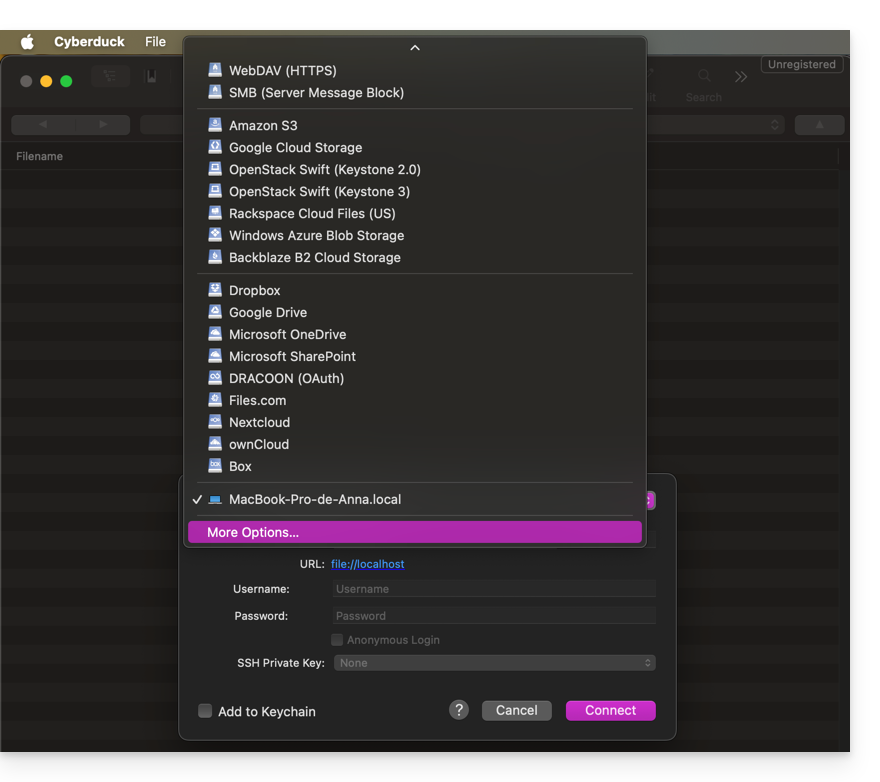
- Click on the dropdown menu and choose More Options:
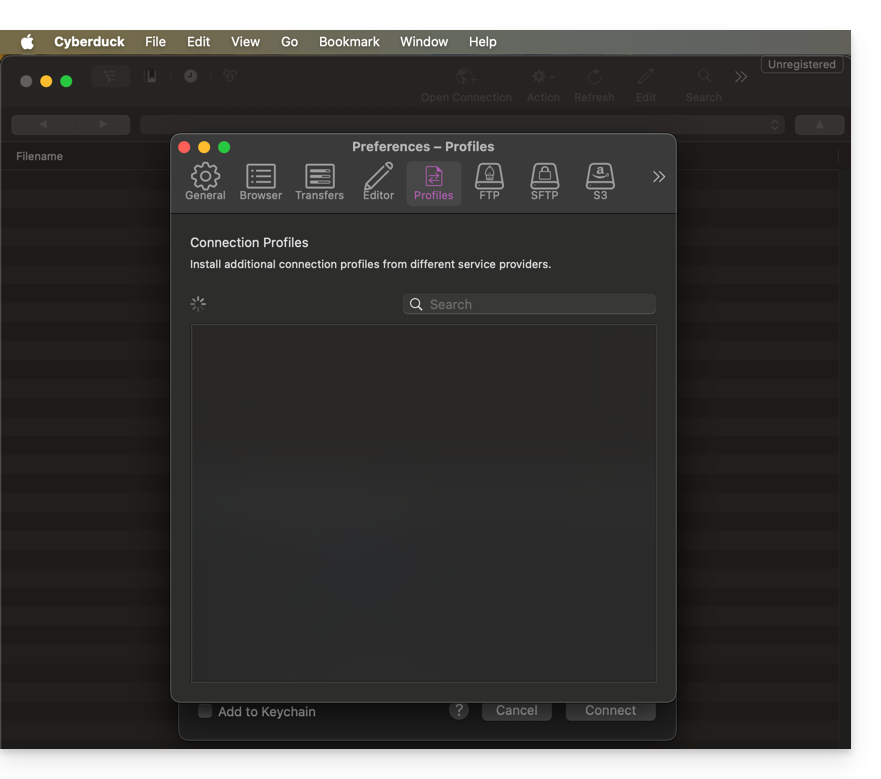
- Wait for the additional profiles to load:
- Search for and select the profiles corresponding to Infomaniak Swift:
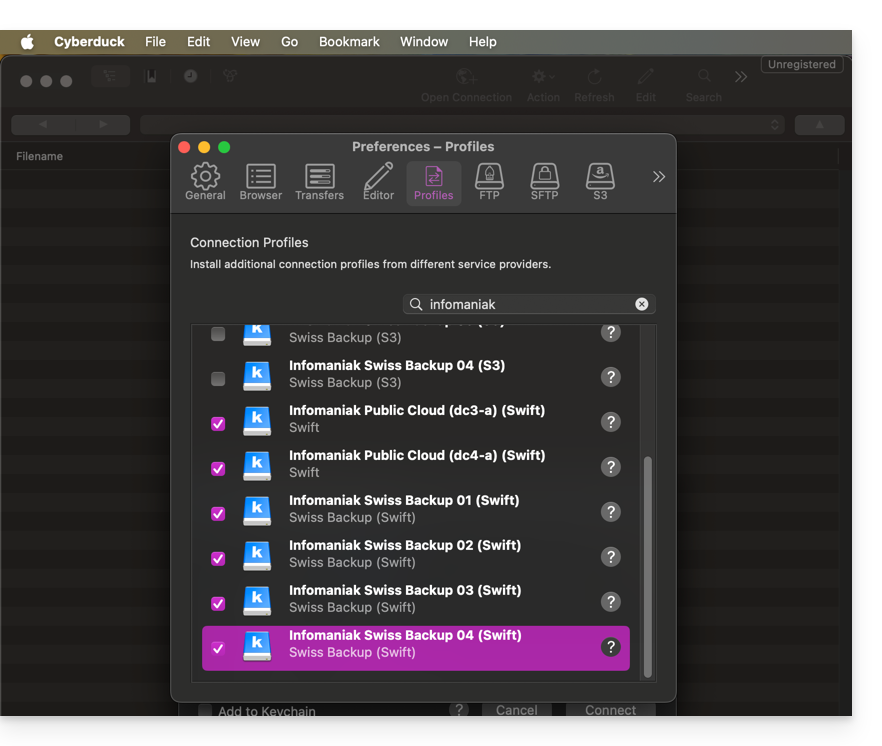
- If necessary, check your cluster number, which is indicated in the Manager under Cloud storage information, in the "Location" section.
- Close the window and restart Cyberduck if the profiles do not appear in the drop-down menu in step 3 above.
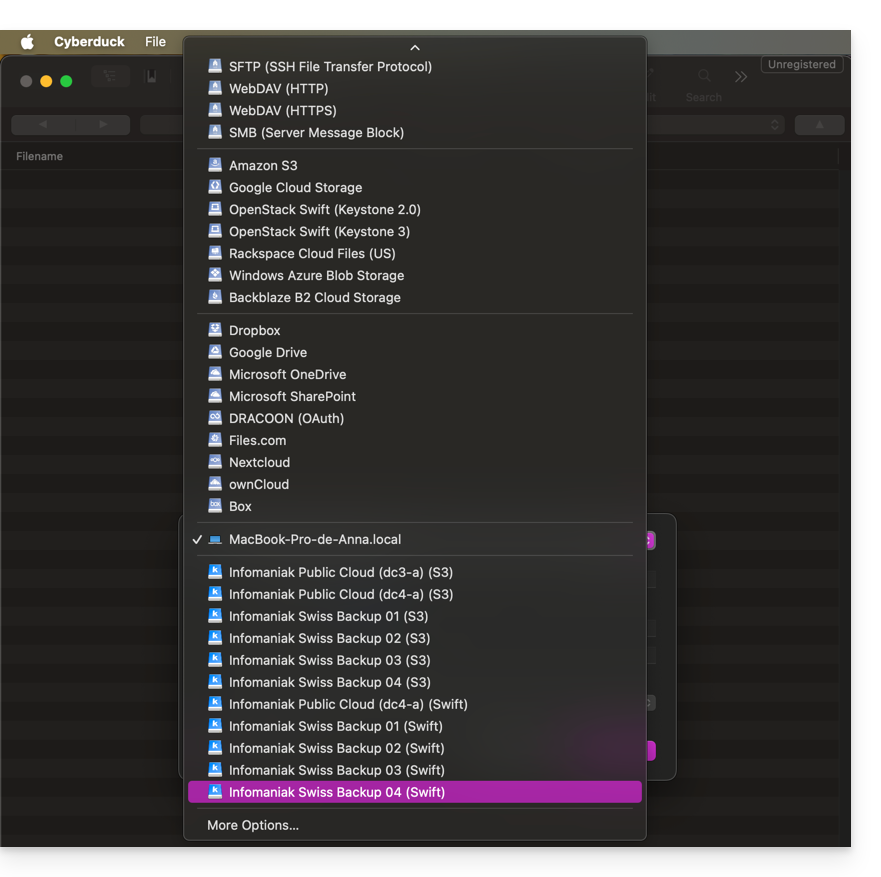
- Choose the corresponding profile:
- Fill in the fields according to the information specific to your device:
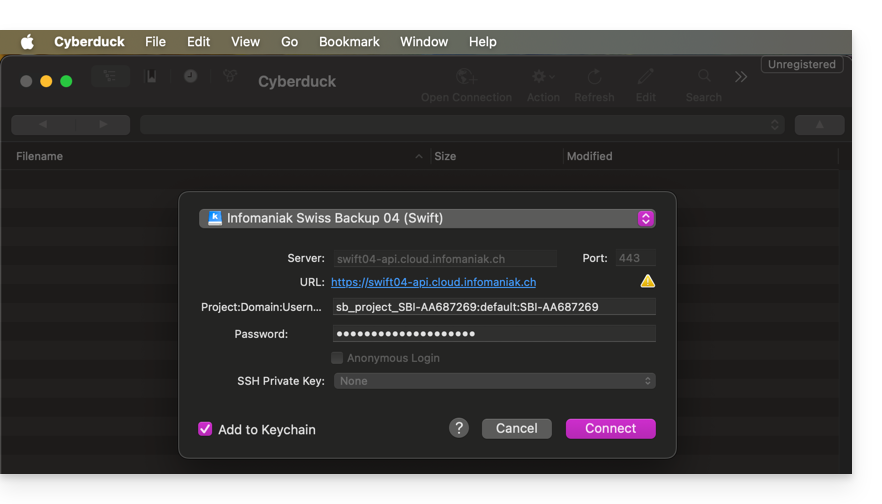
- Click the Connect button to establish the Swift connection.
Link to this FAQ: https://faq.infomaniak.com/2282
Has this FAQ been helpful?