Knowledge base
1000 FAQs, 500 tutorials and instructional videos. Here, there are only solutions!
Change the domain name of a Web Application
This guide explains how to modify the URL of your site containing a Web Application (such as Prestashop or Joomla) previously installed on your paid Web Hosting offer.
Prerequisites
- The domain name you wish to use must first be added as an alias to the main domain on the site in question.
Specific guides
Refer to these guides if the application in question is:
Guides for any other Web Application
To change the address of the site created with an Infomaniak Web Application to another domain name that is already in the same Organization:
- Click here to access the management of your product on the Infomaniak Manager (need help?).
- Click directly on the name assigned to the product in question:
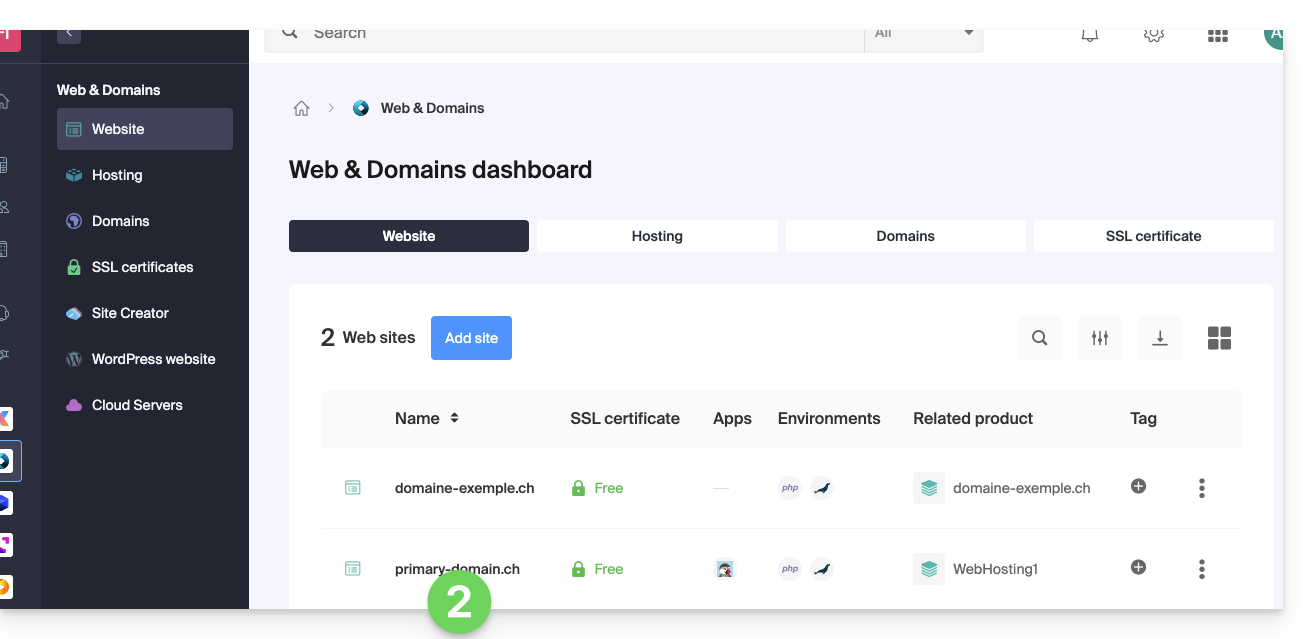
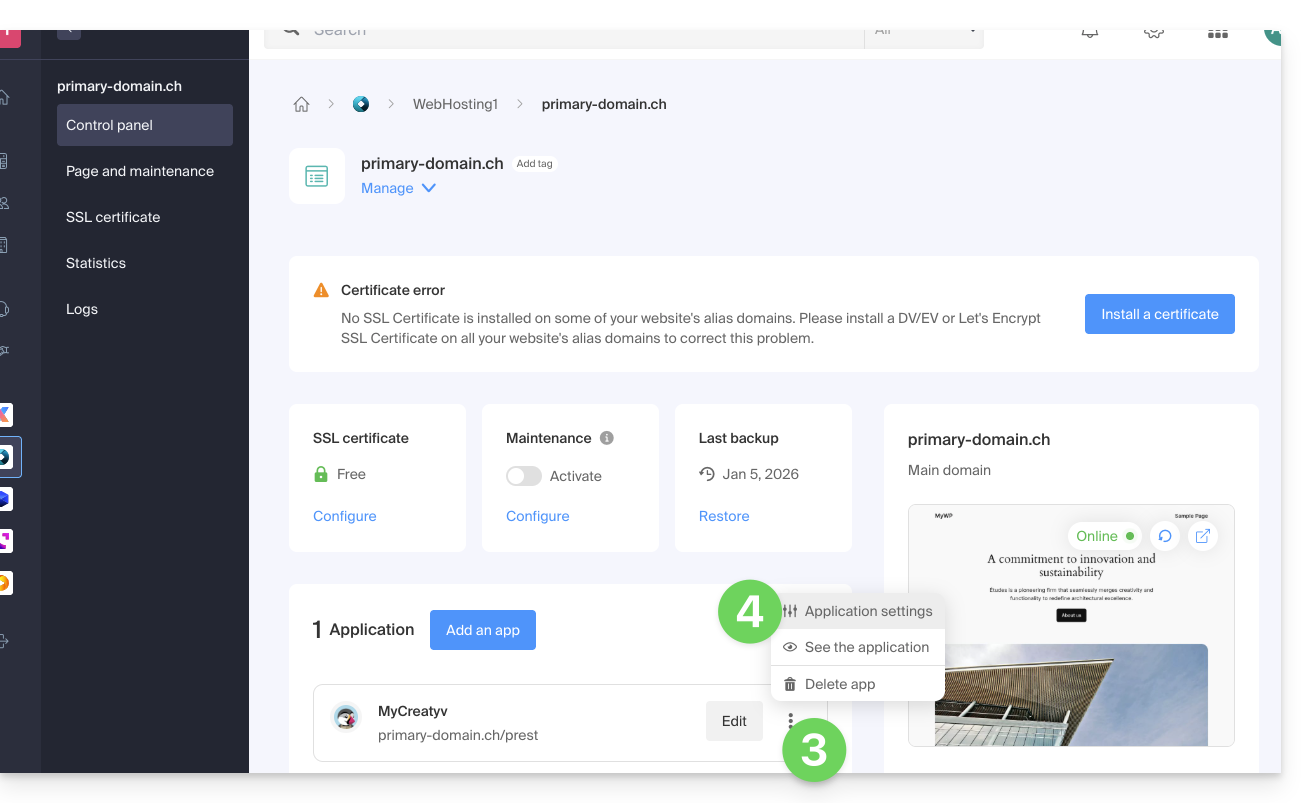
- Click on the action menu ⋮ located to the right of the Web Application in question.
- Click on Settings of the application:
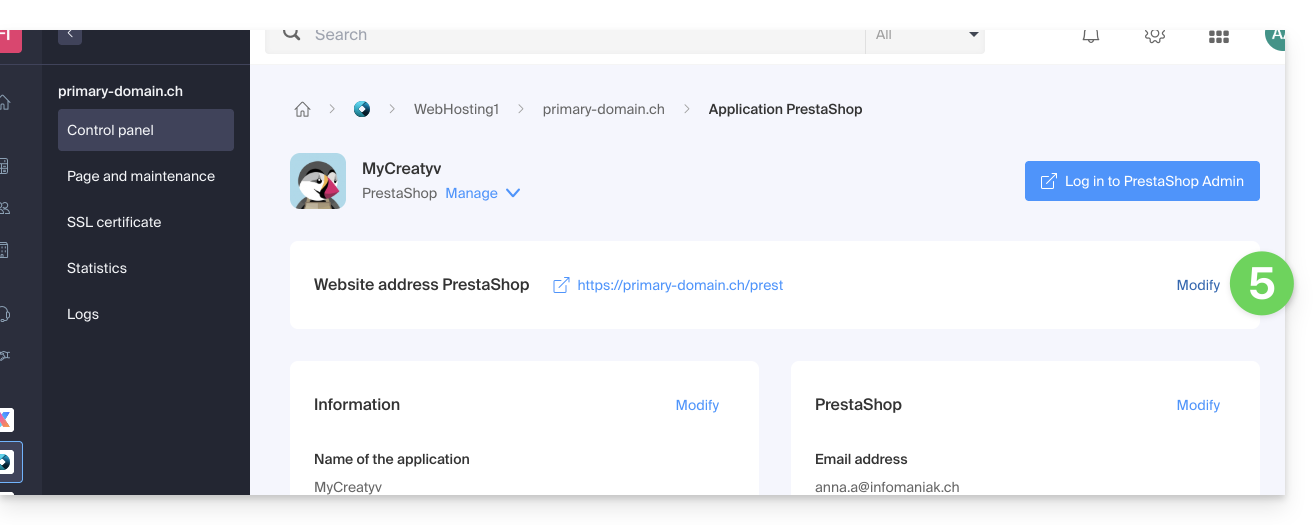
- Click on Modify to the right of the address of the Web Application in question:
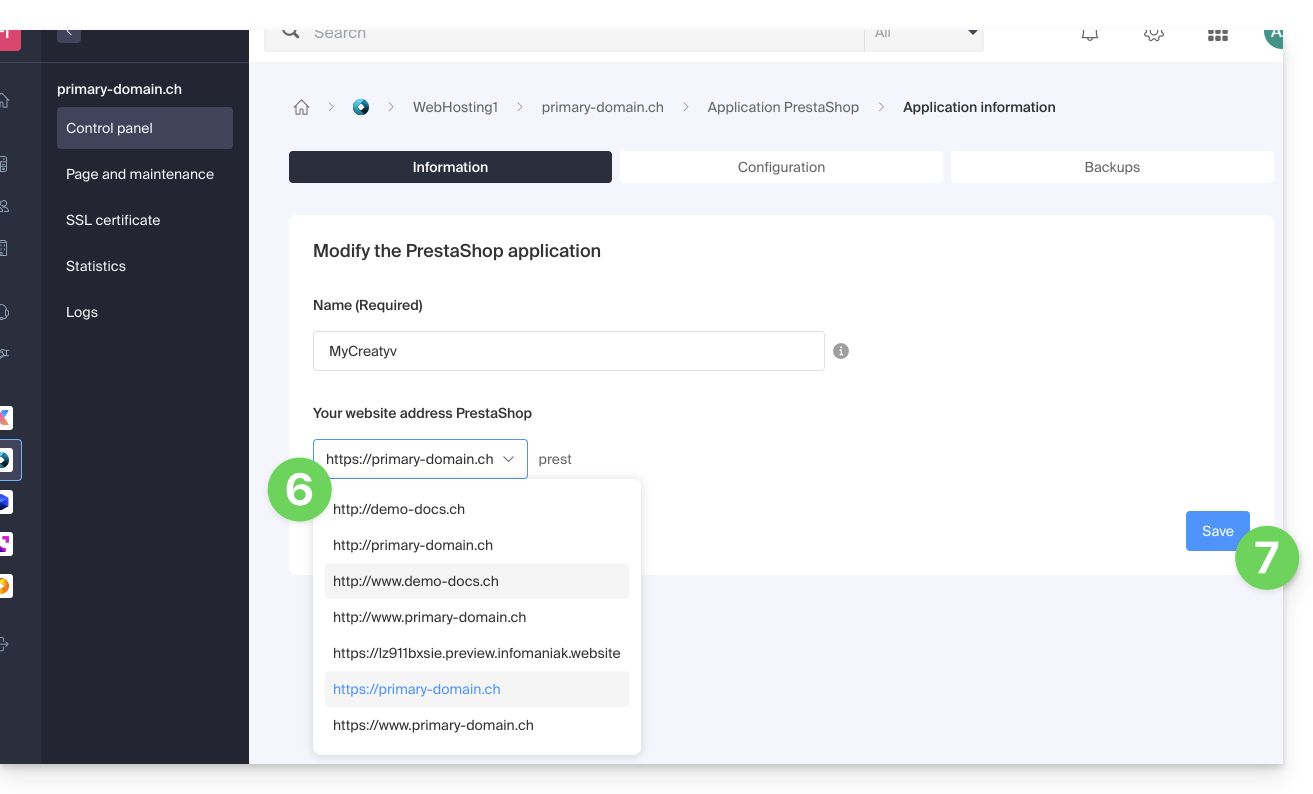
- Under Site URL, select the desired web address from the dropdown menu:
- If you have not followed the prerequisites above, the desired domain will not appear even if it is registered in the same Organization.
- If you have added the domain as an alias to the site, the desired domain will appear and you will be able to select it to replace the previous domain.
- Click on the Save button:
Domain ….preview.infomaniak.website?
Among the URLs present in the dropdown menu, the preview URL allows you to access your site in case the domain name of the site is not yet correctly configured to point to your Web Application: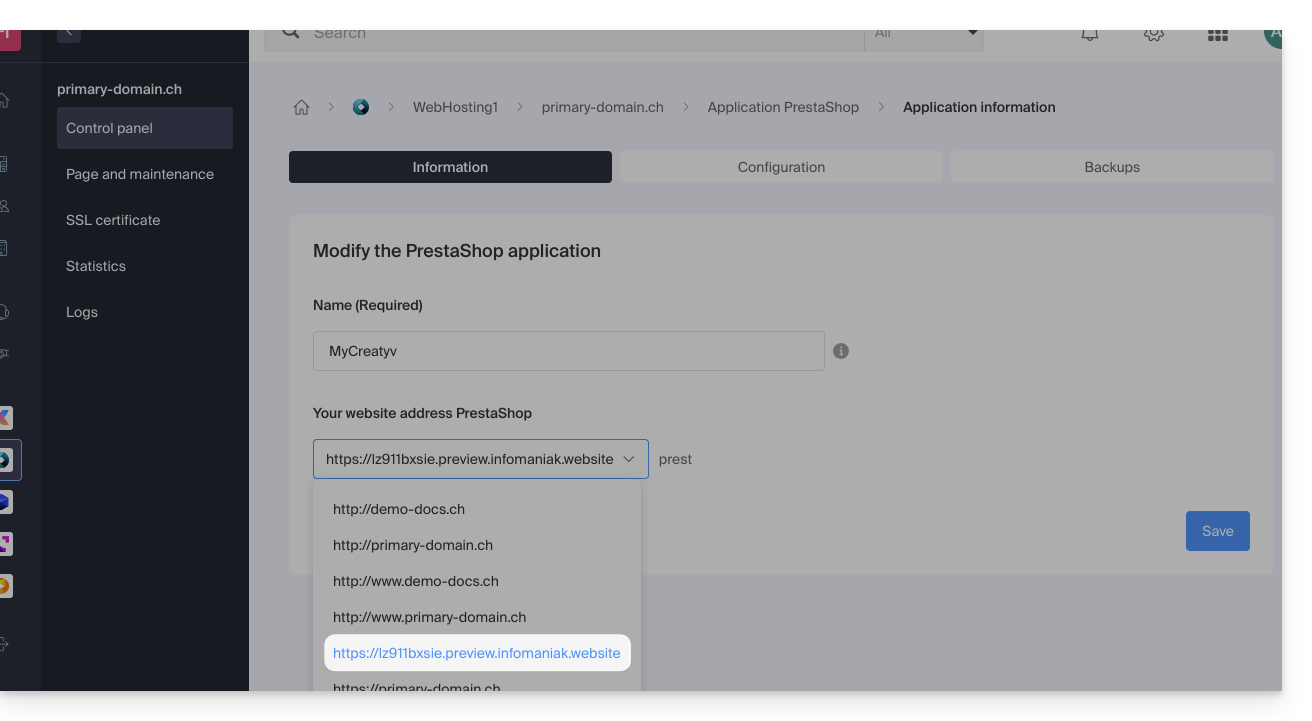
Learn more
Link to this FAQ: https://faq.infomaniak.com/2278
Has this FAQ been helpful?