Knowledge base
1000 FAQs, 500 tutorials and instructional videos. Here, there are only solutions!
Rename a kDrive
Update 10/13/2026
This guide explains how to modify the information for the kDrive product. Please note that there may be a delay before the applications (desktop, mobile, etc.) are synchronized with the new information.
Rename a kDrive from the Infomaniak Manager
To do this:
- Click here to access the kDrive management interface in your Infomaniak Manager.
- If nothing is displayed after logging in, you may not be in the Organization to which your kDrive is linked (❓: help).
- Click on the action menu ⋮ located to the right of the kDrive in question.
- Click on Rename product.
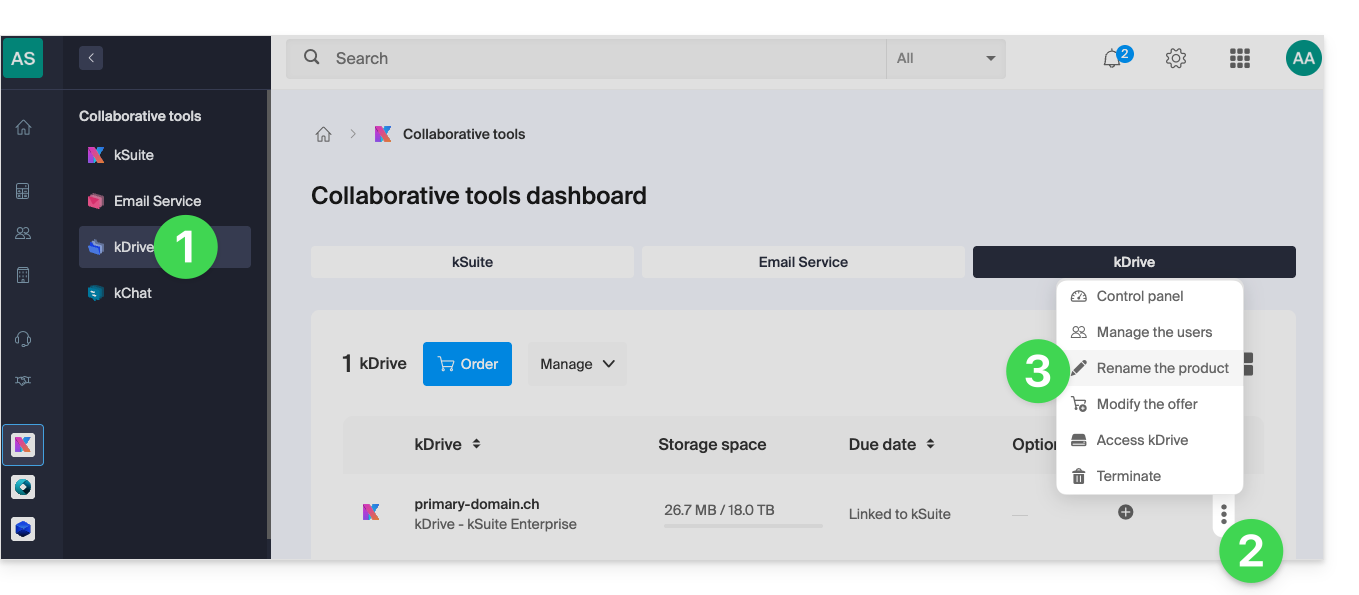
- Rename your kDrive.
- Click the Save button.
Rename from the unified settings of the apps
To do this:
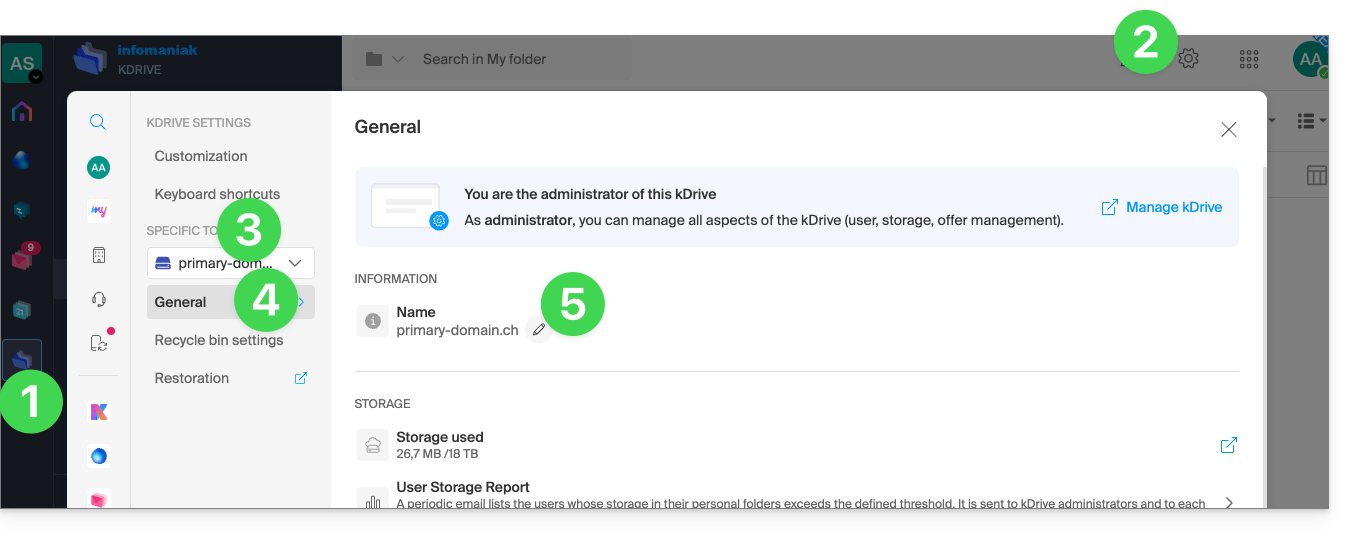
- Click here to access kDrive on your Infomaniak kSuite (❓: help).
- Click on Settings in the top right corner.
- Check or select the relevant kDrive from the dropdown menu in the left-hand sidebar.
- Click on General.
- Click on the pencil ✎ icon to edit the kDrive name as you wish:
Link to this FAQ: https://faq.infomaniak.com/2274
Has this FAQ been helpful?