Knowledge base
1000 FAQs, 500 tutorials and instructional videos. Here, there are only solutions!
Automatically check Web Hosting and Domain links (DNS diagnostics)
Update 10/13/2026
This guide presents the Domain Status tool, which allows you to verify the relationships between…
- DOMAIN NAME at Infomaniak
and - WEB HOSTING with Infomaniak
… are correct, so that Web traffic is directed to the right place.
✘ UNAVAILABLE with a
website of type node.js
Introduction
- To verify, the tool checks the
A,CNAMErecords, etc. - This allows you to detect and correct certain web-related issues, especially if they are linked to DNS (technical information that essentially determines where specific web traffic should be directed) by taking action at the domain level.
- Automatic correction is only possible if the domain name is present in the same Organization as the product to which it must be linked.
- If this is not the case, then the correction must be done manually.
Troubleshooting DNS issues
To access the DNS diagnostic for your domain name:
- Click here to access the hosting & website management section in your Infomaniak Manager (❓: help).
- Click on the name of the website in question.
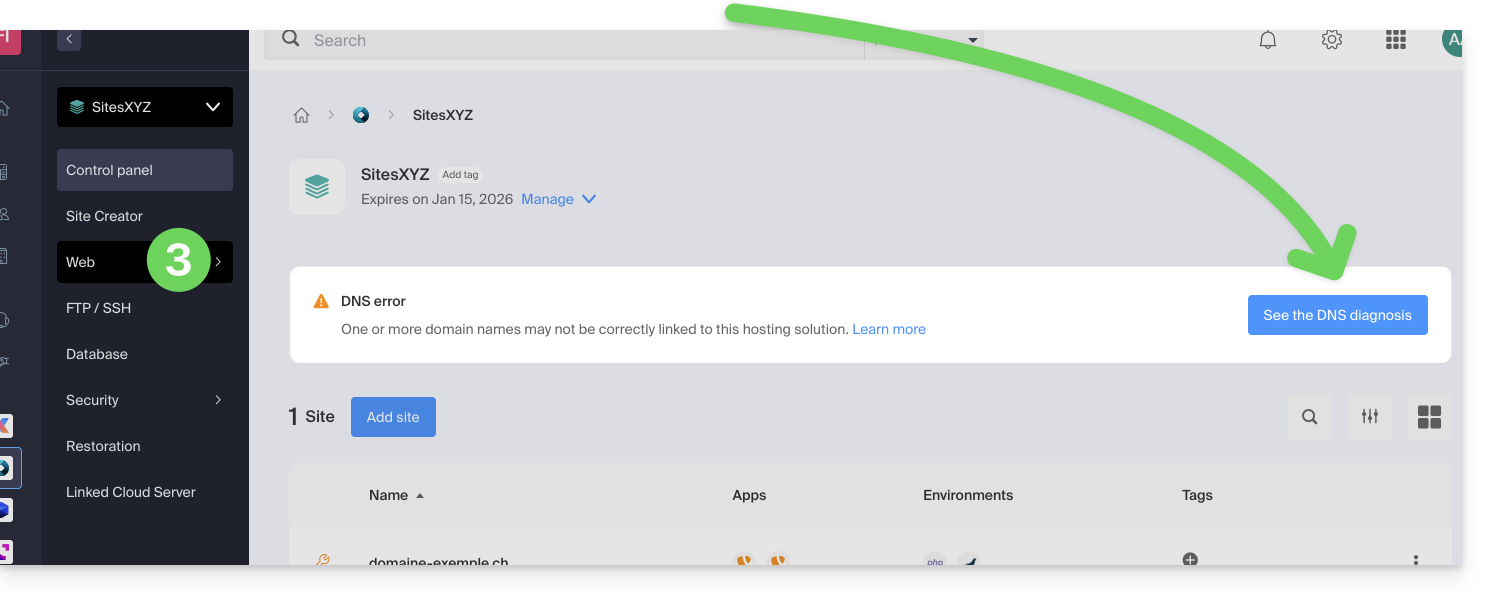
- Click on Web in the left-hand menu (or on the notification, if any, to go directly to step 6):
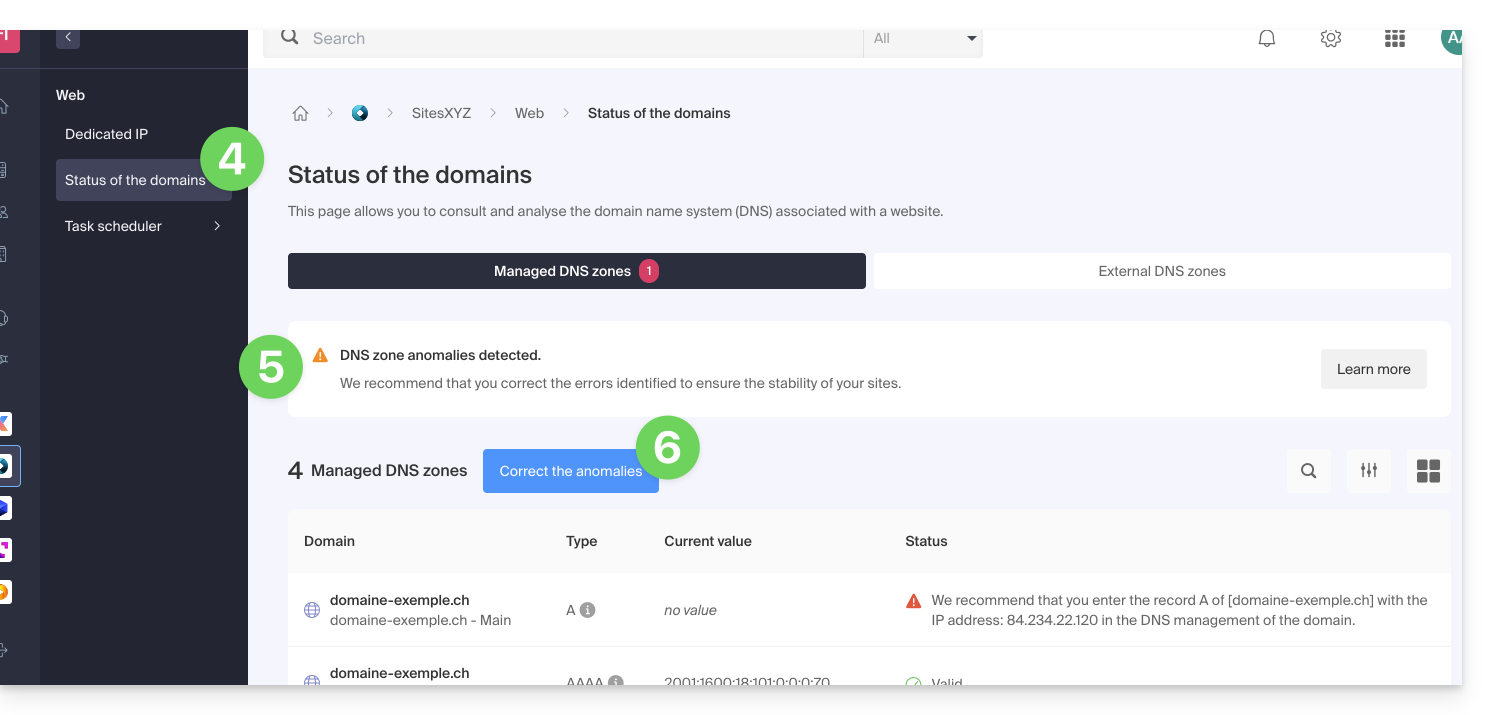
- Click on Domain Status in the left-hand menu.
- If any DNS issues are detected, they will be indicated in the table.
- Correct all errors at once by clicking on the button:
Refer to this other guide about the same automatic verification process, but for Mail Services.
Link to this FAQ: https://faq.infomaniak.com/2251
Has this FAQ been helpful?