Knowledge base
1000 FAQs, 500 tutorials and instructional videos. Here, there are only solutions!
Using an Elegant Themes extension on Infomaniak WordPress
Update 05/26/2026
This guide explains how to add an Elegant Themes extension (Monarch, Divi Builder, Bloom, etc.) or a theme to a WordPress site that has already been installed via the Infomaniak installer, free of charge.
Prerequisites
- Your WordPress site must be installed using the Infomaniak WordPress tools in order to use these themes and extensions.
- Extensions can be added during installation (approximately step 16 of this other guide) or activated later.
- To benefit from Elegant Themes support (customer service), you must subscribe to an Elegant Themes plan.
Adding an Elegant Themes Plugin
To do this:
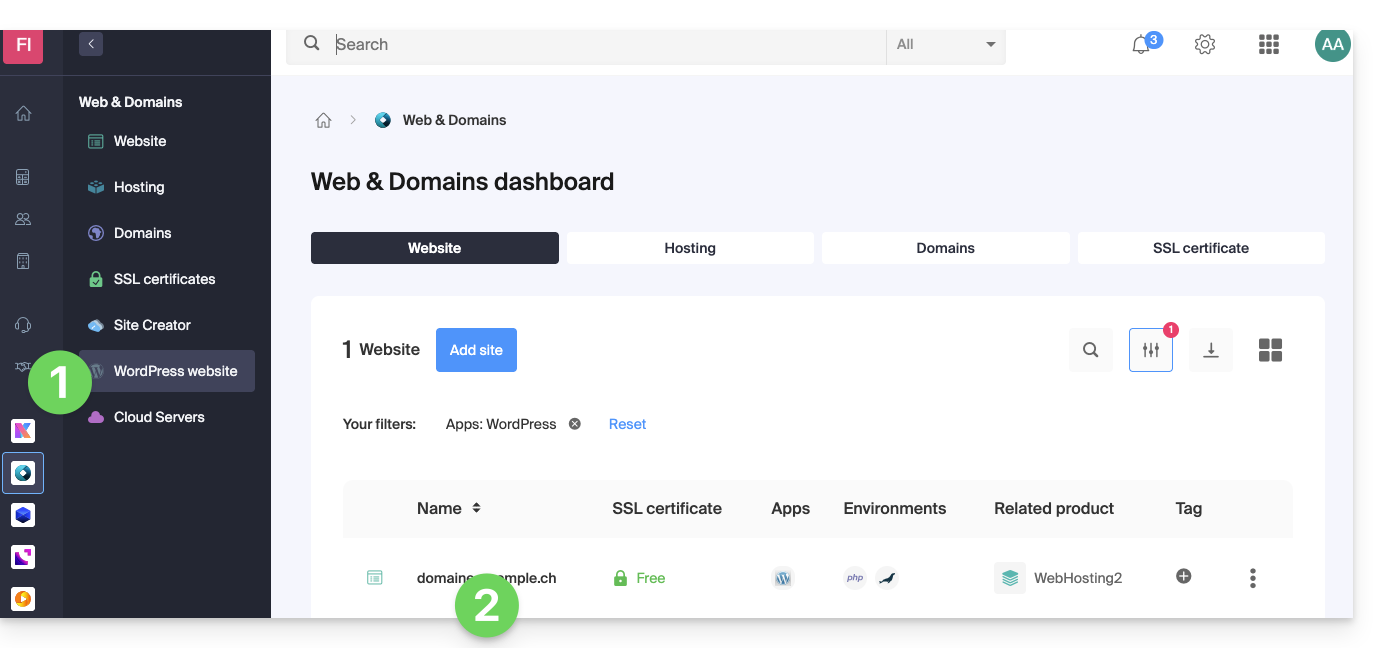
- Click here to access the management of your WordPress site in the Infomaniak Manager (need help?).
- If your site does not appear here, it means that it was not installed using the Infomaniak tools (see prerequisites).
- Click directly on the name assigned to the relevant product:
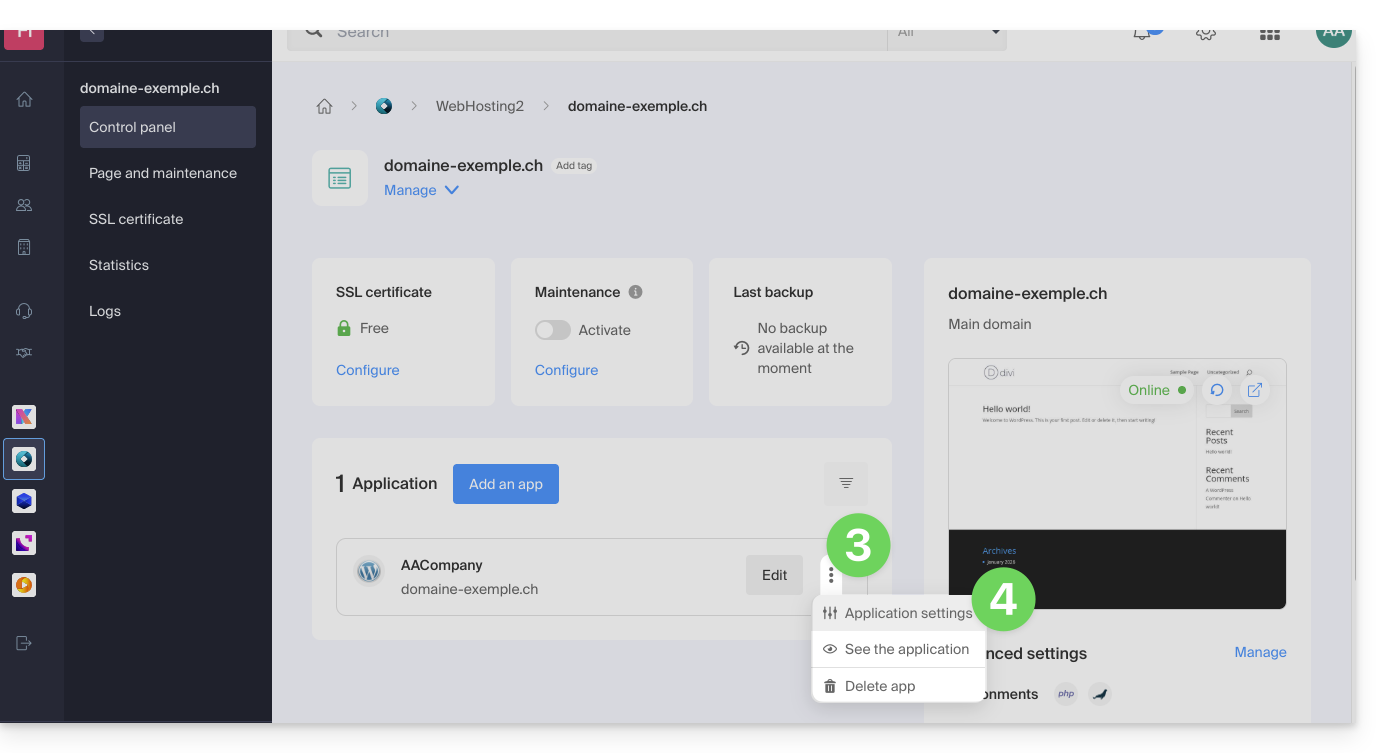
- Click on the action menu ⋮ located to the right of the relevant Web Application.
- Click on Settings in the application:
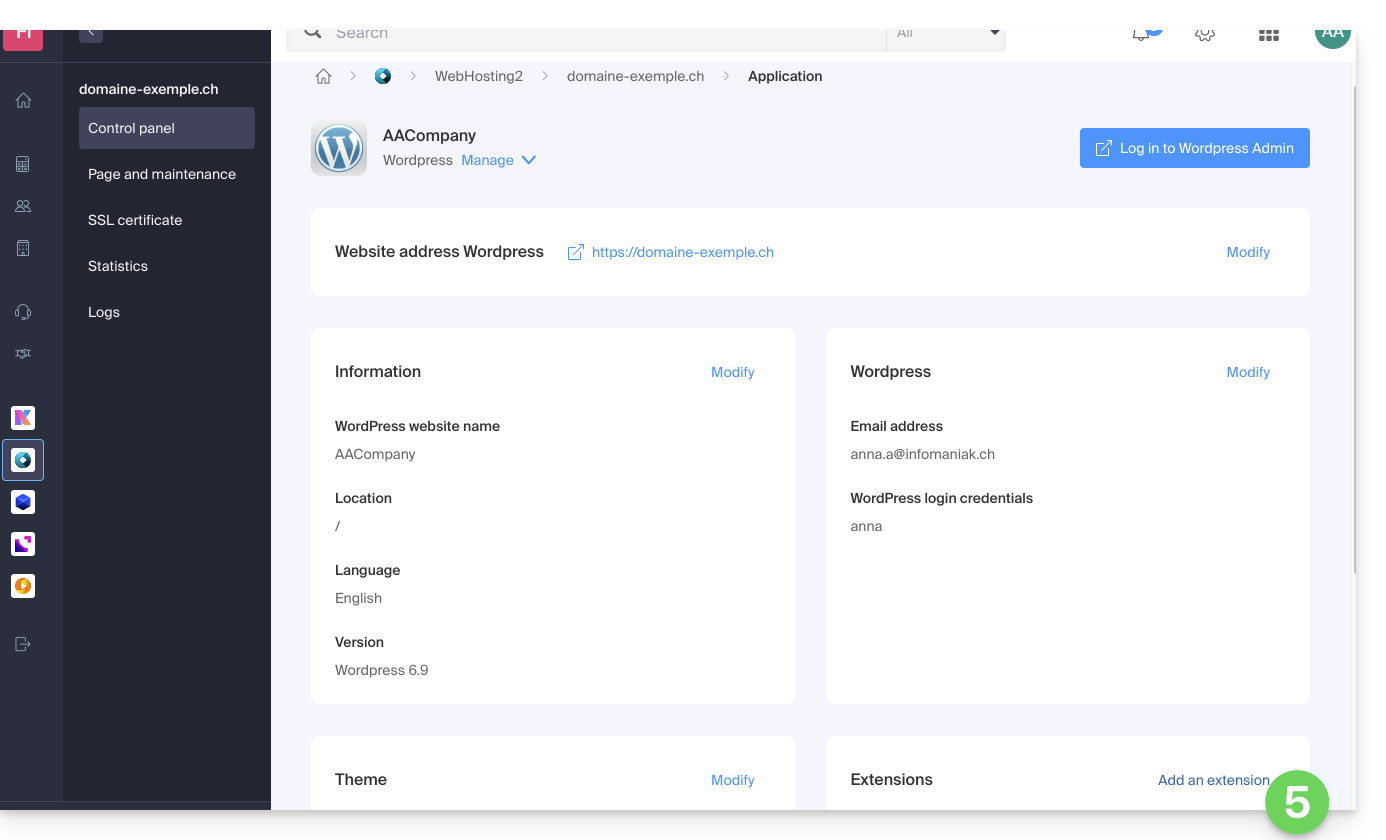
- Click on Add under Extensions:
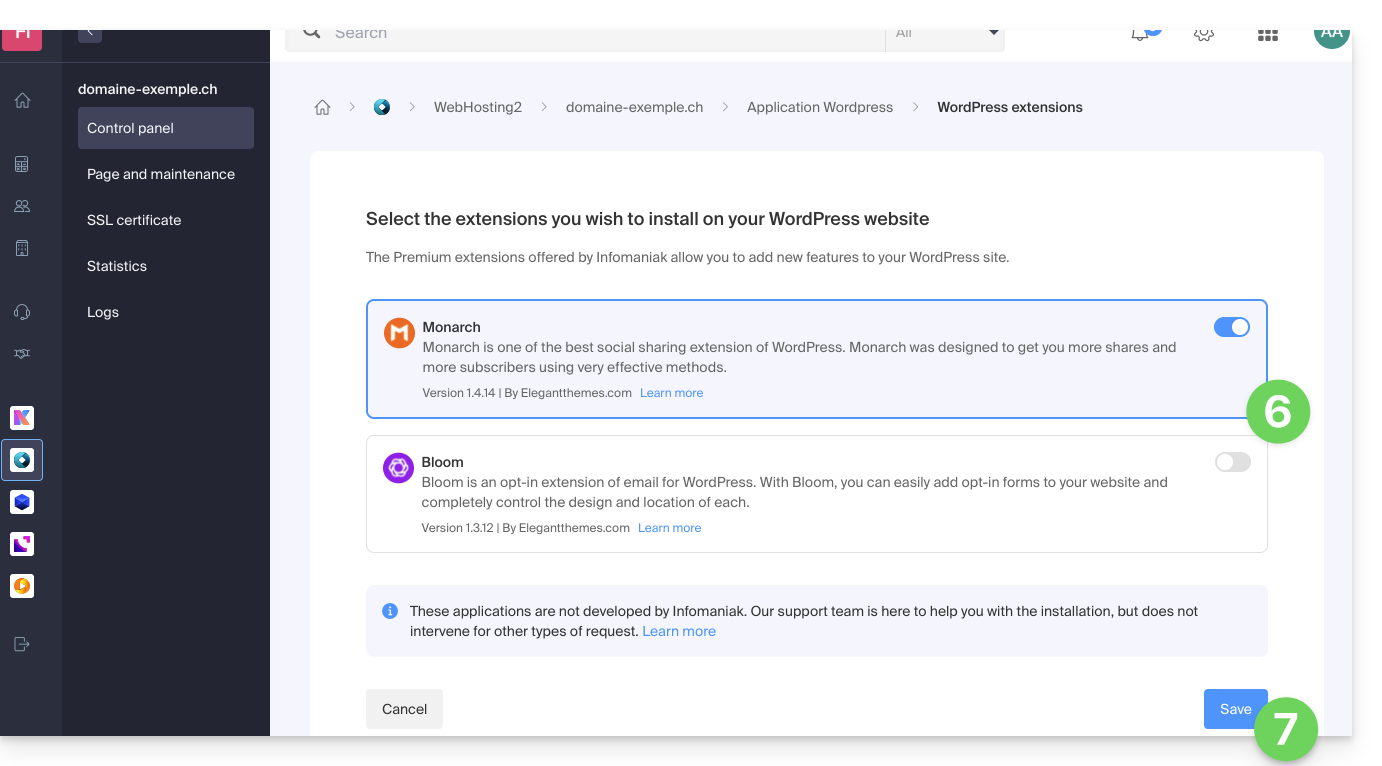
- Enable the desired extensions.
- Click on the Save button:
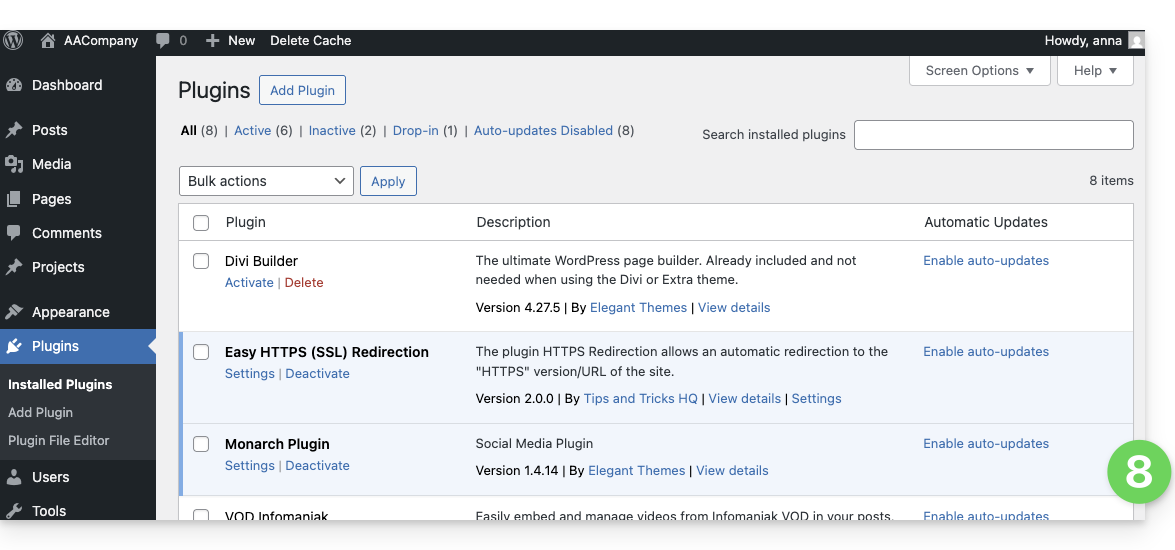
- The extensions are then available in your WordPress administration interface:
Using an Elegant Themes theme
Refer to this other guide to install an Elegant Themes theme with Infomaniak.
Link to this FAQ: https://faq.infomaniak.com/2231
Has this FAQ been helpful?