Knowledge base
1000 FAQs, 500 tutorials and instructional videos. Here, there are only solutions!
Update a Web Application
Update 10/13/2026
This guide explains how to update Web Applications installed using Infomaniak tools.
Introduction
- If an application is updated manually via FTP, it will then be impossible to update it via the Manager and benefit from automatic updates.
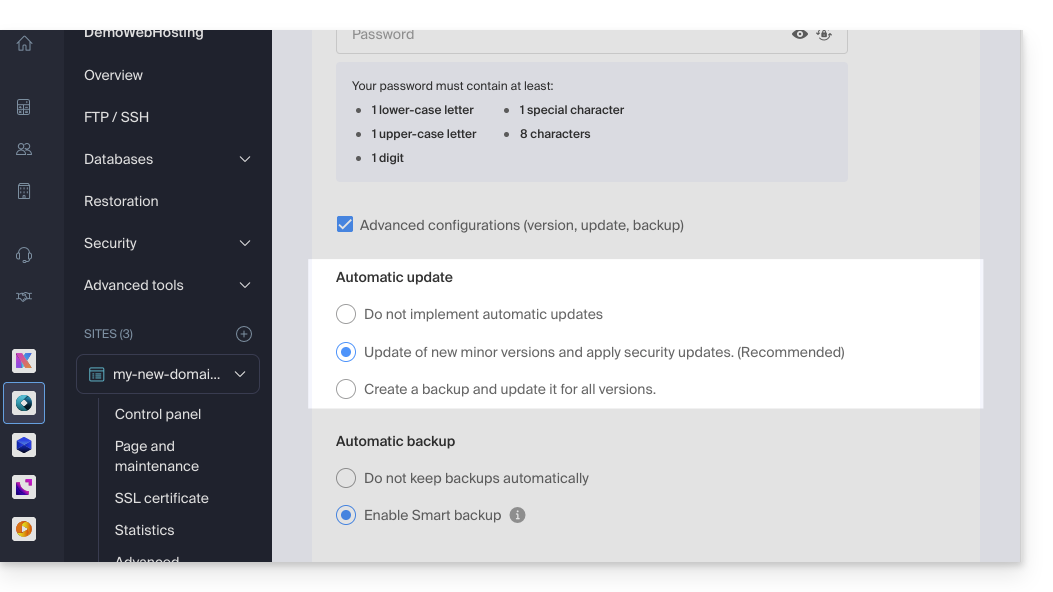
- When installing your Web Application, automatic updates (at least security updates) are generally enabled by default:
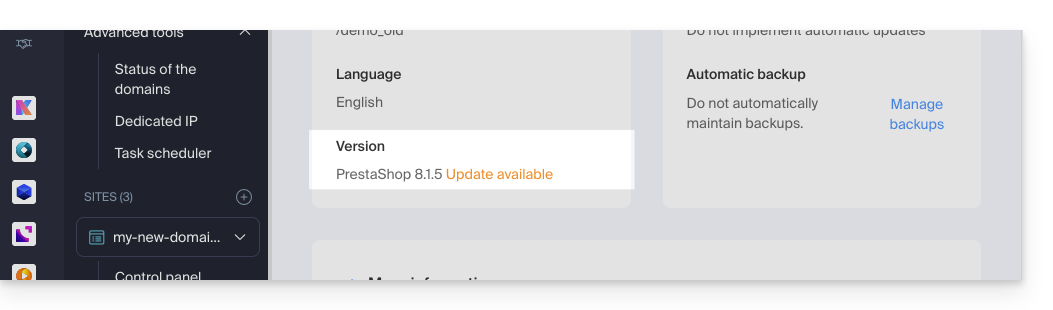
- If an app update is available, you will be notified in the Manager:
Update an application installed via Infomaniak
To access and update the Infomaniak Web Application:
- Click here to access the hosting & website management section in your Infomaniak Manager (❓: help).
- Click on the name of the website in question.
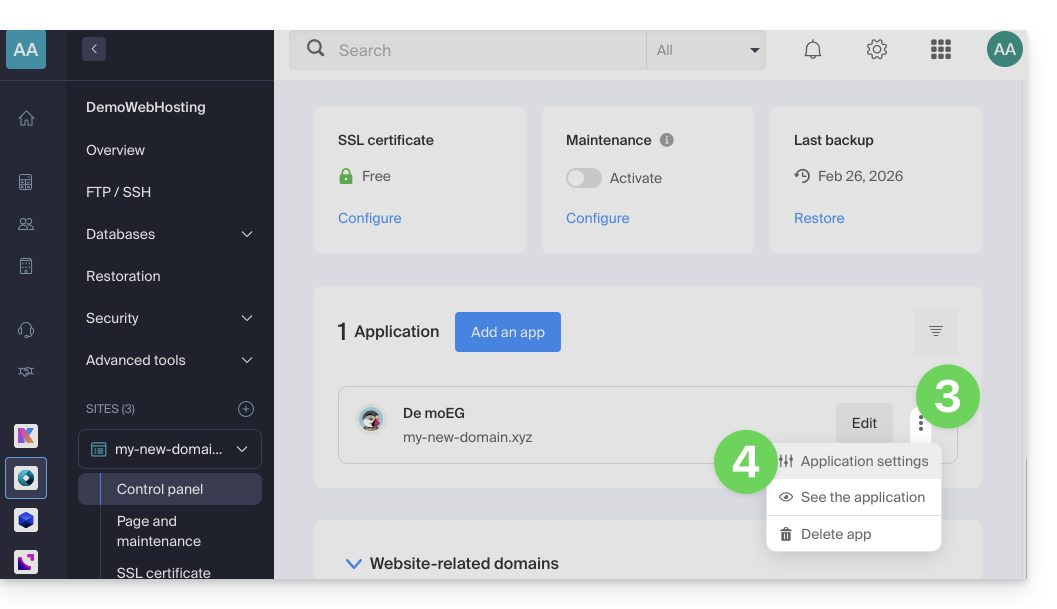
- Click on the action menu ⋮ located to the right of the relevant Web Application.
- Click on Settings in the application:
- Click on Edit in the Information section:
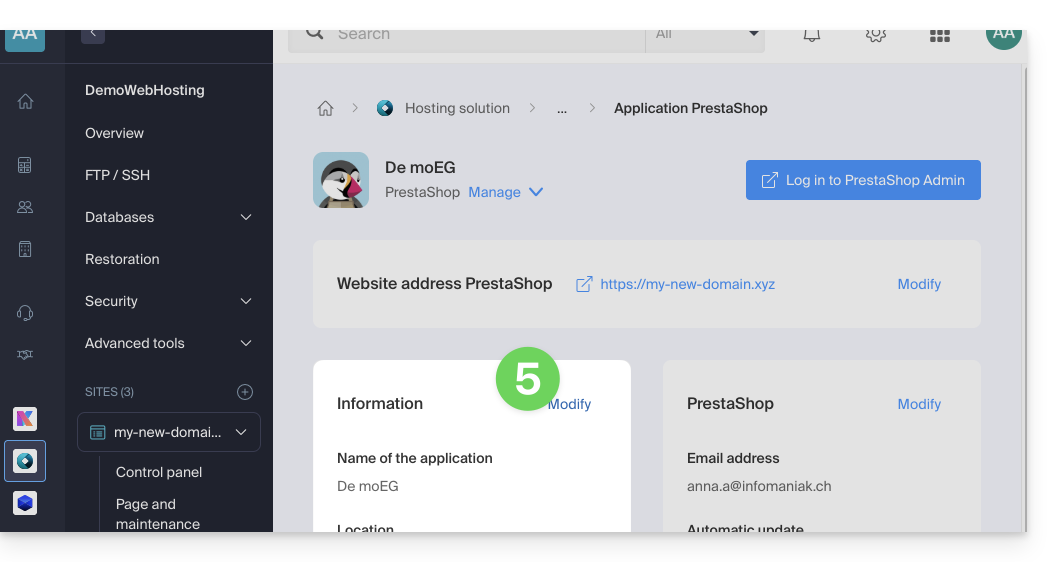
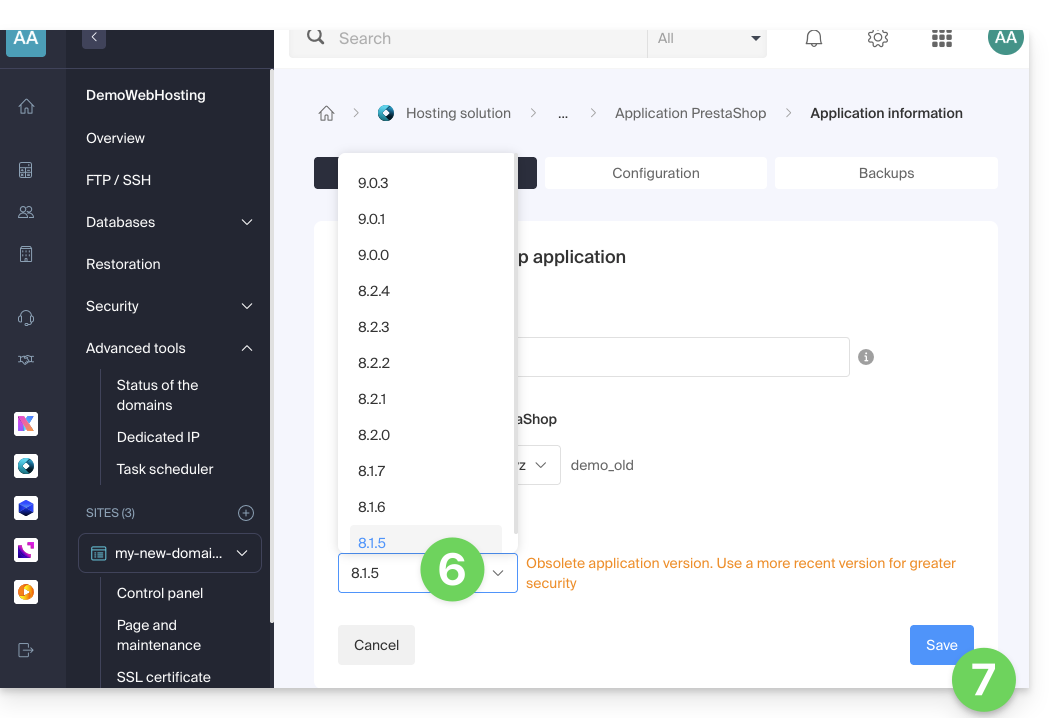
- Click on the dropdown menu to choose a more recent version.
- Click on the Save button:
Link to this FAQ: https://faq.infomaniak.com/2226
Has this FAQ been helpful?