Knowledge base
1000 FAQs, 500 tutorials and instructional videos. Here, there are only solutions!
Add a Streaming Radio Feed
This guide explains how to properly configure a stream on the Infomaniak Streaming radio service.
Configure the broadcast of a radio stream
To access the radio streaming service:
- Click here to access the management interface for your product in the Infomaniak Manager (need help?).
- Click directly on the name assigned to the product in question.
- Click on the radio station name.
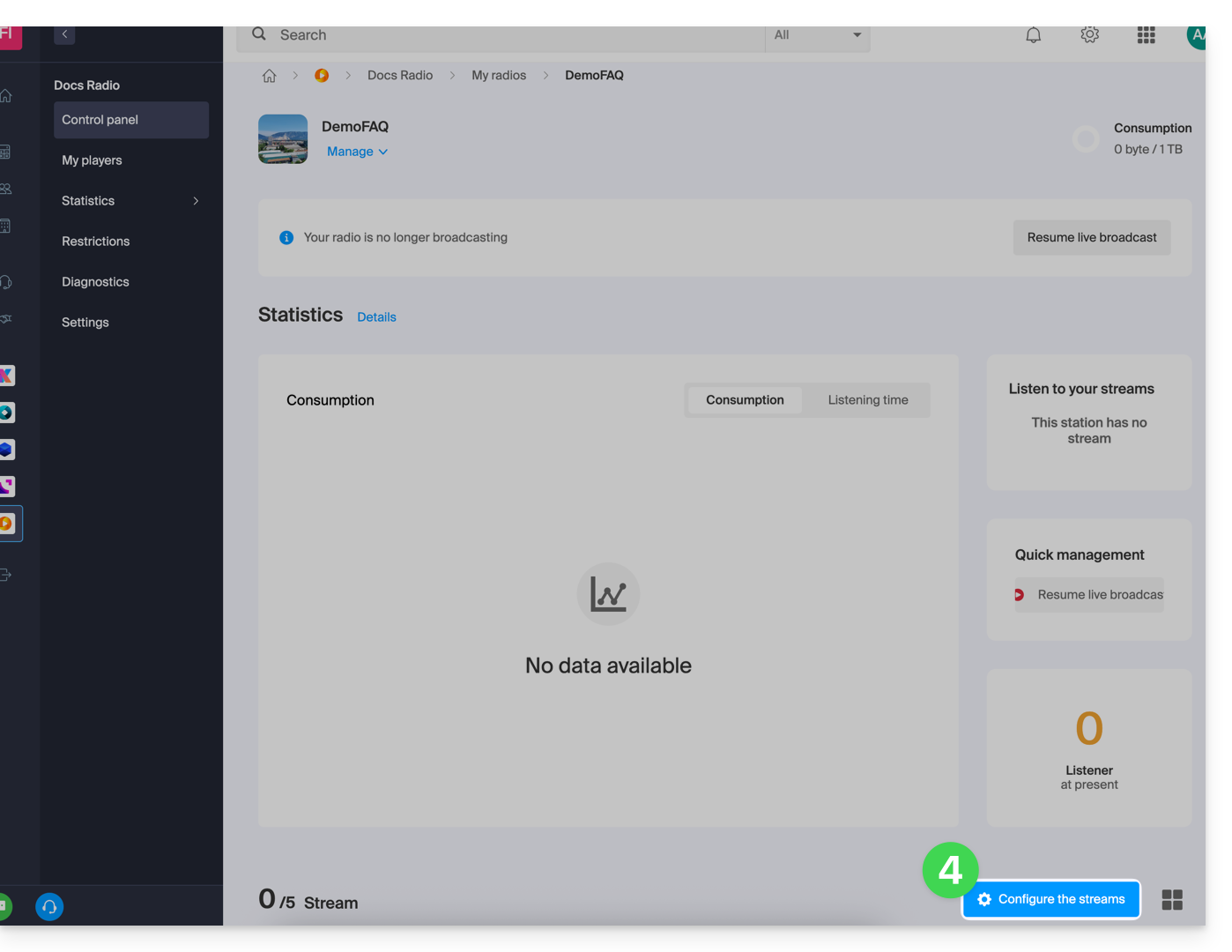
- Click on the Configure feeds button:
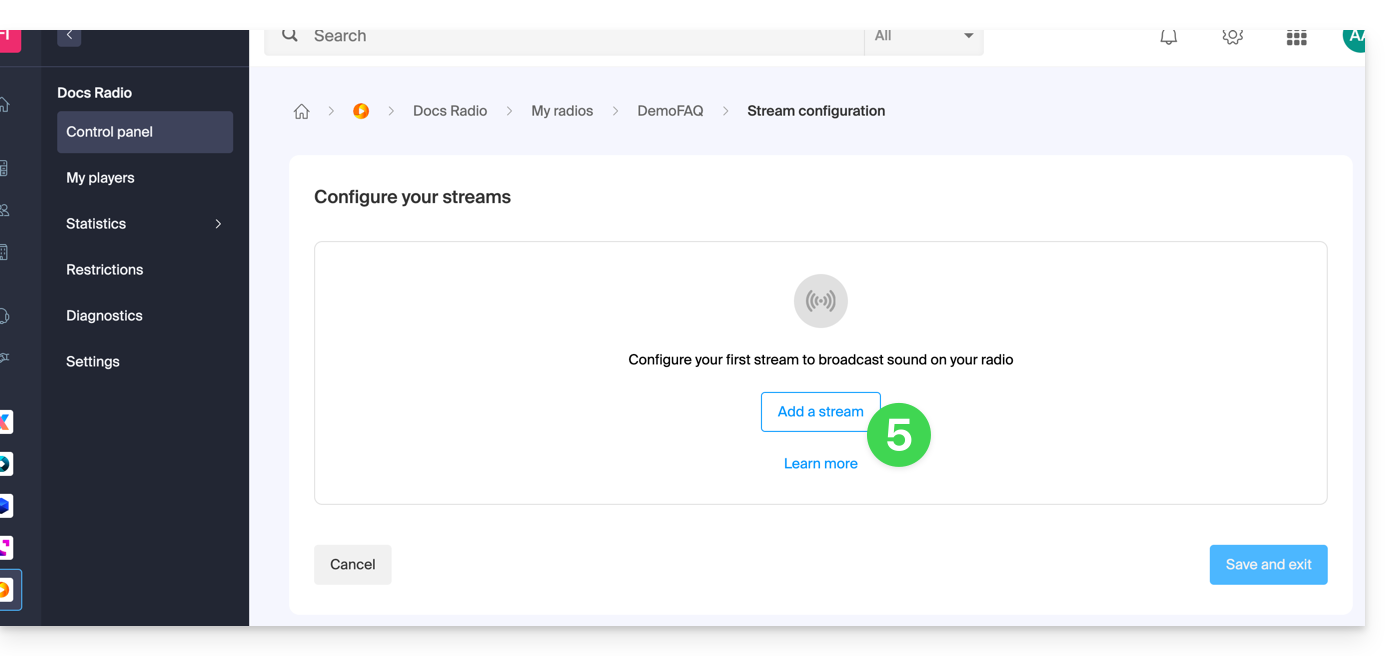
- Click on the Add feed button:
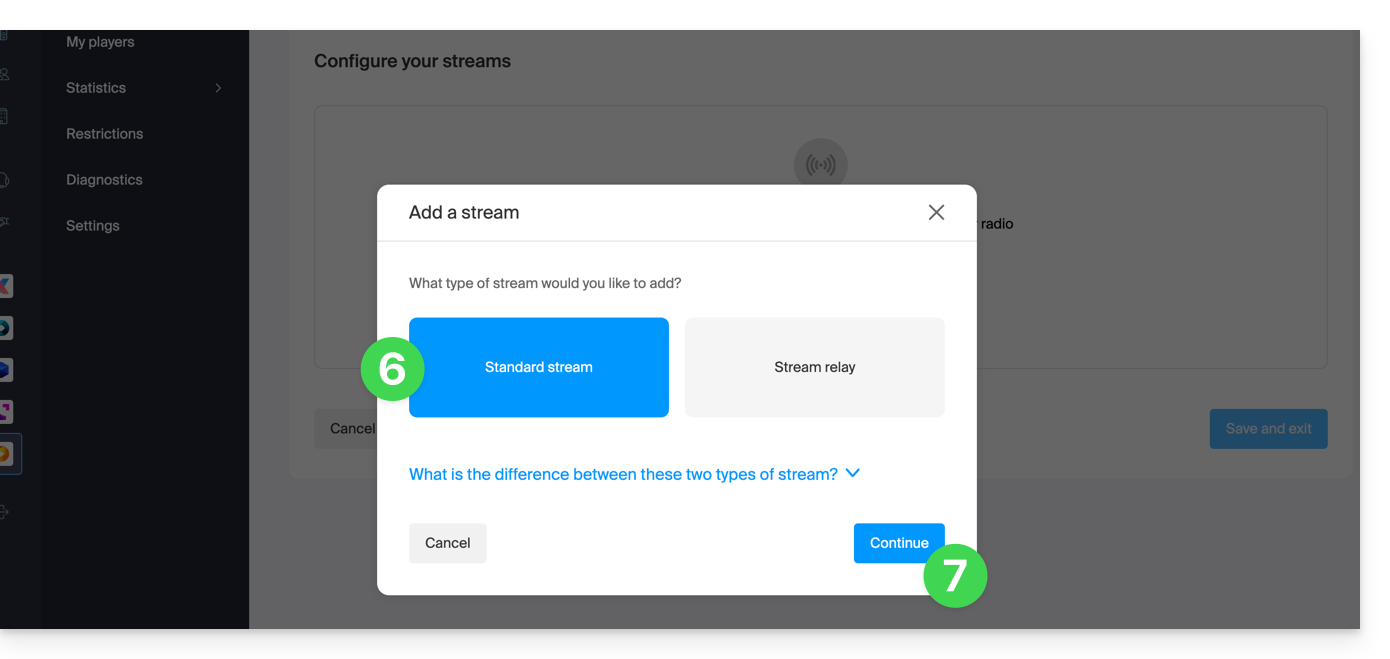
- Add a standard feed (refer to this other guide about feed relays).
- Click the button to Continue:
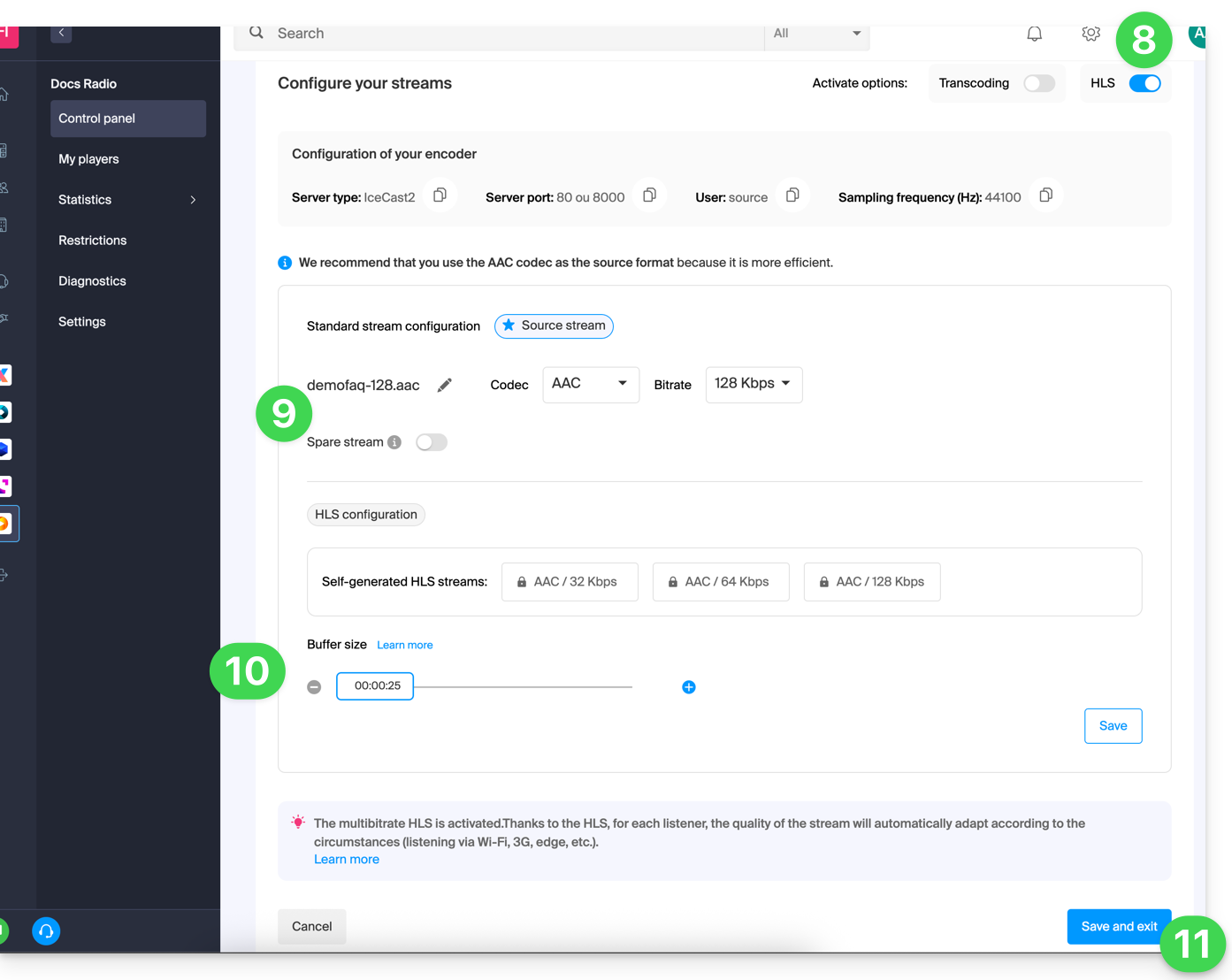
- Choose the desired options, including the ability to enable HLS, which will not be counted towards the total number of streams.
- Configure the desired quality and refer to this other guide if you are looking for information about the stream type.
- Adjust the buffer size if necessary (and remember to save if needed).
- Click the button to Save and exit:
You can now configure an application using the settings obtained at the end of this process.
Link to this FAQ: https://faq.infomaniak.com/2213
Has this FAQ been helpful?