Knowledge base
1000 FAQs, 500 tutorials and instructional videos. Here, there are only solutions!
Using the Newsletter API
This guide explains how to create a token, or API key (or token) for the Infomaniak Newsletter tool.
Obtain a token
To obtain a Newsletter API key:
- Click here to access the management of your product on the Infomaniak Manager (need help?).
- Click directly on the domain name assigned to the product concerned.
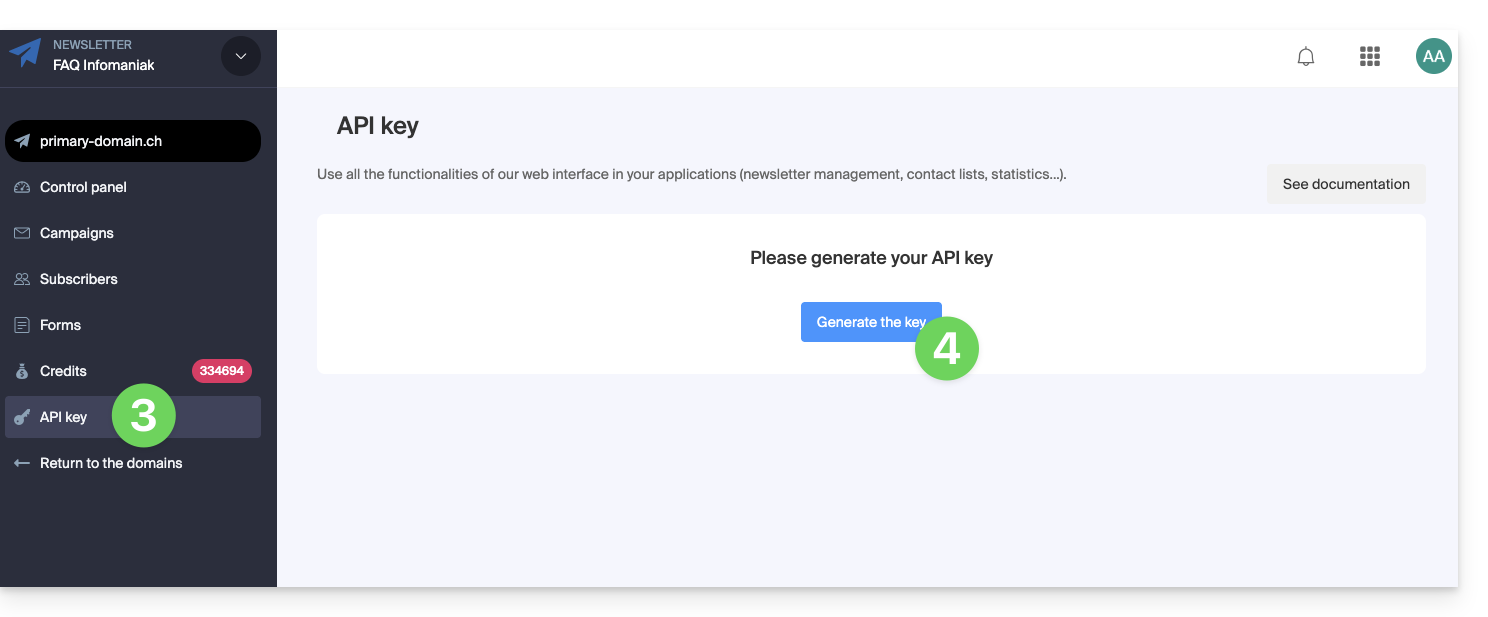
- Click on API Key in the left sidebar menu.
- Click the blue button Generate a key:
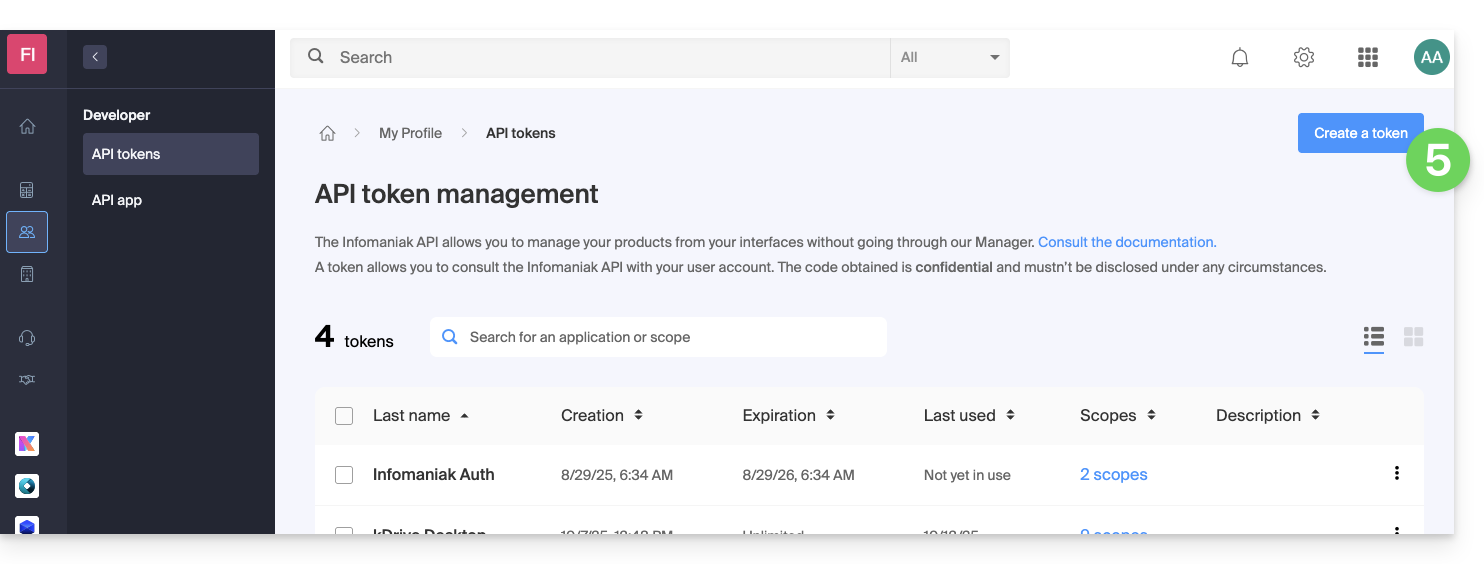
- Click the blue button Create a token:
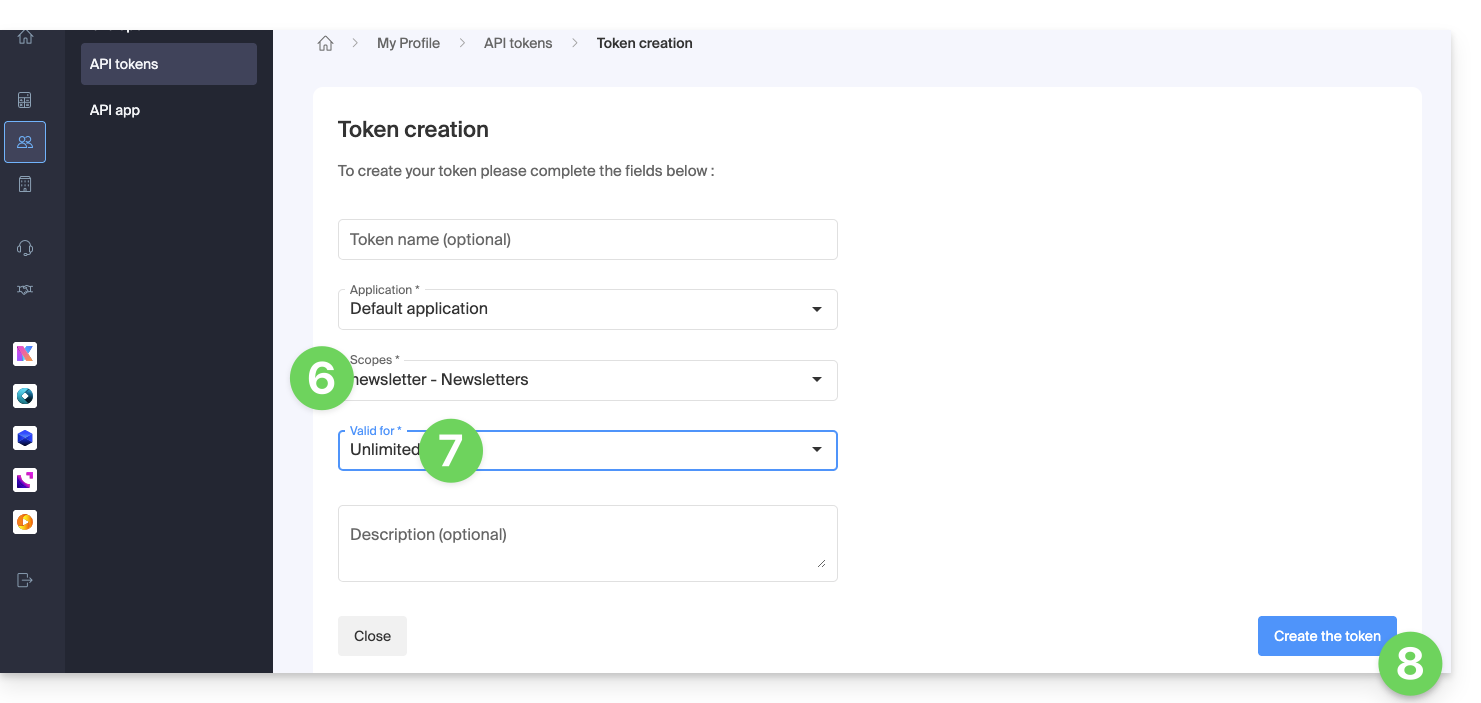
- Choose the appropriate product from the dropdown menu.
- Choose a validity period.
- Click the blue button Create a token:
- Enter the password to log in to the Manager as requested.
- Copy the token to a safe place - it will no longer be accessible after that.
Refer to the Newsletter API documentation.
Link to this FAQ: https://faq.infomaniak.com/2211
Has this FAQ been helpful?