Knowledge base
1000 FAQs, 500 tutorials and instructional videos. Here, there are only solutions!
Update the contact details associated with your Infomaniak account
Update 10/19/2026
This guide explains how to change the first and last name that Infomaniak displays when you are logged into your Infomaniak account (= user account) within an Organization in the Manager, as well as your account avatar.
Introduction
- To change your login ID, please refer to this other guide.
- To change your phone number, please refer to this other guide.
- To manage the details of the Organization you belong to, please refer to this other guide.
Modify your Infomaniak account details
To edit your personal details:
- Click here or at the top right, click on your initials/avatar to "Manage my account":
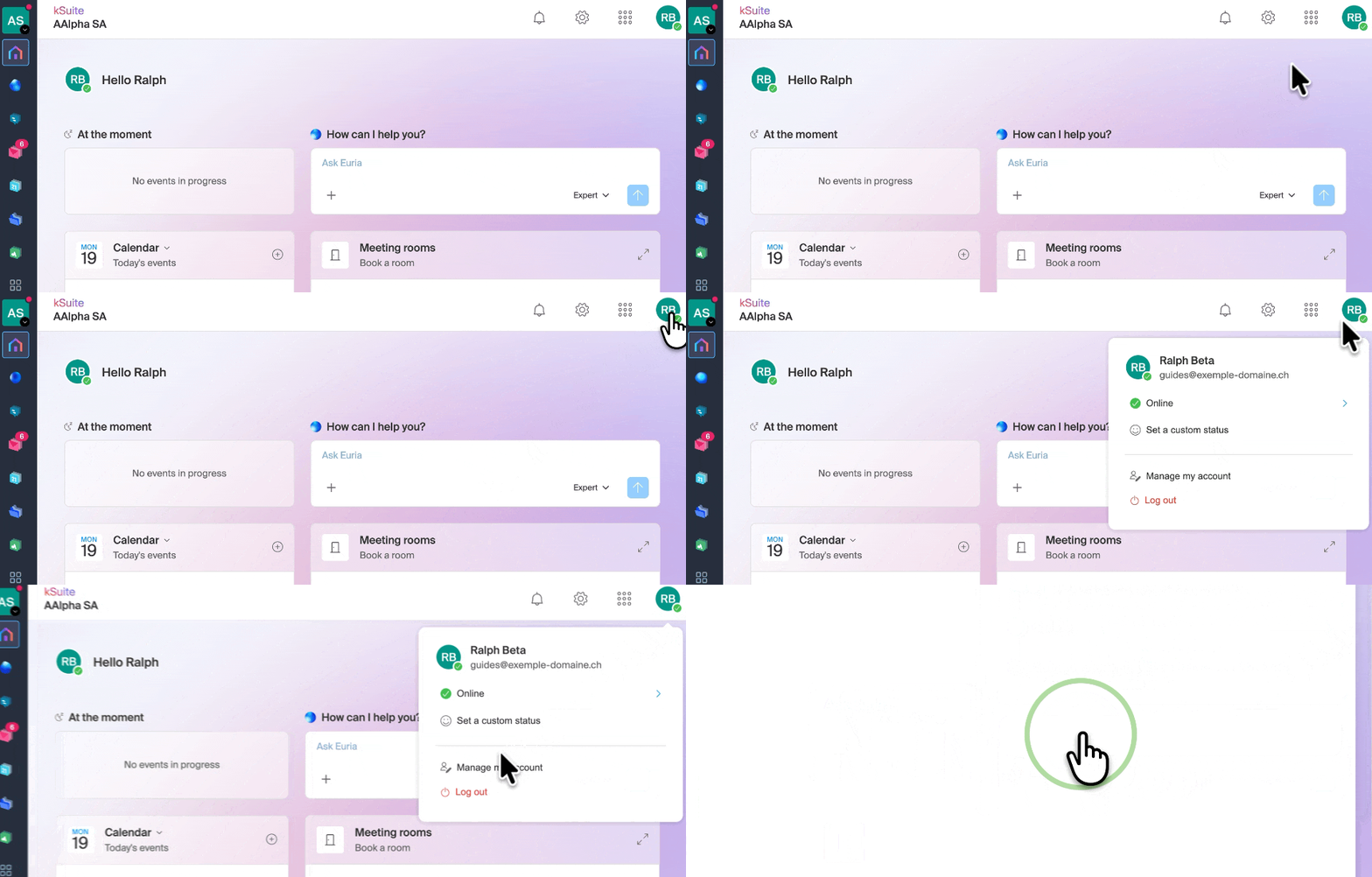
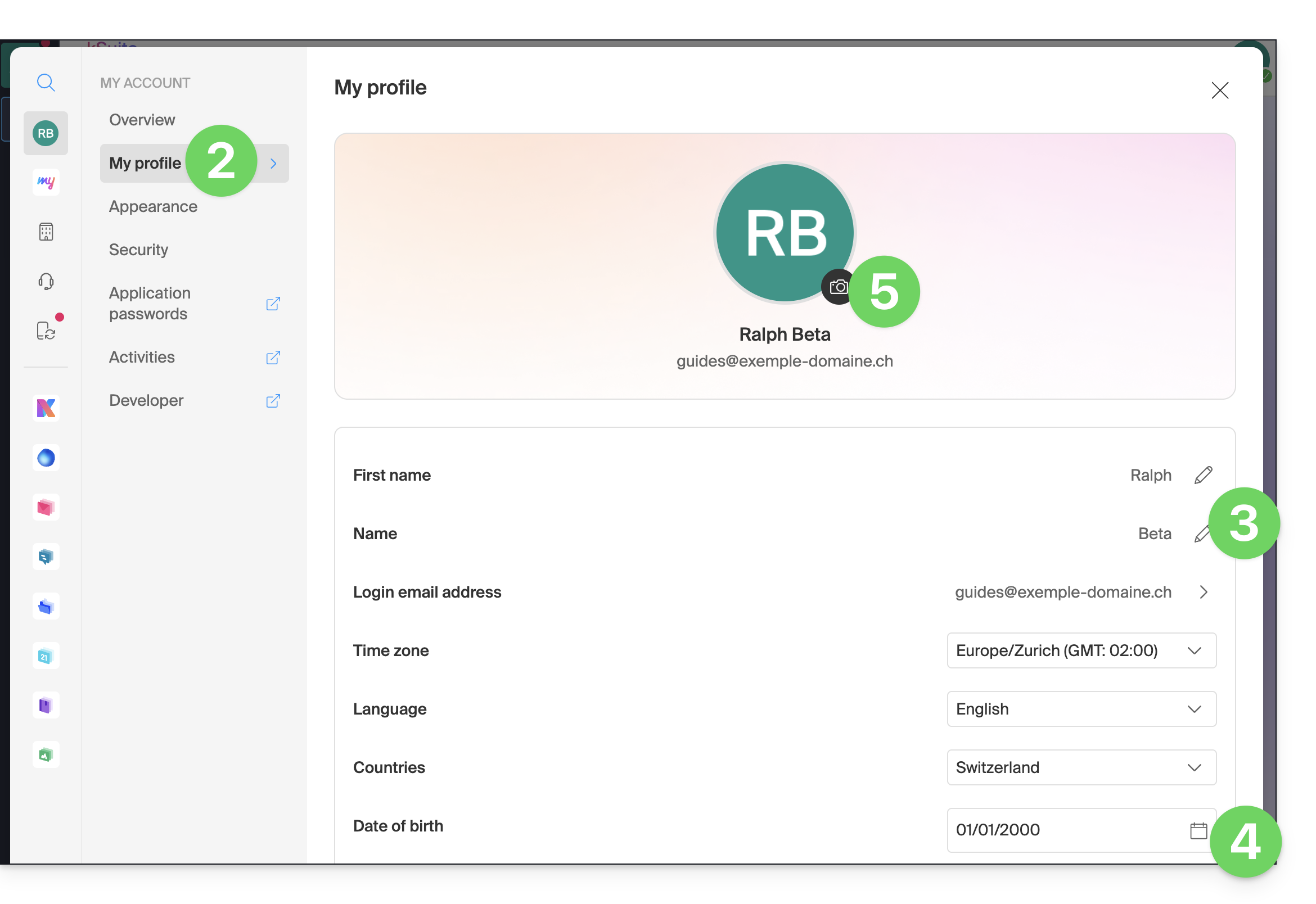
- Click on My profile in the left-hand menu.
- Edit your first name and last name on the right-hand side.
- You can also specify your date of birth.
- You can add a profile picture to your Infomaniak account, which will be displayed instead of your initials; it is recommended to import an image with a minimum size of 210 pixels on each side:
Link to this FAQ: https://faq.infomaniak.com/220
Has this FAQ been helpful?