Knowledge base
1000 FAQs, 500 tutorials and instructional videos. Here, there are only solutions!
Manage SPF records
This guide explains how to add or modify one or more SPF records in a DNS zone (of a domain name) managed in the Infomaniak Manager.
Introduction
- If your domain name is registered with Infomaniak, your email is managed by Infomaniak, but your website is hosted with another provider (e.g., Wix), you are probably managing the DNS zone (and therefore the SPF record) with that other provider: please refer to this other guide for more information.
Understanding SPF records
The SPF (Sender Policy Framework) record type is a standard for verifying the sender's domain name in an email and aims to reduce spam. It indicates which server is authorized, or not, to send emails for a domain. If the SPF check fails for an email, it means that the email was not sent from an authorized server/IP address by the domain administrator. The email is then considered spam.
Strict SPF -all: Rejection of unauthorized emails
Infomaniak automatically installs this type of record when creating a Mail Service on your domain (strict SPF):
v=spf1 include:spf.infomaniak.ch -allTherefore, the recipient server of the email you send will determine that any email not originating from Infomaniak servers will be rejected. This prevents malicious individuals from spoofing email addresses from your domain.
Soft SPF ?all: tolerance for certain emails
You can choose to modify the SPF record to use a more flexible template:
v=spf1 include:spf.infomaniak.ch ?allIn this case, the recipient server for the email you send will evaluate, according to its own rules, whether to accept emails not originating from Infomaniak servers.
In summary:
?: the receiving server accepts the message even if the sender is not listed in the SPF record.~: the receiving server generally accepts the message if it is not listed in the SPF, but identifies it as suspicious-: the receiving server rejects the message if it is not listed in the SPF (recommended)
Add an SPF record via a TXT record
There are 2 ways to manage SPF records.
If you have a Mail service with Infomaniak, the Global Security tool in the Infomaniak Manager (❓: help) allows you to manage the SPF: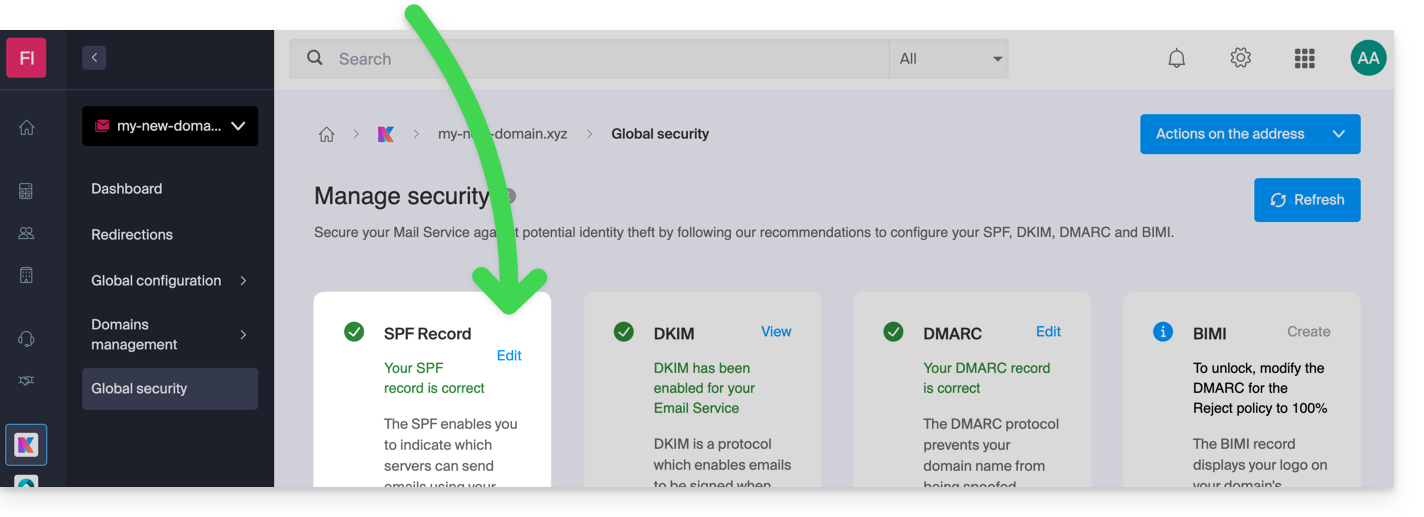
However, since the SPF record is a type of DNS record of type TXT, you can also manage it from the DNS zone of the domain name:
- Click here to access the domain management section in your Infomaniak Manager (❓: help).
- Click on the name of the domain in question.
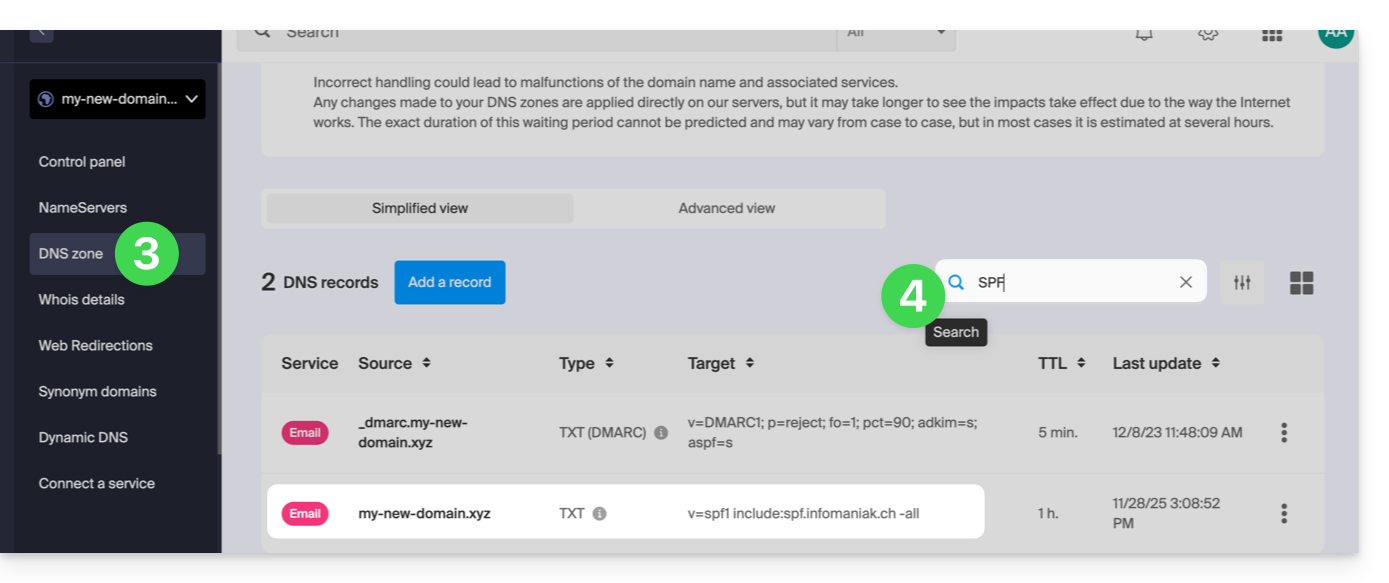
- Click on DNS Zone in the left-hand menu.
- Check in the table to ensure that there is no TXT record already in place with a value mentioning SPF, as shown here:
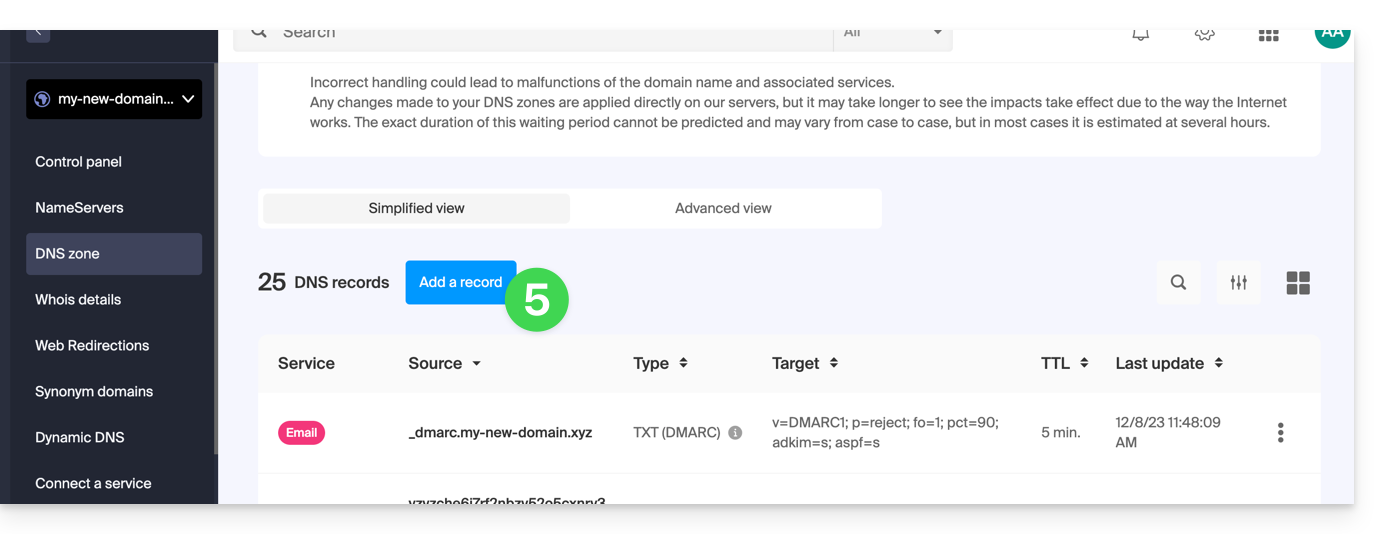
- Click the button to add a record (you will receive an error if you try to add a TXT record with an SPF value when one already exists in the zone):
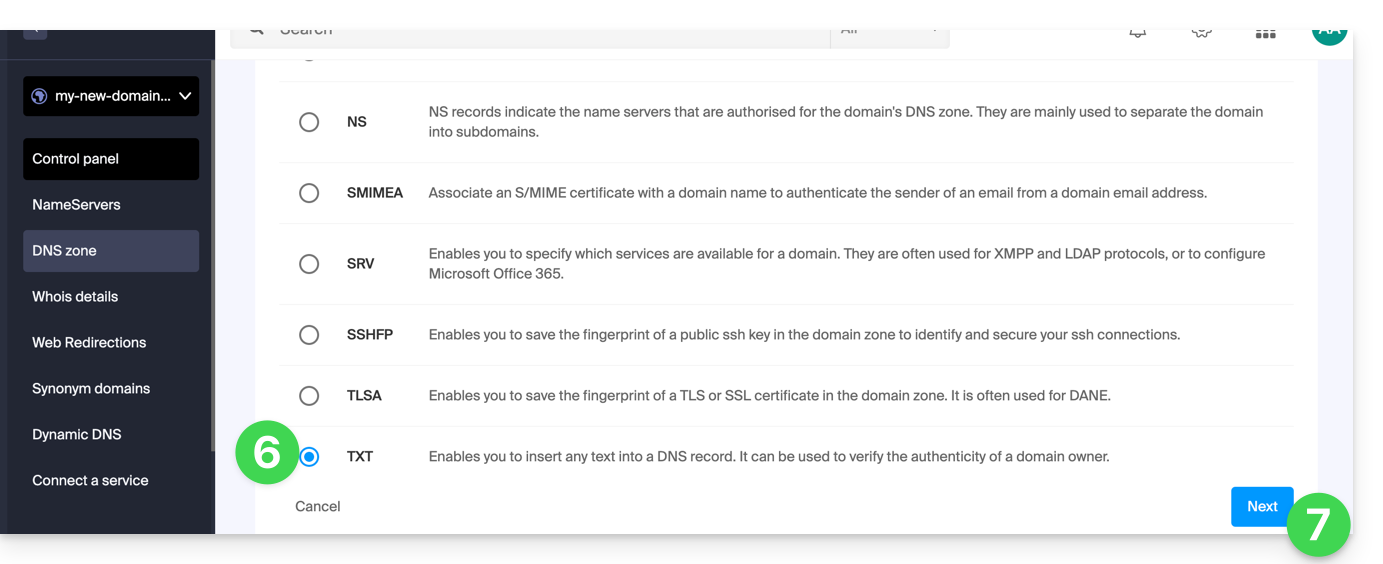
- Click the TXT radio button to add a record.
- Click on the Next button:
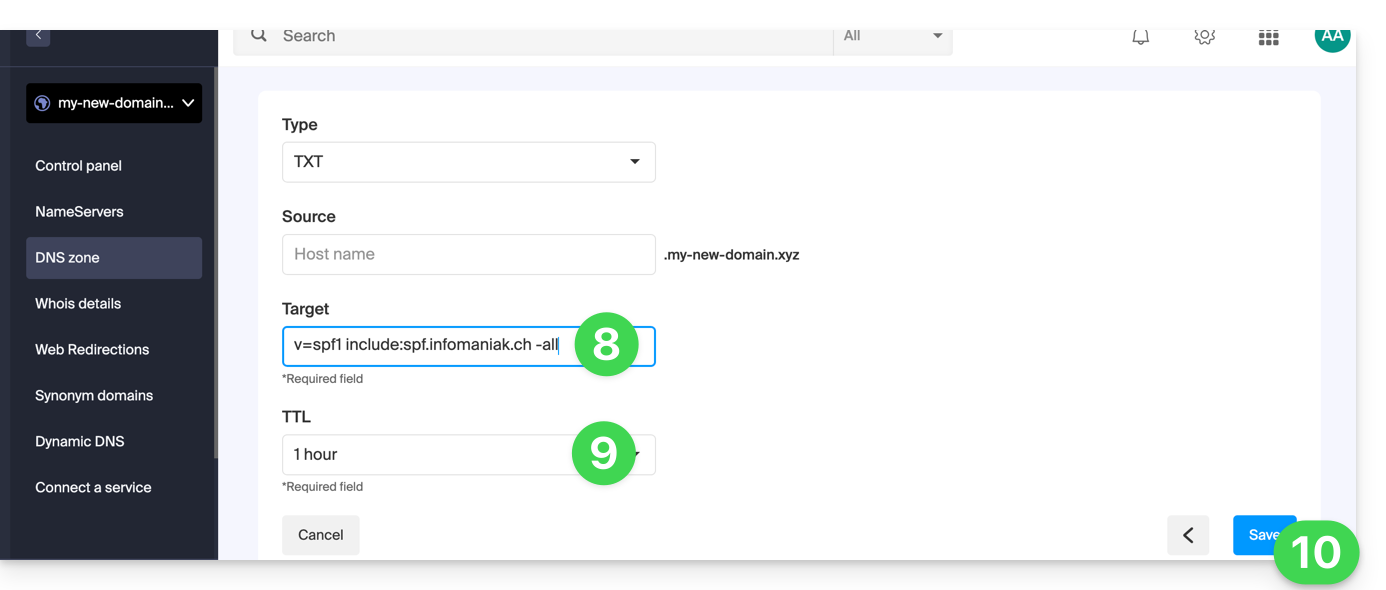
- Enter the SPF value required for your DNS zone.
- Leave the default value for the TTL.
- Click on the Save button:
Add Multiple SPF Records
If you use other email providers in addition to Infomaniak, you need to obtain their SPF record and then merge it with Infomaniak's SPF record using a specific syntax.
Having multiple distinct SPF records will cause errors. It is essential to combine multiple SPF records into a single TXT record!
Example of 3 SPF records to be merged:
- Infomaniak's:
v=spf1 include:spf.infomaniak.ch -all - Those of 2 secondary providers:
v=spf1 include:the-second-domain.xyz ?allv=spf1 include:the-other-domain.xyz ~all
... the definitive SPF record to insert into your DNS zone should be in the following format:
v=spf1 include:spf.infomaniak.ch include:the-second-domain.xyz include:the-other-domain.xyz -allRemove any other SPF entries from your domain's DNS zone!Any DNS addition or modification may take up to 48 hours to propagate (❓: help).
SPF Limit
Multiple SPF records are limited to a maximum of 10 inclusions.
The Infomaniak SPF record generally already includes 4 entries:
include:relay.mail.infomaniak.chinclude:app.mail.infomaniak.chinclude:newsletter.infomaniak.cominclude:amazonses.com
Check your SPF record(s)
If you have a Mail service with Infomaniak, the Global Security tool in the Infomaniak Manager (❓: help) allows you to easily check and correct any problematic records you may have.
If you encounter any issues, we recommend analyzing your domain name on MxToolbox to check if your SPF record contains syntax errors, too many inclusions, or any other issue that could be causing the problem: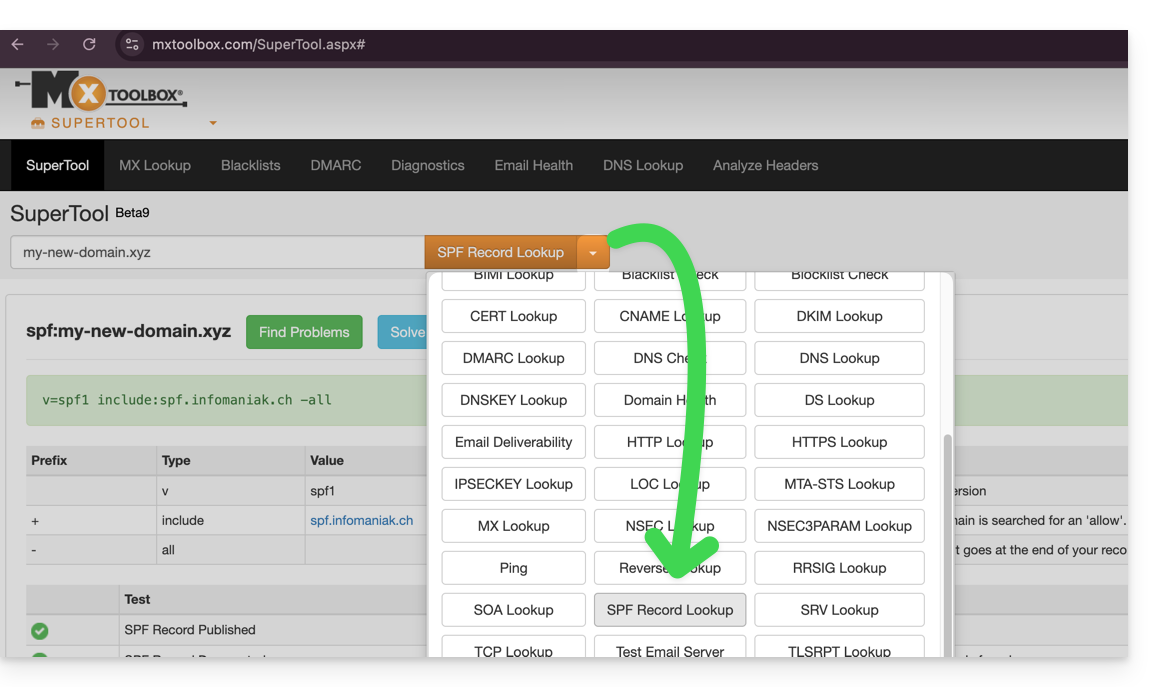
… or directly at the address https://mxtoolbox.com/spf.aspx.
Link to this FAQ: https://faq.infomaniak.com/2199
Has this FAQ been helpful?