Knowledge base
1000 FAQs, 500 tutorials and instructional videos. Here, there are only solutions!
Configure Web Application Backups
This guide explains how to modify the automatic backup configuration of Infomaniak Web Applications (Joomla, Drupal, Typo3, PrestaShop, ownCloud, etc.) included in the paid Web Hosting offers.
Preamble
- This does not concern WordPress, which can be backed up and then restored via:
- the automatic backups of hosting,
- the extensions allowing you to manually create a complete backup including an easy reinstallation file.
Configure backups
To manage the backups of Apps:
- Click here to access the management of your site on the Infomaniak Manager (need help?).
- Click directly on the name assigned to the site concerned:
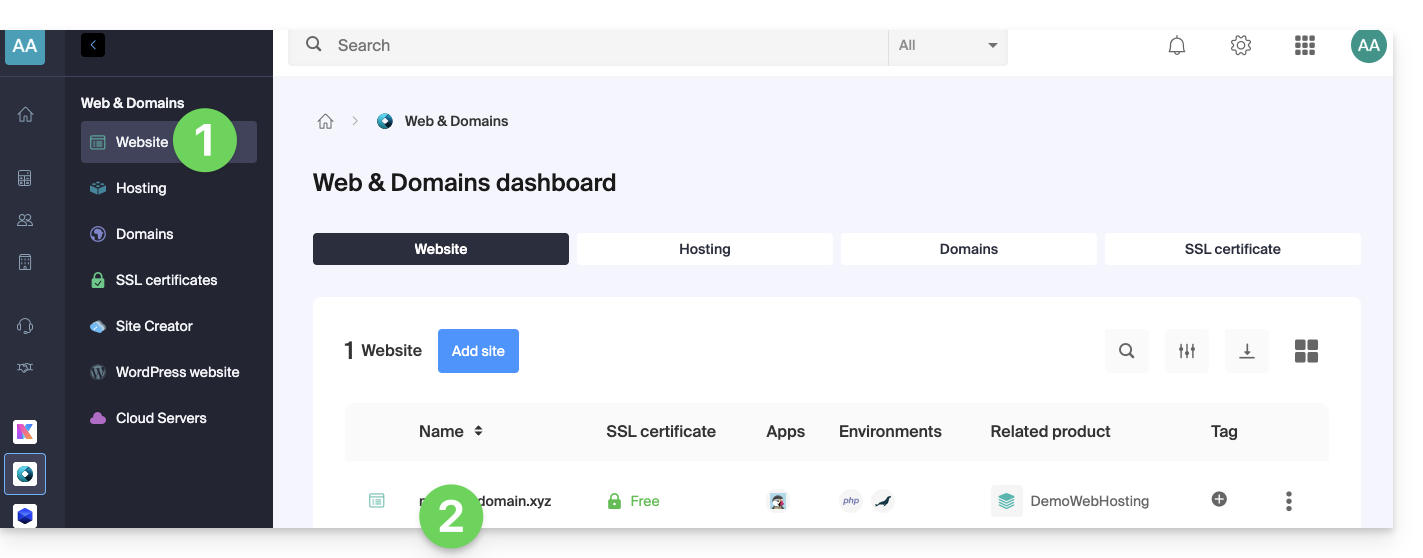
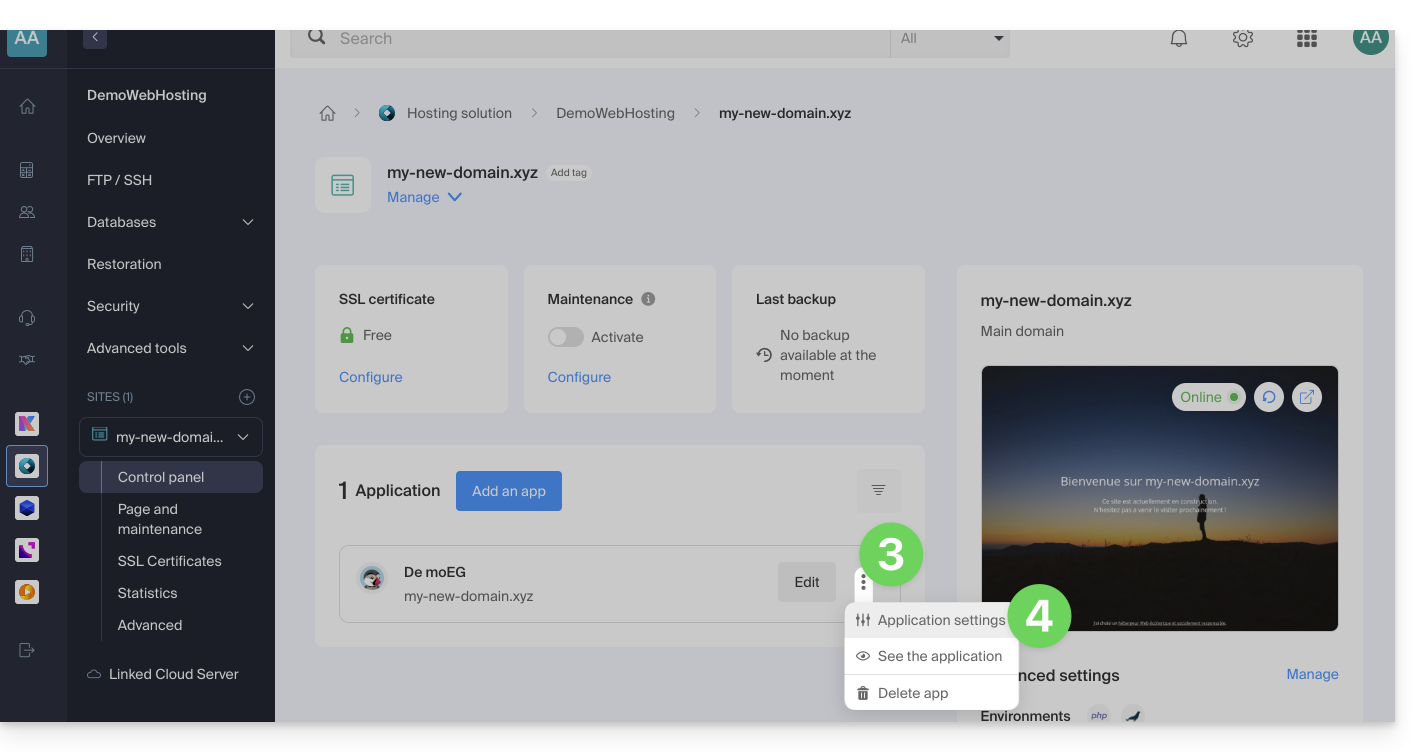
- Click on the action menu ⋮ located to the right of the Web Application concerned.
- Click on Settings of the application:
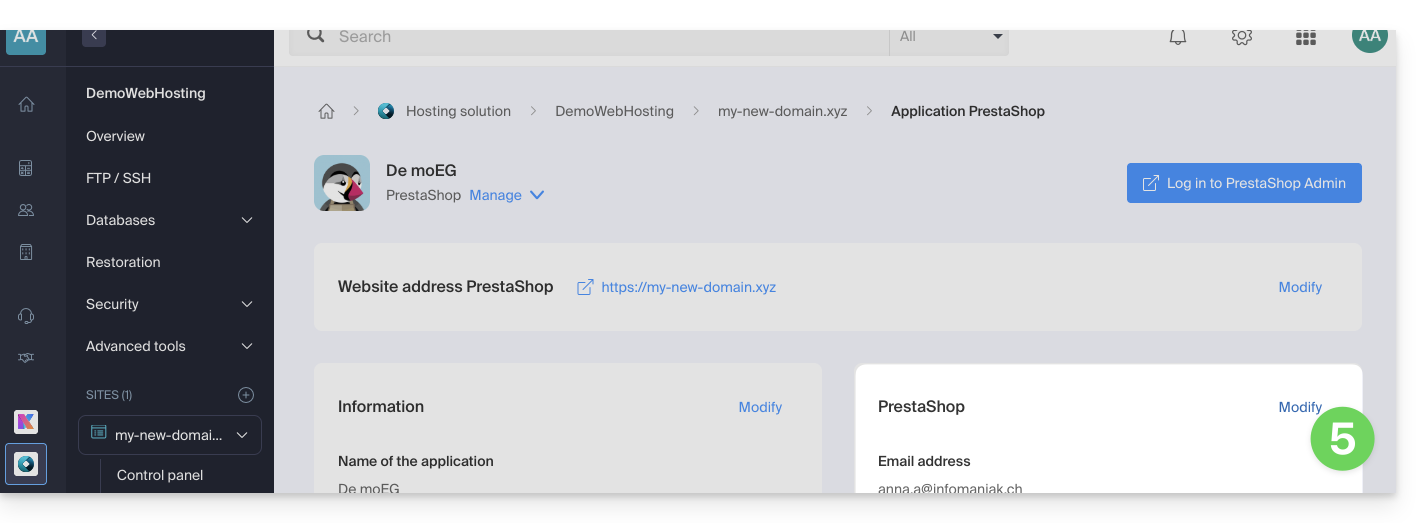
- Click on Modify to the right of the Application:
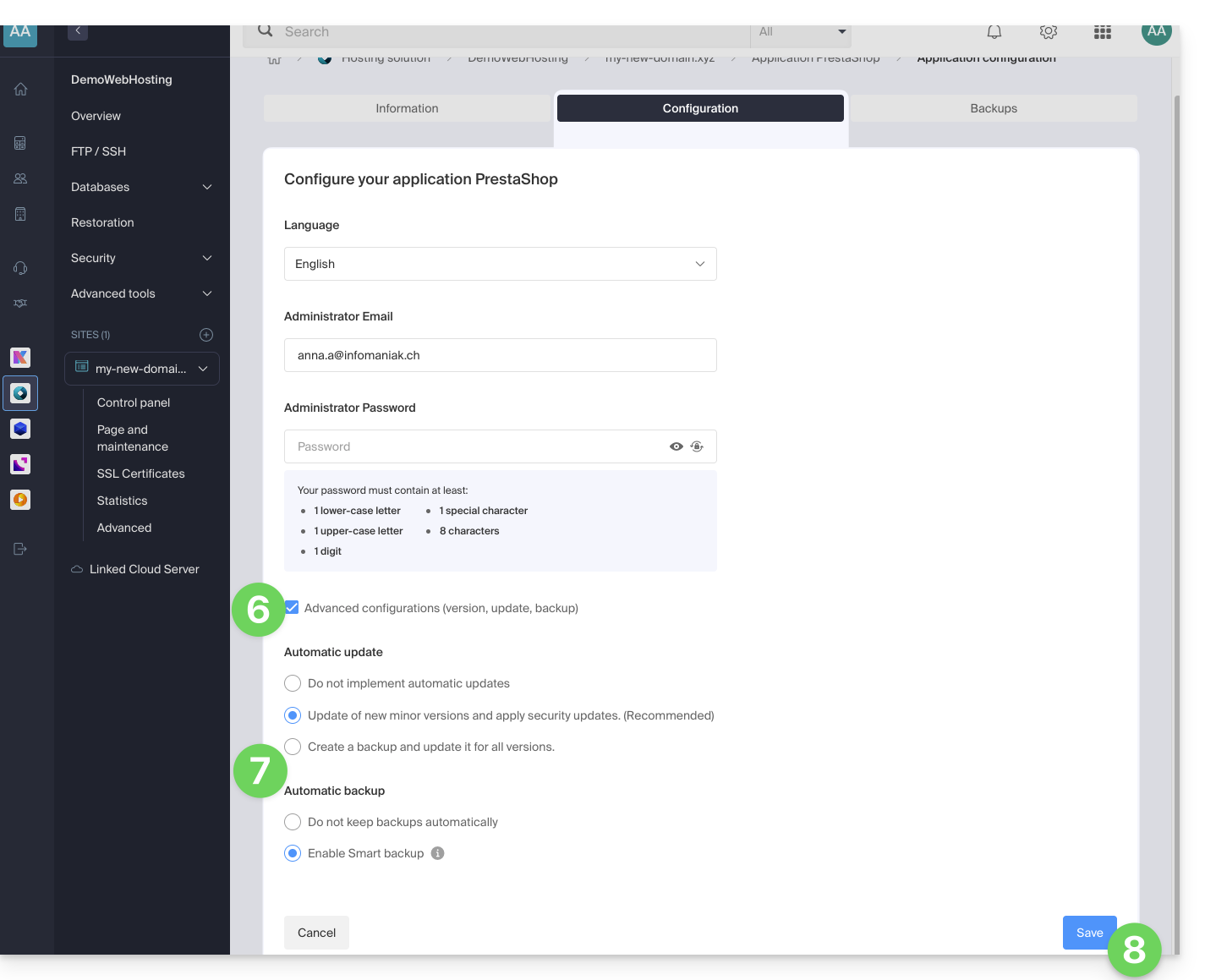
- Under the Configuration tab, click on the box to access the advanced configuration.
- Choose the desired update and backup modes:
- 7 recent backups are kept as well as those from 15 and 30 days ago.
- Save the changes using the button at the bottom right:
Learn more
Link to this FAQ: https://faq.infomaniak.com/2196
Has this FAQ been helpful?