Knowledge base
1000 FAQs, 500 tutorials and instructional videos. Here, there are only solutions!
Configure Web Application Backups
Update 10/13/2026
This guide explains how to modify the automatic backup configurationInfomaniak Web Applications (Joomla, Drupal, Typo3, PrestaShop, ownCloud, etc.) included in the paid Web Hosting plans.
Introduction
- This does not apply to WordPress, which can be backed up and then restored via:
- automatic backups for hosting,
- plugins that allow you to manually create a complete backup, including a file for easy reinstallation.
Configure backups
To manage app backups:
- Click here to access the hosting & website management section in your Infomaniak Manager (❓: help).
- Click on the name of the website in question.
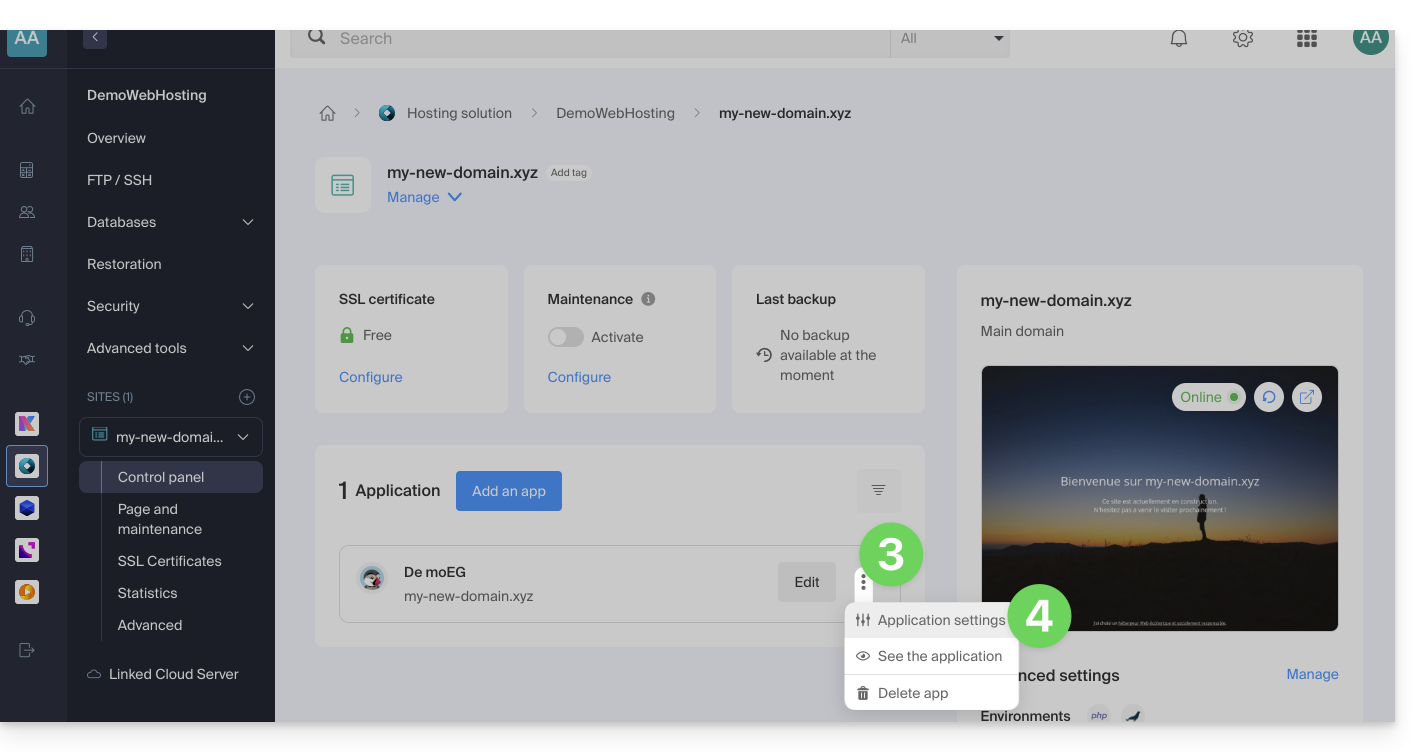
- Click on the action menu ⋮ located to the right of the relevant Web Application.
- Click on Settings in the application:
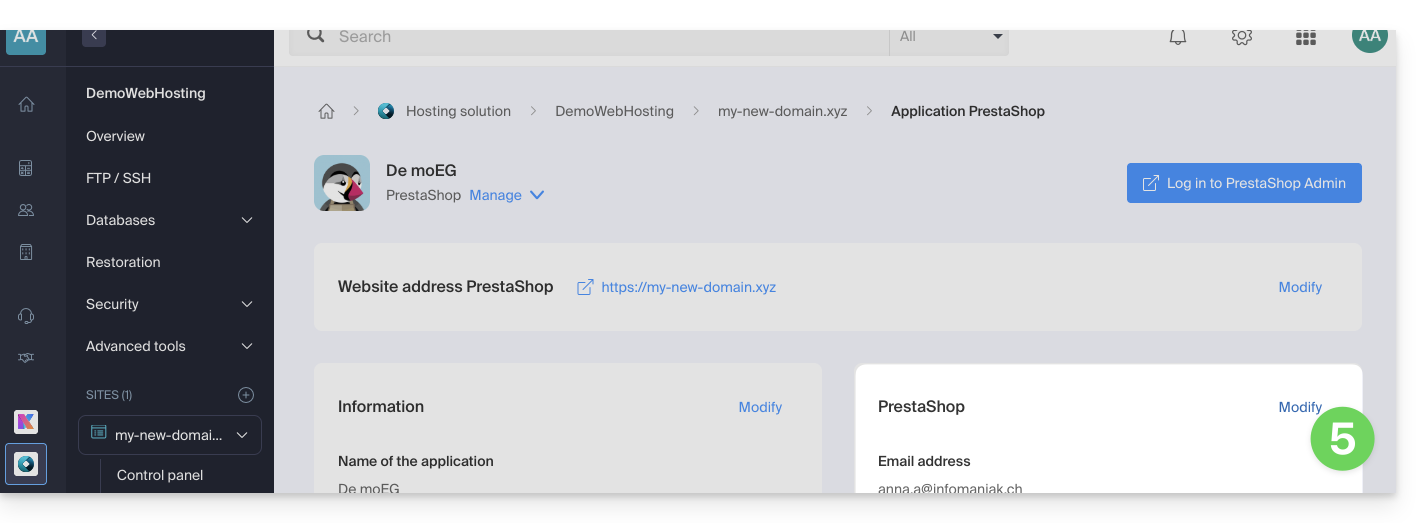
- Click on Edit to the right of the Application:
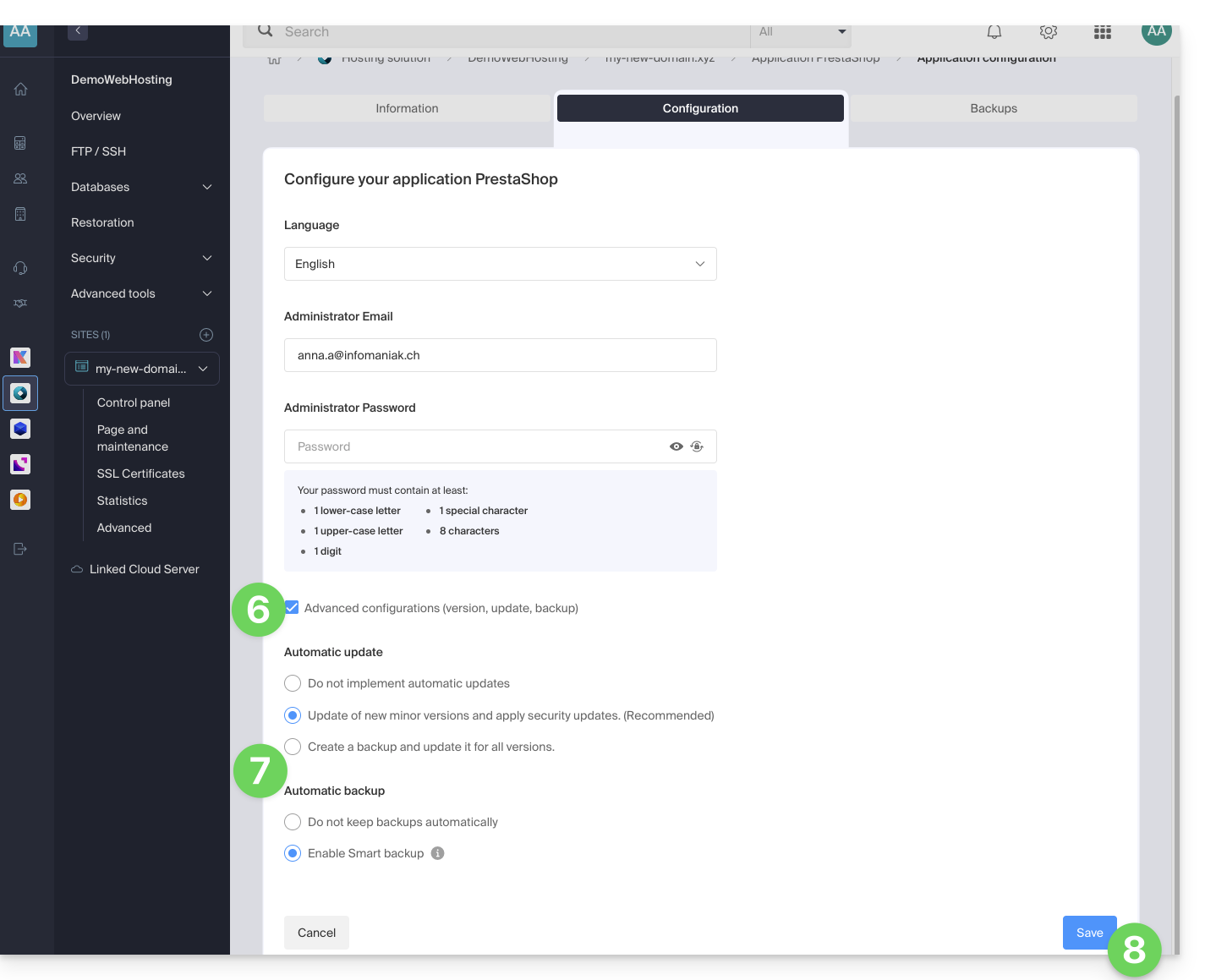
- Under the Configuration tab, click the checkbox to access the advanced configuration.
- Choose the desired update and backup modes:
- 7 recent backups are kept, as well as those from 15 and 30 days ago.
- Save your changes using the button in the bottom right corner:
Learn more
Link to this FAQ: https://faq.infomaniak.com/2196
Has this FAQ been helpful?