Knowledge base
1000 FAQs, 500 tutorials and instructional videos. Here, there are only solutions!
Delete an Infomaniak Organization
This guide explains how to delete an Infomaniak Organization.
Introduction
- The Organization must be empty of all products and users other than yourself.
- This will not delete your user account.
- As a reminder, you can create multiple Organizations (i.e., a space for managing your products) and be a user of several of them, for example, to manage different products belonging to different entities; an administrator can delete one of them.
- If the organization in question is your “my kSuite”, please refer to this other guide.
- If you simply want to leave an organization where you are listed as a user, please refer to this other guide.
Delete the Organization
Prerequisites
- Cancel all products within the Organization.
- The services contained in the Organization can be stopped during the deletion process.
- Pay outstanding invoices.
- Invoices that have already been paid can be obtained by email during the deletion process.
- Remove other users who have access to the Organization.
- Withdraw the funds from the Infomaniak prepaid account.
To delete an Organization that you still have access to:
- Click here to access the management of your Organization in the Infomaniak Manager.
- Make sure you have selected the correct Organization.
- If not, switch to another Organization!
- Click on Delete Organization:
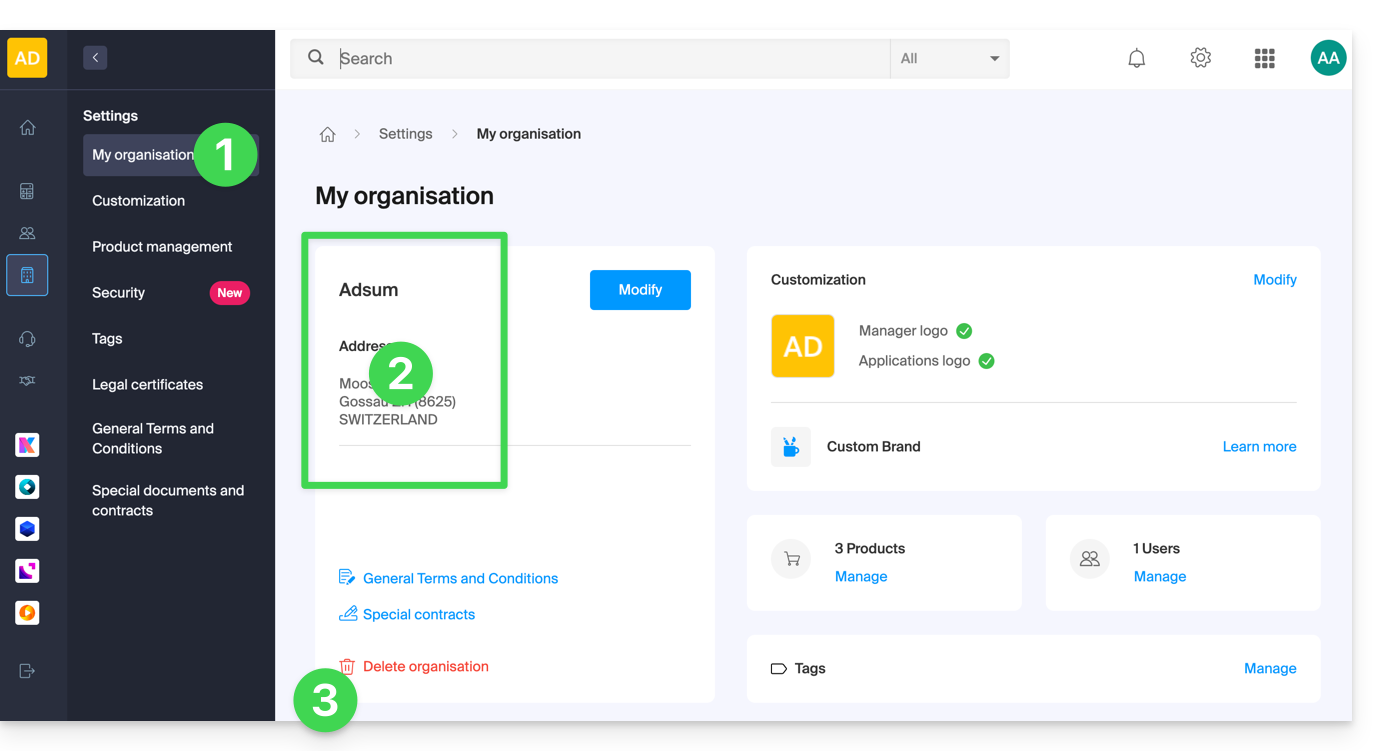
- Confirm the deletion and/or read the explanations on the screen:
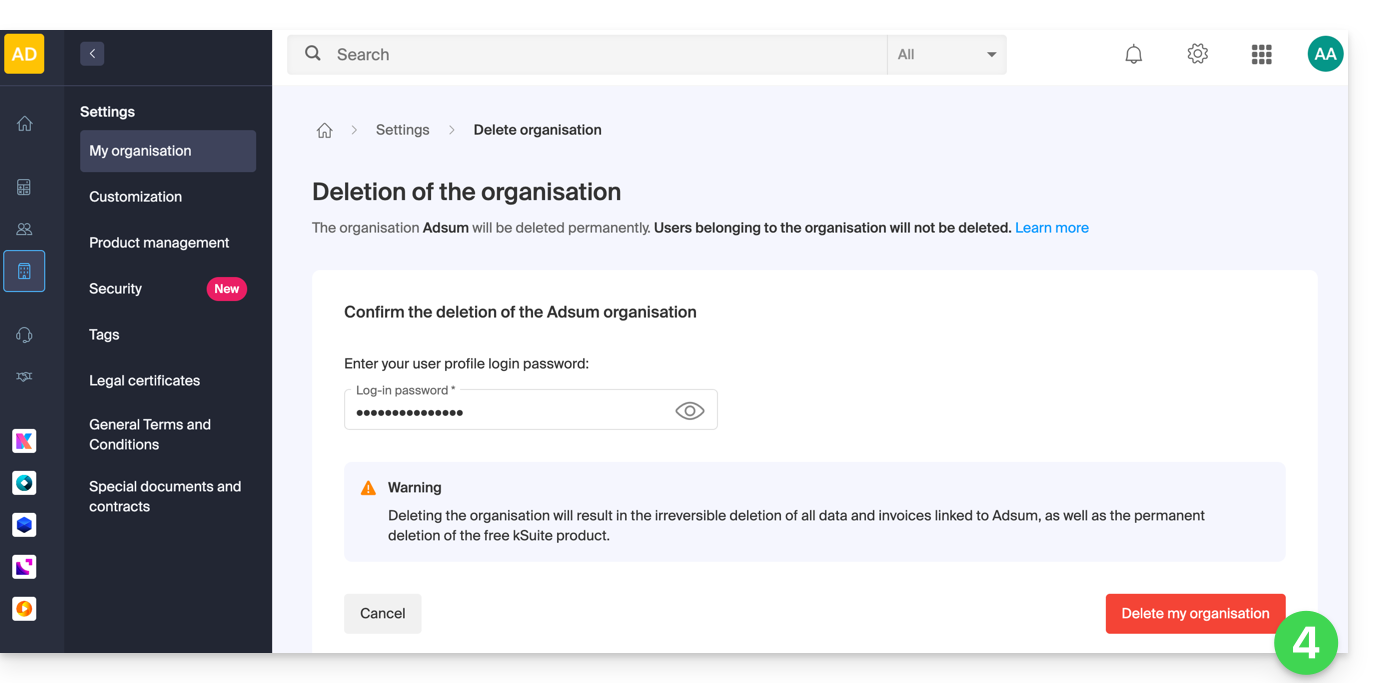
If the red link is not displayed, make sure you have met all of the above requirements.
Link to this FAQ: https://faq.infomaniak.com/2191
Has this FAQ been helpful?