Knowledge base
1000 FAQs, 500 tutorials and instructional videos. Here, there are only solutions!
Cancel Sending an Email on Mail Infomaniak
This guide explains how to recall an email from the Infomaniak Mail web app (online service ksuite.infomaniak.com/mail).
Introduction
- By default, you have 15 seconds to cancel sending an email.
- If needed, you can disable this feature or increase the sending delay up to 30 seconds.
- This feature applies to all email addresses in your Mail interface.
Configure the cancellation period
To do this:
- Click here to access the Infomaniak Mail web app (online service ksuite.infomaniak.com/mail).
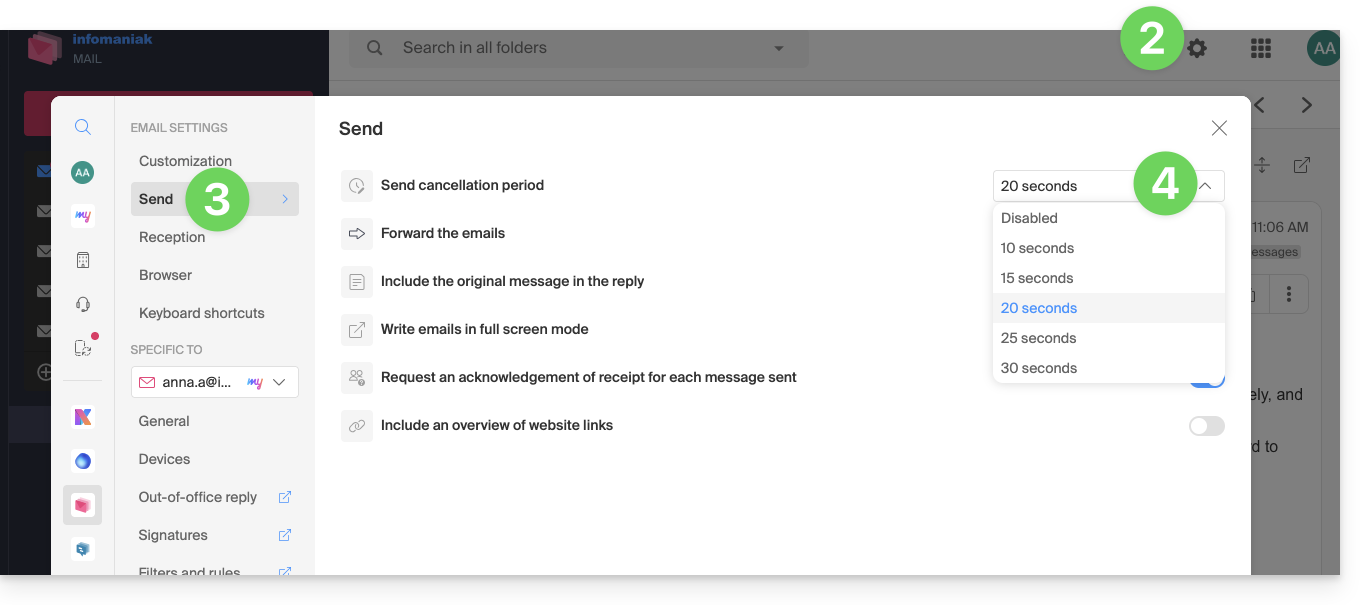
- Click on the Settings icon in the top right corner of the interface.
- Click on Sending in the secondary sidebar menu.
- Set the cancellation delay (0, 10, 15, 20, 25, 30 seconds) for sending emails according to your preferences:
Cancel the current sending
When you click the send button for your message in Mail, you can cancel the sending process during the allotted time by clicking the CANCEL button on the send notification that appears in the center at the bottom of your screen: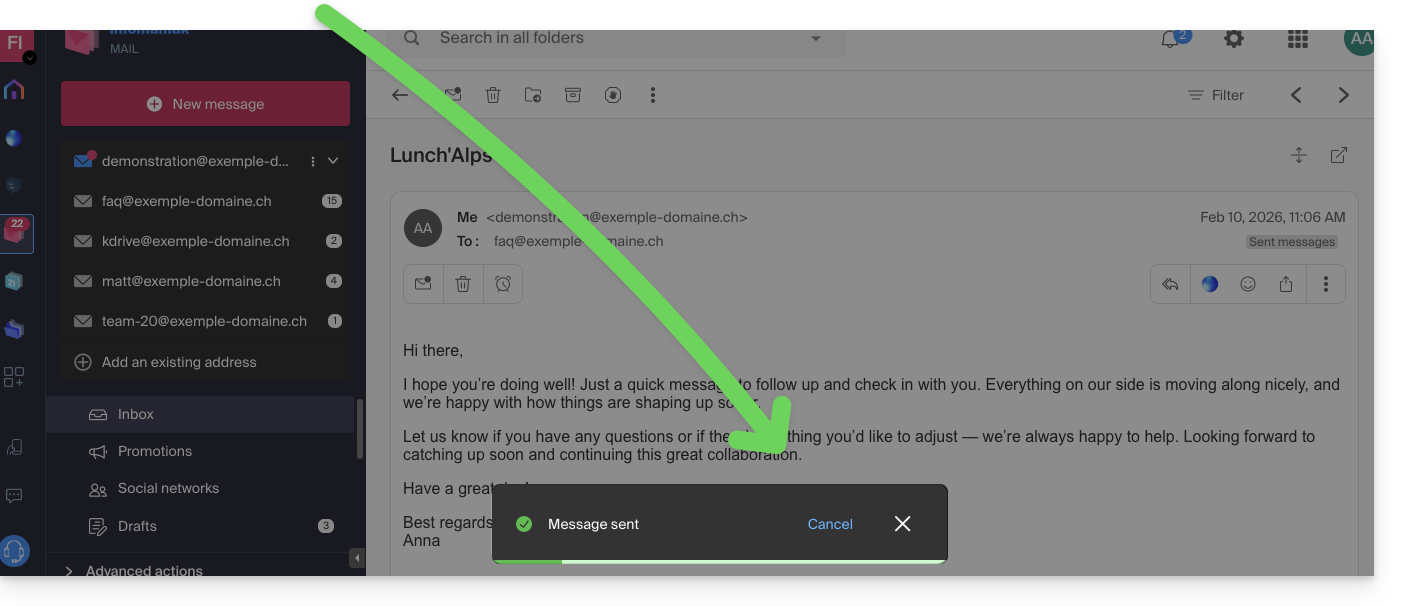
The message being sent will revert to the draft stage, and you can resend it if necessary or delete the draft.
Link to this FAQ: https://faq.infomaniak.com/2189
Has this FAQ been helpful?