Knowledge base
1000 FAQs, 500 tutorials and instructional videos. Here, there are only solutions!
Segment and filter newsletter contacts
This guide presents the available conditions for segmenting and filtering your contact lists when sending an Infomaniak Newsletter.
Preamble
- Filtering subscribers based on certain criteria allows you to send Newsletters to specific people among your subscribers.
- The criteria can be their subscription date as well as custom fields or even actions performed or not during previous sends.
- You can combine multiple conditions and add "
OR" conditions to refine your filters.
Segmenting sends based on…
Access your Newsletter:
- Click here to access the management of your product on the Infomaniak Manager (need help?).
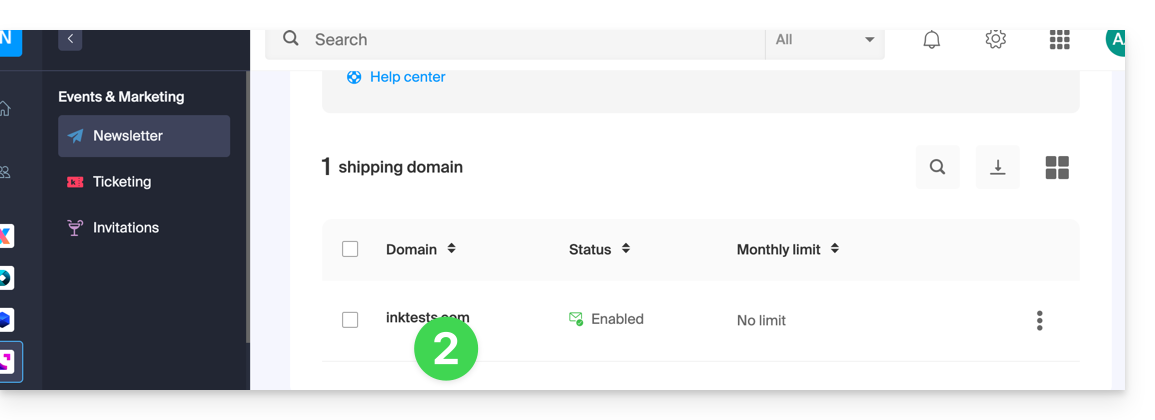
- Click on the domain name concerned in the table that appears:
… the specifics of the subscribers
Here is an example of a Newsletter subscription form with additional fields allowing you to request personalized information from the person signing up: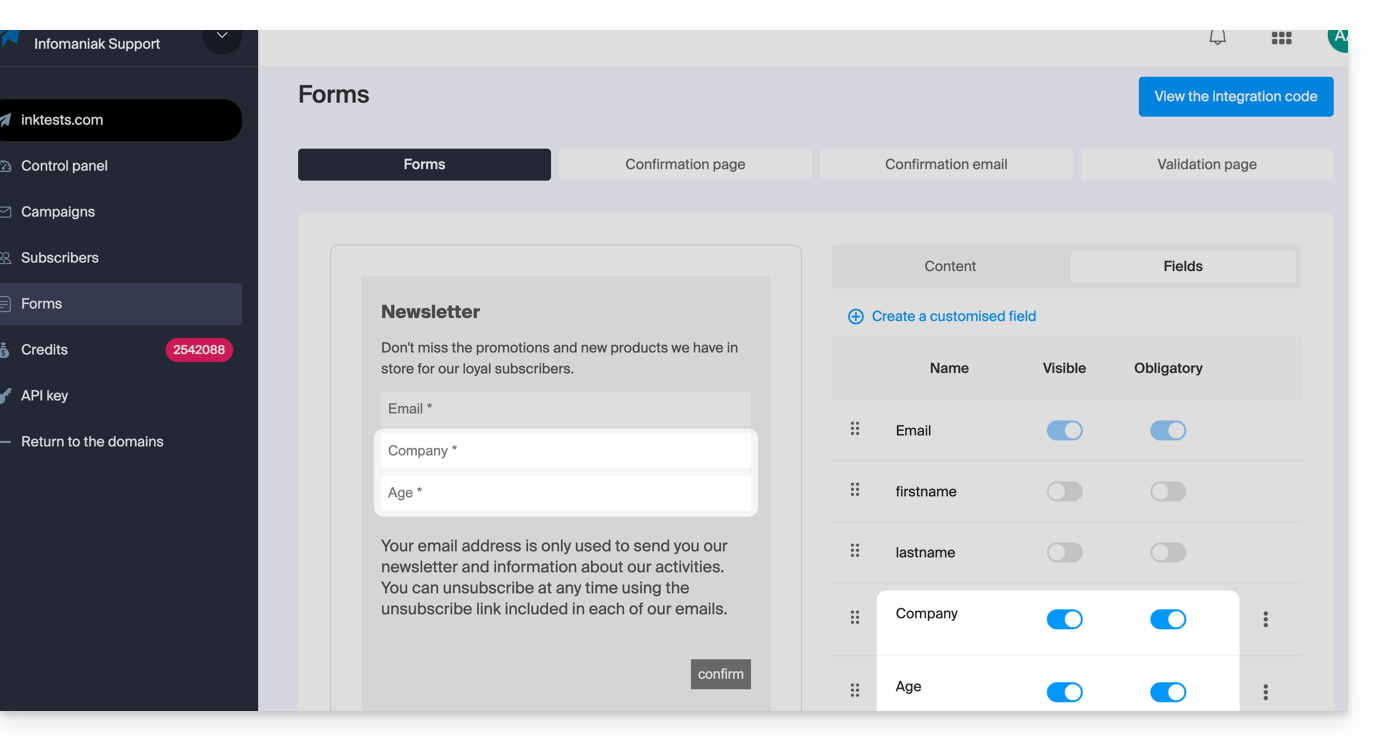
Once some users provide this information, you can find it in the details of their contact card: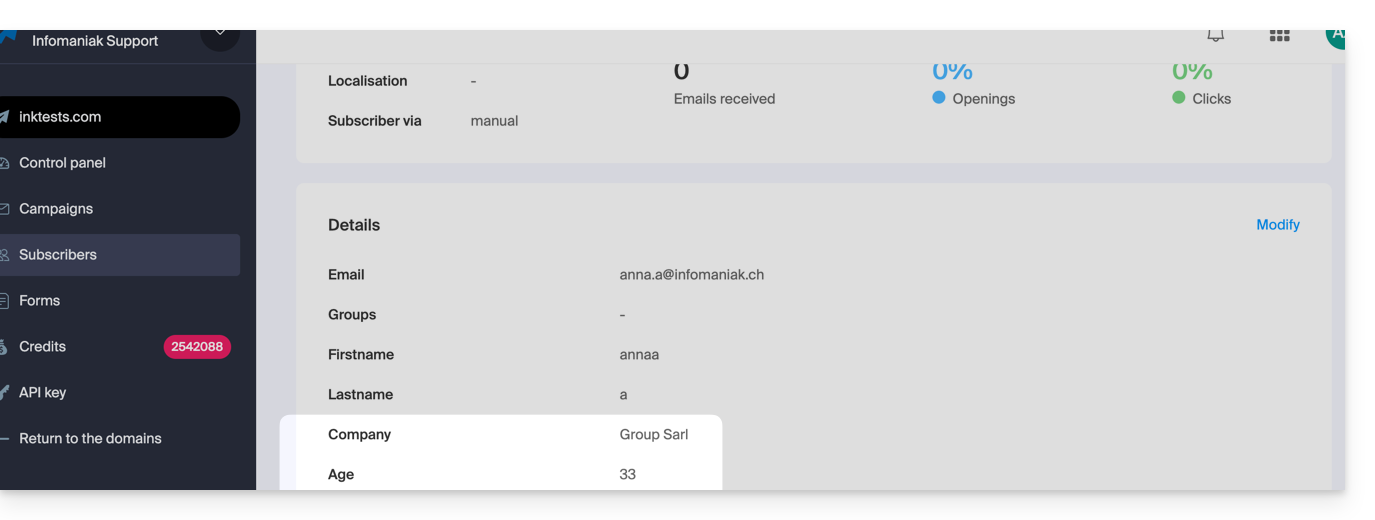
This type of information can be used to segment your subscriber list and only write to part of it. Refer to Chapter 4 of this other guide.
… the past actions of the subscriber
Information about a previous mailing can be used to segment your next send. Example: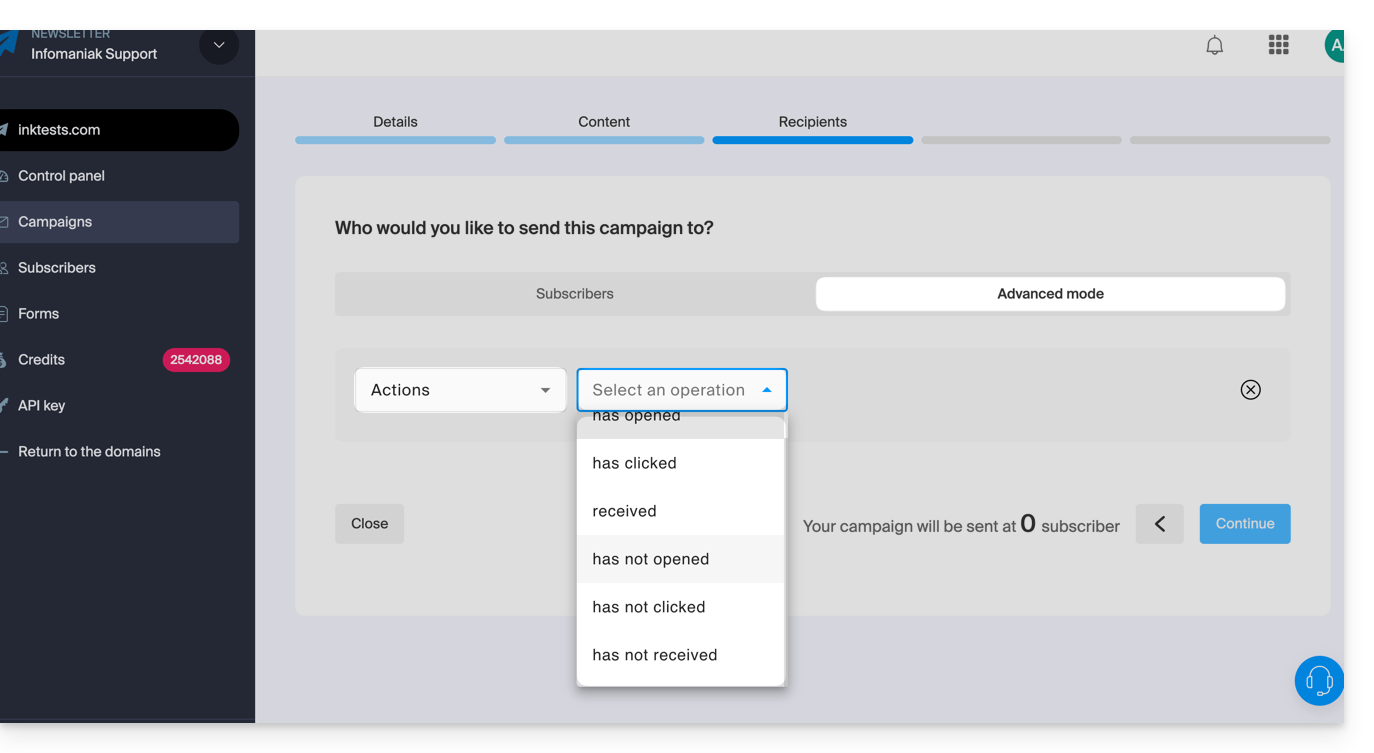
- Send only to subscribers who have opened the last 5 campaigns.
- Send only to subscribers who have never clicked on the specific Newsletter sent 1 month ago.
- etc.
To do this:
- Refer to Chapter 4 of this other guide.
- Choose Actions instead of custom field to select the criteria defining the people who will receive this next newsletter.
- This same dropdown menu also allows you to segment a send based on the subscription dates of subscribers (e.g., send only to those who subscribed within the last month).
Link to this FAQ: https://faq.infomaniak.com/2184
Has this FAQ been helpful?