Knowledge base
1000 FAQs, 500 tutorials and instructional videos. Here, there are only solutions!
Access phpMyAdmin
Update 10/05/2026
This guide explains how to access phpMyAdmin with a Web Hosting plan.
Introduction
- phpMyAdmin is an open-source administration tool designed to manage your MySQL and MariaDB databases via an intuitive web interface.
- It allows you to perform complex operations such as executing SQL queries, creating tables, or importing and exporting data without having to use the command line.
Accessing phpMyAdmin
To access the Web Hosting section related to Databases:
- Click here to access the hosting & website management section in your Infomaniak Manager (❓: help).
- Click on the name of the relevant hosting.
- Click on the chevron to the right of Databases in the left-hand menu.
- Click on Databases in the left-hand menu.
- Click on Connect to phpMyAdmin:
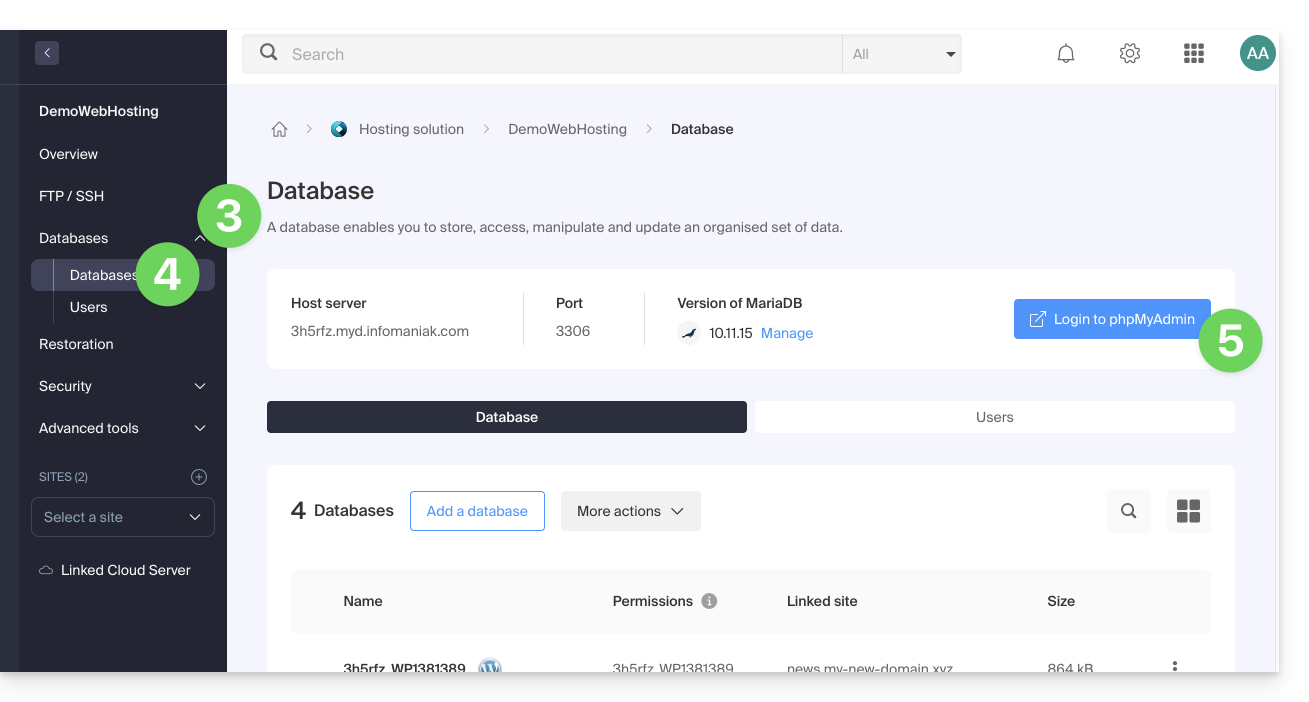
- The correct server and a temporary user are automatically populated.
You can also click on the action menu ⋮ located to the right of a database user: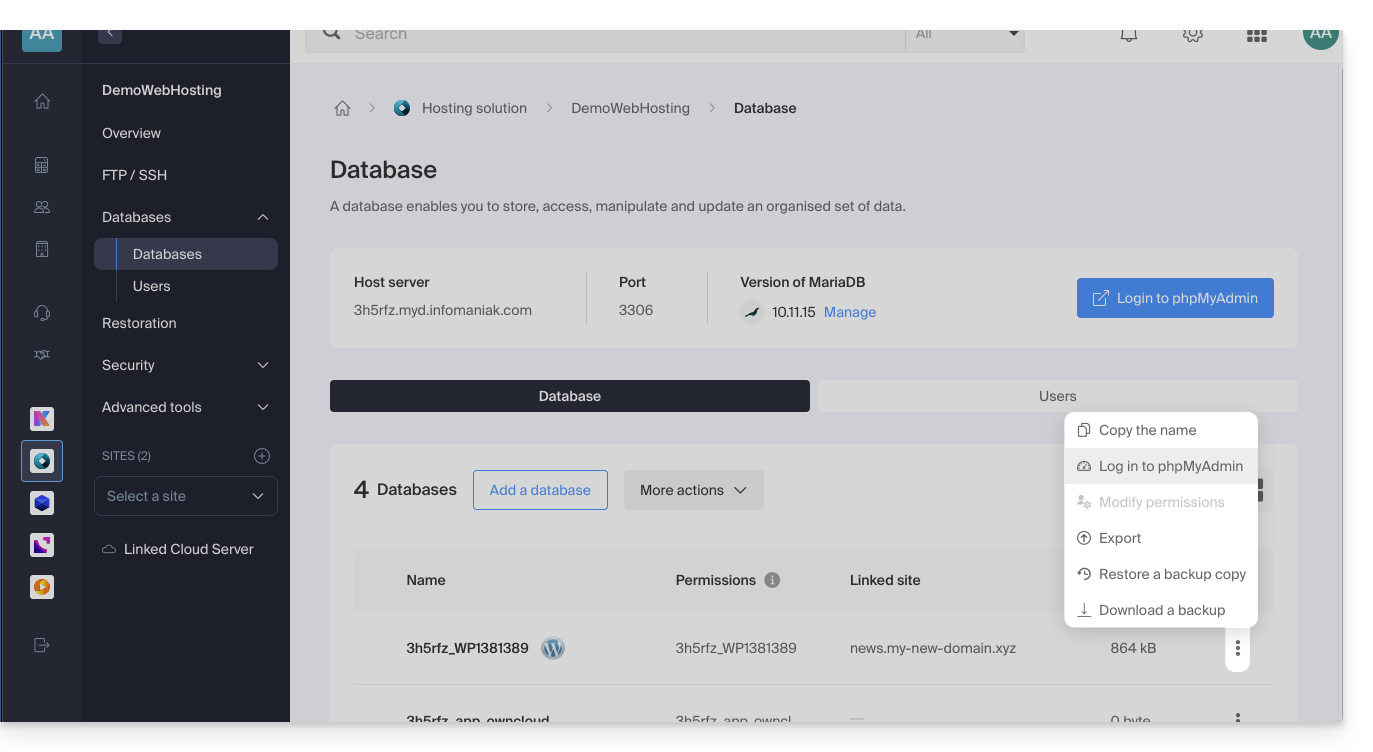
- The correct server is automatically populated.
- The password to enter corresponds to the database user (the one you chose when creating the MySQL user reset it if you have forgotten it):
Link to this FAQ: https://faq.infomaniak.com/2179
Has this FAQ been helpful?