Knowledge base
1000 FAQs, 500 tutorials and instructional videos. Here, there are only solutions!
Manage the "MySQL prefix"
Update 10/13/2026
This guide explains the purpose of the "MySQL Prefix" option in a website's settings and its implications for the operation of your web applications (CMS) and PHP scripts.
Introduction
- When the "MySQL Prefix" option is enabled for a website, it is no longer necessary to add the "
wxyz_" prefix to the name and users of your MySQL databases. - A PHP script can then connect to MySQL with the user "monuser" and a database "mabase", and access will automatically be granted with the user "wxyz_monuser" and the database "wxyz_mabase".
- ⚠ If you are migrating from an older Infomaniak plan:
- After migrating a website from the old console, the "MySQL Prefix" option is enabled by default to automatically maintain the connection of your web applications (WordPress, Joomla, Drupal, etc.) and PHP scripts with your MySQL databases.
- To ensure your websites function correctly in the event of a migration to another server, it is strongly recommended that you disable this function and make the necessary adjustments.
Manage the MySQL Prefix Option
Go Further with Environment Variables
You can configure environment variables directly from the Manager for your entire website:
- Click here to access the hosting & site management section in your Infomaniak Manager (❓: help).
- Click on the name of the product in question.
- Click on Manage advanced settings:
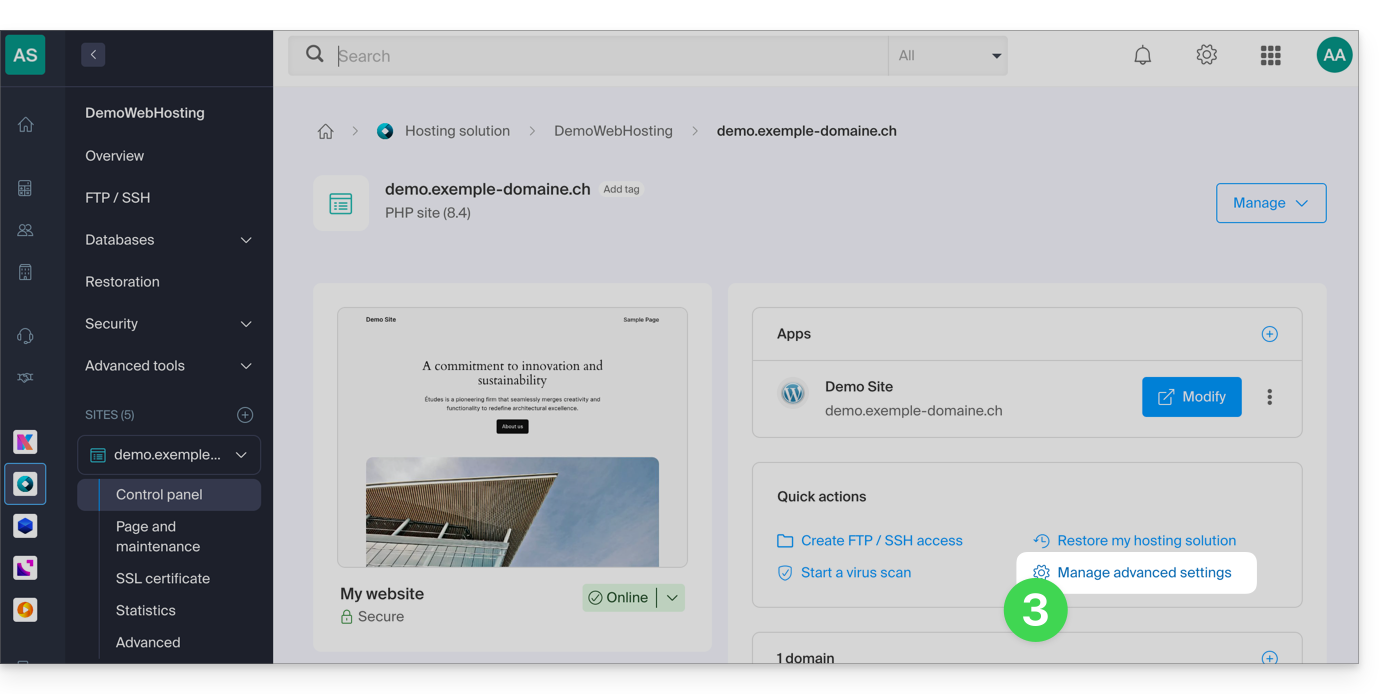
- Click on the PHP / Apache tab:
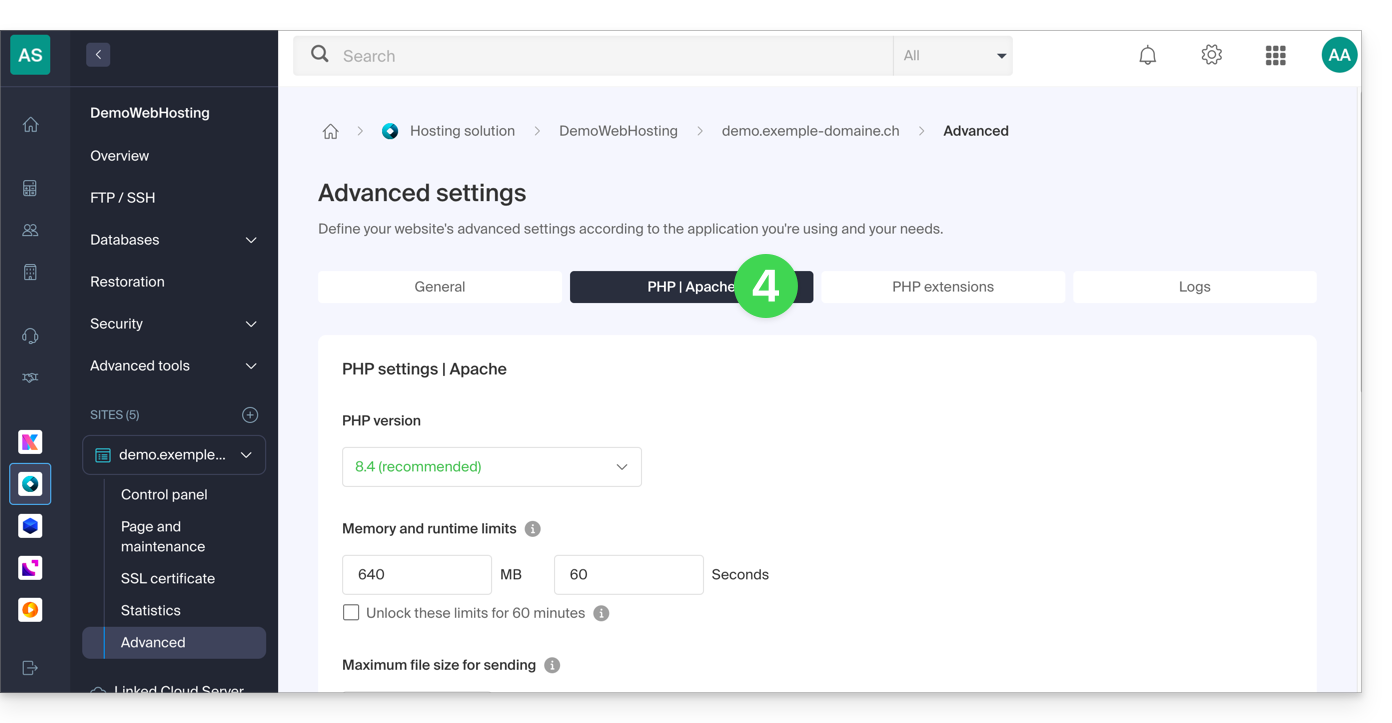
- Enable or disable the MySQL Prefix toggle switch:
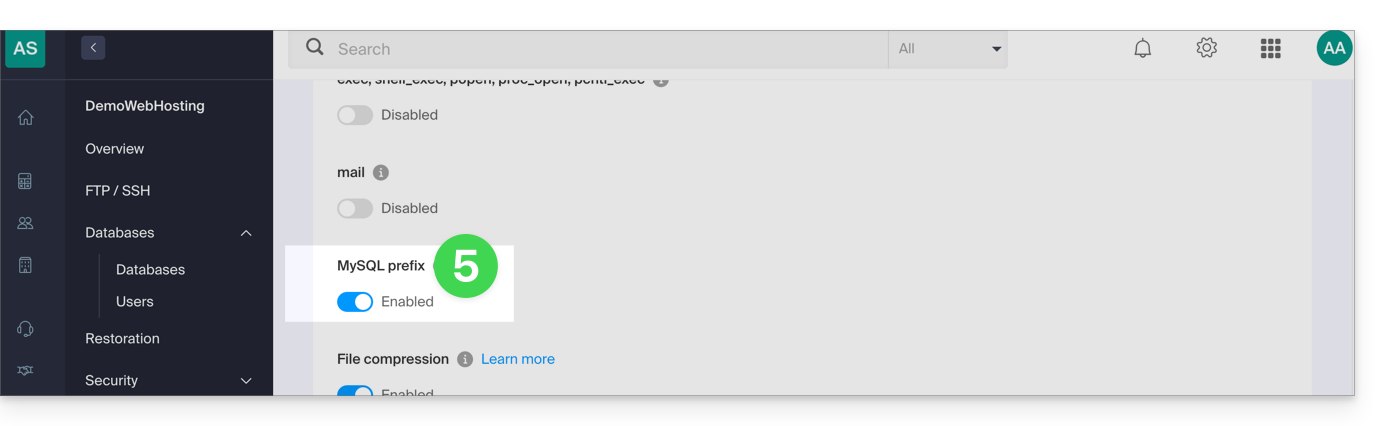
- Click on the Save button at the bottom of the page.
- Make the necessary adjustments in the configuration files of your web applications and PHP scripts…
Implications and adjustments to be made
After disabling the MySQL Prefix option for a website, some PHP scripts or CMS may no longer function.
To restore the connection to your databases, you must update the following information in the configuration file(s) of the scripts concerned:
- the name of the MySQL database: you will need to add the prefix of your server to it.
- before:
dbname - after:
wxyz_dbname
- before:
- the user of the MySQL database: you will need to add the prefix of your server to it:
- before:
dbuser - after:
wxyz_dbuser
- before:
Link to this FAQ: https://faq.infomaniak.com/2168
Has this FAQ been helpful?