Knowledge base
1000 FAQs, 500 tutorials and instructional videos. Here, there are only solutions!
Update a Let's Encrypt SSL certificate
Update 10/13/2026
This guide explains how to update an SSL certificate from Let's Encrypt for a website hosted by Infomaniak.
Introduction
- It may be necessary to regenerate a certificate after adding or removing aliases from a website in order to include the new domain names associated with the website.
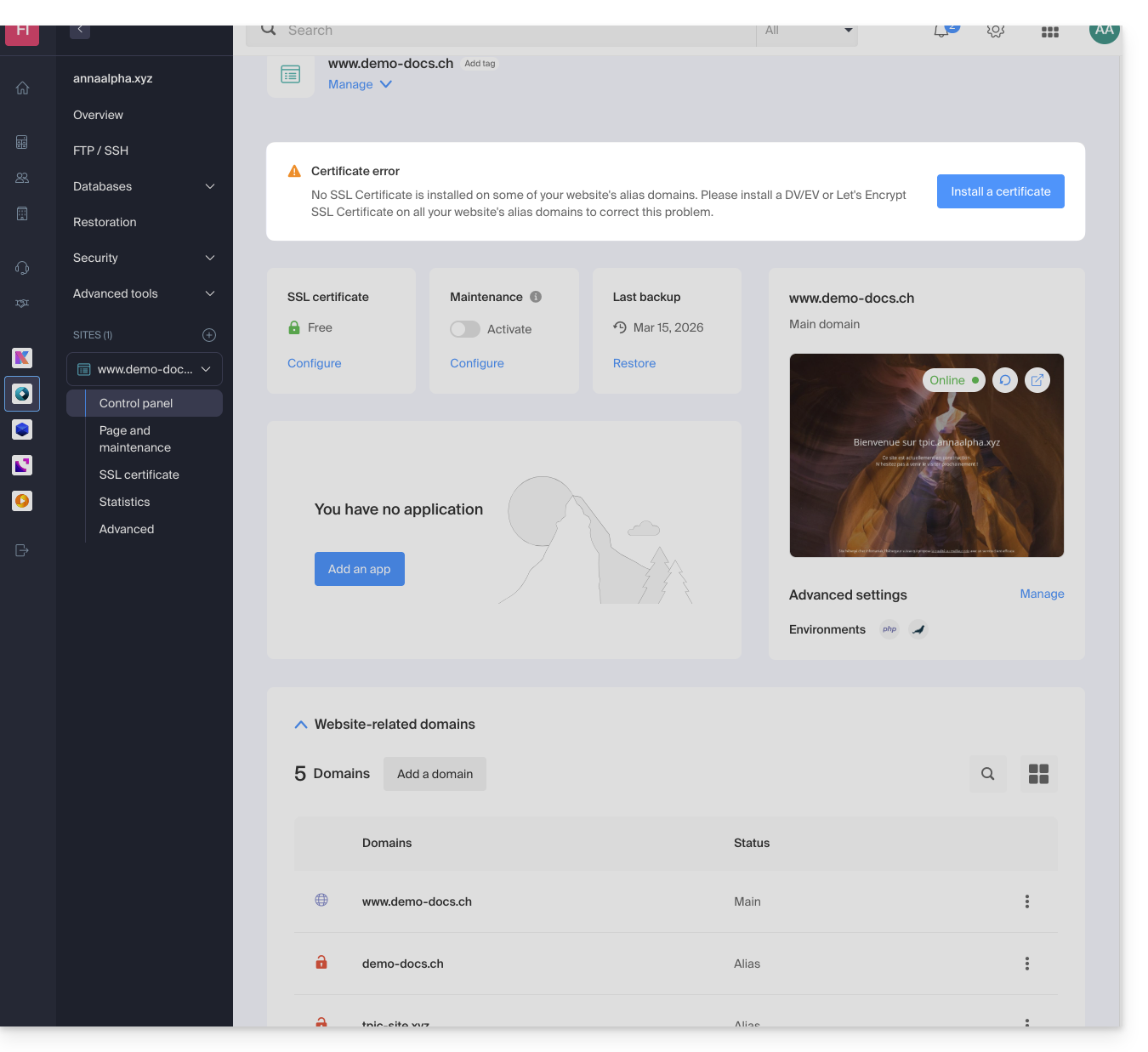
- The dashboard will clearly indicate that one of the domains associated with the website is not included in the SSL certificate:
Update a Let's Encrypt certificate
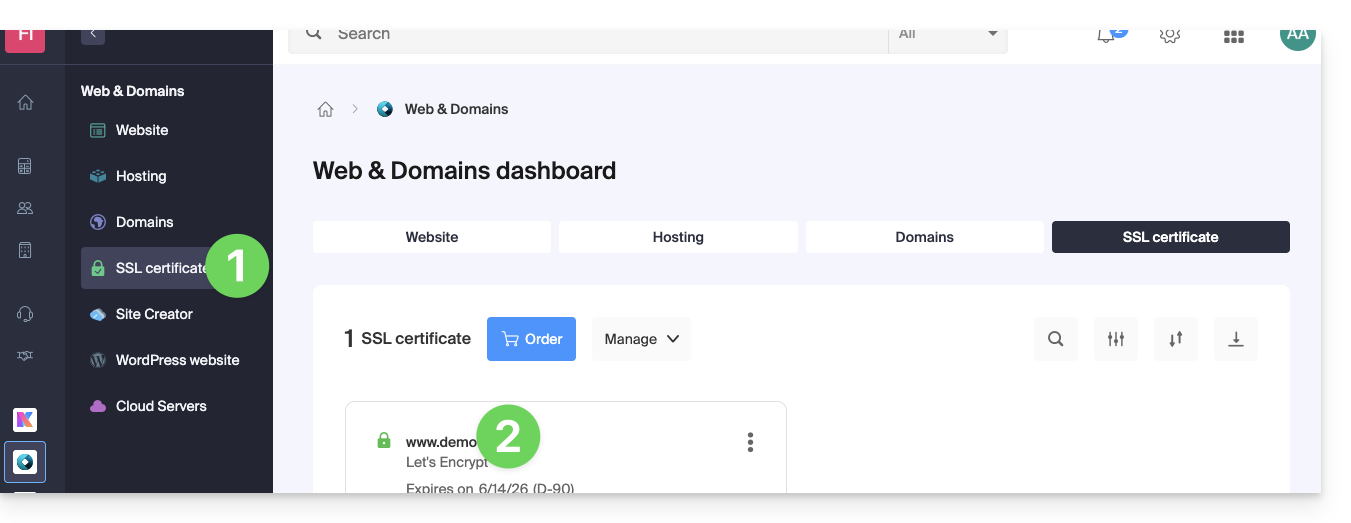
To access certificate management:
- Click here to access the management interface for your product in the Infomaniak Manager (❓: help).
- Click directly on the name assigned to the product in question:
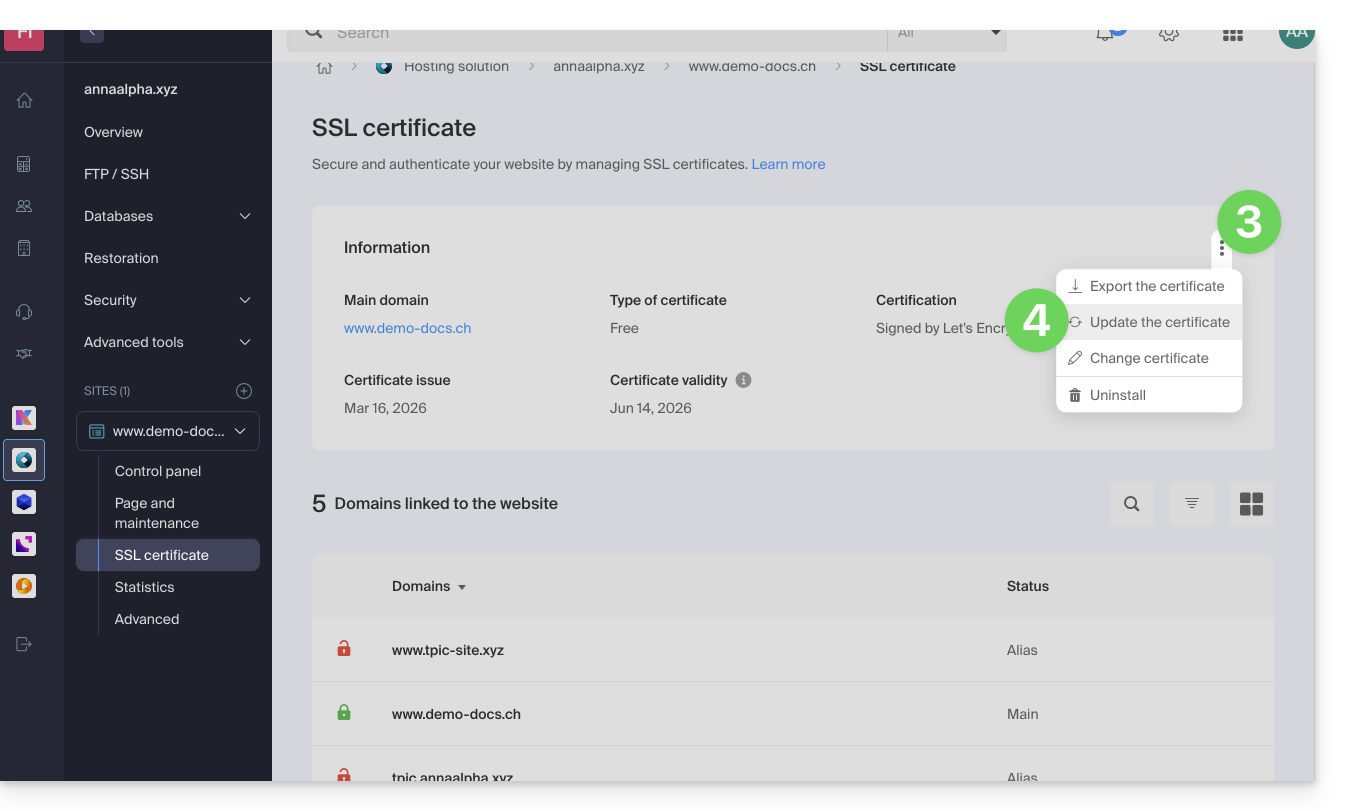
- Click on the action menu ⋮.
- Click on Update certificate:
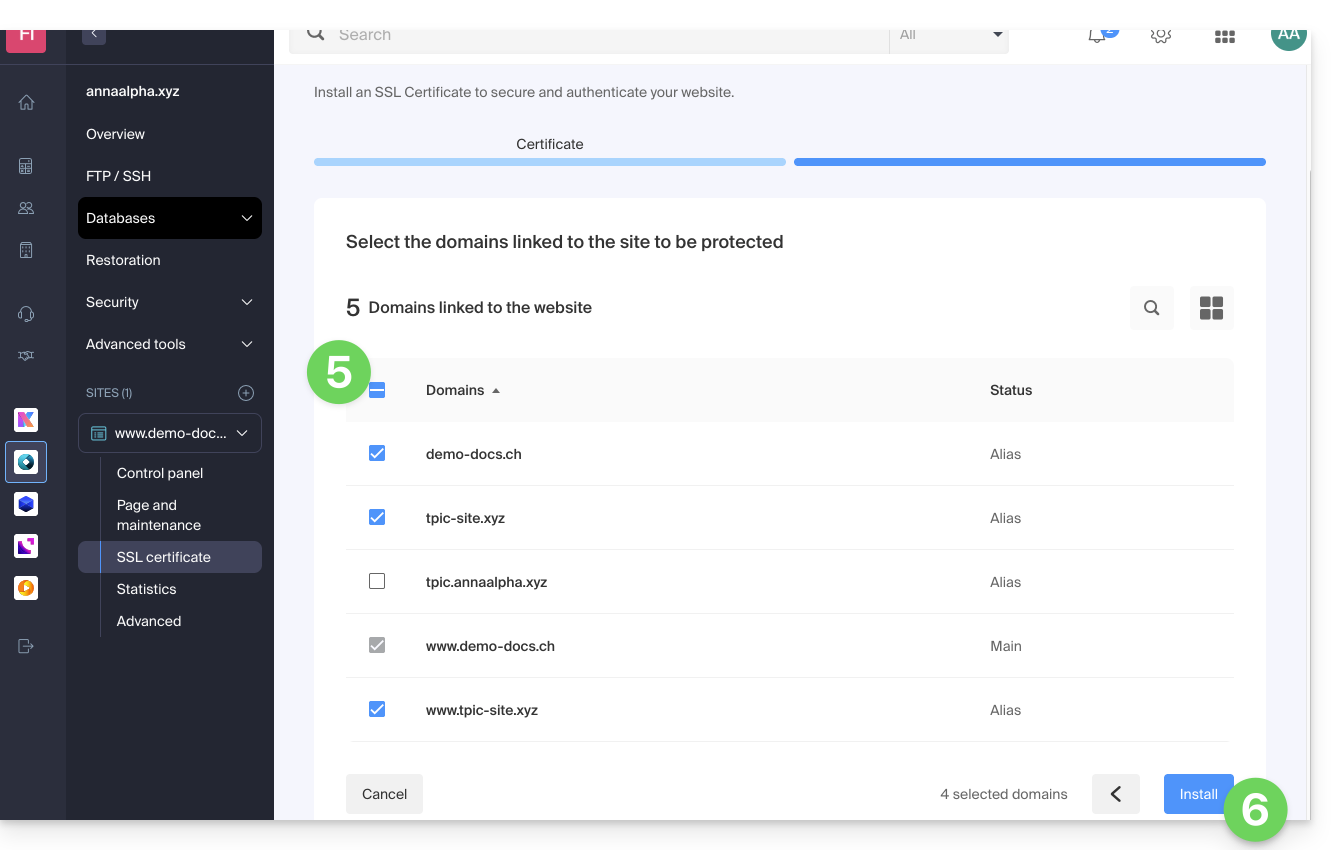
- Check or select the domains concerned.
- Click on the Install button:
Link to this FAQ: https://faq.infomaniak.com/2155
Has this FAQ been helpful?