Knowledge base
1000 FAQs, 500 tutorials and instructional videos. Here, there are only solutions!
Enable MariaDB to replace MySQL
Update 10/22/2026
This guide explains how to migrate a Web Hosting service from MySQL to MariaDB.
Introduction
- MariaDB is an enhanced version of MySQL, featuring numerous powerful built-in features and many improvements in terms of usability, security, and performance (❓: help).
- The migration time depends on the amount of data stored on your hosting and may take several hours.
- The upgrade to MariaDB is irreversible, and all websites on your hosting will then run with this version of MariaDB.
- Check the compatibility of your scripts before proceeding (❓: help).
- During the migration to the new infrastructure, your web hosting and all websites it contains will be temporarily unavailable.
- During this operation, statistics are reset (❓: help).
- An email will be sent to you as soon as the migration is complete.
- To migrate a Cloud Server, please refer to this other guide regarding migration to a new generation of Cloud Server.
Using MariaDB as a replacement for MySQL
To migrate a web hosting to MariaDB:
- Click here to access the hosting & website management section in your Infomaniak Manager (❓: help).
- Click on the name of the relevant hosting.
- Click on the chevron next to Databases in the left-hand menu.
- Click on Databases in the left-hand menu.
- Click on the Migrate to MariaDB link:
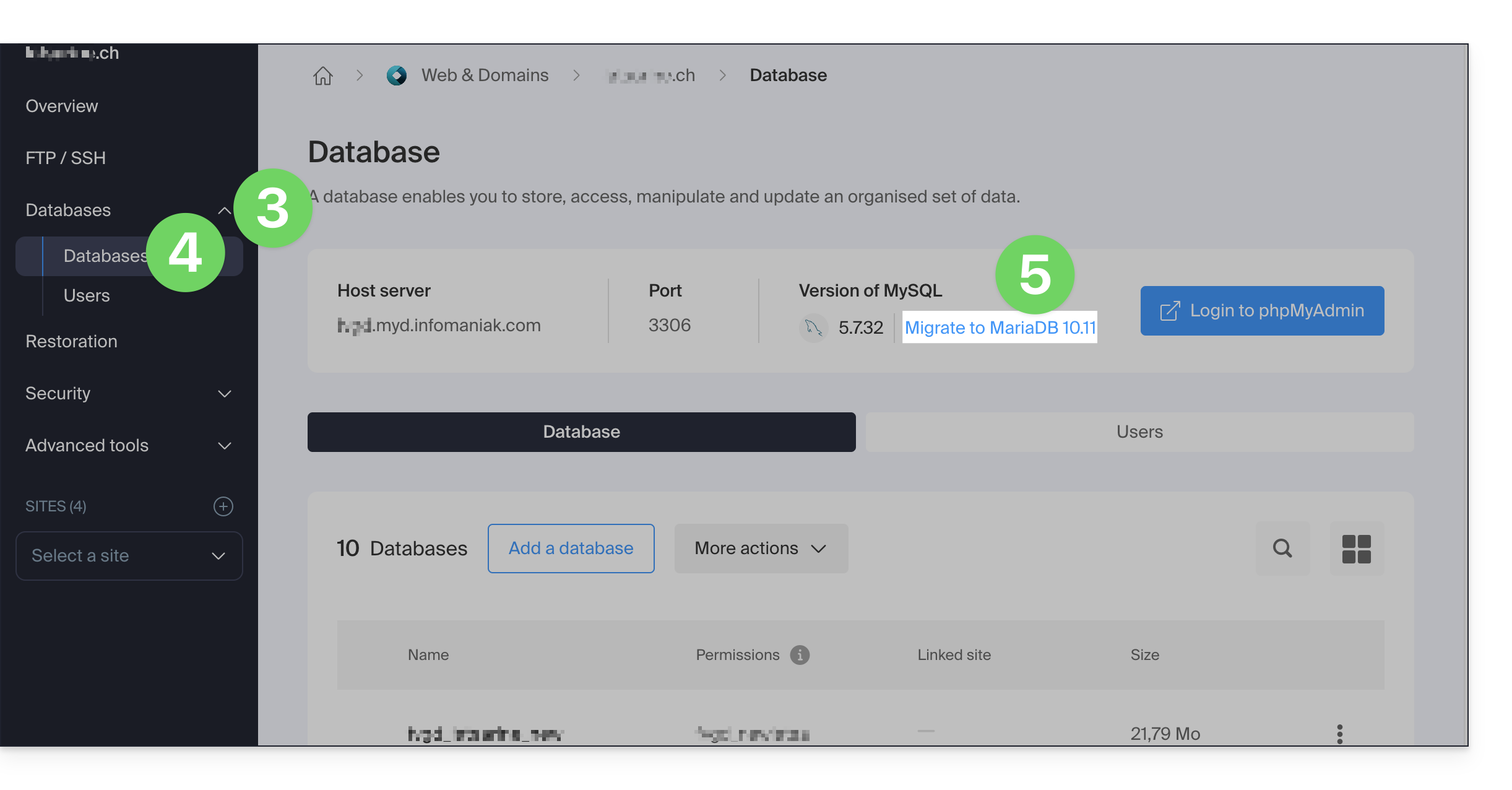
An update to a recent version of MariaDB may also require a hosting migration: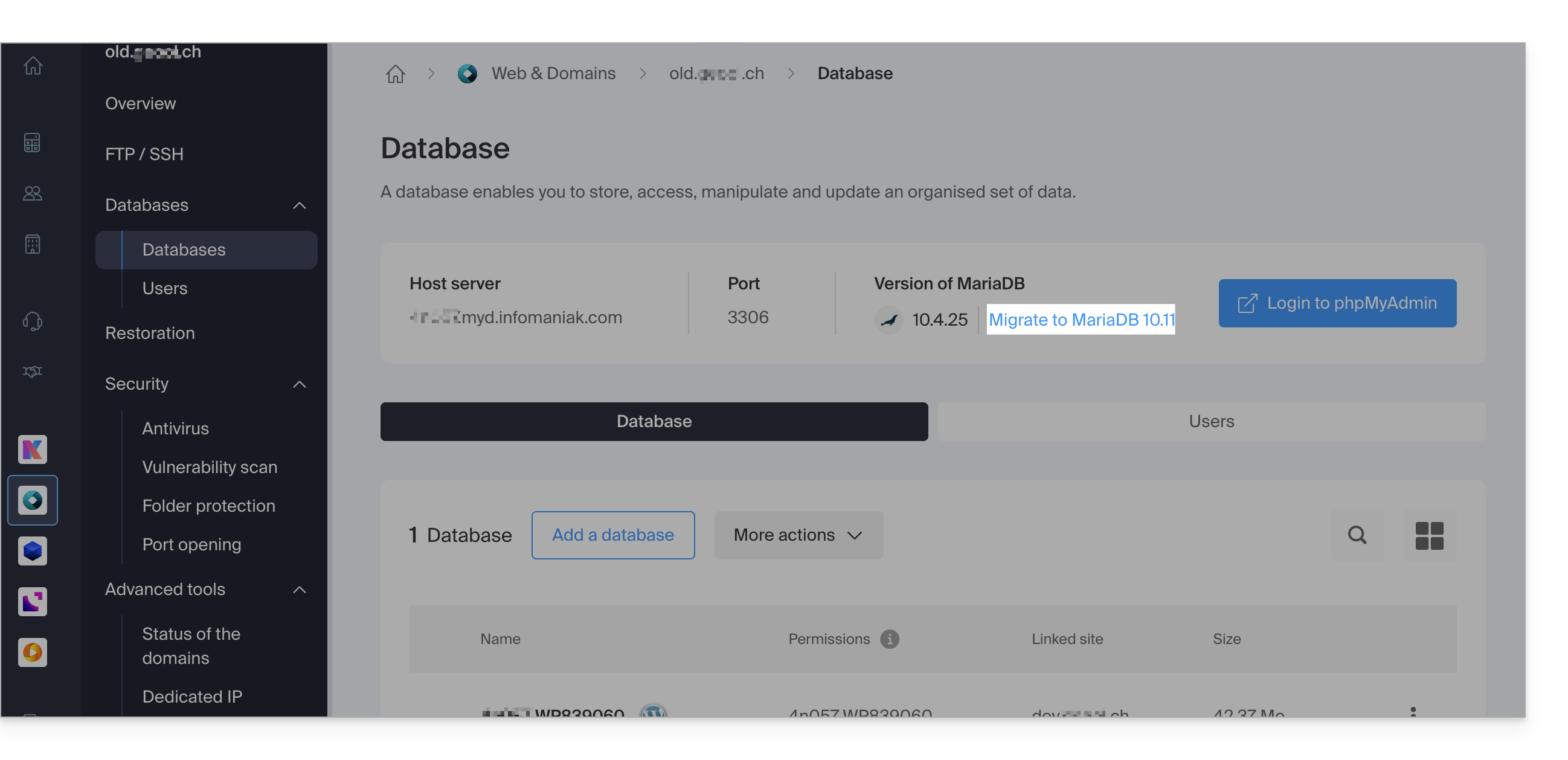
Link to this FAQ: https://faq.infomaniak.com/2147
Has this FAQ been helpful?